
This is the technical support forum for WPML - the multilingual WordPress plugin.
Everyone can read, but only WPML clients can post here. WPML team is replying on the forum 6 days per week, 22 hours per day.
| Sun | Mon | Tue | Wed | Thu | Fri | Sat |
|---|---|---|---|---|---|---|
| 9:00 – 18:00 | 9:00 – 18:00 | 9:00 – 18:00 | 9:00 – 18:00 | 9:00 – 18:00 | - | - |
| - | - | - | - | - | - | - |
Supporter timezone: Asia/Yerevan (GMT+04:00)
This topic contains 10 replies, has 0 voices.
Last updated by Christopher Amirian 6 months ago.
Assisted by: Christopher Amirian.
| Author | Posts |
|---|---|
| September 6, 2025 at 3:58 am #17380709 | |
 rhettY |
Background of the issue: Symptoms: Questions: |
| September 7, 2025 at 1:04 pm #17381834 | |
 Christopher Amirian WPML Supporter since 07/2020 Languages: English (English ) Timezone: Asia/Yerevan (GMT+04:00) |
Hi, Welcome to WPML support. I'd appreciate it if you could give me the URL/User/Pass of your WordPress dashboard after you make sure that you have a backup of your website. Make sure you set the next reply as private. Also, if you could use loom.com to show me what is your experience, that will help me to identify the issue. I wonder if the problem happens on a specific page or all pages? If a specific page please give me the URL. Thank you. |
| September 8, 2025 at 12:59 pm #17383664 | |
|
rhettY |
Hi, The normal behavior is the save and complete control will attach to the field being edited. This behavior goes well in SHORT content page. In LONG content pages (no matter pages, posts and product pages, text or media), when the edit goes to the LOWER part (not the bottom part) of the content, the "attaching" behavior is disrupted. The content will scroll upward after each saving, and then I need to scroll down to find the uneditted fields to edit. This is very troublesome, and involves more time. Please check the 2 video records: hidden link hidden link Currently I've finished all the editting of long content, and need to move one with the project. Moreover, the export file (by all in one wp migration) is more than 1GB. I don't have the unlimited version to import it to a staging site. I think you can create a long content page just adding a lot of pictures. You will see the issue. |
| September 9, 2025 at 12:11 pm #17387004 | |
|
Christopher Amirian WPML Supporter since 07/2020 Languages: English (English ) Timezone: Asia/Yerevan (GMT+04:00) |
Hi, Thank you for the video recording. From what I understand, when you click a save button on the Advanced Translation Editor, it goes to the next untranslated item. So the way it worked on the video seems that you tried to edit something in the middle while there was other untranslated content at the top. The best way is to go to the very top of the page. Click save, on one of the translations and wait to get scroll down to the next item. That way you will not get that scroll up in the middle. If I did not understand the issue, I'd appreciate it at least I have access to the website and you tell me which page ot check so I can see what happens on my browser. Thanks |
| September 9, 2025 at 1:09 pm #17387251 | |
|
rhettY |
No, it's not the case you mentioned. I know if there is any unsaved field the control will go back to the unsaved field in upper part of the content, but my case is clearly not the case. In the 2 videos, there is no unsaved field in the upper part. AND, this issue happens in ALL the long content pages, for example all the product pages in this archive page: hidden link This also happens in my local computer. Please try a long content. It should happen I've completed the translation. |
| September 10, 2025 at 6:39 am #17389257 | |
|
Christopher Amirian WPML Supporter since 07/2020 Languages: English (English ) Timezone: Asia/Yerevan (GMT+04:00) |
Thanks, may I ask you to provide the login information by setting the next reply as private? I tested on my local machine and could not replicate the issue, that is why I want to check your installation. Thanks. |
| September 11, 2025 at 12:04 pm #17394151 | |
|
Christopher Amirian WPML Supporter since 07/2020 Languages: English (English ) Timezone: Asia/Yerevan (GMT+04:00) |
Hi, Thank you for the login information. I tried to log in to the website but it shows a critical error message. The error message you shared (Function _load_textdomain_just_in_time) is happening on a plugin called OPcache Manager. You need to contact them to fix the issue. As soon as I have access to the website, I will be able to check the Advanced Translation editor. |
| September 11, 2025 at 1:54 pm #17394674 | |
|
rhettY |
I can open the site. Please try again |
| September 14, 2025 at 1:34 pm #17399981 | |
|
Christopher Amirian WPML Supporter since 07/2020 Languages: English (English ) Timezone: Asia/Yerevan (GMT+04:00) |
Thank you very much. I checked the website and I tested this: hidden link I went to the Advanced Translation editor and now I see that the problem does not occur. Now the new version of Translation Editor is used. The video you provided has the Save button on each section. The new version does not have the save button and as soon as you move away from a section, it will auto-save. Thanks. 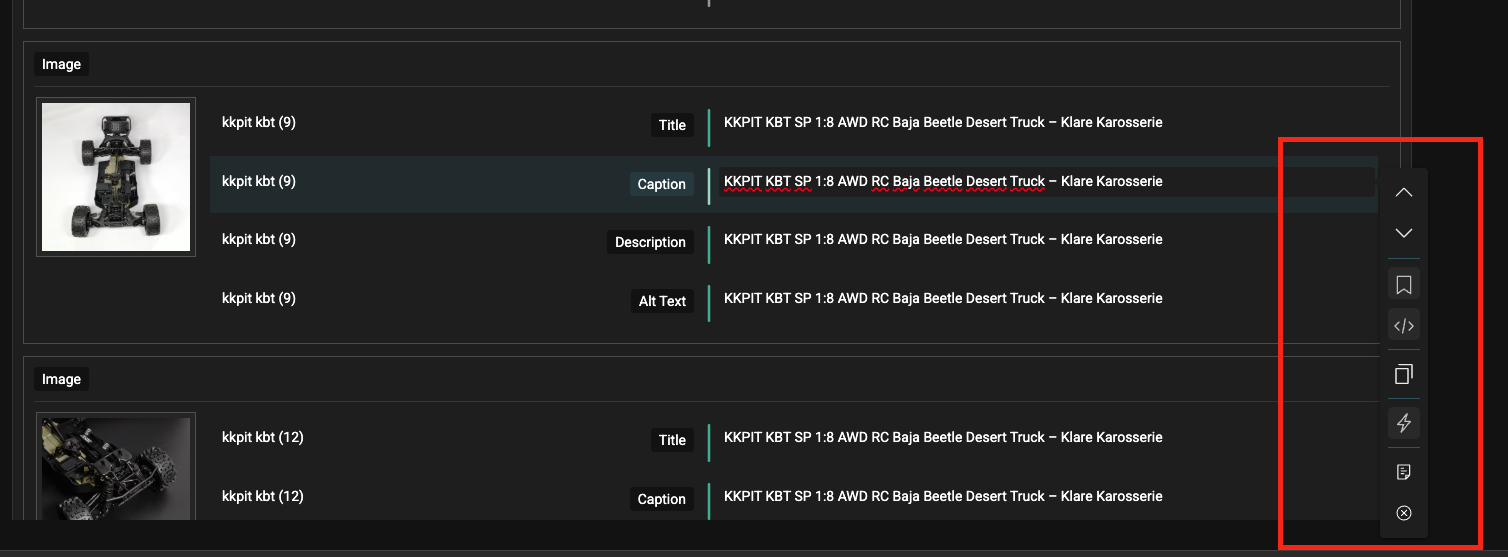 |
| September 14, 2025 at 1:53 pm #17399998 | |
|
rhettY |
Hi Chris, Thanks for response. Yes I tried the new version of translation editor just now. It saves the clicking, but the response of auto-saving is not very consistent on every field. One or two did not save, and I had to try several times. I think you can keep the button for manual when auto-saving didn't work. |
| September 15, 2025 at 6:30 am #17400704 | |
|
Christopher Amirian WPML Supporter since 07/2020 Languages: English (English ) Timezone: Asia/Yerevan (GMT+04:00) |
Hi, From what I understand, even if it is not auto saved when you click the complete button it should save. If it is not, I'd appreciate it if you can create a loom.com video and the pag ethat i need to check to report. Thanks. |











The topic ‘[Closed] Scrolling issue in translation editor’ is closed to new replies.