I am pretty new using WPML and I confess I am pretty lost. I have a few issues that i could not solve after a few hours trying. Probably I am missing some concepts.
1 - My strings in German are being listed as English, even offering a "German" translation. German is my default language and I am at the "german side" of my page. GechemTD is my text domain. Any way to switch it?
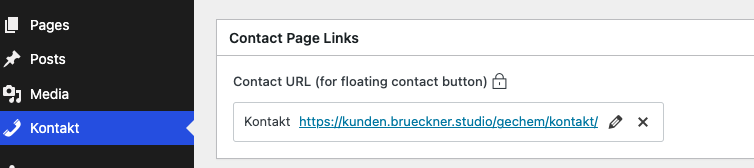
2 - I have a ACF Options page that some item are locked for translation when I switch to the english side of my page. I realised that I can change Post Types Translation Settings to not-translatable, translatable with fallback (that would be my option, as I want to display my content in german, if there is no english translation) and Translatable
only show translated items. But when I select the last 2 options and save, my kontakt options page disappears, so no way to edit it.
Depending on my options I am getting the message:
"You can translate field labels and labels for Choices using String Translation. To do this, set the field group post type to Not Translatable" How can I make something translatable, making it not translatable? 🙂
Thanks a lot for your support. I am really keen to find solutions for that issues.
Thank you for reaching out. Let me address your questions accordingly.
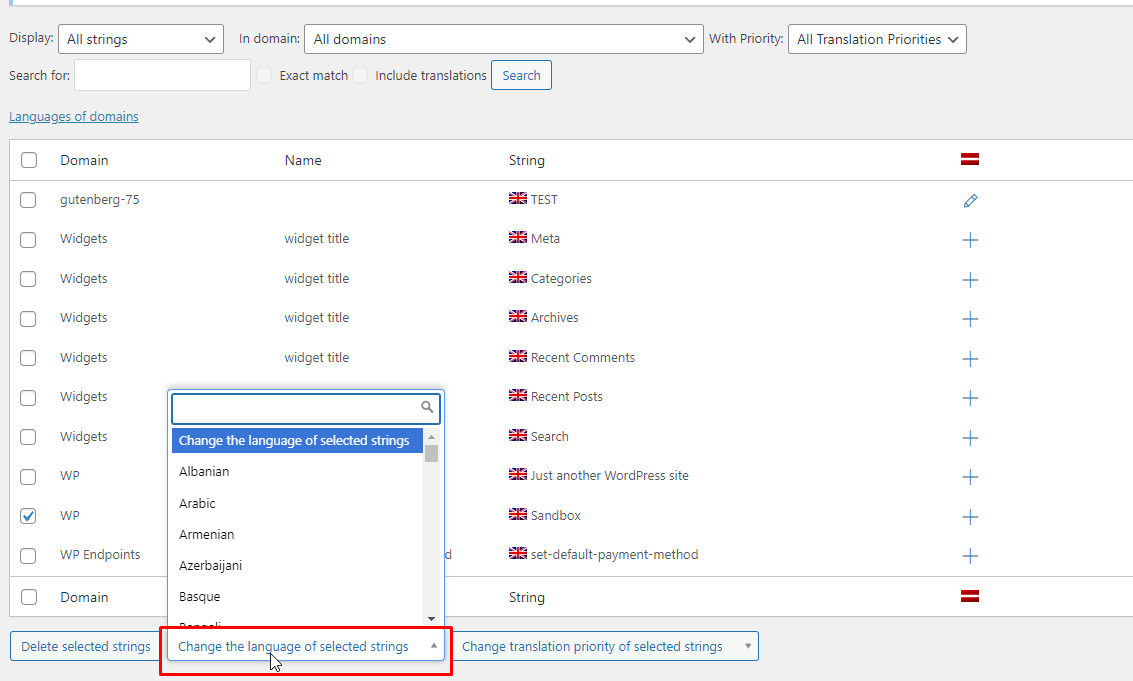
1. To change the language of a string, simply select the string and click on "Change the language of selected strings." Then, choose the desired language from the options provided. I've included a screenshot for your reference.