Home›Support›English Support›[Resolved] Switching from WPML to gTranslate and back, pages are not connected
[Resolved] Switching from WPML to gTranslate and back, pages are not connected
This thread is resolved. Here is a description of the problem and solution.
Problem: After switching from gTranslate back to WPML, the client experienced issues where WPML was not displaying languages correctly in the pages area. Specifically, every translated page appeared multiple times instead of once, and the WPML option to connect other pages was missing in the WordPress editor sidebar. Solution: We discovered that in the WPML settings under WPML > Settings > Post types translation, the post type "Pages" was set to "Not translatable". We changed the setting for pages and posts to "Translatable" and saved the WordPress Permalink settings. We then asked the client to review the translations and report any unexpected issues.
If this solution does not resolve your issue, or if it seems outdated or irrelevant to your case, we highly recommend checking related known issues at https://wpml.org/known-issues/, verifying the version of the permanent fix, and confirming that you have installed the latest versions of themes and plugins. If problems persist, please open a new support ticket.
This is the technical support forum for WPML - the multilingual WordPress plugin.
Everyone can read, but only WPML clients can post here. WPML team is replying on the forum 6 days per week, 22 hours per day.
Background of the issue:
We developed a website using WPML for translation and automatically translated it into 3 extra languages using 191000 credits. Due to an issue with the Bookings for WooCommerce plugin, we switched to gTranslate but later returned to WPML. Now, WPML is not displaying languages correctly in the pages area.
Symptoms:
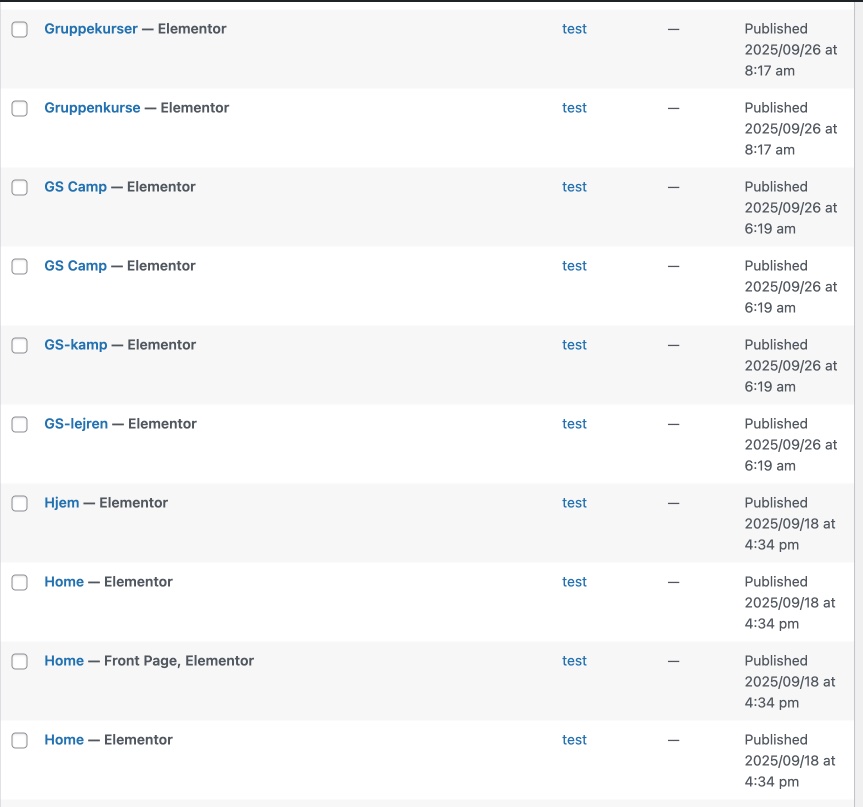
Every translated page is visible 4 times instead of once with translation options. The WPML option to connect other pages is missing in the WordPress editor sidebar.
Questions:
How can we fix the issue of pages not being connected correctly in WPML?
Why is the WPML option missing in the WordPress editor sidebar after switching back from gTranslate?
There’s no official migration plugin that directly converts GTranslate content into WPML-compatible translations—mainly because GTranslate (especially the free version) doesn’t store translations in the WordPress database. It serves them dynamically via JavaScript or a proxy, which means there’s nothing for a plugin to “migrate.”
- GTranslate doesn’t store translations in the WordPress database.
- WPML requires structured, post-based translations with language relationships.
- The two systems operate on fundamentally different architectures—proxy vs. native content.
Additionally, switching from WPML to GTranslate may have inadvertently disrupted WPML’s internal translation relationships. If WPML was disabled or if translated pages were edited outside its workflow, the links between original and translated content may have been broken. This would explain why translated pages now appear as standalone entries and why the “Connect with translations” option is missing in the editor sidebar.
On the other hand, this would also be expected if you ran a "WPML Reset" before switching to GTranslate - did you?
However, since your site was previously translated using WPML and 191,000 credits were consumed, WPML’s translation memory should still retain those translations. This means you can safely re-send the original pages for automatic translation using WPML’s Advanced Translation Editor, and the system will reuse existing translations without consuming additional credits—as long as the original content has not changed significantly in the meantime.
If the source content has been modified, WPML will treat it as new and may require fresh translation credits for the updated segments.
This approach will also re-establish the correct translation relationships in the database and restore the expected behavior in the Pages list and editor sidebar.
Thanks for the great response! To answer your question: We did not run a "WPML Reset" before switching to GTranslate.
As for the re-sending the original pages: there are still multiple issues and I don't know which step to take first.
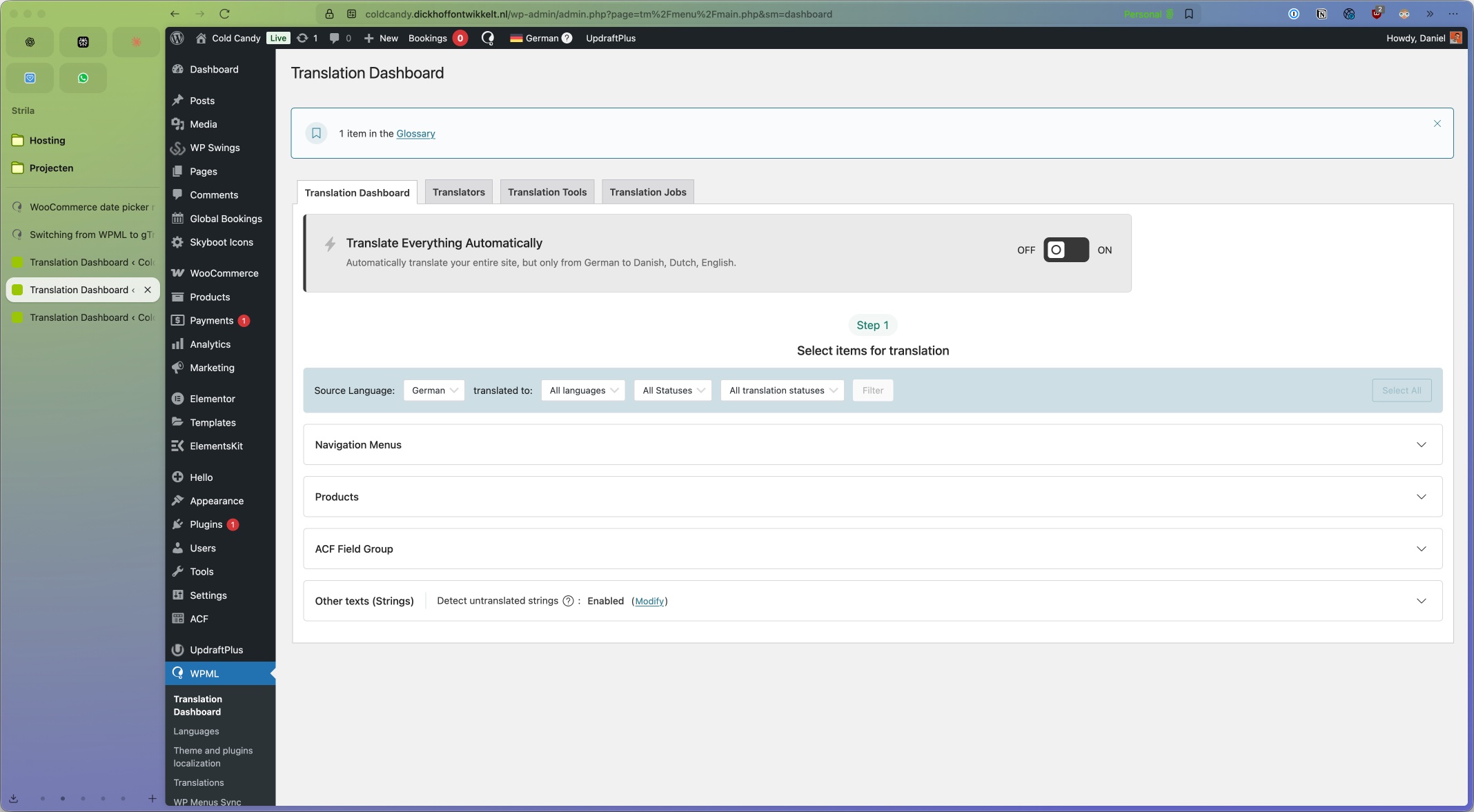
- When I try to re-send the original pages for automatic translation using WPML’s Advanced Translation Editor, I see no available pages to translate (see cc-wpml-1.jpeg).
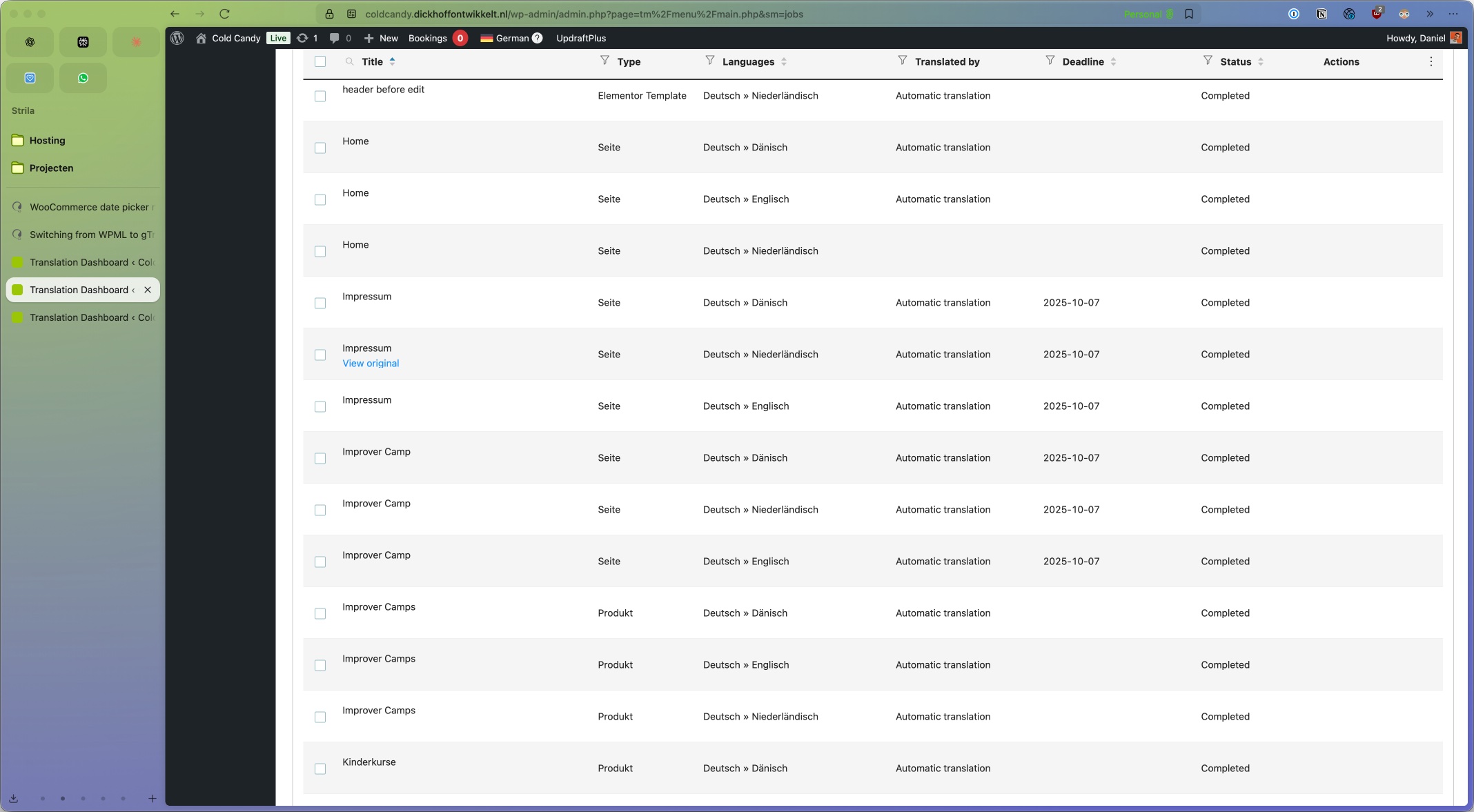
- When I move to the tab Translation Jobs, it looks like all pages are completed (see cc-wpml-2.jpeg).
- When I select one of them and then choose Get translations from the dropdown menu, I get the error "This action does not apply to any of the selected translation jobs". The same message I get when selecting Cancel jobs.
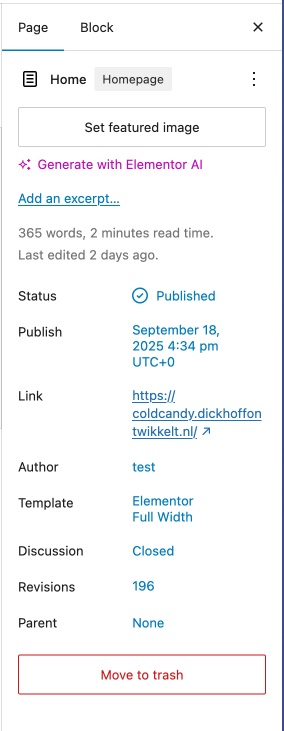
- When you visit hidden link it looks like the Homepage is the only page where the language selector is in the menu and showing all 4 languages. Other pages show the languae flags, but if clicked, you get reverted to the default language (German). If I now go to edit the page in WordPress, there is nothing to see with regards to WPML (see cc-wpml-3.jpeg)
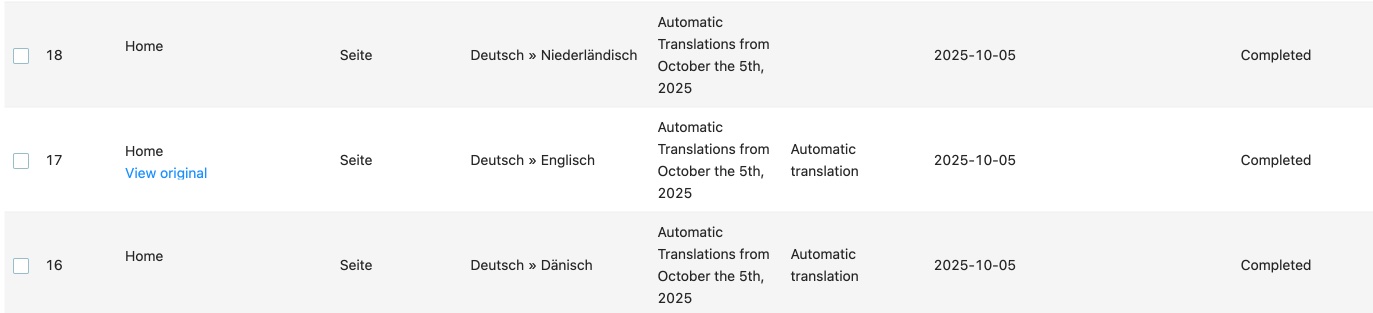
- On the page Translation Dashboard > Translation Jobs I see the 3 Home translations as completed (see cc-wpml-4.jpeg).
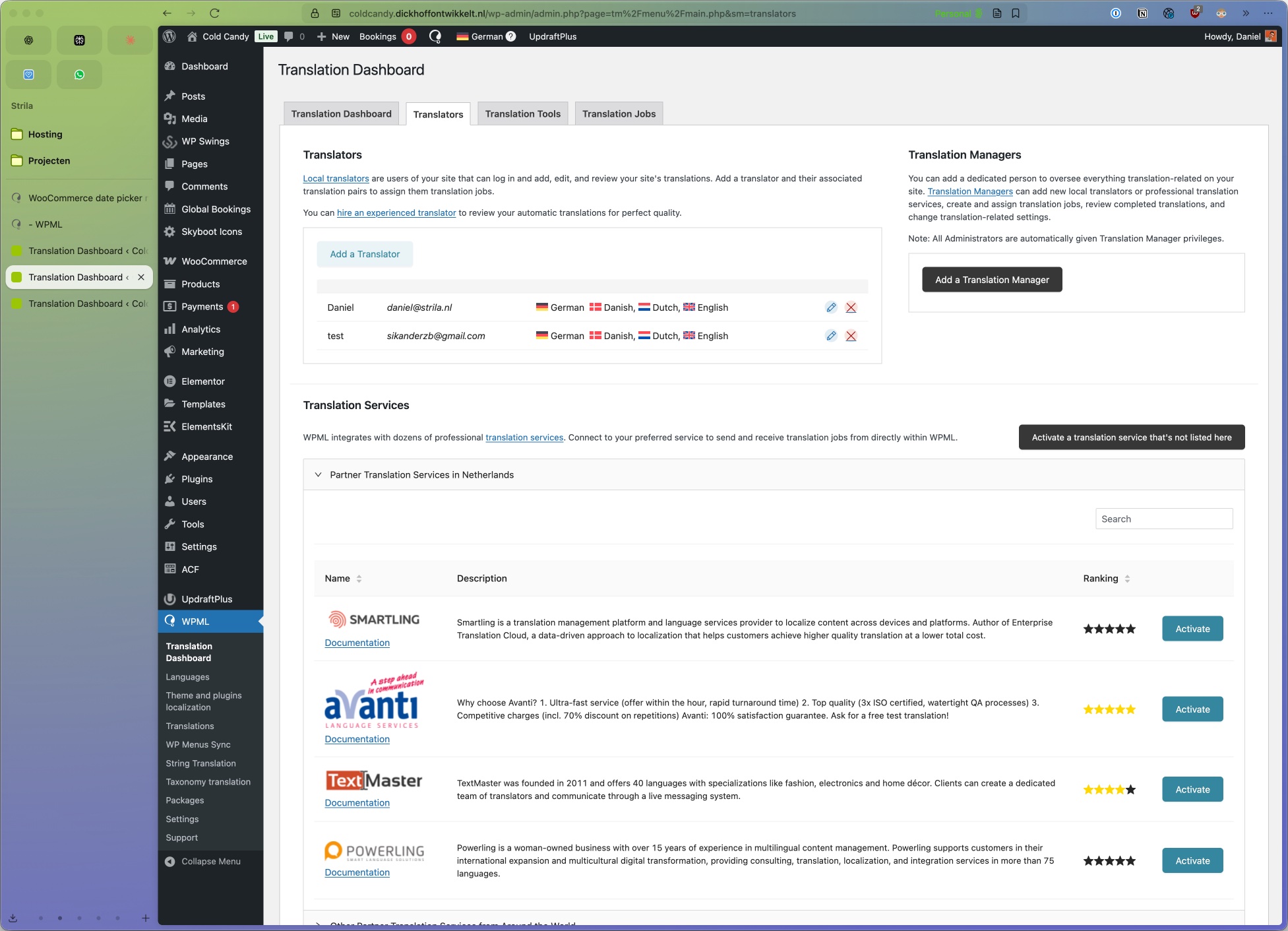
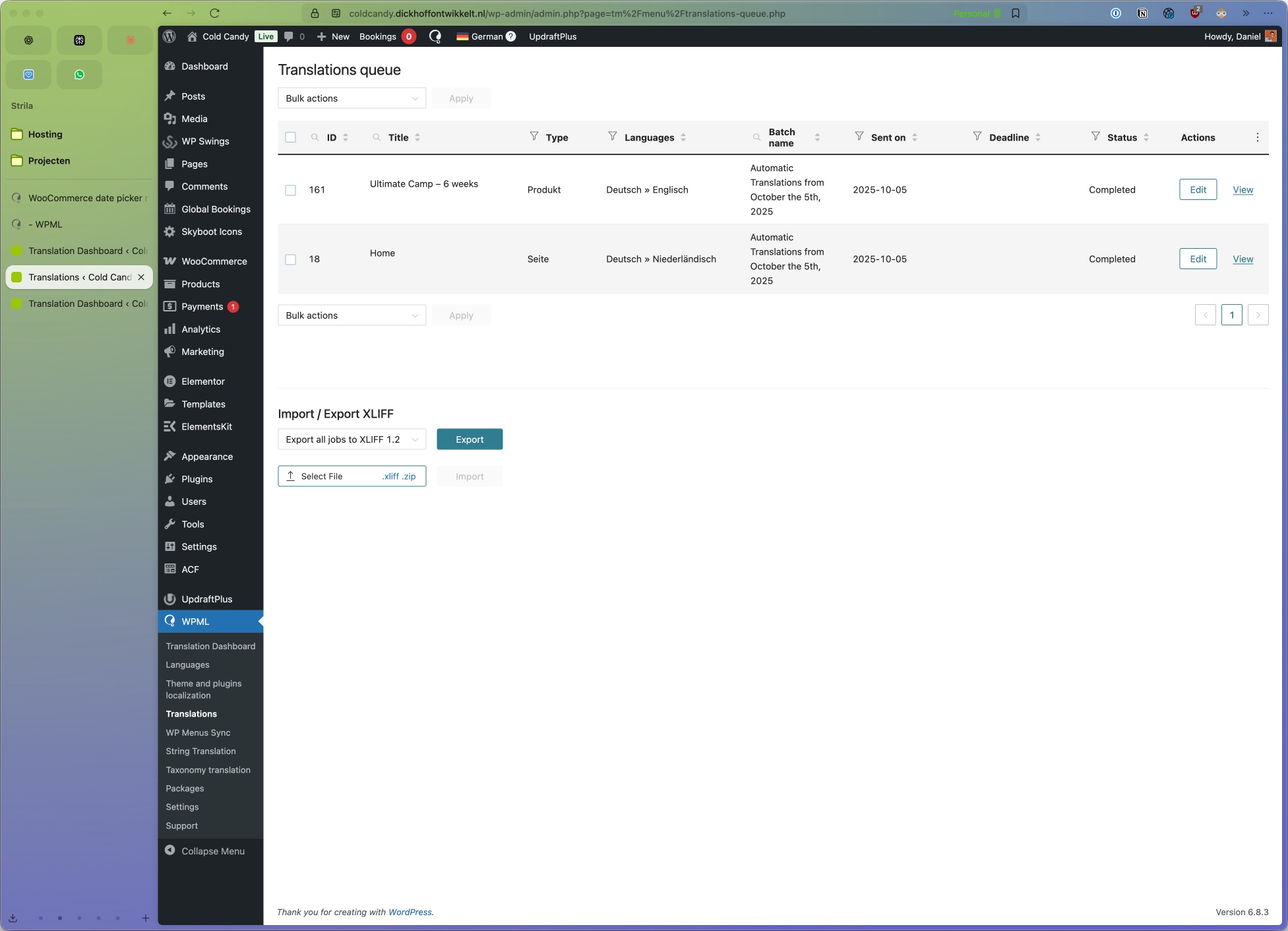
Update: if I go to WPML > Translations, I have a translation queue of 2. (see cc-wpml-5.jpeg). When I try to click edit, it tells me "The translator could not be assigned to the job". But I am assigned to all languages (see cc-wpml-6.jpeg)
If you want, I can create a login for you. Tell me where I can place the login items safely in this ticket.
I would like to request temporary access (wp-admin and FTP) to the website to investigate the issue further.
You can find the required fields below the comments section when you log in to leave the next reply. The information you provide is private, meaning only you and I can see and access it.
IMPORTANT
Please be sure to back up your website and database before granting us access.
If you can't see the "wp-admin / FTP" fields, your post and website credentials will be set to "PUBLIC." DO NOT publish the data unless you see the required wp-admin / FTP fields.
The private reply form looks like this: hidden link
Click "I still need assistance" the next time you reply.
Video: hidden link
Please note that we are required to request this information individually on each ticket. We are not permitted to access any credentials that were not specifically submitted on this ticket using the private response form.