Home›Support›English Support›[Resolved] Translating SEO Meta (Keyword and Description) for Taxonomy Terms
[Resolved] Translating SEO Meta (Keyword and Description) for Taxonomy Terms
This thread is resolved. Here is a description of the problem and solution.
Problem: The client has translated Term Meta to Portuguese via WPML's Translation Dashboard under Yoast SEO > Term Meta, but the Term Meta of their taxonomies still appears in English in the backend, although it is correctly translated on the frontend. Solution: 1. We have identified that Yoast SEO term metas are not stored using the standard WordPress API but as a serialized option, which can lead to issues if the data becomes too large. 2. To manage translations, we recommend using the WPML Translation Dashboard to translate Yoast SEO term meta, ensuring it displays correctly on the frontend. 3. If editing is necessary, it should be done via the Advanced Translation Editor (ATE), and the term meta should be re-sent for manual translation if it was initially auto-translated. This will not incur additional credits as the translations are saved in ATE's translation memory. 4. We are considering implementing a feature where the Yoast SEO term meta field in the backend will be locked with a recommendation to use ATE for translations, to prevent issues with direct edits.
Please note that this solution might be outdated or not applicable to your specific case. We highly recommend checking related known issues at https://wpml.org/known-issues/, verifying the version of the permanent fix, and confirming that you have installed the latest versions of themes and plugins. If the issue persists, please open a new support ticket.
This is the technical support forum for WPML - the multilingual WordPress plugin.
Everyone can read, but only WPML clients can post here. WPML team is replying on the forum 6 days per week, 22 hours per day.
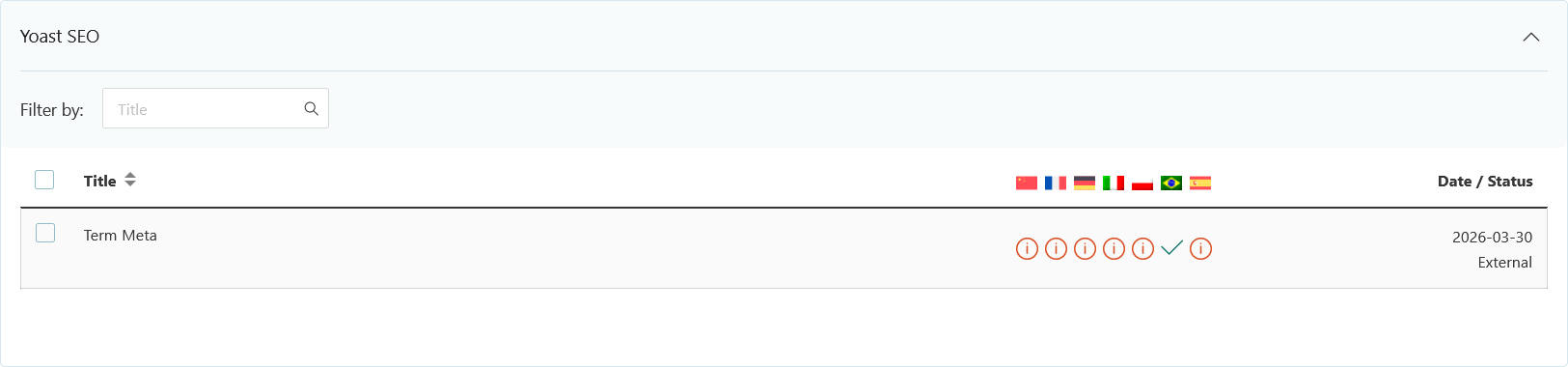
I have translated Term Meta via Translation Dashboard > Yoast SEO > Term Meta to Portuguese, but the Term Meta of my taxonomies are still in the primary language (English). Please assist.
Please share with an example of original term with term meta that is not translated, and if possible a page where I can check the untranslated term meta.
I see that the meta description is the same as for the original term when editing the translated term (term edit screen). But as you also noticed, it's correctly translated on the frontend.
I could not reproduce exactly the same behaviour on my local site. I could translate the term meta via the WPML Translation Dashboard. But if I go and edit the translated term (term edit screen), the meta description is empty.
Our process is mostly trying to replace Yoast term meta on the fly (on the frontend). I will escalate to development to confirm how it is supposed to behave on the backend.
Meanwhile, your term meta should be properly translated on the frontend anyway.
If you want to edit the translation, my recommendation for now is to edit with ATE on the translation job. As it was automatically translated, you may need to re-send the whole "Term Meta" item to manual translation. It will not cost any additional credit because the translations are already saved in ATE's translation memory.
We've discussed this issue with the dev team and we would like to implement the following logic:
1. When editing a term in a secondary language, the Yoast SEO term meta should be locked with a message recommending to translate the string package with ATE.
2. The field could be unlocked (not recommended), and the term meta could be editable directly. In that case, this manual translation would have precedence on the translation from the string package.
However, you need to know that Yoast SEO term metas are not stored with the standard WordPress API. Instead, they store it as a common serialized option (probably for historical reasons).
That's a problem because if this option has too much data, it might get corrupted and impossible to unserialize.
Our strategy to use string packages and translate the entries "on the fly" is to prevent bloating more the option with the translated data (multiplied by the number of secondary languages).
Note that we don't have any schedule yet for implementing and releasing these changes.
Meanwhile, you can translate the Yoast SEO term meta via the WPML > Translation Dashboard, and it will show translated on the frontend.
I think your issue is solved now, so I'll let you close this ticket.