Home›Support›English Support›[Resolved] Translation does not show as translated when at 100% and clicking 'complete'.
[Resolved] Translation does not show as translated when at 100% and clicking 'complete'.
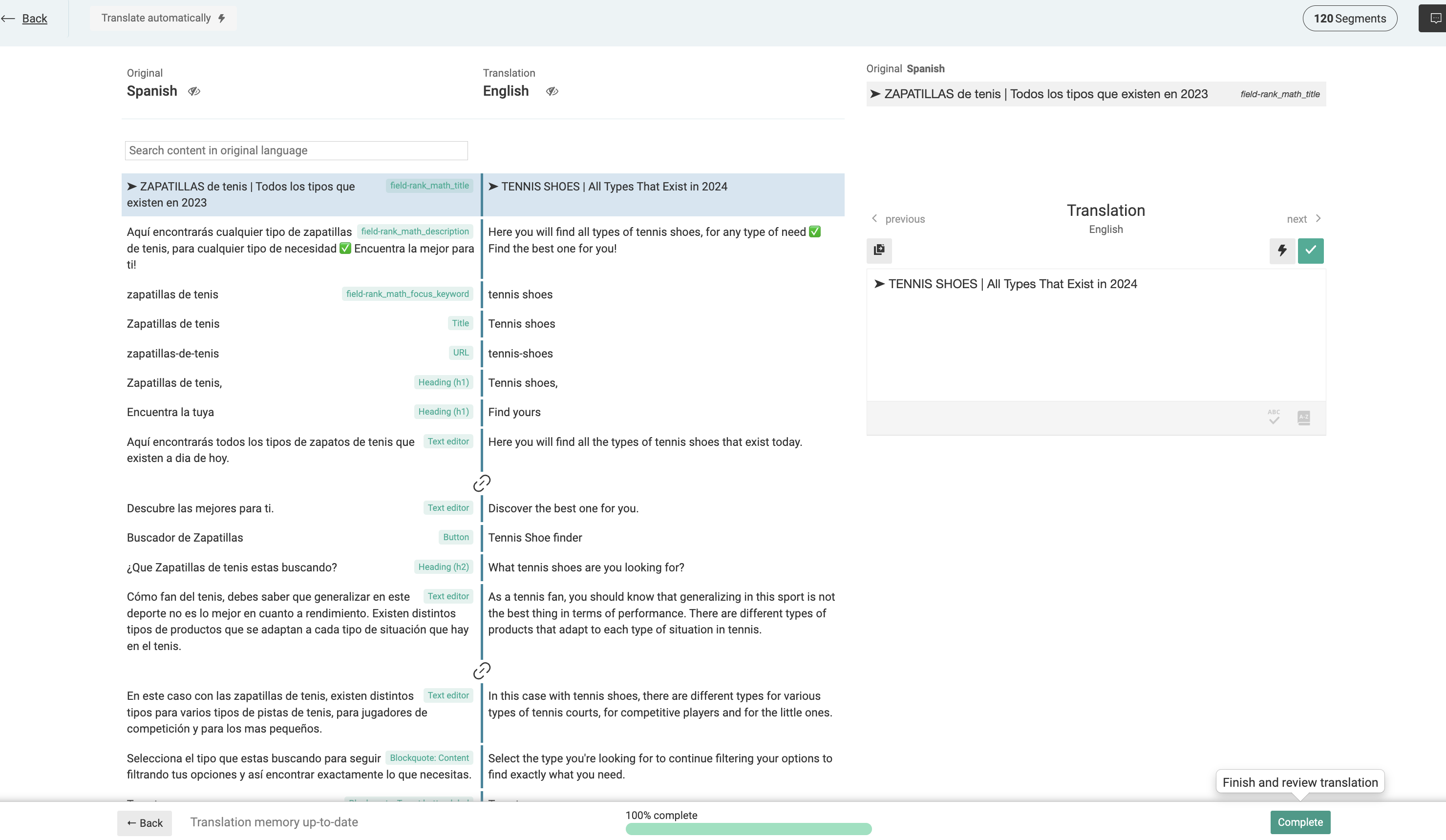
This thread is resolved. Here is a description of the problem and solution.
Problem: The client was unable to complete a translation using the WPML editor, as it continued to show as "in progress" even after completion. Solution: We recommend making minor edits to the page title and re-translating it. Here are the steps to follow: 1. Go to the page with the translation issue. 2. Make a minor edit to the page title. 3. Save the changes and re-translate the page. If this solution does not seem relevant to your issue, please open a new support ticket with us.
This is the technical support forum for WPML - the multilingual WordPress plugin.
Everyone can read, but only WPML clients can post here. WPML team is replying on the forum 6 days per week, 22 hours per day.
I will need to closely examine your website. Therefore, I will require temporary access (WP-Admin and FTP) to a test site where the problem has been replicated, if possible. This will enable me to provide better assistance and determine if any configurations need to be modified.
Please note that it is important to have a backup for security purposes and to prevent any potential data loss. You can use the UpdraftPlus plugin (https://wordpress.org/plugins/updraftplus/) to fulfill your backup requirements.
Your upcoming reply will be treated with confidentiality and will only be visible to you and me.
✙ To resolve the issue, I may need your consent to deactivate and reactivate plugins and the theme, as well as make configuration changes on the site if necessary. This emphasizes the significance of having a backup.
Also, I checked your debug information, I noticed that your MySQL version is below the plugin minimum requirements as described at: https://wpml.org/home/minimum-requirements/ . Kindly contact your hosting provider and ask them to update the MySQL version to 5.6+ for you.