Skip to content Skip to sidebar

This thread is resolved. Here is a description of the problem and solution.

Problema:
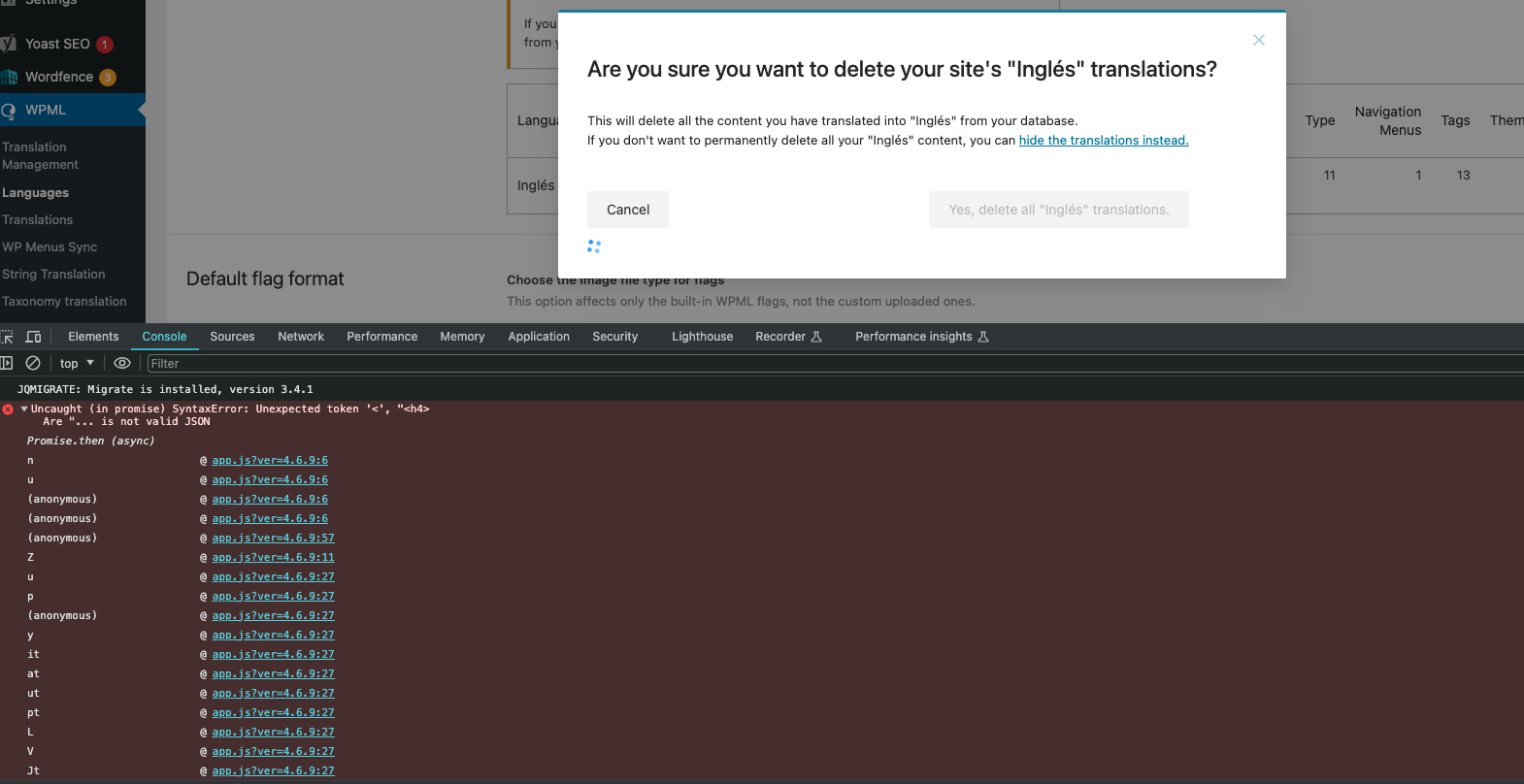
Si estás intentando eliminar el contenido en inglés de la base de datos y la página sigue cargando sin completar el proceso, es posible que estés experimentando un problema relacionado con los recursos del servidor. El cliente esperaba que todas las traducciones al inglés se eliminaran de la base de datos, pero en su lugar, la página no dejaba de cargar. Además, al ejecutar un comando en la consola, se encontró con un error de sintaxis.

Solución:
Primero, asegúrate de haber realizado una copia de seguridad completa de tu sitio web (archivos y base de datos). Luego, verifica que el límite de memoria de WordPress sea suficiente. WPML requiere un mínimo de 128MB, pero en este caso, el límite de memoria de WordPress del cliente era de solo 40MB. Para aumentar este límite, añade el siguiente código a tu archivo

wp-config.php

:

/* WP Memory Limit */<br />define('WP_MEMORY_LIMIT', '256M');<br />define('WP_MAX_MEMORY_LIMIT', '256M');

Asegúrate de pegar este código justo antes de:

/* That's all, stop editing! Happy blogging. */

Si tu proveedor de alojamiento limita estos ajustes, contacta con ellos para que los modifiquen directamente. Después de aumentar la memoria, si el problema persiste, intenta desactivar otros plugins (dejando solo el plugin de WPML activo) y/o cambia a un tema predeterminado de WordPress como TwentySeventeen y luego intenta realizar el proceso nuevamente.

Si la solución proporcionada no es relevante para tu caso, porque podría estar desactualizada o simplemente no aplicarse a tu situación, te recomendamos abrir un nuevo ticket de soporte. También te sugerimos que revises los problemas conocidos, verifiques la versión de la solución permanente y confirmes que has instalado las últimas versiones de temas y plugins. Si necesitas más ayuda, no dudes en contactarnos en el foro de soporte de WPML.

This is the technical support forum for WPML - the multilingual WordPress plugin.

Everyone can read, but only WPML clients can post here. WPML team is replying on the forum 6 days per week, 22 hours per day.

Tagged: 

This topic contains 3 replies, has 2 voices.

Last updated by Mihai Apetrei 1 year, 8 months ago.

Assisted by: Mihai Apetrei.

Author Posts
April 10, 2024 at 1:31 pm #15505149

vladimirB-27

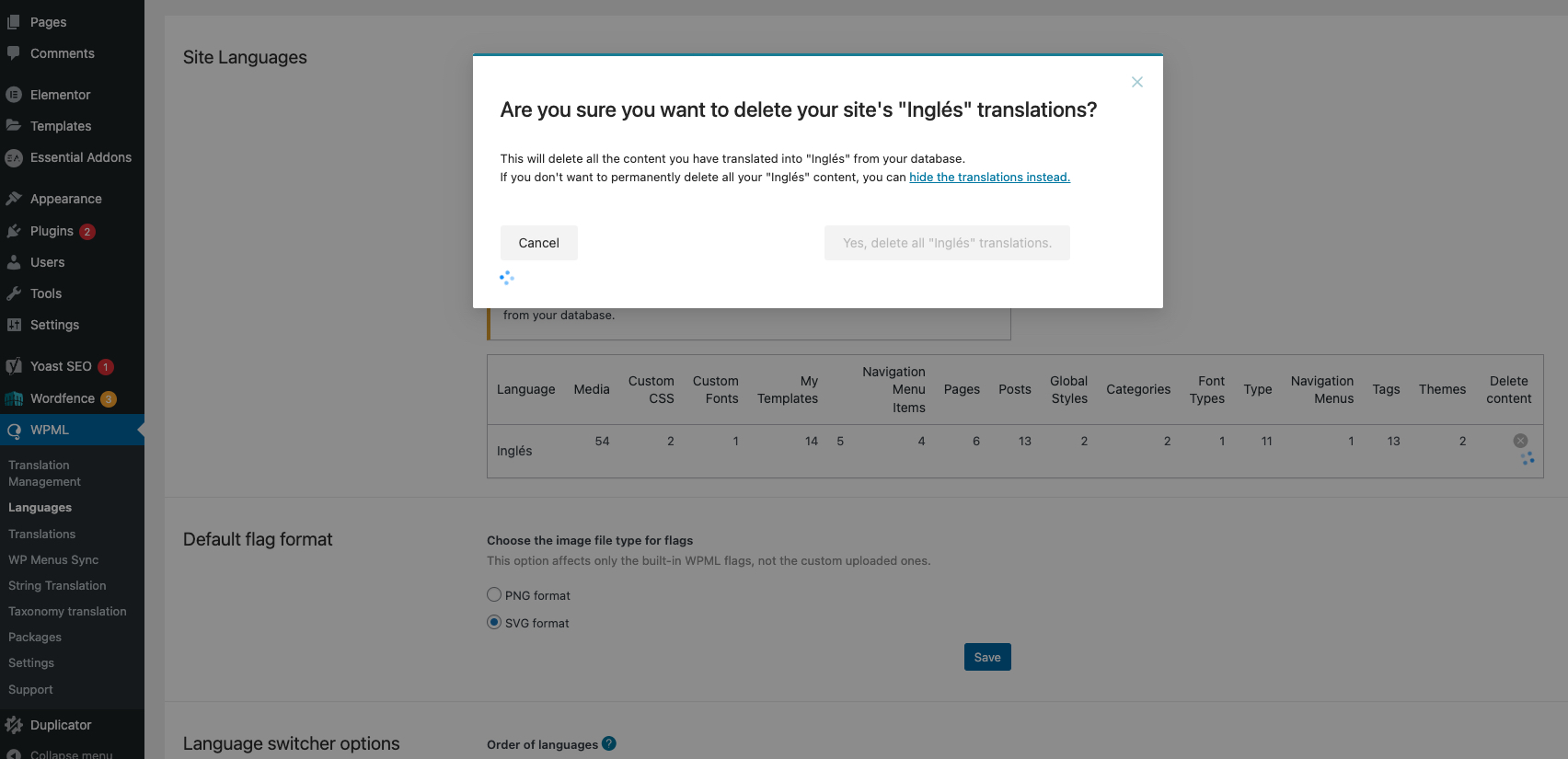
I am trying to: Delete the English content in the database for me to create new translation. However, it's been an hour waiting for this to be completed but the page keeps on loading. See attached screenshot

Link to a page where the issue can be seen: WPML > LANGUAGES

I expected to see: All English translation will be deleted in the database

Instead, I got: Page keeps on loading

3.jpg
April 10, 2024 at 9:13 pm #15506536

Mihai Apetrei
WPML Supporter since 03/2018

Languages: English (English )

Timezone: Europe/Bucharest (GMT+02:00)

Hi there.

You can find here two existing tickets on this same topic:

- https://wpml.org/forums/topic/cant-delete-the-language-2/

- https://wpml.org/de/forums/topic/cant-delete-the-language/ (this one is in German so if you have Google Translate, you can open it and click anywhere on the page and translate the page to English).

Practically, issues like this are usually related to server resources being reached one way or another. This can be happening due to the fact that other active plugins (and/or the active theme) uses a lot of server resources to run and it can also happen if the server is not following the WPML minimum requirements:
https://wpml.org/home/minimum-requirements

For example, I have already noticed that your website’s WP Memory Limit is 40MB. The WP memory limit needs to be increased as the minimum requirement for WPML is 128Mb.

❌ Very important: please make a backup of your site (files & database) before following any of the upcoming steps ❌

Please add this to your wp-config.php file to increase WP memory:

/* WP Memory Limit */
define('WP_MEMORY_LIMIT', '256M');
define( 'WP_MAX_MEMORY_LIMIT', '256M' );

Paste it just before:

/* That's all, stop editing! Happy blogging. */

These settings can be limited directly by your hosting provider, so, if that’s the case, I recommend you contact and ask them to modify them directly. If you can get even higher values It would be great.


After they are modified, you can verify them from WPML >> Support page, just to make sure that they are correct.

So, I recommend creating a full website backup and then going through those recommendations (from the existing tickets and the one in our ticket here).

After you increase the memory, if that is still a problem, you can try to disable other plugins (leaving just the WPML plugin active) and/or change to a WordPress-default theme like TwentySeventeen and then try to run that again.

But the current 40MB limit is way too low and needs to be increased.

Please let me know how things go.

Mihai

April 11, 2024 at 5:28 am #15506842

vladimirB-27

Hi Mihai,

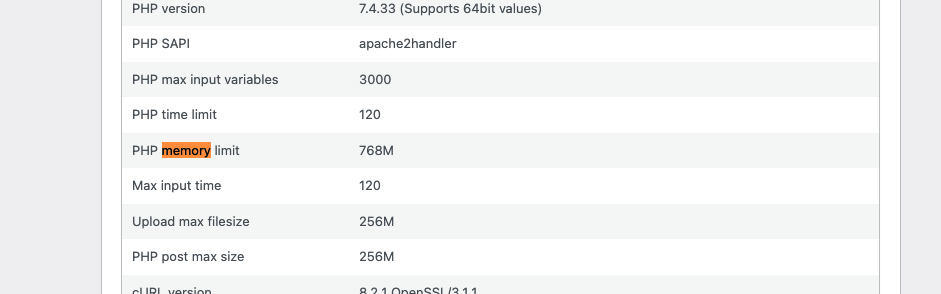
The memory limit is already set to 768M, but when I ran a console command, I encountered a syntax error.

222.jpg
111.jpg
April 11, 2024 at 10:38 am #15508503

Mihai Apetrei
WPML Supporter since 03/2018

Languages: English (English )

Timezone: Europe/Bucharest (GMT+02:00)

Yes, I see.

Thank you for the update.

That is probably caused by (at least) one of the active plugins or the active theme.

Please try what I mentioned in my reply above and see how things go if you have just WPML active (and using a WordPress-default theme in case leaving just WPML active is not enough).

I will be waiting to hear from you.

Mihai