This thread is resolved. Here is a description of the problem and solution.
Problem:
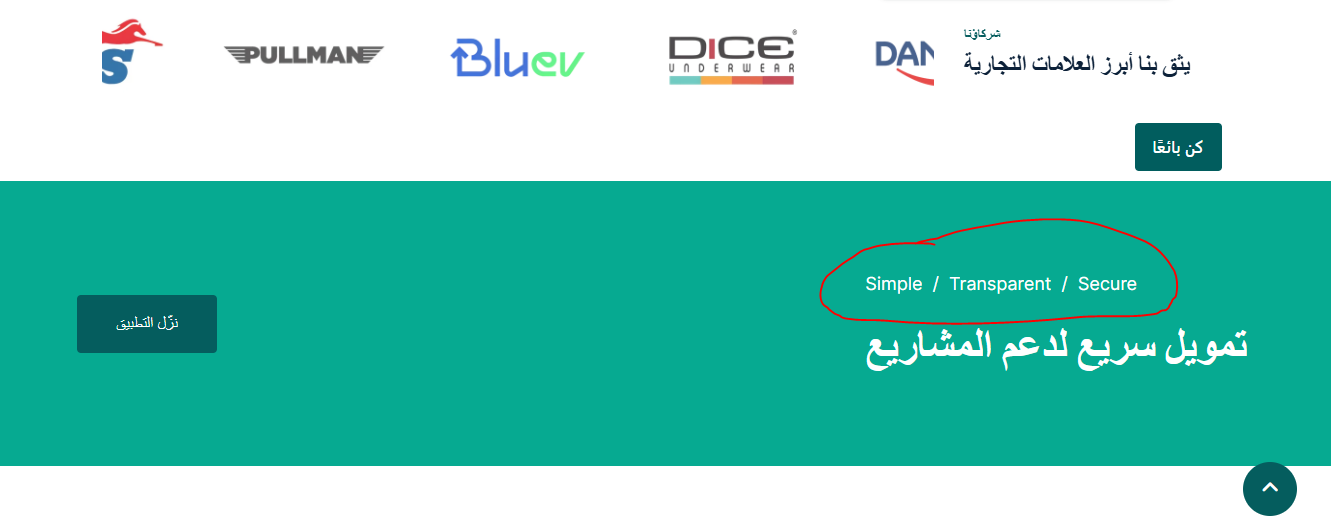
You are experiencing an issue where some words on your website's homepage cannot be translated using WPML. These words do not appear in the String Translation section, and changes are not reflected on the front end.
Solution:
To address this issue, we need more details about how these texts were added to your page. Please check if they were added through any of the following methods:
1. A theme option
2. A page builder (such as Elementor or Divi)
3. A shortcode or custom field
4. Directly in a template file
Additionally, to further investigate, we might require temporary access to your site (WP-Admin and FTP), preferably to a staging or test site where the issue can be reproduced. When you reply, you will find private fields below the comment area to safely share the credentials.
Please note that this solution might be outdated or not applicable to your specific case. We highly recommend checking related known issues at https://wpml.org/known-issues/, verifying the version of the permanent fix, and confirming that you have installed the latest versions of themes and plugins. If the issue persists, please open a new support ticket at WPML support forum for further assistance.
This is the technical support forum for WPML - the multilingual WordPress plugin.
Everyone can read, but only WPML clients can post here. WPML team is replying on the forum 6 days per week, 22 hours per day.
This topic contains 1 replies, has 0 voices.
Last updated by 1 month, 3 weeks ago.
Assisted by: Andrey.