[Resolved] Variation Swatches for the second language is blank
This thread is resolved. Here is a description of the problem and solution.
Problem:
The client was facing a color attribute Sync issue by using the WooCommerce Variation Swatch plugin.
Solution:
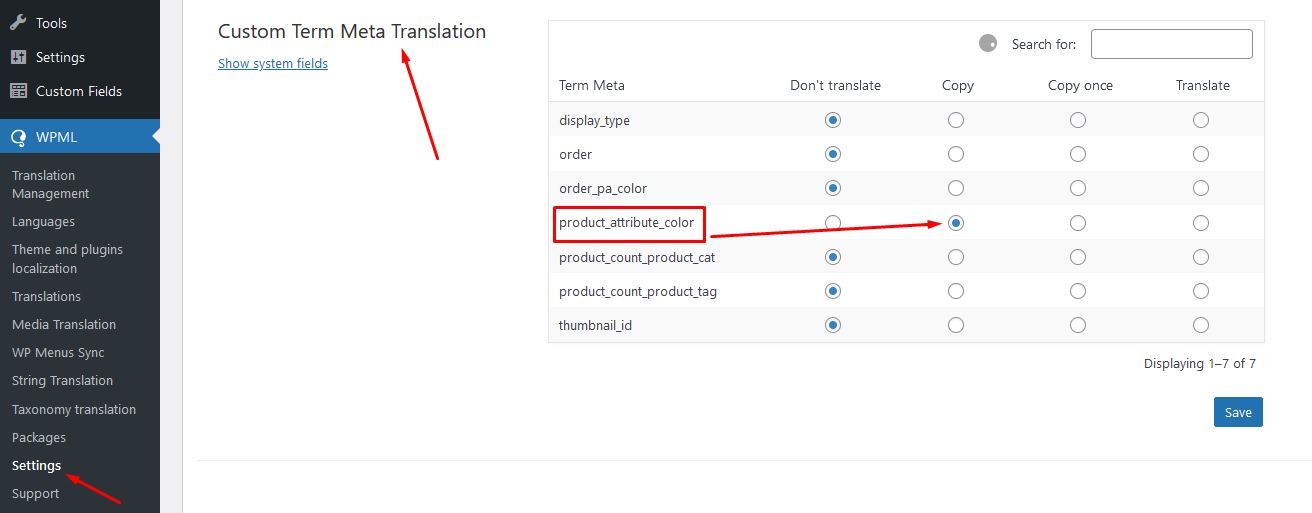
1. Please go to WPML >> Settings > Custom Term Meta Translation.
2. Set “product_attribute_color” to set as “Copy” as you can see in the attached screenshot.
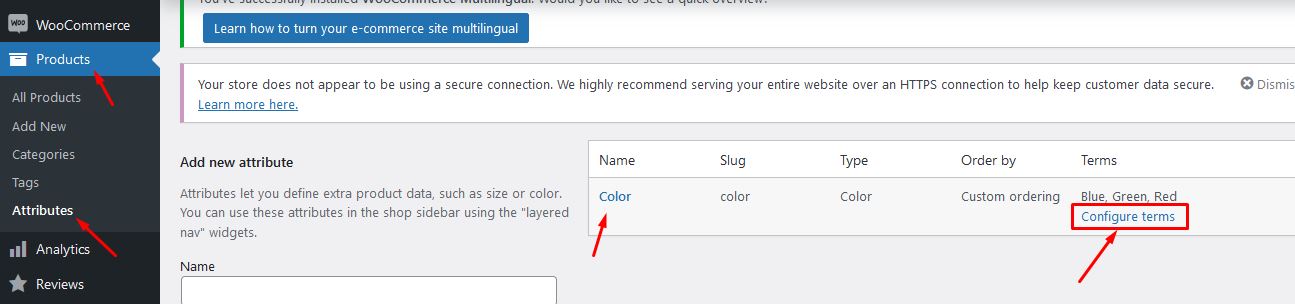
3. Then, please go to Products >> Attributes and select the “Configure terms” from the Color attribute:
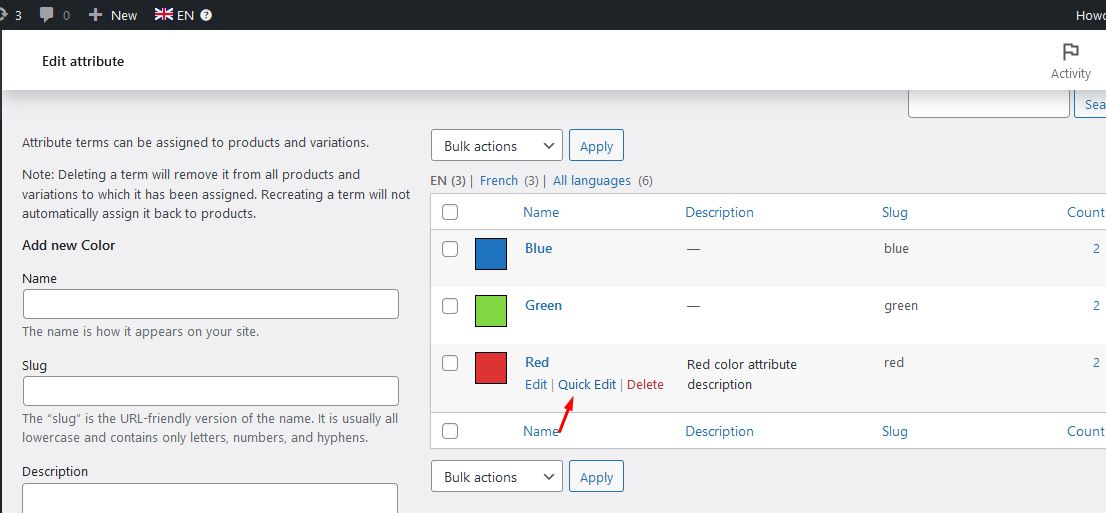
4. Click on the Quick Edit link and just press the “Update Color” button as you can see in the attached screenshot.
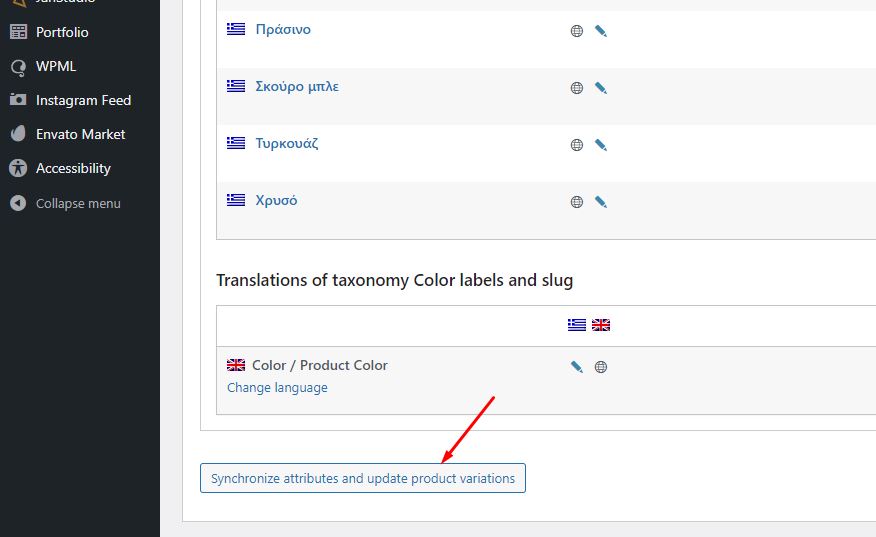
5. Go to WooCommerce >> WooCommerce Multilingual > Attributes tab and select the color attribute and press the "Synchronize attributes and update product variations" button
I have my e-shop in Greek and English and I use Woocommerce Variation Swatch for colour and size attributes. But on every product page, the circles which should show the colour are blank. In Greek everything is fine.
I am giving you a link for an example of the products. hidden link
3. Please make sure you are using an updated version of WordPress, your activated theme, WPML plugins and WooCommerce plugins on your site.
4. Please go to WPML >> Support >> Troubleshooting page and press below buttons:
- Clear the cache in WPML
- [Products] Synchronize posts taxonomies
- Remove ghost entries from the translation tables
- Set language information
5. Please go to WooCommerce >> WooCommerce Multilingual > Attributes tab and select the colour attribute and press the "Synchronize attributes and update product variations" button if it's enabled.
6. If the issue still persists, please Go to Woocommerce >> Woocommerce Multilingual >> Settings tab >> Troubleshooting link (bottom right) > Select all options and Click on 'Start' button.
To take a closer look at this issue, Please provide temporary access (WP-Admin and FTP Login info) to your site (preferably staging site), so that I can look into your setup and debug the issue.
Your next answer will be private which means only you and I have access to it.
=== Please backup your database and website ===
✙ I would additionally need your permission to deactivate and reactivate Plugins and the Theme, and to change configurations on the site. This is also a reason the backup is really important.
I have logged in to your site and also set the “wpa_color” field to as Copy from WPML >> Settings > Custom Term Meta Translation section and updated the color attribute terms in the default language to copy the value in a secondary language.
Now, it shows correctly at the frontend, could you please check and confirm?
Ok the circles have colors but I've noticed other problems now:
1. At this product hidden link the circle has a custom image as a color which I can add from the Variation Swatch tab on the edit product page. I tried to add it from the English version of the product but the circle has disappeared.
2. And also as you can see in the default language when I click the color attribute the product's image changes according to the color. hidden link I tried to just update this product but the colors have also disappeared.
I deleted the English version of these two products hoping that the colors will appear again when I will update the Greek version but it didn't work.
Hello
I've checked the site again today and the circles came back at both the products. But the problem with custom variations and the changing image still remains the same.
New threads created by Noman and linked to this one are listed below:
Glad to hear circles came back now, I went to WooCommerce >> WooCommerce Multilingual > Attributes tab and selected the color attribute and pressed the "Synchronize attributes and update product variations" button that solved the attribute Sync issue. You may just press that button if you face a missing attribute issue in a second language to make them sync.