Skip to content Skip to sidebar

This is the technical support forum for WPML - the multilingual WordPress plugin.

Everyone can read, but only WPML clients can post here. WPML team is replying on the forum 6 days per week, 22 hours per day.

Sun Mon Tue Wed Thu Fri Sat
12:00 – 20:00 12:00 – 20:00 12:00 – 20:00 12:00 – 20:00 12:00 – 20:00 - -
- - - - - - -

Supporter timezone: Asia/Karachi (GMT+05:00)

This topic contains 1 replies, has 0 voices.

Last updated by Noman 3 months, 3 weeks ago.

Assisted by: Noman.

Author Posts
October 3, 2025 at 3:09 pm #17454828

mariosP-5

Background of the issue:
I am trying to manually translate the footer widget content on my site hidden link using WPML.

Symptoms:
Widget data is showing twice in WPML and the translations are not updating.

Questions:
Why is the widget data showing twice in WPML?
Why is the footer widget content not updating after translation?

October 5, 2025 at 3:57 pm #17457569

Noman
WPML Supporter since 06/2016

Languages: English (English )

Timezone: Asia/Karachi (GMT+05:00)

Hi,

Thank you for contacting WPML Support. Sorry for the delay due to high workload and the reply time will be shorter from now. Could you please try to follow the below steps and see if this resolves the issue:

1. Take a backup of your site first for safety reasons.

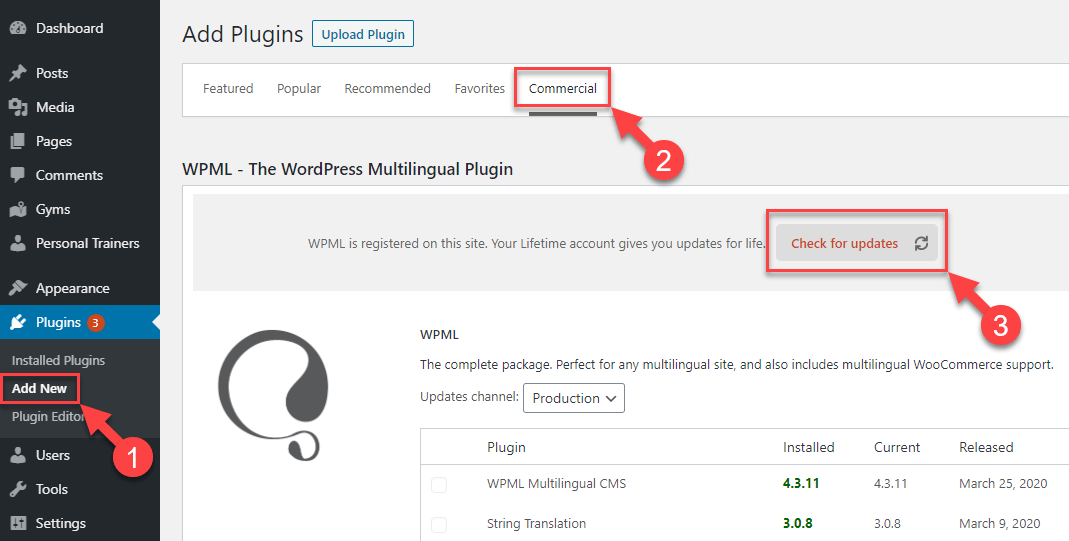
2. Update WPML plugins to the latest version. You can update it from Plugins >> Add Plugin page, click the Commercial tab, and then click the “Check for updates” button and see if this resolves the issue.

Here is the screenshot for more details: https://wpml.org/wp-content/uploads/2020/04/wpml-force-plugin-update-1.png

3. If the issue persists, try to follow the below procedure:

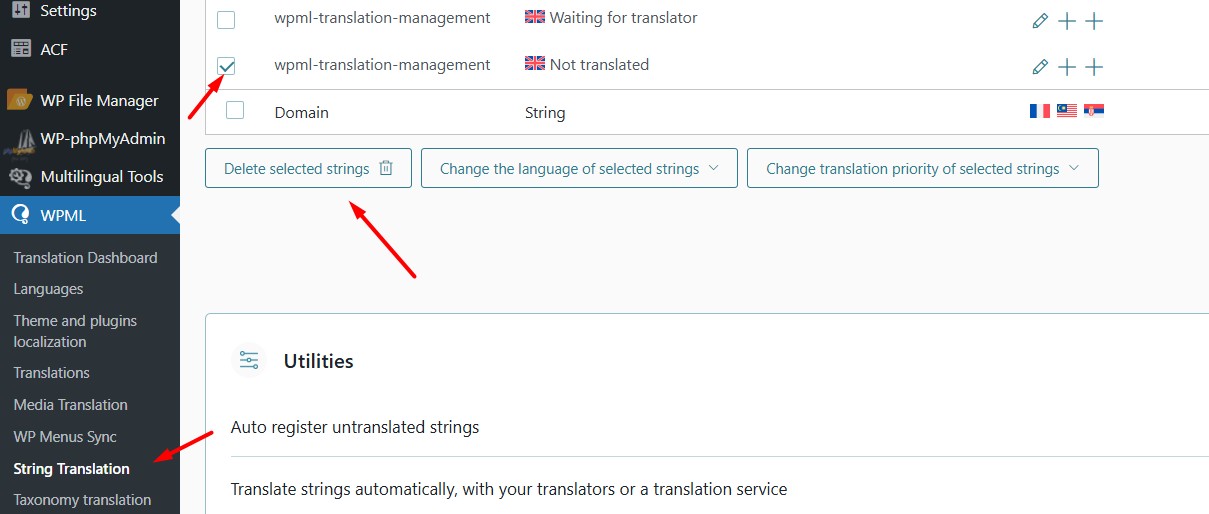
3.1. Go to WPML >> String Translation, search for the widget text, delete it by pressing the Delete Selected Strings button (screenshot attached).
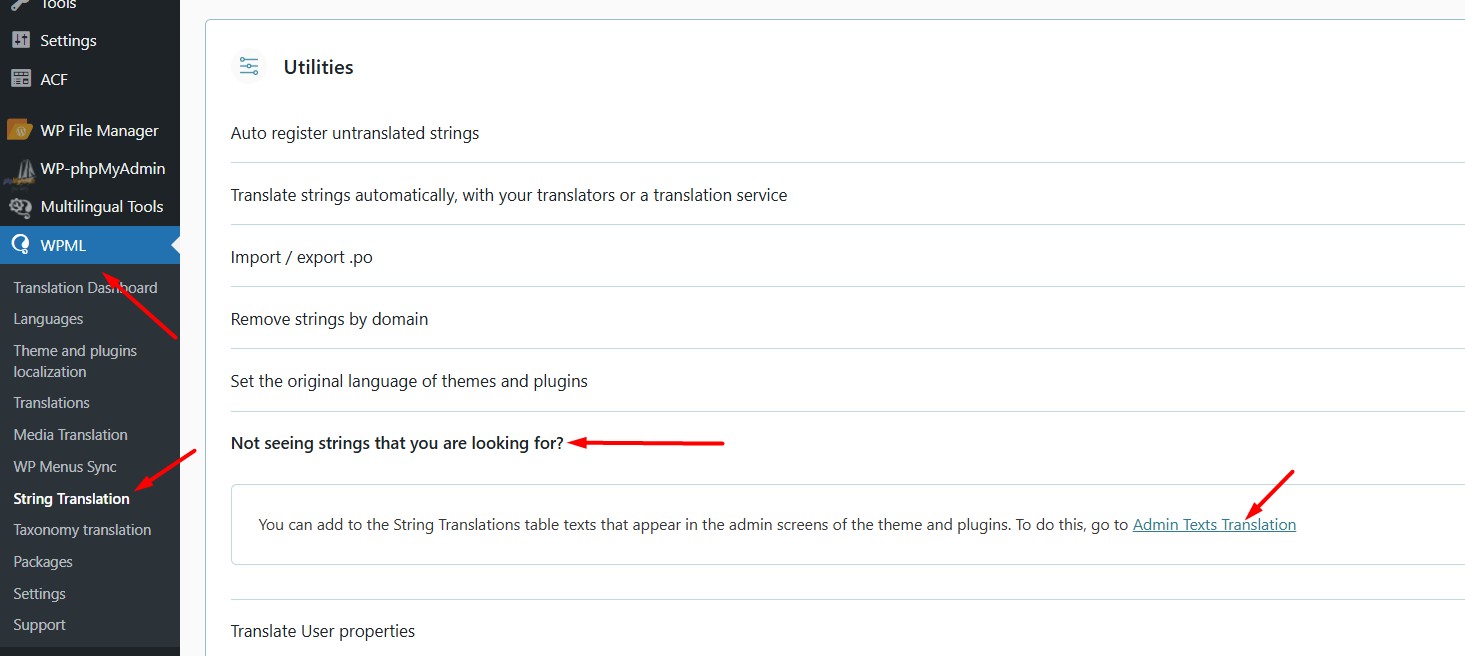
3.2. Open the “Not seeing strings that you are looking for?” section and press the “Admin texts translation” link.
3.3 Search for the footer widget text and enable its translation.
3.4. Go to the WPML >> String Translation page again and add its translation and see if this resolves the issue.

Here is a doc for more details:
https://wpml.org/documentation/getting-started-guide/string-translation/finding-strings-that-dont-appear-on-the-string-translation-page/#register-admin-and-setting-strings-for-translation

Kindly let me know the results,
Thank you

Delete string.jpg
Admin texts translation 2.jpg

The topic ‘[Closed] Widget data showing twice in wpml and not translating’ is closed to new replies.