[Resolved] WPML causes a fatal error on the page after restoring a backup
This thread is resolved. Here is a description of the problem and solution.
Problem: The client experienced a critical error on their website after restoring a backup from mid-December. The error was linked to the WPML plugin, which when disabled, resolved the error but removed the language switching option. Additionally, some products in the English version lacked size selection options, which were available in the Polish version. Solution: We recommended re-enabling the WPML plugins, including WPML String Translations and the WooCommerce Multilingual plugin, to address the critical error and restore language functionality. For the issue with product size options not appearing in the English version, updating the product from the default language (Polish) should resolve the issue. If the problem persists with other products, updating each from the default language is advised.
Please note that this solution might be outdated or not applicable to your specific case. If the issue persists, we highly recommend checking related known issues at https://wpml.org/known-issues/, verifying you have the latest versions of themes and plugins, and if necessary, opening a new support ticket at WPML support forum for further assistance.
This is the technical support forum for WPML - the multilingual WordPress plugin.
Everyone can read, but only WPML clients can post here. WPML team is replying on the forum 6 days per week, 22 hours per day.
I'd like to speak to a human. The client introduced an error on the website, and I uploaded a backup from mid-December. Unfortunately, a critical error appeared on the website. After checking the debug, it turned out that the problem was caused by the WPML plugin. I renamed the plugin folder to sitepress-multilingual-cms_OFF, and the website started working, but there's no option to change the language; the plugin is disabled.
I added and activated both WPML plugins and backed up the site. Unfortunately, I see that after switching to English, the currency on the site doesn't change to euros, which was working previously.
It looks like you haven't enabled WooCommerce Multilingual plugin yet, please enable WPML plugins, WPML string translations and WooCommerce Multilingual plugin and see if it helps.
Could you please check if the Corsen debug file is still active and collecting information? I reported a problem to support a while ago, and recently, when I made a backup, it seemed like a large debug file was downloading. I'm attaching a screenshot.
I also wonder why some products in the English version do not have the option to select a size, since the information is taken from the Polish version?
Looks like it's a different issue then the fatal error.
To debug this issue further, I would need to check your site settings once, for this I would need temporary access (wp-admin and ftp) to your site.
So could you please provide me with those details, you will find the needed fields for this below the comment area when you log in to leave your next reply. hidden link
Just updating the product from the default language solves the problem for me, can you please try this and see if it helps for other products, if not, please provide me the links to those products.
The ftp details is not working for me, so I couldn't check the debug.log file, anyway you can disable the debug.log by settings wp_debug to false on the wp-config.php file.
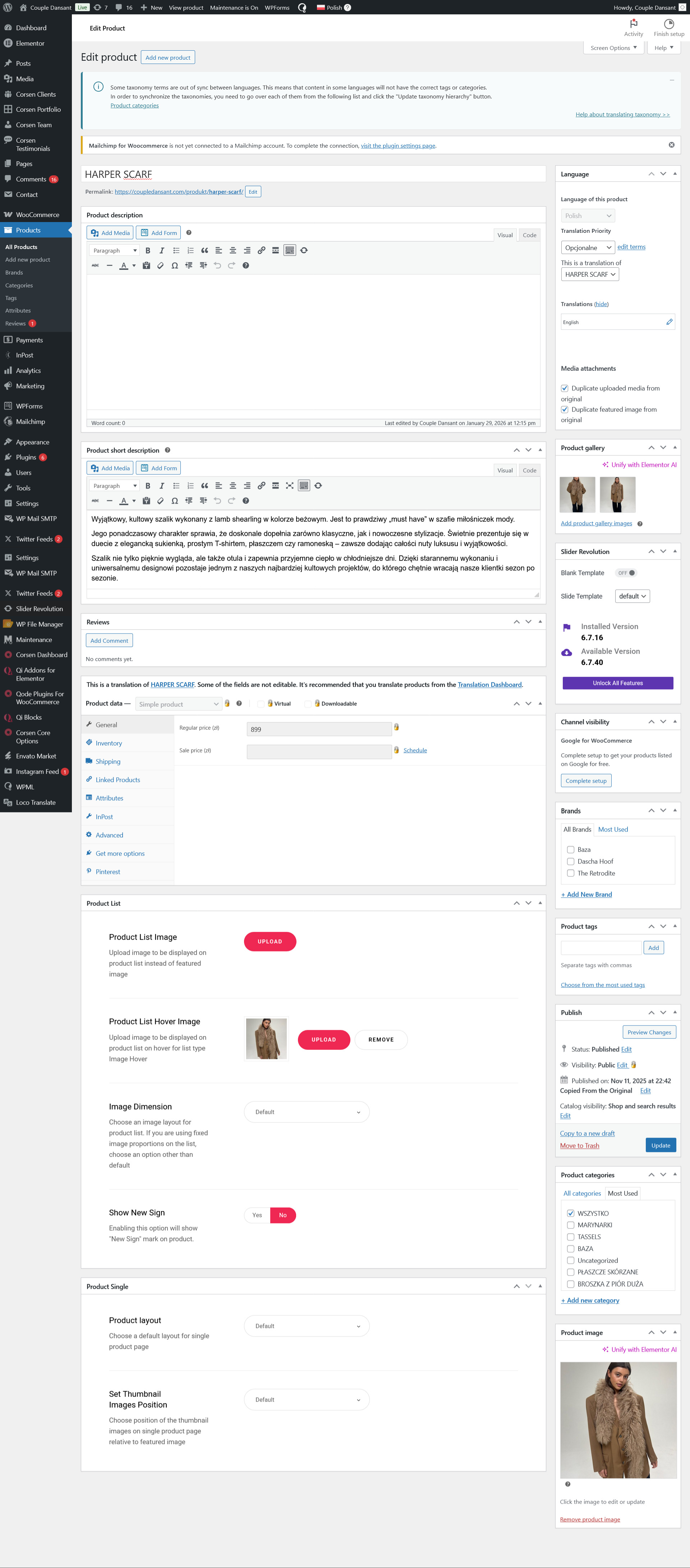
When editing the HARPER SCARF product in the Polish version, we see that editing options are disabled, while in the English version they are enabled. So far, it's the other way around in other products. Why is this error?