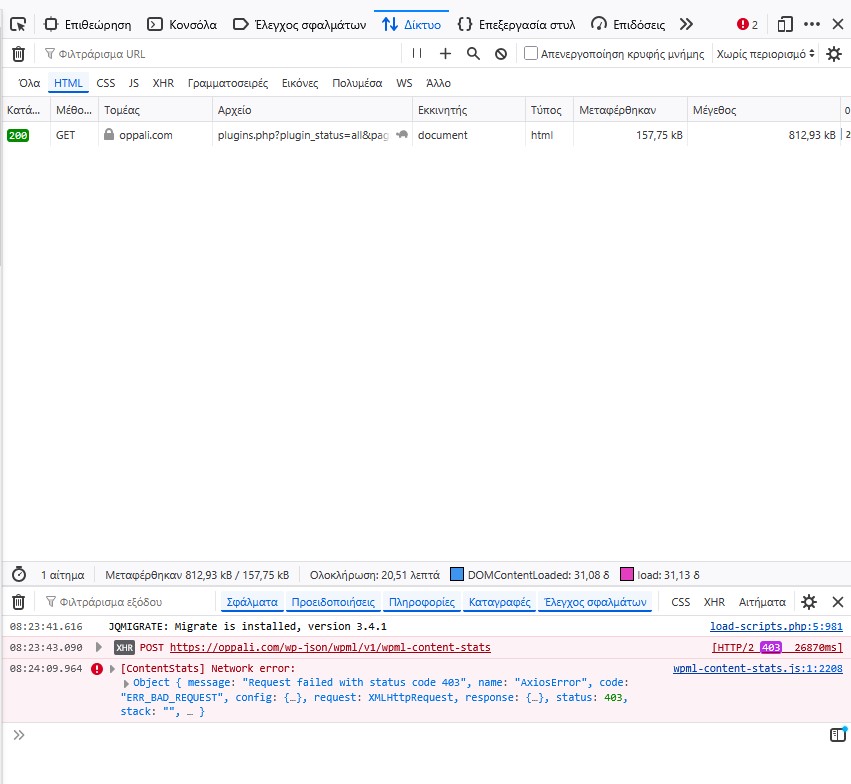
WP Rest API is enabled and working, and it looks like wp-json/wpml/v1 is working as well.
Typically such issues tend to be caused due to not whitelisting the following domains OR a third party plugin (we test by deactivating third party plugins and using a minimal environment-- if the issue is resolved then activate plugins one by one until the issue is triggered.)
While this is not a common issue I did locate a similar thread that was recently handled by our team, which seems very similar to the 403 you are receiving.
Hi I am having the same problem on my website. It didn't happen on my staging website, but when I moved the installation to the production hosting server (I used Duplicator Pro), the same error appeared in the debugging console.
I deactivated the security plugin (Solid Security Basic) but it persists. I didn't add any more plugin after the migration.
The topic ‘[Closed] wpml-content-stats returns 403 and slows down wp-admin’ is closed to new replies.