This thread is resolved. Here is a description of the problem and solution.
Problem:
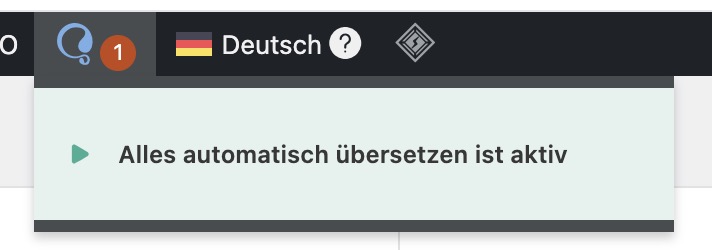
If you're seeing a red number on the WPML icon in the WordPress top admin-bar that doesn't lead anywhere, it usually indicates pending or stuck translation jobs.
Solution:
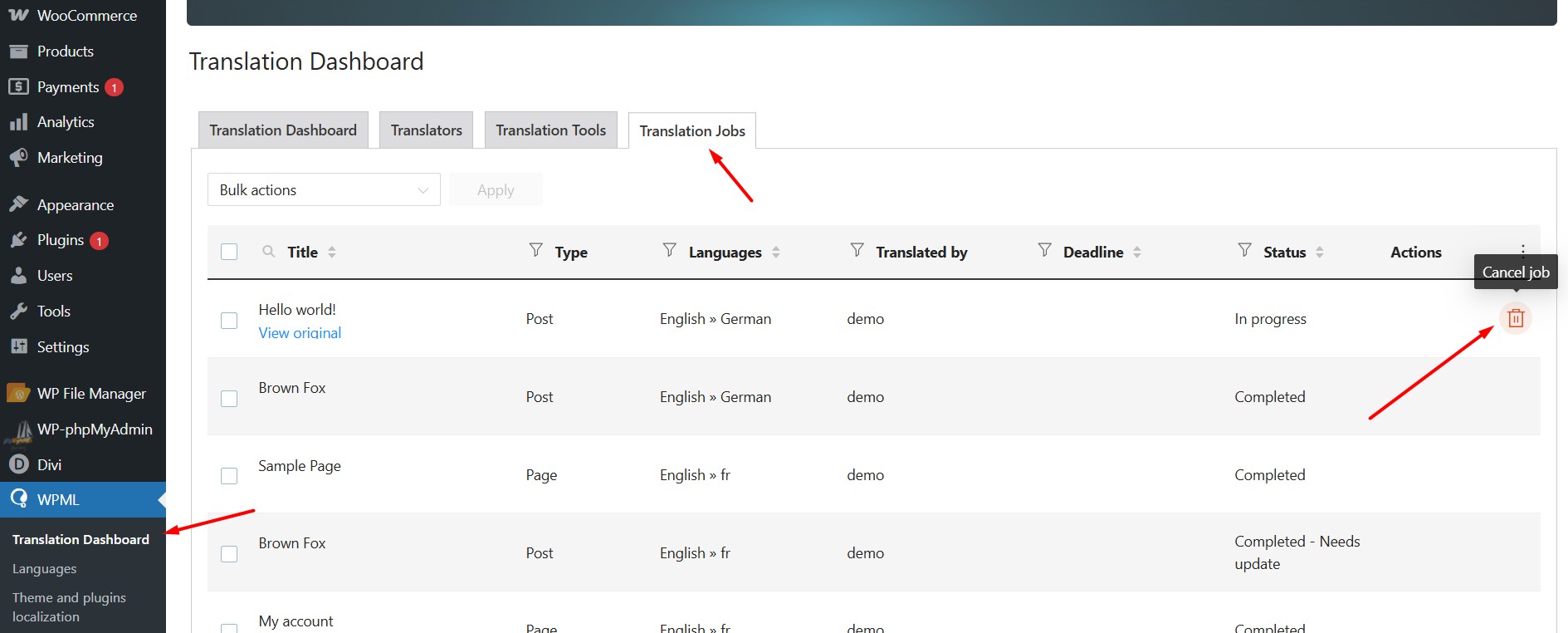
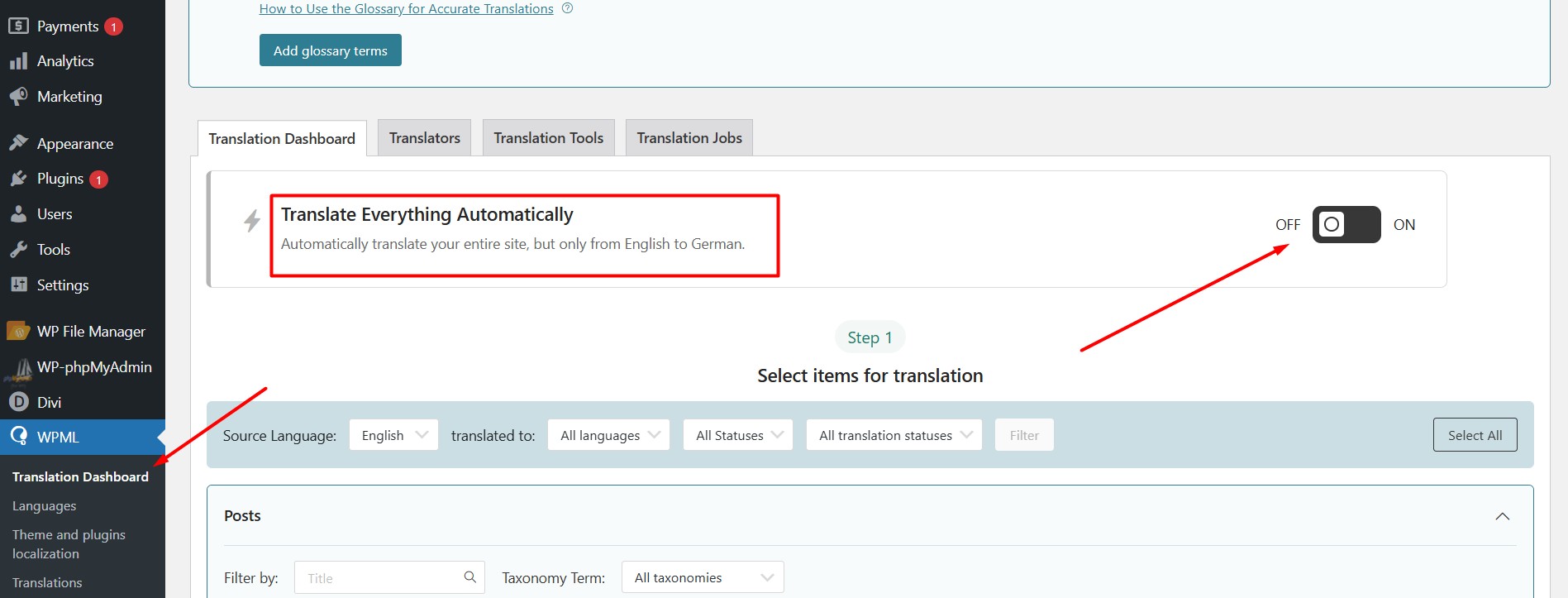
We recommend disabling the 'Translate Everything Automatically' option from WPML >> Translation Dashboard. Then, navigate to WPML >> Translation Dashboard > Translation Jobs tab and cancel any stuck jobs using the trash icon, if present. Afterward, re-enable the 'Translate Everything Automatically' option, clear all types of site/server/CDN cache, and check if the icon issue is resolved.
If the problem persists, please add a debug report in the Debug Information box. You can find instructions on how to provide this information here: https://wpml.org/faq/provide-debug-information-faster-support/
If this solution does not apply to your case, or if it seems outdated, we highly recommend checking related known issues at https://wpml.org/known-issues/, verifying the version of the permanent fix, and confirming that you have installed the latest versions of themes and plugins. Should you need further assistance, please open a new support ticket at WPML support forum.
This is the technical support forum for WPML - the multilingual WordPress plugin.
Everyone can read, but only WPML clients can post here. WPML team is replying on the forum 6 days per week, 22 hours per day.