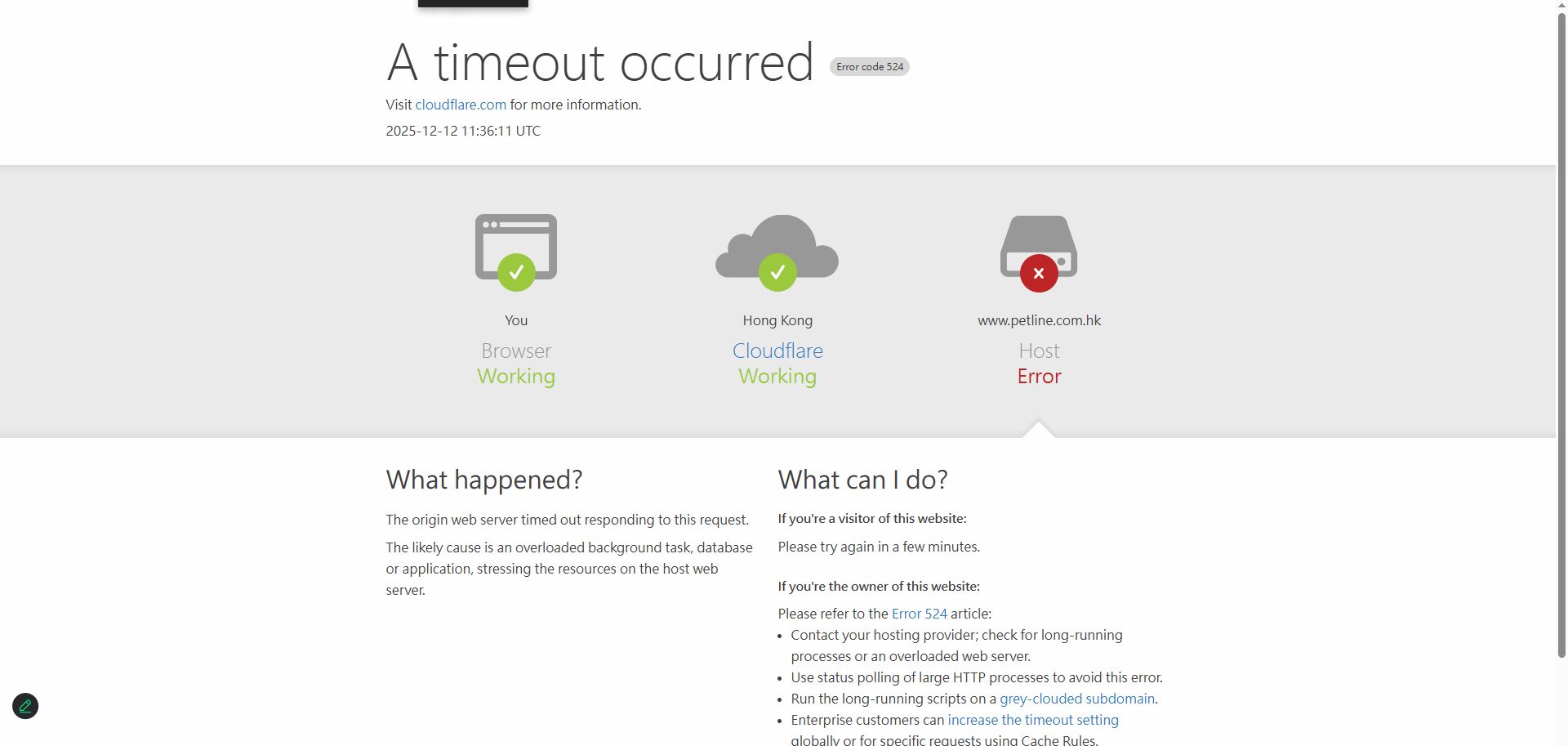
Hello team , about Hong Kong time 10:30am, we found that the website id getting crash because of activated WPML plugin,
this is the reason provide by server support team:
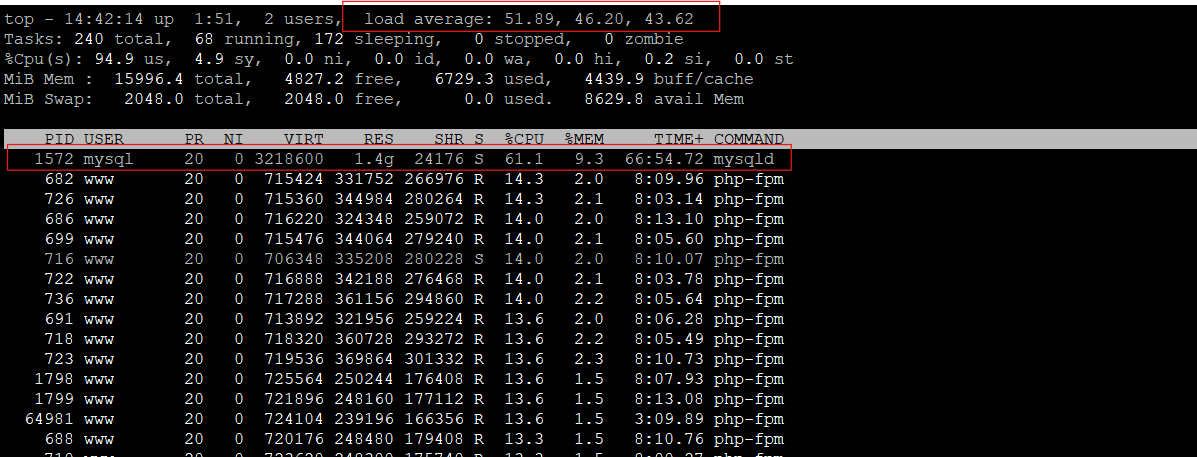
"As per our diagnosis the primary issue is a code logic error within a WordPress plugin on your Petline website.The server is experiencing an Infinite Query Loop, where a single process continually triggers high-intensity database actions and file existence checks, exhausting the server's CPU resources.
We have seen high activity related to the WPML Multilingual Plugin and intense, repetitive metadata queries from the WooCommerce layer.Here we have found traces show repetitive failed checks for image thumbnails (e.g., lstat("/.../XX-247x247.jpg", ...) = -1 ENOENT), suggesting a failed image loading routine is triggering the loop."
We have disabled all plugin and reactivated them except WPML, and the website is now running smoothly, please Help.
I noticed that the staging site debug.log doesn’t show any errors that could have caused the crash. Could you please reach out to your server provider and ask them to send me the full log when the site CPU reached 100% before the crash? This will make it easier for me to debug the issue further.
Also, was the crash on the staging site as well, or just on the live site?
Kindly ask how long will it take you to solve this issue?
My live site is now forced to stop using the WPML plugin,
because it's causing over 100% CPU load on the system, preventing my customers from placing orders and severely impacting business.
I've seen many others on the forum reporting the same problem; WPML is causing MySQL to continuously reload. We hope this issue can be resolved as soon as possible and look forward to your reply.
I see the following error on the staging site: PHP message: PHP Fatal error: Allowed memory size of 469762048 bytes exhausted (tried to allocate 2097160 bytes) in /data/wwwroot/www.petline.com.hk/wp-content/plugins/sitepress-multilingual-cms/classes/utilities/class-wpml-wp-cache.php
To fix it, I added the following line to the wp-config.php
define( 'WP_MEMORY_LIMIT', '512M' );
define( 'WP_MAX_MEMORY_LIMIT', '768M' ); // for admin / heavy tasks
And the staging site is running properly now, can you do the same for the live site and see if it helps.
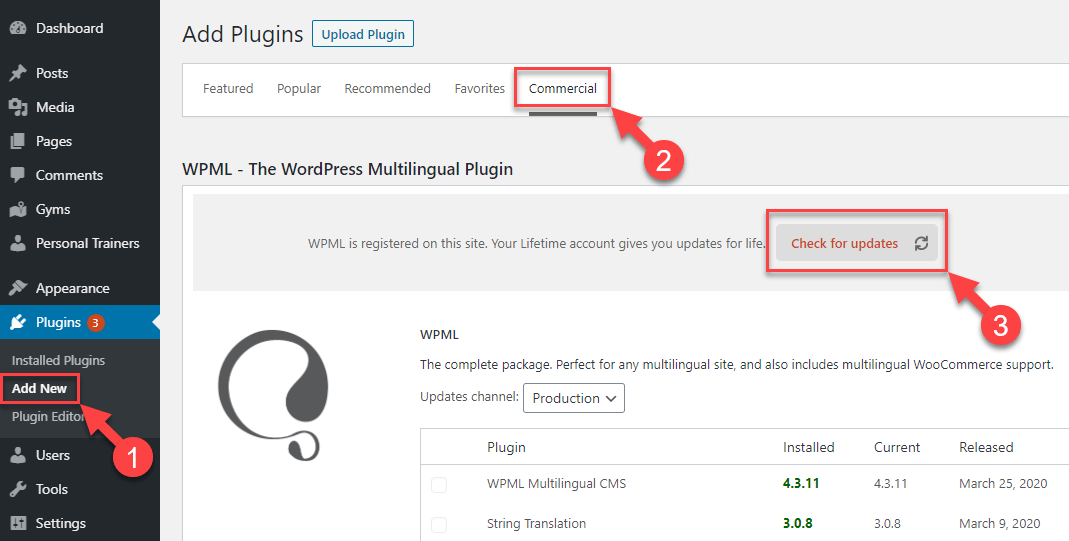
Further, We've recently rolled out a new version of WPML plugins. Could you please update your plugins to the latest version and inform me if it resolves the issue?
Our WPML updates are distributed gradually. If your websites haven't received this update yet, please be patient, and you should see it within a few days.
I updated the WPML plugin on Monday and followed your instructions to add these two lines to wp-config.php. After that, I started using the WPML plugin - WPML Multilingual CMS, WPML String Translation, and WPML WooCommerce Multilingual.
However, the website is now completely inaccessible.
I think your test was successful because the live site had WPML disabled, and the server CPU wasn't overloaded, so the staging site was able to function correctly.
It can be, but we need a way to reproduce the issue, can you let me know your server specifications so I can try to see if I can reproduce on my localhost?
To get a better understanding, I suggest sharing a backup of your wp-content folder and your database. You can zip the files and send them to me via Google Drive. With these, I can set up a local copy of your site and take a closer look at the issue.
Hi team, my wp-content file is about 19GB, and the database is around 7GB. The transfer will take some time. Could you download it directly from SFTP? I believe that would be faster.
The topic ‘[Closed] WPML is crashing our website’ is closed to new replies.