Kayla Borcovan
|
Background of the issue:
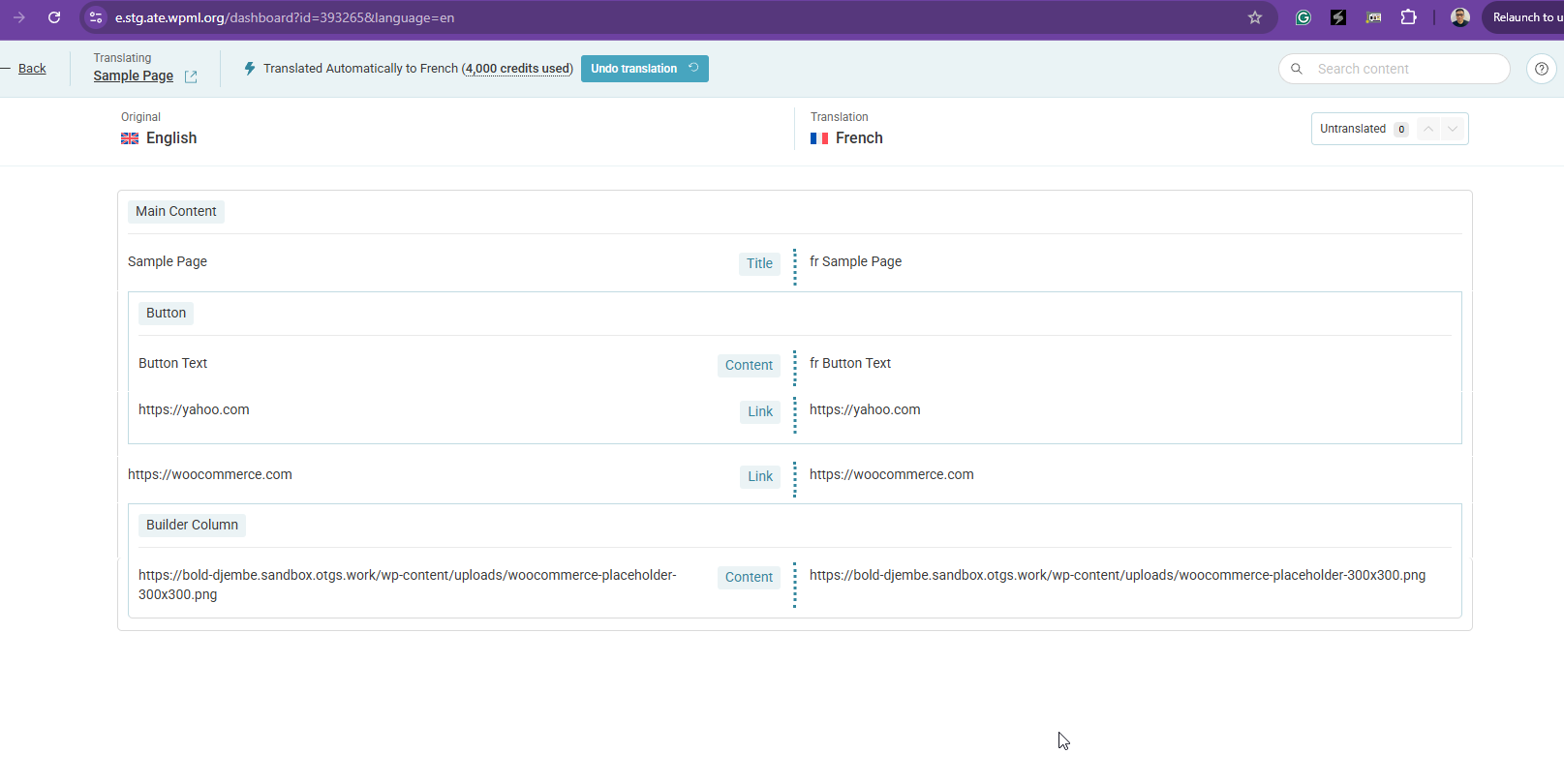
I am trying to translate button URLs on my WordPress site using WPML. I have copied the entire Avada WPML Config XML into my site settings, but it still won't let me change button URLs in translations. Here is a screenshot of the issue: hidden link. The issue can be seen on this page: hidden link.
Symptoms:
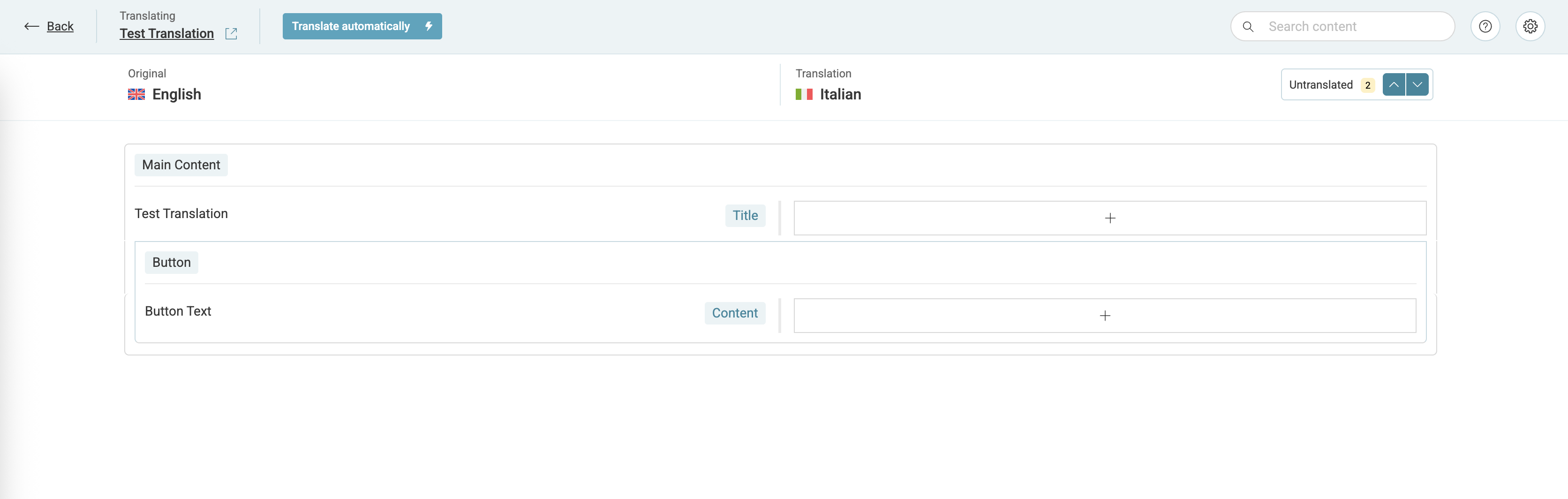
When editing a translation, I only get the option to change the button text, not the URL. Here is a screenshot of the translation editor: hidden link. I have followed the documentation, but it doesn't work as expected.
Questions:
Why can't I change button URLs in translations?
What steps should I take to enable URL translation for buttons?
|

Kor
|
Thanks for contacting us. You're not supposed to paste everything into the custom XML configuration. Only paste the XML configuration that you need.
But anyway, could you please try searching for the URL in the Advanced Translation Editor by typing "HTTP" into the search form provided?
|
Kayla Borcovan
|
I did put just the fusion_button XML code in at first but it didn't do anything either. So I assumed I needed the whole Avada XML.
The button URLs don't show up on any pages I'm editing when I try to search for them hidden link
We are using a child theme does that matter? I didn't understand the statements about overrides in the documentation.
|
Kor
|
Thanks for your reply.
I will need to closely examine your website. Therefore, I will require temporary access (WP-Admin and FTP) to a test site where the problem has been replicated, if possible. This will enable me to provide better assistance and determine if any configurations need to be modified.
Please note that it is important to have a backup for security purposes and to prevent any potential data loss. You can use the UpdraftPlus plugin (https://wordpress.org/plugins/updraftplus/) to fulfill your backup requirements.
Your upcoming reply will be treated with confidentiality and will only be visible to you and me.
✙ To resolve the issue, I may need your consent to deactivate and reactivate plugins and the theme, as well as make configuration changes on the site if necessary. This emphasizes the significance of having a backup.
|
Kayla Borcovan
|
Our admin panel of our site is locked down via IP address so we can't grant access. Is there somewhere I can look to debug anything?
Is this supposed to work automatically with the XML applied in the site options? Or are there any other steps I might have missed?
|
Kor
|
Thanks for your reply. Could you copy and paste the full XML configuration generated from the page here?
|
Kayla Borcovan
|
I've reduced it back down to
<wpml-config>
<shortcodes>
<shortcode>
<tag>fusion_button</tag>
<attributes>
<attribute type="link">link</attribute>
<attribute>title</attribute>
<attribute>dynamic_params</attribute>
</attributes>
</shortcode>
</shortcodes>
</wpml-config>
|
Kor
|
Thanks for your reply.
Yes, that looks correct. Now, please make minor changes to the primary language page title and resave it. This will force the Advanced Translation Editor to rescan the page using the new custom XML configuration. Then, check and see if the link appears for translation.
|
Kayla Borcovan
|
That doesn't make a difference, the URLs don't show up as a translatable string in the translation editing interface. All my new content does though.
|
Kor
|
Thanks for your reply. Could you please try to replicate the issue on our sandbox site here hidden link . You can install the required plugins or theme to replicate the issue.
|
Kayla Borcovan
|
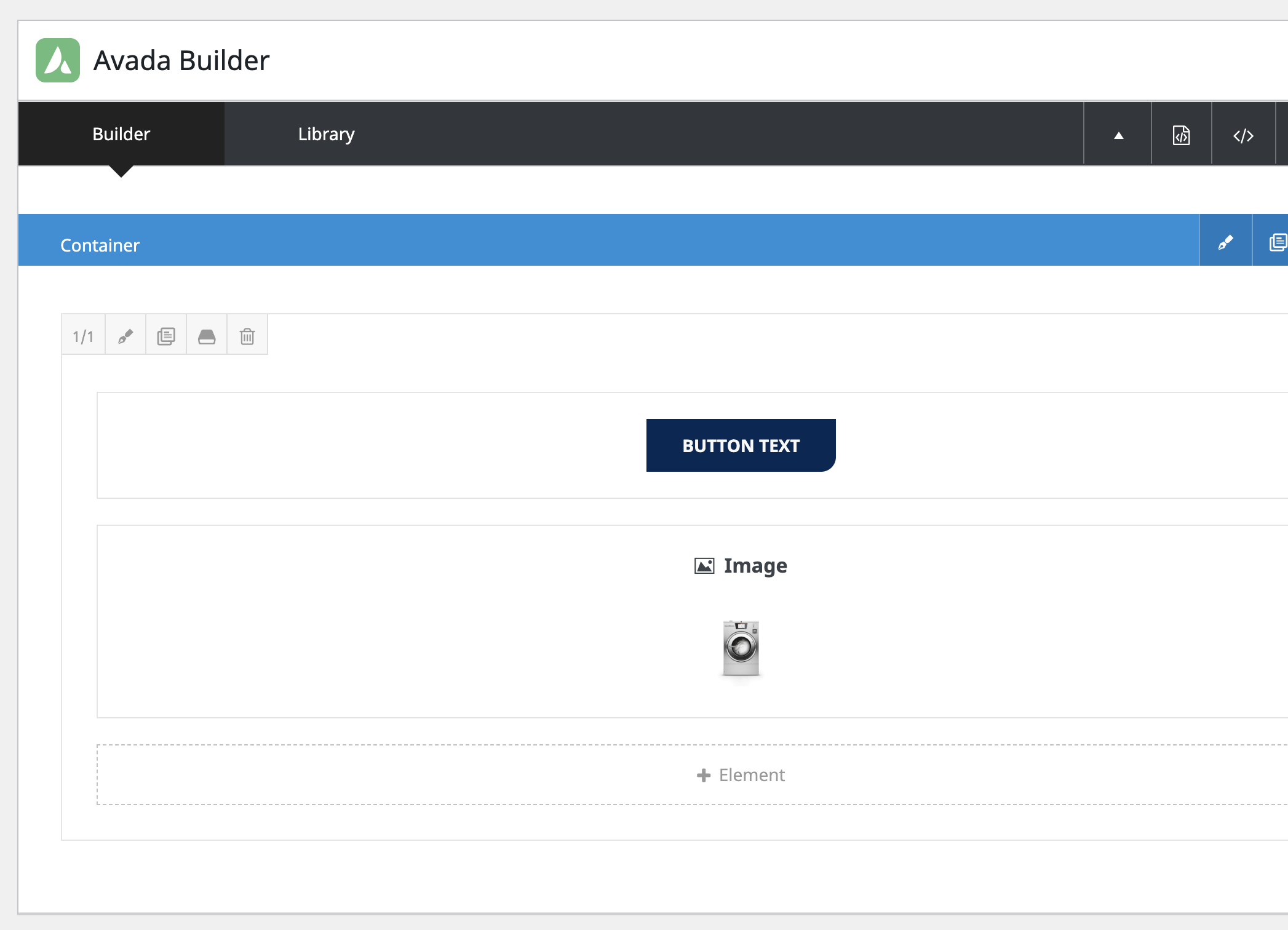
In the sandbox site I did see it work temporarily when the page just had a button on it. I added our installed plugins to the site and it still worked. But things started misbehaving when I added an image element to the page as well. I have two images (one with a link and one without) and a button added to the Sample page and the translation editor is very confused as to how to properly edit text and URLs.
|
Kor
|
Thanks for your reply. You need to have the String Translation plugin activated on the sandbox site before the strings will show up for translation. You can check now here hidden link as shown in the attached screenshot.
|
Kayla Borcovan
|
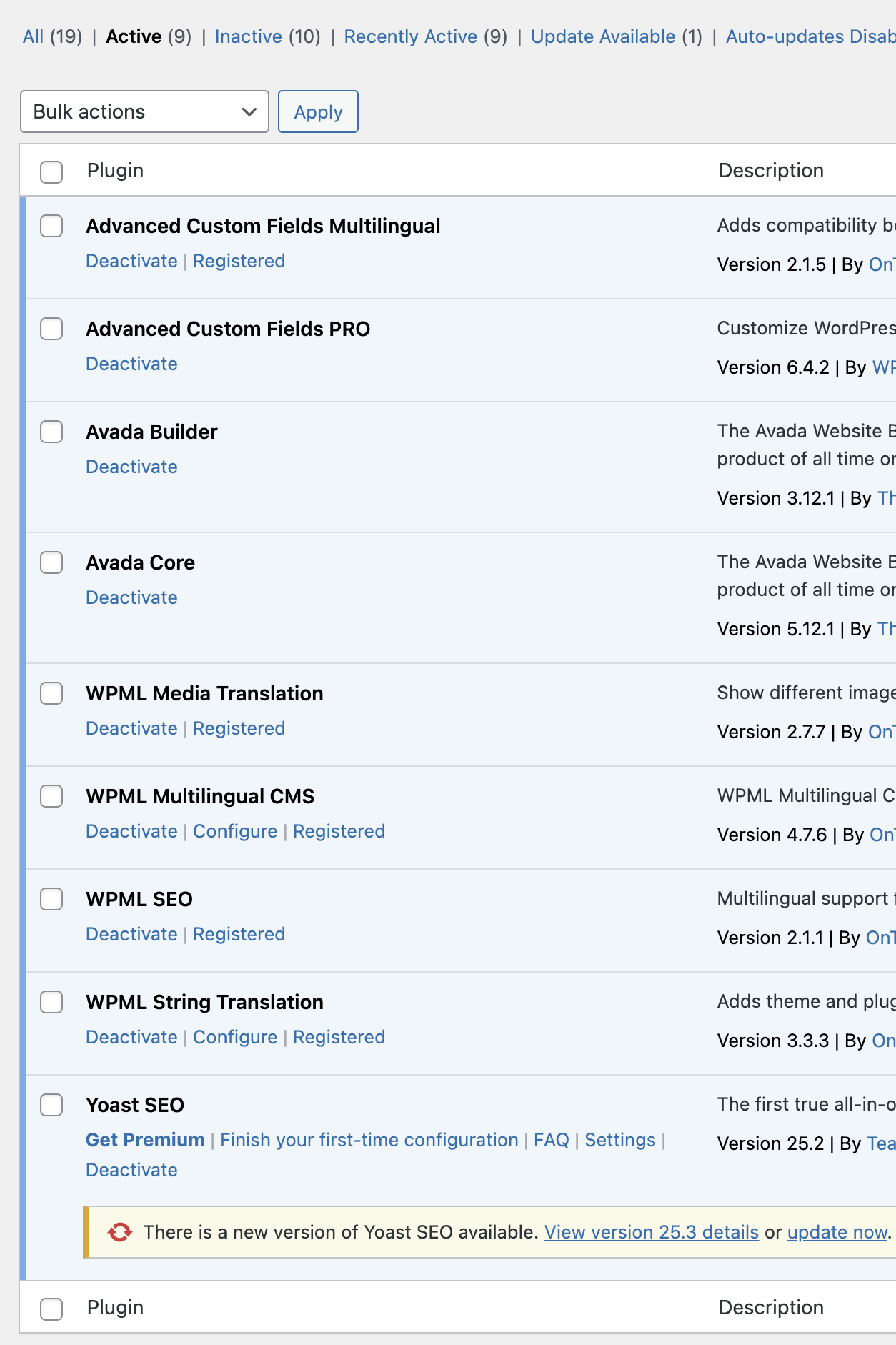
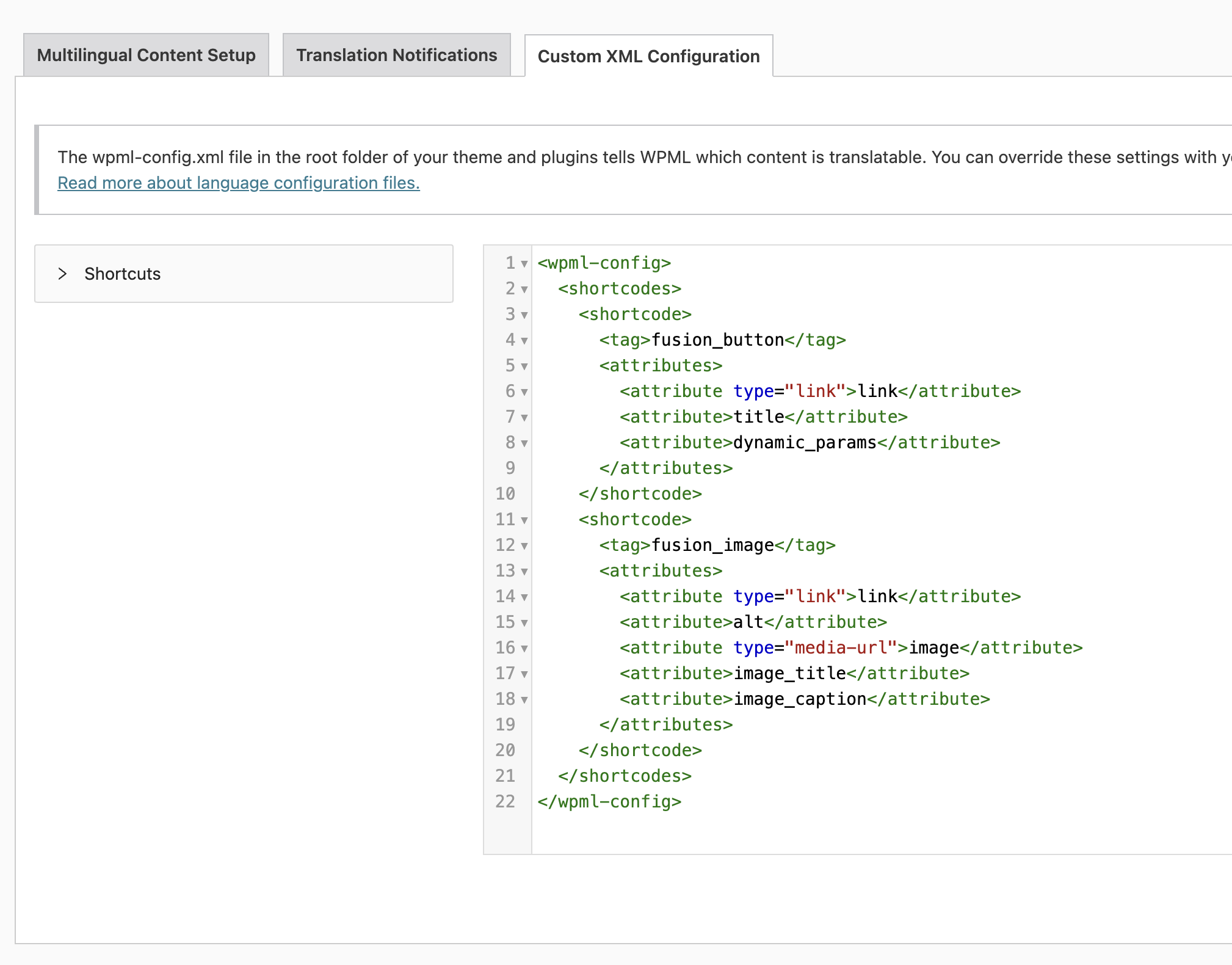
I guess I don't know what I'm missing on my staging site. These are the active plugins on our site. I have a basic page with one button and one image both with links that don't show up in the translation. String translation is active and I have the XML configured.
|
Kor
|
Thanks for your reply. Are you able to clone the site to another staging site so that I can check?
Please note that it is important to have a backup for security purposes and to prevent any potential data loss. You can use the UpdraftPlus plugin (https://wordpress.org/plugins/updraftplus/) to fulfill your backup requirements.
Your upcoming reply will be treated with confidentiality and will only be visible to you and me.
✙ To resolve the issue, I may need your consent to deactivate and reactivate plugins and the theme, as well as make configuration changes on the site if necessary. This emphasizes the significance of having a backup.
|
Kayla Borcovan
|
I'm still trying to set this up. I copied all theme and plugin files and the database and the sandbox site is just full of WPML errors.
hidden link
|