Background of the issue:
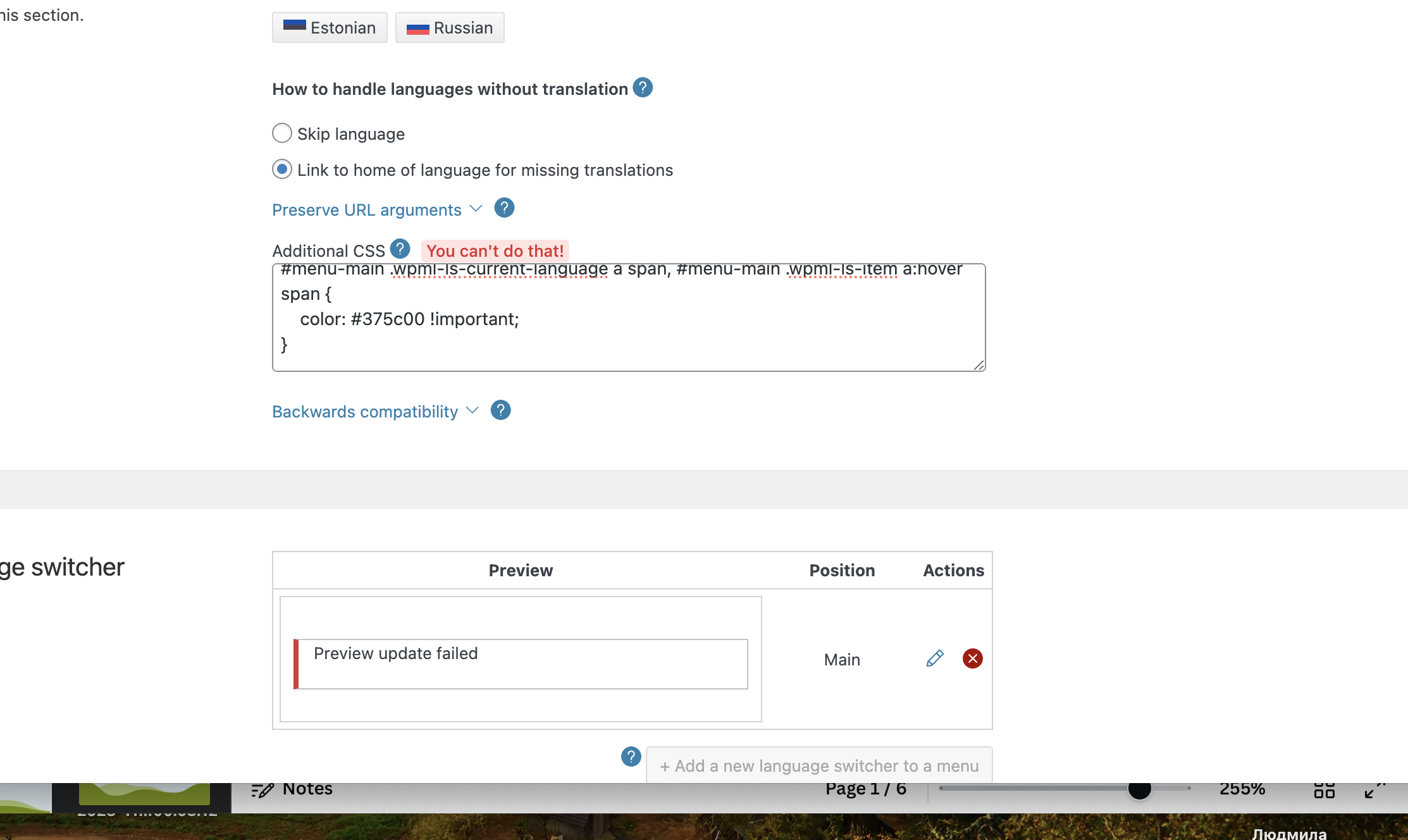
I previously installed CSS code to change the colours of language switchers with your help, but the new colours appeared to be too blurred on the site. Now I am trying to edit the code and settings myself and face errors.
I am trying to make active language colours as #375c00
The site is hidden link
Symptoms:
I would attach the screenshot where it is said 'You can't do that!' if I could here.
Colours remain the same
Questions:
How can I edit the CSS code to change the colours of language switchers without errors?
Why does the site still show the previous colours after changing the code and settings?
Thank you for reaching out.
I have not added any code to the site backend, only to WMPL > Languages where the previous consultant from WPML advised )see the screenshot I attached earlier)
As he explained, the site WP CSS code overrided the CSS of WPML, that is why we added this one. But the colour appeared to be not the one I wanted.
And no I have not added any code to WP customiser.
The code that the consultant sent me was with a different colour, I put here #9ed60a colour and it said You can not do it! I guess may be colour setting clash with the ones in the code?
The code is the following:
/* Header color */
#menu-main .wpml-ls-current-language a span, #menu-main .wpml-ls-item a:hover span {
color: #9ed60a !important;
}
/* Footer color */
.wpml-ls-legacy-list-vertical .wpml-ls-current-language a span, .wpml-ls-legacy-list-vertical .wpml-ls-item a:hover span {
color: #000000!important;
}
/* Header margin */
#menu-main .wpml-ls-first-item {
margin-left: 20px !important;
}
.wpml-ls-current-language > a span {
color: #9ed60a !important;
}
Can you please try to add the code where I mentioned instead of the area where you were trying to add it, just to see if it makes any difference?
Depending on how the current CSS code that comes from the active theme and the active plugins has been implemented, there's a chance that adding the code in the place that I mentioned might help us override the default CSS.
I could not answer here, as there was no this option. I have tried what you suggested and it did not help
Can you at least decypher shortly the meaning of each phrase in the code_? (what gadget, header or footer etc?)
I would try to check whether I set the same colours for header, footer and phone?
If you can share the credentials, I can try the code that you mentioned for you and make sure we try to get it working.
I would like to request temporary access (wp-admin and FTP) to your site so I can better examine the issue. The needed fields are below the comment area. When you log in to leave your next reply, the information you enter is private, meaning only you and I can see and access it.
Our Debugging Procedures
I will check various settings in the backend to see if the issue can be resolved. Although I won't be making changes that affect the live site, it is still good practice to back up the site before providing us access. In the event that we do need to debug the site further, I will duplicate it and work in a separate, local development environment to avoid affecting the live site.
- Please back up the site files and database before providing us access.
If you do not see the wp-admin/FTP fields, your post and website login details will be made PUBLIC. DO NOT post your website details unless you see the required wp-admin/FTP fields. If you do not, please ask me to enable the private box.
The private box looks like this: hidden link
I will be waiting for your response.
PS: Please note that I won't be working over the weekend, but I will be able to get back to you at the beginning of next week.