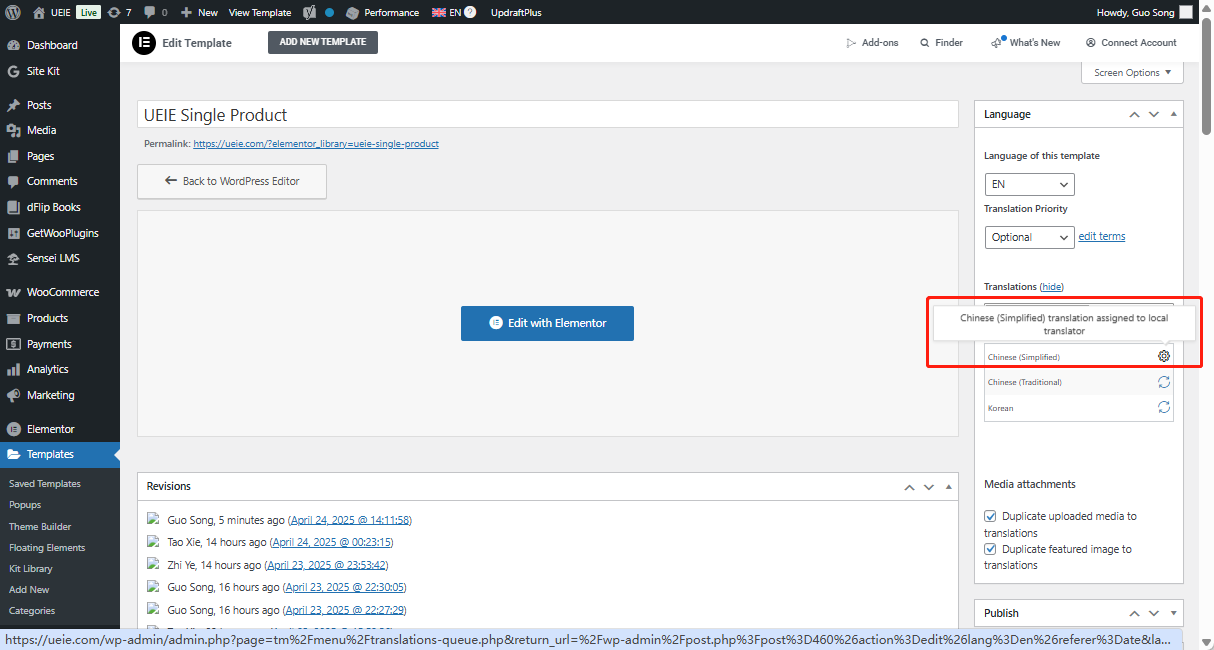
Background of the issue:
I am using Elementor and WPML to develop my multilingual website. I developed it based on an English website and translated it into Chinese through WPML. Initially, everything was working fine.
Symptoms:
Recently, WPML started showing anomalies. When I update the Chinese translation in the Elementor template I created, it gets stuck at 'Chinese (Simplified) translation assigned to local translator' state and cannot be translated successfully. Additionally, the links in the Chinese site do not automatically translate to the corresponding Chinese site address and still show the English site link address.
Questions:
Why does the Chinese translation get stuck at 'Chinese (Simplified) translation assigned to local translator'?
Why are the links in the Chinese site not translating to the corresponding Chinese site address?
1. Visit the following link while logged into your WordPress admin: hidden link
2. In the Translation Editor, open the Chinese (Simplified) version and mark it as completed.
Step 3: Get the logs
- Go to /wp-content/debug.log on your server
- Copy and paste the last 10 lines here (please censor any sensitive information)
In addition, please ask your hosting support for the latest server error logs and share the relevant part with us (if something was recorded there).
Additional check (if no errors are shown):
1. Temporarily deactivate all plugins except WPML and its related add-ons
2. Switch to a default WordPress theme like Twenty Twenty
3. Repeat Step 2 (reproduce the issue using the same link)
This will help us determine if the issue is related to another plugin or the theme. Let us know how it goes.
The topic ‘[Closed] I'm having serious wpml plugin issues with my multilingual website’ is closed to new replies.