
This is the technical support forum for WPML - the multilingual WordPress plugin.
Everyone can read, but only WPML clients can post here. WPML team is replying on the forum 6 days per week, 22 hours per day.
Tagged: ATE
This topic contains 5 replies, has 0 voices.
Last updated by allysonS-2 1 day, 15 hours ago.
Assisted by: Bobby.
| Author | Posts |
|---|---|
| December 4, 2025 at 4:40 pm #17635427 | |
 allysonS-2 |
We've moved our site, which was developed under hidden link, to the live site at hidden link. It looks like we needed to add a www to the dupagelegalaid.org domain, as the registered site key isn't working. Site registered on wpml.org: hidden link Is there a way the URL can be updated without adding a new registered site? Additionally, after the migration, the dropdown arrow next to the language switcher is showing as a 3 instead of a ˇ. This is only showing on the home page of the English site. All other pages, English or Spanish are displaying correctly. How can this be fixed. Thanks in advance for the help. |
| December 4, 2025 at 5:54 pm #17635844 | |
 Bobby WPML Supporter since 04/2015 Languages: English (English ) Timezone: America/Los_Angeles (GMT-07:00) |
Hi there, Were you able to re register the site following the steps provided by Maiya? I can see that the conversation was left off on finding the "Translate What You Choose" option. This option has been re worked/reworded, based on your settings that you shared you are already using it. " Do you want WPML to automatically translate all content. I have No, wait for me to start the translation." |
| December 9, 2025 at 8:58 pm #17649442 | |
|
allysonS-2 |
The Translate What You Choose issue is resolved, but the dropdown arrow issue persists. It's still displaying a 3 only on the home page. (hidden link). I've cleared caches, which is what Maiya suggested. Any additional insights on how to address? |
| December 9, 2025 at 11:36 pm #17649602 | |
|
Bobby WPML Supporter since 04/2015 Languages: English (English ) Timezone: America/Los_Angeles (GMT-07:00) |
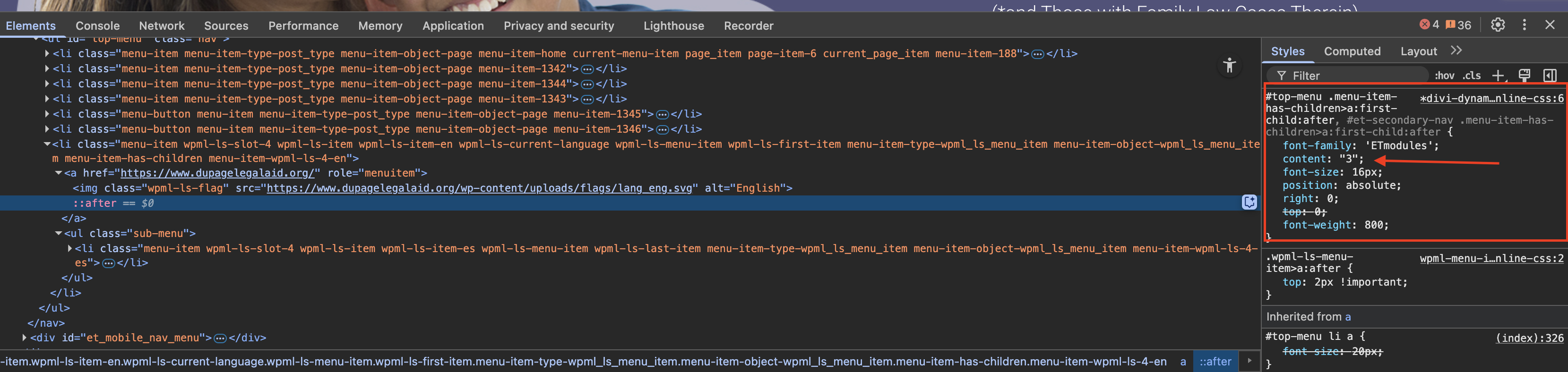
Thank you for updating me! The language switcher, looks custom. Did you or a developer from your team create it? There is a CSS code that is pulling the "3" as content. content: " 3 "
#top-menu .menu-item-has-children>a:first-child:after, #et-secondary-nav .menu-item-has-children>a:first-child:after {
    font-family: 'ETmodules';
    content: "3";
    font-size: 16px;
    position: absolute;
    right: 0;
    top: 0;
    font-weight: 800;
}
 |
| December 11, 2025 at 6:02 pm #17657258 | |
|
allysonS-2 |
Yes, it is a custom switcher, but the only page where it's showing as a "3" is on the home page. If you go to any other page it is displaying correctly (hidden link). It's even showing correctly on the Spanish home page (hidden link). The CSS on those pages is identical to what's above. Any idea what may be causing this? It is displaying correctly on the staging site: hidden link. This issue occurred after staging was pushed to live. Any insights are appreciated. Thanks for your help. 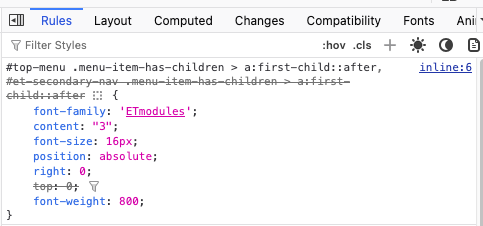 |
| December 12, 2025 at 12:48 am #17657768 | |
|
Bobby WPML Supporter since 04/2015 Languages: English (English ) Timezone: America/Los_Angeles (GMT-07:00) |
Hi there, Thank you for sharing this information with me! I checked the issue with the menu arrow displaying as a “3” on the homepage, and this behavior is not coming from WPML. The browser console shows that the site is still trying to load Divi’s icon font files from the staging domain: Access to font at '<em><u>hidden link</u></em>' from origin '<em><u>hidden link</u></em>' has been blocked by CORS policy: No 'Access-Control-Allow-Origin' header is present on the requested resource.Understand this error (index):847 GET <em><u>hidden link</u></em> net::ERR_FAILED 200 (OK)Understand this error (index):1 Access to font at '<em><u>hidden link</u></em>' from origin '<em><u>hidden link</u></em>' has been blocked by CORS policy: No 'Access-Control-Allow-Origin' header is present on the requested resource.Understand this error (index):847 GET <em><u>hidden link</u></em> net::ERR_FAILED 200 (OK) This is not happening on the rest of the pages. Why it works on staging On staging, the font loads correctly from the same domain, so the icon displays as expected. Why it works on other pages Other pages are using updated CSS that references the correct live-domain font paths, so the icon font loads normally there. How to fix it To resolve this on the live site, these steps are needed: 1. Update any remaining references to the staging domain in the database so all font files load from the live domain. 2. Regenerate Divi’s static CSS (so it rebuilds with the correct URLs). 3. Clear caches so the homepage loads the updated CSS. Once those staging URLs are replaced and Divi regenerates its CSS, the dropdown arrow will display correctly.  |
| December 15, 2025 at 10:30 pm #17665883 | |
|
allysonS-2 |
Thank you for this insight. Much appreciated. |






