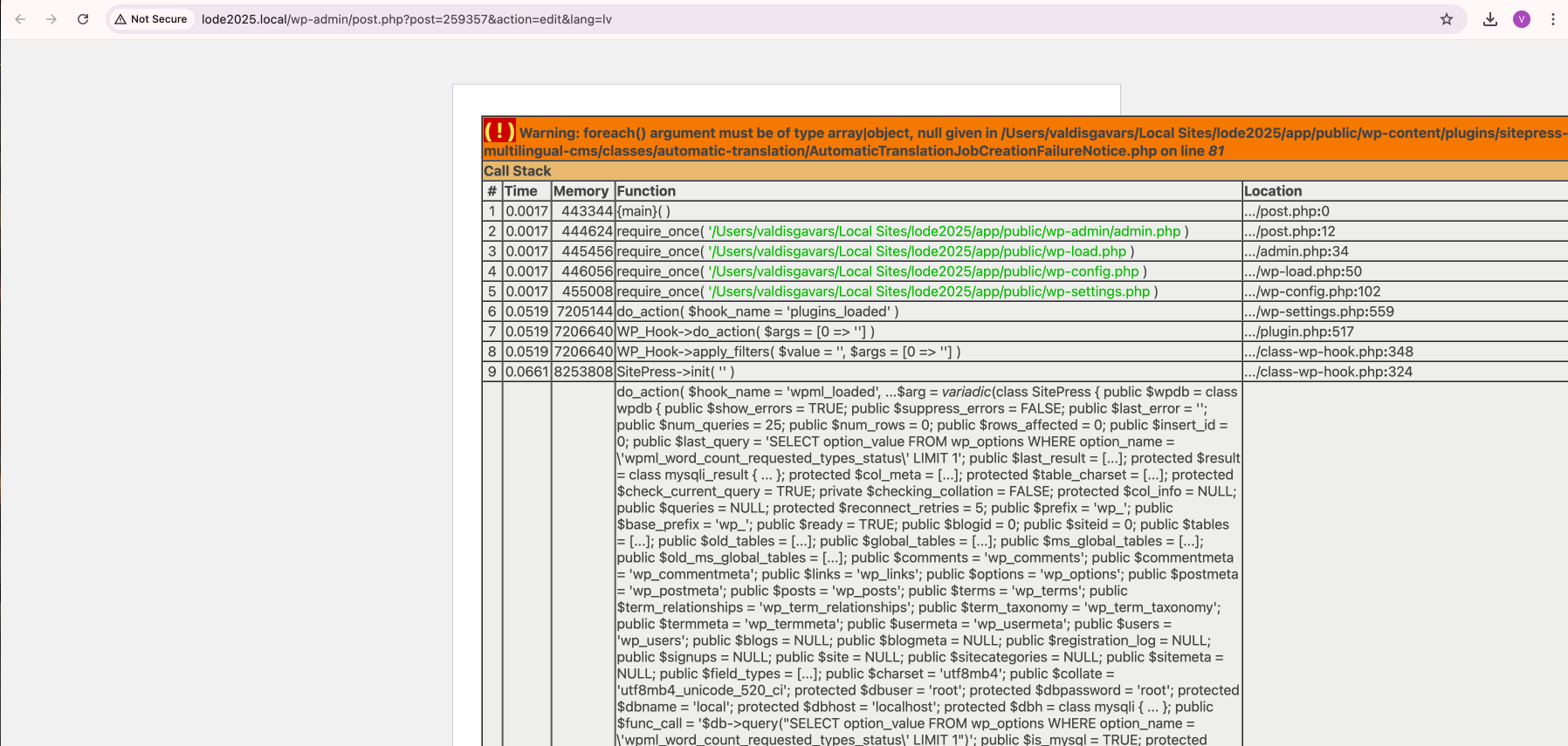
Background of the issue:
I am trying to automatically translate my site, but it goes down. The issue occurs when I attempt this action. ( ! ) Warning: foreach() argument must be of type array|object, null given in /Users/valdisgavars/Local Sites/lode2025/app/public/wp-content/plugins/sitepress-multilingual-cms/classes/automatic-translation/AutomaticTranslationJobCreationFailureNotice.php on line 81 ( ! ) Fatal error: Uncaught TypeError: count(): Argument #1 ($value) must be of type Countable|array, null given in /Users/valdisgavars/Local Sites/lode2025/app/public/wp-content/plugins/sitepress-multilingual-cms/vendor/wpml/fp/core/functions.php on line 154 ( ! ) TypeError: count(): Argument #1 ($value) must be of type Countable|array, null given in /Users/valdisgavars/Local Sites/lode2025/app/public/wp-content/plugins/sitepress-multilingual-cms/vendor/wpml/fp/core/functions.php on line 154
Symptoms:
The site goes down when attempting automatic translation. Error messages include warnings and fatal errors related to 'foreach()' and 'count()' functions.
Questions:
Why does the site go down when I try to use automatic translation?
How can I fix the errors related to 'foreach()' and 'count()' functions?
I had added this information before (dont see it in ticket now) - I cannot get the debug this way - as Admin dashboard is broken (FATAL error) and unusable when WPML is enabled.
If disabled - obviosly no options.
What I have done - downgraded to 4.6.15 to make my site usable, as now it would be broken.
Languages: English (English )Spanish (Español )German (Deutsch )
Timezone: America/Lima (GMT-05:00)
Hello,
I would like to request temporary access (wp-admin and FTP) to the website to investigate the issue further. The server access per FTP is mandatory in this case.
You can find the required fields below the comments section when you log in to leave the next reply. The information you provide is private, meaning only you and I can see and access it.
IMPORTANT
Please be sure to back up your website and database before granting us access.
If you can't see the "wp-admin / FTP" fields, your post and website credentials will be set to "PUBLIC." DO NOT publish the data unless you see the required wp-admin / FTP fields.
The private reply form looks like this: hidden link
Click "I still need assistance" the next time you reply.
Video: hidden link
Please note that we are required to request this information individually on each ticket. We are not permitted to access any credentials that were not specifically submitted on this ticket using the private response form.
Best regards,
Andreas
The topic ‘[Closed] Fatal error automatic translation’ is closed to new replies.