Skip to content Skip to sidebar

This is the technical support forum for WPML - the multilingual WordPress plugin.

Everyone can read, but only WPML clients can post here. WPML team is replying on the forum 6 days per week, 22 hours per day.

Sun Mon Tue Wed Thu Fri Sat
12:00 – 20:00 12:00 – 20:00 12:00 – 20:00 12:00 – 20:00 12:00 – 20:00 - -
- - - - - - -

Supporter timezone: Asia/Karachi (GMT+05:00)

This topic contains 1 replies, has 0 voices.

Last updated by Noman 2 months, 1 week ago.

Assisted by: Noman.

Author Posts
November 20, 2025 at 10:29 am #17594854

georgiosP-9

Background of the issue:
I need to change the string "Travel Date" in the original English language to "Tour Date" on my site hidden link. I am using the plugin tourmaster by Goodlayers and the Theme is TravelTour. After changing the string, I want to add the Greek translation.

Symptoms:
No specific issue or error message mentioned.

Questions:
How can I change a string in the original language using WPML?
How do I add a translation for a string after changing it in the original language?

November 20, 2025 at 2:17 pm #17596052

Noman
WPML Supporter since 06/2016

Languages: English (English )

Timezone: Asia/Karachi (GMT+05:00)

Hi,

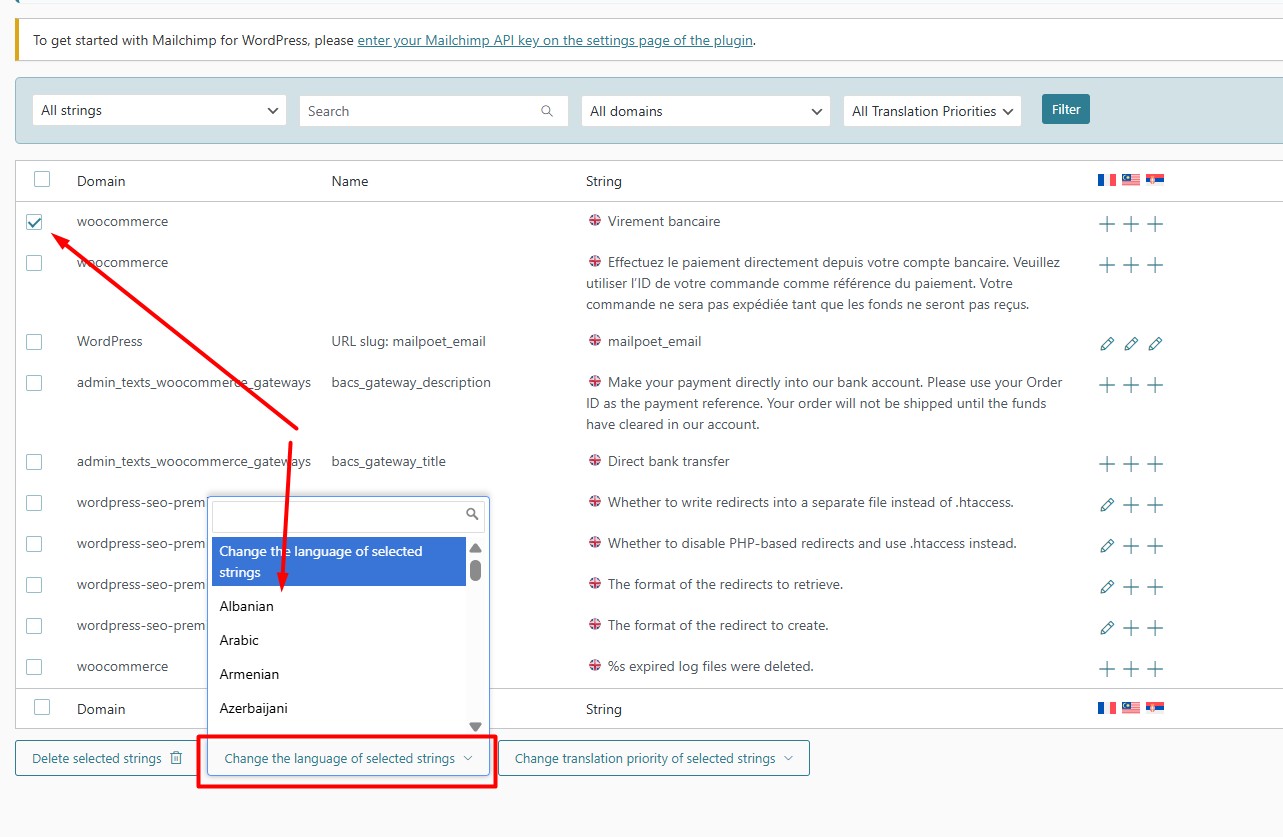
Thank you for contacting WPML Support. You can usually change the original text directly in the theme/plugin files, but you can also do it through WPML using this workaround:

1. Go to the WPML >> String Translation.
2. Select your required strings.
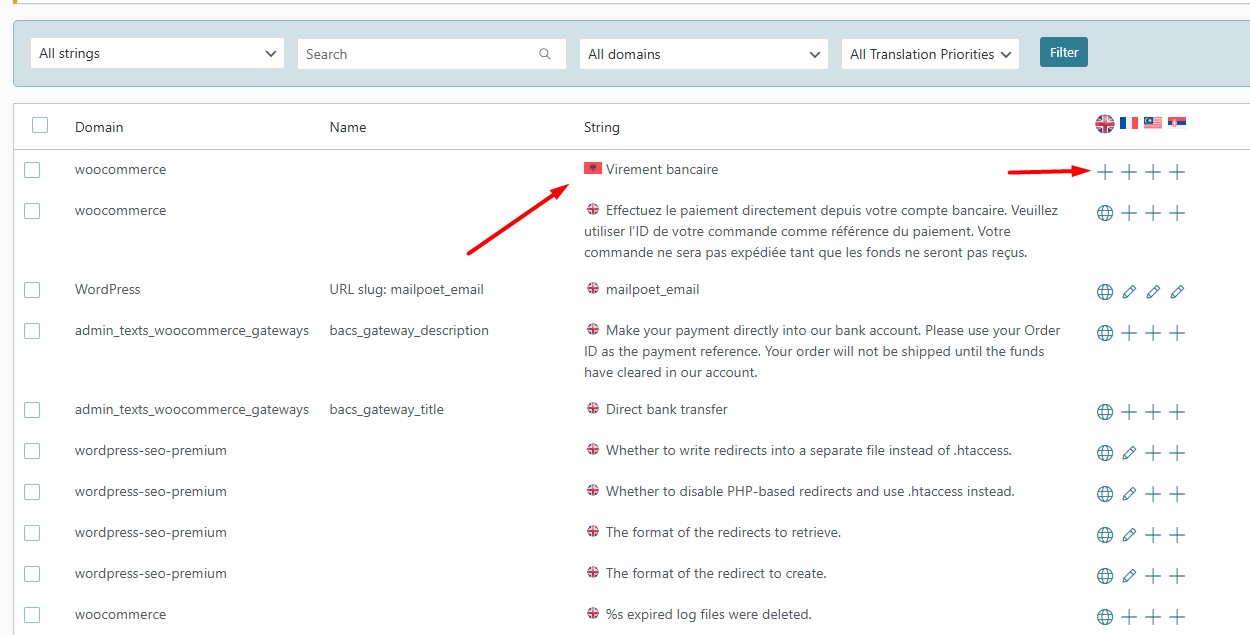
3. Use “Change the language of selected strings” and assign a temporary/dummy language.
4. After that, you’ll be able to add the translation for it.

Here is a doc for more details: https://wpml.org/documentation/getting-started-guide/string-translation/how-to-change-the-source-language-of-strings/

Thank you

Change the language selected strings.jpg
assinged dummy lang.jpg

The topic ‘[Closed] How to change a string in the original language?’ is closed to new replies.