Home›Support›English Support›[Resolved] Issues with translating custom user meta field (dealer_overview)
[Resolved] Issues with translating custom user meta field (dealer_overview)
This thread is resolved. Here is a description of the problem and solution.
Problem: The client was unable to translate a specific user meta field named 'dealer_overview' (Address) despite following the necessary steps for registration and adding a Custom XML Configuration. Additionally, the client faced issues translating the '/mo' text in a widget on their site. Solution: For the 'dealer_overview' field, we identified that the site was using almost 200MB of memory with a limit set to 256M in WordPress. We recommended increasing the WP MEMORY LIMIT to 384M and re-saving the user profile, which successfully registered the string for translation. For the '/mo' text issue, it was necessary to search for the string using the HTML entity in WPML > String Translation. The string was part of the 'Car Dealer - Financing Calculator' widget, and it was dynamically added, thus requiring proper coding in the widget to be translatable.
If this solution does not resolve your issue, or if it seems outdated or not applicable to your case, we highly recommend checking related known issues at https://wpml.org/known-issues/, verifying the version of the permanent fix, and confirming that you have installed the latest versions of themes and plugins. If further assistance is needed, please open a new support ticket at WPML support forum.
This is the technical support forum for WPML - the multilingual WordPress plugin.
Everyone can read, but only WPML clients can post here. WPML team is replying on the forum 6 days per week, 22 hours per day.
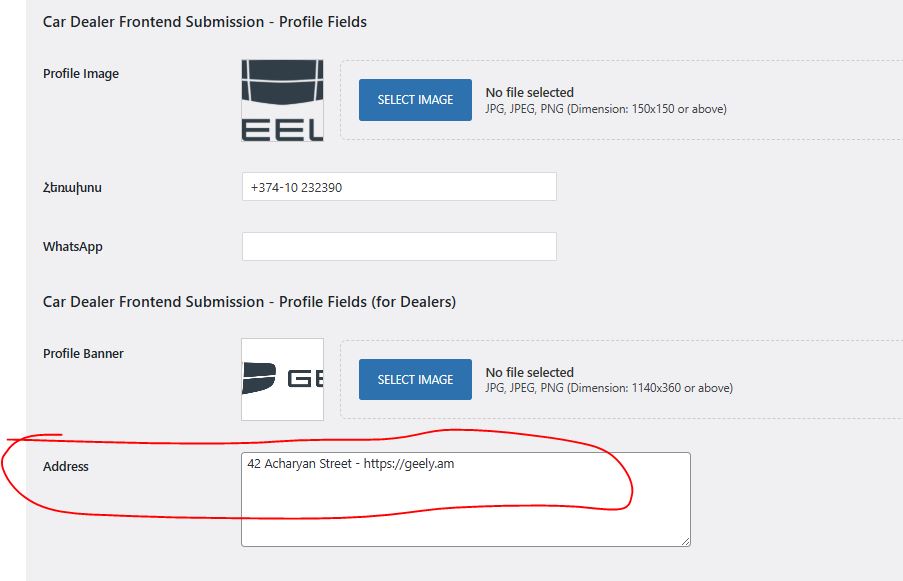
Context: The field was originally named "Overview" and is part of my theme's user profile settings. In my child theme, I have renamed this label to "Address" using the following gettext filter:
PHP
add_filter('gettext', 'change_overview_text', 20, 3);
function change_overview_text($translated_text, $text, $domain) {
if ($text === 'Overview') {
$translated_text = 'Address';
}
return $translated_text;
}
What I have tried:
I added the following code to my functions.php to register the fields for translation:
PHP
add_filter( 'wpml_translatable_user_meta_fields', function( $fields ) {
$fields[] = 'nickname';
$fields[] = 'dealer_overview';
$fields[] = 'description';
return $fields;
}, 10, 1 );
I also added a Custom XML Configuration in WPML > Settings:
XML
dealer_overview
nickname
_dealer_overview
The Issue: Despite these steps, the "dealer_overview" (Address) field does not appear in String Translation, and I am unable to translate the content entered by users in this field. The nickname field is working, but the custom dealer field is not.
Could you please help me identify why this specific user meta field is not being picked up by WPML for translation?
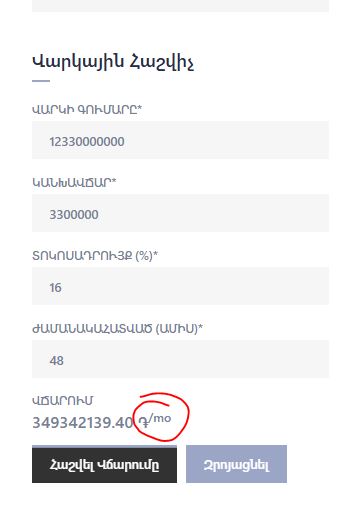
What about the other issue I mentioned above? I’m unable to translate the '֏/mo' text into Armenian and Russian. You can find it after filling out the 'financial calculator' section on the 'cars' page: hidden link
Languages: English (English )Spanish (Español )German (Deutsch )
Timezone: America/Lima (GMT-05:00)
What you are trying to translate here is the "Car Dealer - Financing Calculator" widget, which does not provide any fields to enter the string that you are trying to translate.
This means that this widget adds the month dynamically to the price, and the only way to translate this string would be using WPML > String Translation.
This will only work out if the widget was coded properly.
A closer look at the theme's code shows:
'cardealer-financing-calculator' => array(
				'handle'    => 'cardealer-financing-calculator',
				'src'       => CARDEALER_URL . '/js/frontend/vehicle-financing-calculator' . $suffix . '.js',
				'ver'       => CARDEALER_VERSION,
				'deps'      => array(),
				'in_footer' => true,
				'action'    => 'register',
				'context'   => array(
					'front',
				),
				'localize' => array(
					'vehicle_financing_calculator_js_object' => array(
						'currency_symbol'     => cardealer_get_cars_currency_symbol(),
						'currency_placement'  => cardealer_get_cars_currency_placement(),
						'error_loan_amount'   => esc_html__( 'Please enter a valid number for the Loan Amount (P).', 'cardealer' ),
						'error_down_payment'  => esc_html__( 'Please enter a valid number for the Down Payment (P).', 'cardealer' ),
						'error_interest_rate' => esc_html__( 'Please enter an Interest Rate (R).', 'cardealer' ),
						'error_payment_count' => esc_html__( 'Please enter the Total Number of Payments (N).', 'cardealer' ),
						'period'              => esc_html__( '/mo', 'cardealer' ),
					)
				),
			),
The string you are looking for is
/mo
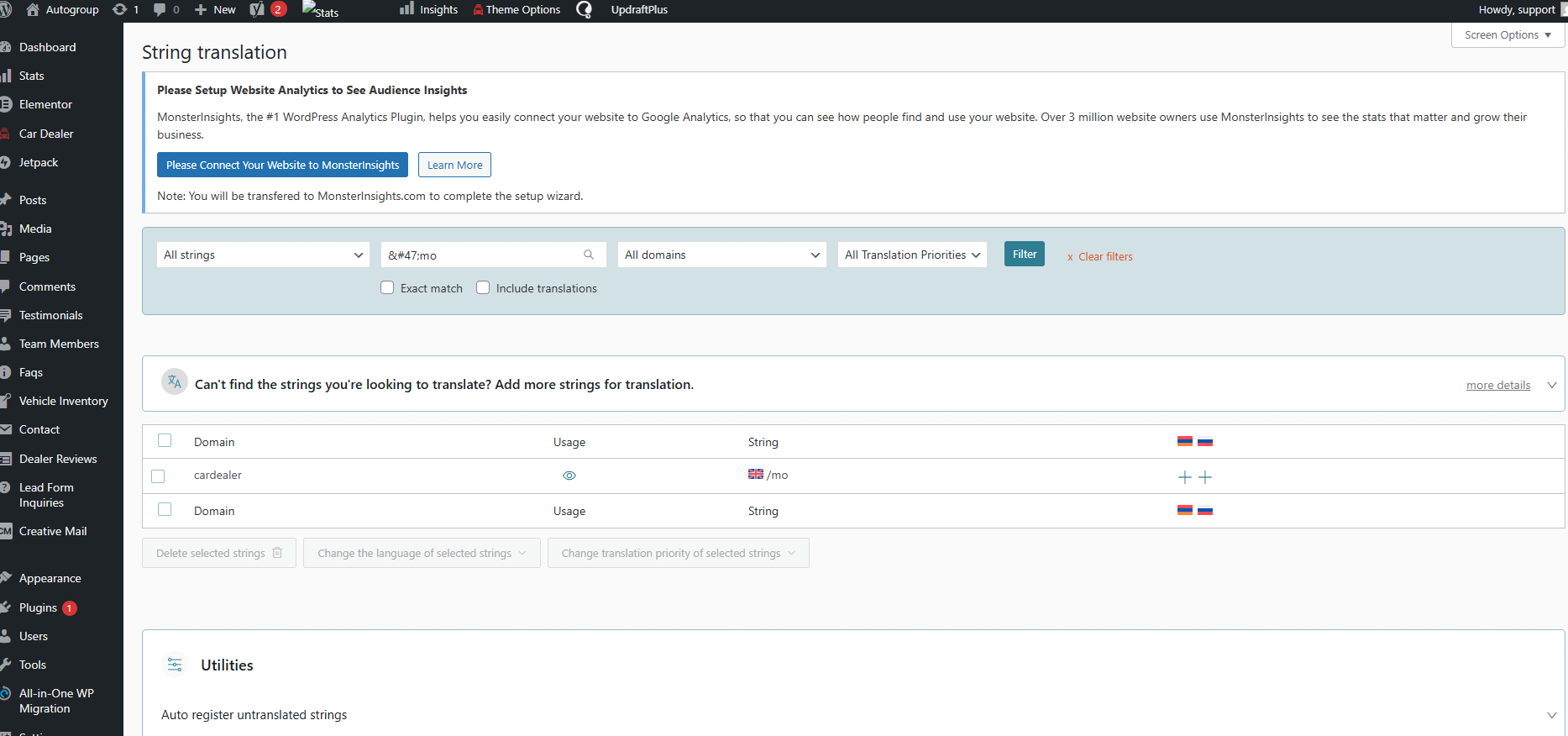
If I search for this string in WPML String Translation, I can actually find the string. See screenshot.
Thank you for your help. I was searching for the string '/mo', but it turns out I needed to use the HTML entity instead. Once I searched for /mo, I was able to find it. Thanks again for the assistance!