
This thread is resolved. Here is a description of the problem and solution.
Problem:
If you're experiencing issues where your translated pages are not updating when the original French real estate listings change, it might be due to the WP All Import plugin not triggering the necessary 'save_post' WordPress hook that WPML relies on to recognize and translate new or updated content.
Solution:
First, ensure that after importing your listings, you manually trigger the 'save_post' hook. You can do this by going to the properties list, setting 'Screen Options' to show 200 items per page, selecting all items, and choosing 'Edit' from the 'Bulk actions' dropdown. Without making any changes, click the 'Update' button. This action should force the trigger of the 'save_post' hook, allowing WPML to detect and translate the updated content.
Additionally, we recommend contacting the WP All Import support to inquire if they can provide a method to automatically trigger this hook after imports are completed. This would automate the process and reduce the need for manual updates.
If this solution does not resolve your issue, or if it seems outdated or irrelevant to your specific case, please check related known issues at https://wpml.org/known-issues/, verify you have the latest versions of themes and plugins, and consider opening a new support ticket with us for further assistance.
This is the technical support forum for WPML - the multilingual WordPress plugin.
Everyone can read, but only WPML clients can post here. WPML team is replying on the forum 6 days per week, 22 hours per day.
Tagged: Compatibility
This topic contains 19 replies, has 0 voices.
Last updated by Christopher Amirian 8 months ago.
Assisted by: Christopher Amirian.
| Author | Posts |
|---|---|
| July 23, 2025 at 1:50 pm #17264218 | |
 anaisT-4 |
Background of the issue: I'm having an issue with the translated page on my site. Symptoms: Questions: I'm having an issue with the translated page on my site. |
| July 27, 2025 at 8:36 am #17272866 | |
 Christopher Amirian WPML Supporter since 07/2020 Languages: English (English ) Timezone: Asia/Yerevan (GMT+04:00) |
Hi, Welcome to WPML support. It depends on how the update is added to the French version of the property. If it is done manually inside the WordPress editor, and if you have the Play button enabled for automatic translation in WPML > Translation Management, the updated version should be translated automatically. But if you add the update again via the all import plugin, it might be the problem as it does not trigger the post_save hook, which is needed to trigger the Need for translation update. We usually ask the customers to make sure the Import/Export plugin is also installed and the syncing process is done there: https://wpml.org/documentation/related-projects/wpml-export-and-import/ But as you do not import the translated version and use the automatic translation, I am not sure if the sync will do the same thing which is intended. One last suggestion is to go to WordPress > Properties and select the imported products and click the Edit option from the top of the page to bulk edit the properties, then, without changing anything,g click the update button. That will for sure trigger the need for update translation and the automatic translation should do the trick. Thanks. |
| July 28, 2025 at 6:54 pm #17276524 | |
|
anaisT-4 |
Hello, I do have automatic translation enabled in the wpml plugin, as you can see in the screenshot. properties are automatically added/updated on the site via an xml file. I installed the import/export plugin but I couldn't configure it because I don't have a translation to import into my xml file, all the properties are in French. So maybe I didn't understand some things in the wpml configuration. In the properties that are created, we can clearly see that I have more translations in English than in French (I must have 47 properties in English), while in the wpml options, I have checked that the content must be deleted if the initial content in French is deleted. Can you tell me what I did wrong? I am a webmaster and I am not on my clients' site every day, this must be done automatically. Thank you for your help. 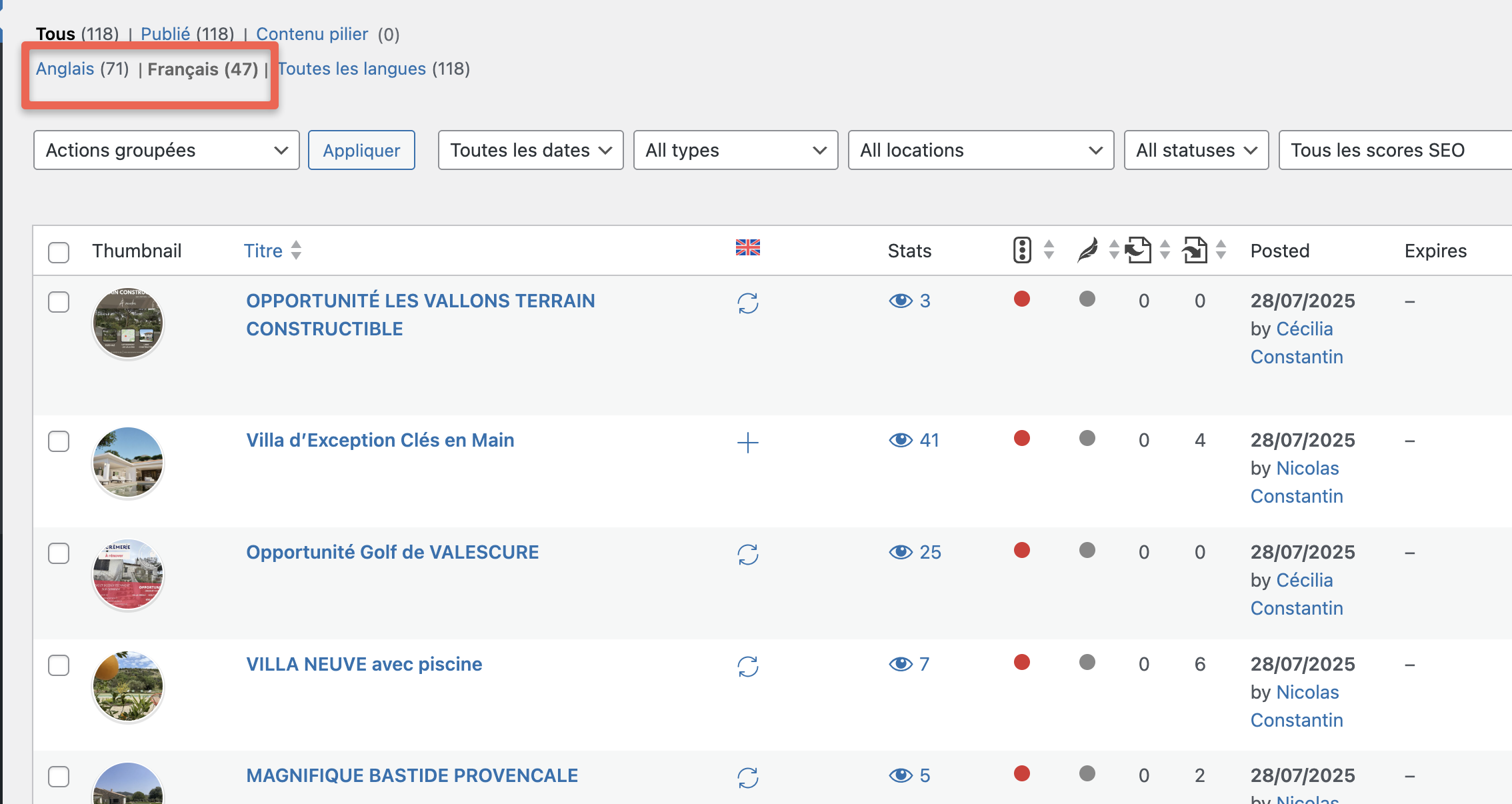   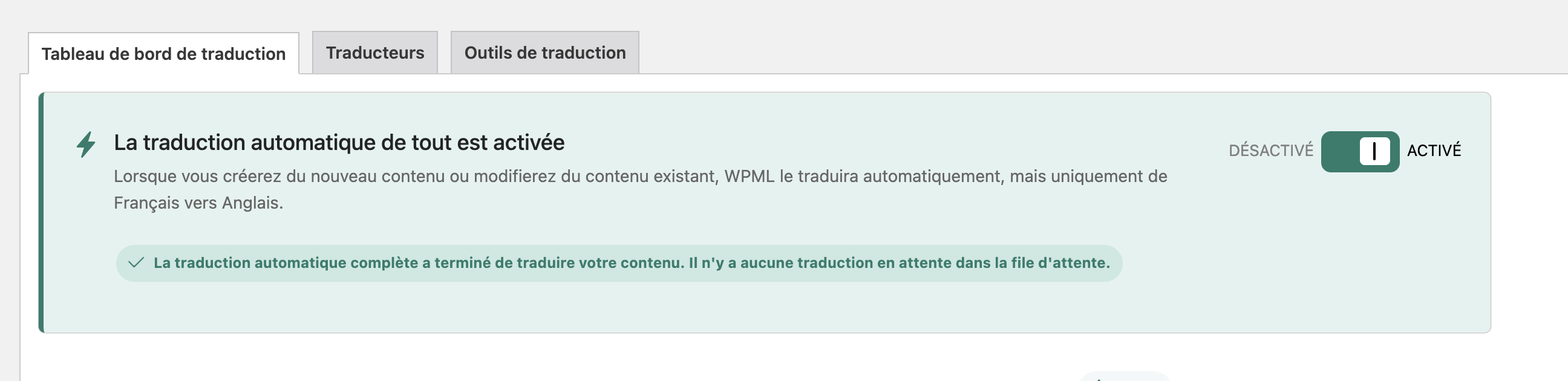 |
| July 29, 2025 at 11:12 am #17278500 | |
|
Christopher Amirian WPML Supporter since 07/2020 Languages: English (English ) Timezone: Asia/Yerevan (GMT+04:00) |
Hi, That is hard to know why there is more items than the original language as it might be something happened during the import that was not predictable. The delete option should work when an original product/property is deleted. For now what I suggest is that you manually delete any property in the translated version that has not original language and make sure you also empty the cache. I would have a backup before doing so just in case. Thanks. |
| July 30, 2025 at 12:35 pm #17282119 | |
|
anaisT-4 |
Hello, I manually deleted the ads that were not automatically deleted. In wpml, in "When deleting a post, also delete translations", does this only concern blog posts or is it related to all content on the site? Since my properties are custom pages, does this work? |
| July 30, 2025 at 1:03 pm #17282167 | |
|
Christopher Amirian WPML Supporter since 07/2020 Languages: English (English ) Timezone: Asia/Yerevan (GMT+04:00) |
Hi, The option should work for the custom post types too. Please test by adding a sample custom post item and fake translate it. Then try to delete that item. Make sure you also delete it from the trash. Thanks. |
| July 31, 2025 at 10:30 am #17284693 | |
|
anaisT-4 |
Hello, 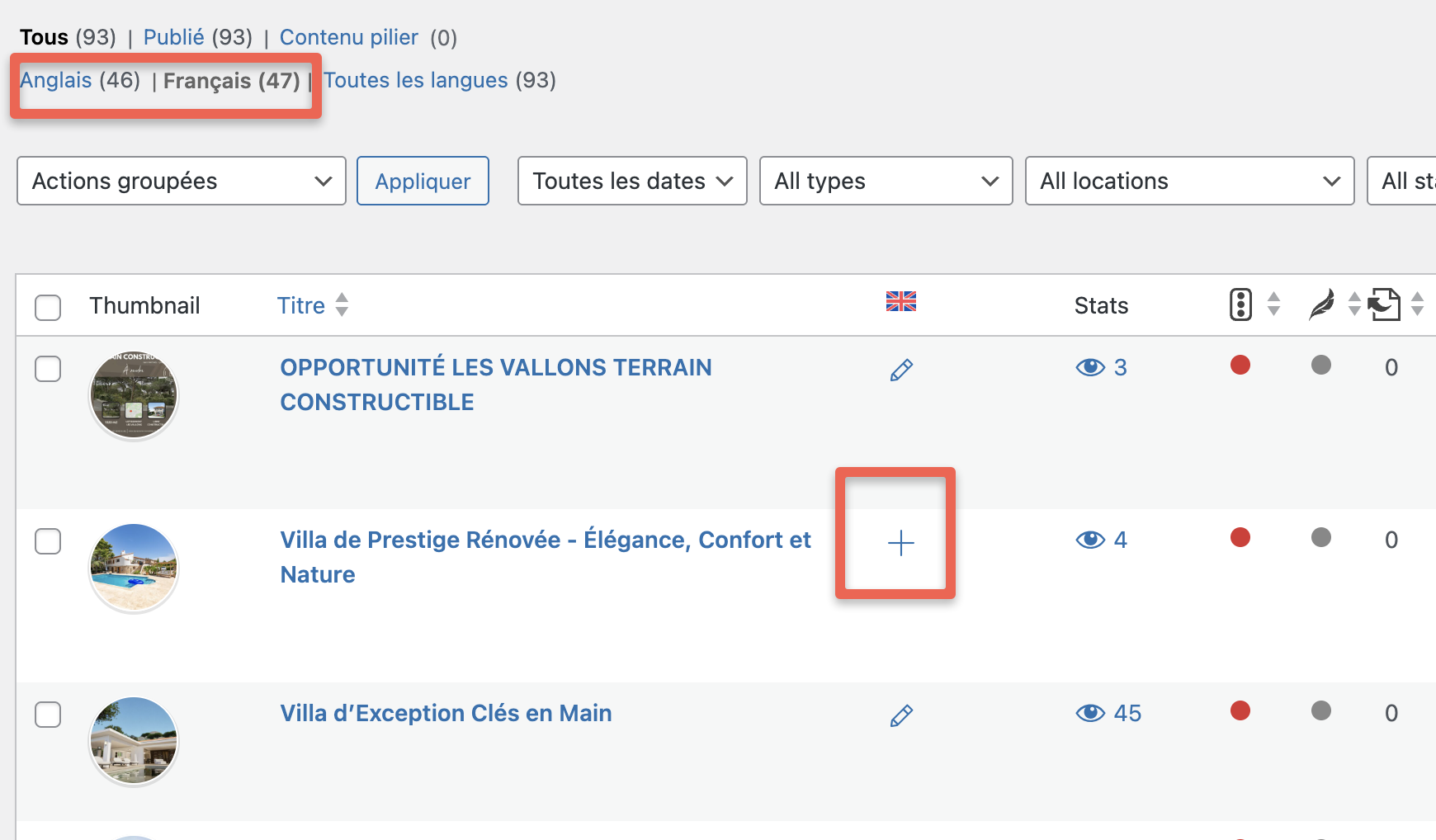 |
| July 31, 2025 at 2:49 pm #17285584 | |
|
Christopher Amirian WPML Supporter since 07/2020 Languages: English (English ) Timezone: Asia/Yerevan (GMT+04:00) |
Hi, I tested that on a clean installation, and it worked for me for a custom post type: hidden link If you go to Study and add a sample post and translate it and after that delete it, it will also delete the translation. If this is not the behavior for your installation, I'd appreciate it if you could copy your website to a staging version, and get back to us with the login information by setting the next reply to private. The reason that we want you to copy your website is to troubleshoot without the fear of breaking a live website. I will check the property custom post type. Thanks. |
| July 31, 2025 at 2:49 pm #17285585 | |
|
Christopher Amirian WPML Supporter since 07/2020 Languages: English (English ) Timezone: Asia/Yerevan (GMT+04:00) |
Hi, I tested that on a clean installation, and it worked for me for a custom post type: hidden link If you go to Study and add a sample post and translate it and after that delete it, it will also delete the translation. If this is not the behavior for your installation, I'd appreciate it if you could copy your website to a staging version, and get back to us with the login information by setting the next reply to private. The reason that we want you to copy your website is to troubleshoot without the fear of breaking a live website. I will check the property custom post type. Thanks. |
| August 3, 2025 at 7:27 am #17290618 | |
|
anaisT-4 |
Hello, thank you for your feedback. I'm working on creating a test version of the site and will share the connection with you. I'll take care of it this week. Thank you for your patience. |
| August 3, 2025 at 10:53 am #17290850 | |
|
Christopher Amirian WPML Supporter since 07/2020 Languages: English (English ) Timezone: Asia/Yerevan (GMT+04:00) |
Sure thanks. |
| August 7, 2025 at 10:34 am #17302226 | |
|
Christopher Amirian WPML Supporter since 07/2020 Languages: English (English ) Timezone: Asia/Yerevan (GMT+04:00) |
Hi, Thank you. Unfortunaely I can not login to the website. I created a video shwoing the details: hidden link |
| August 7, 2025 at 2:24 pm #17302977 | |
|
anaisT-4 |
Hi, It's ok. So Sorry for that |
| August 10, 2025 at 11:40 am #17307560 | |
|
Christopher Amirian WPML Supporter since 07/2020 Languages: English (English ) Timezone: Asia/Yerevan (GMT+04:00) |
Hi, Thank you. I managed to login and test and I saw the deletion works for the properties with no issues and the translated property is also deleted. I created a video showing the details: hidden link Thanks |
| August 13, 2025 at 6:26 am #17315532 | |
|
anaisT-4 |
Hello, Thank you for your feedback. I understand how it works. However, if I understand correctly, when a listing is automatically created using my XML file, the English translation should be done automatically. For example, you can see that there's a property with a + sign for the English translation because it wasn't done automatically, and therefore the new property on the English version isn't done. For deleting listings, it's my XML file that deletes unavailable listings when it's updated; it's configured like that. I've automated as much as possible so I don't have to return to my client's website every day. Regarding listings that don't automatically create the English version, do you have any ideas? (I posted a photo of a property that isn't automatically translated.) 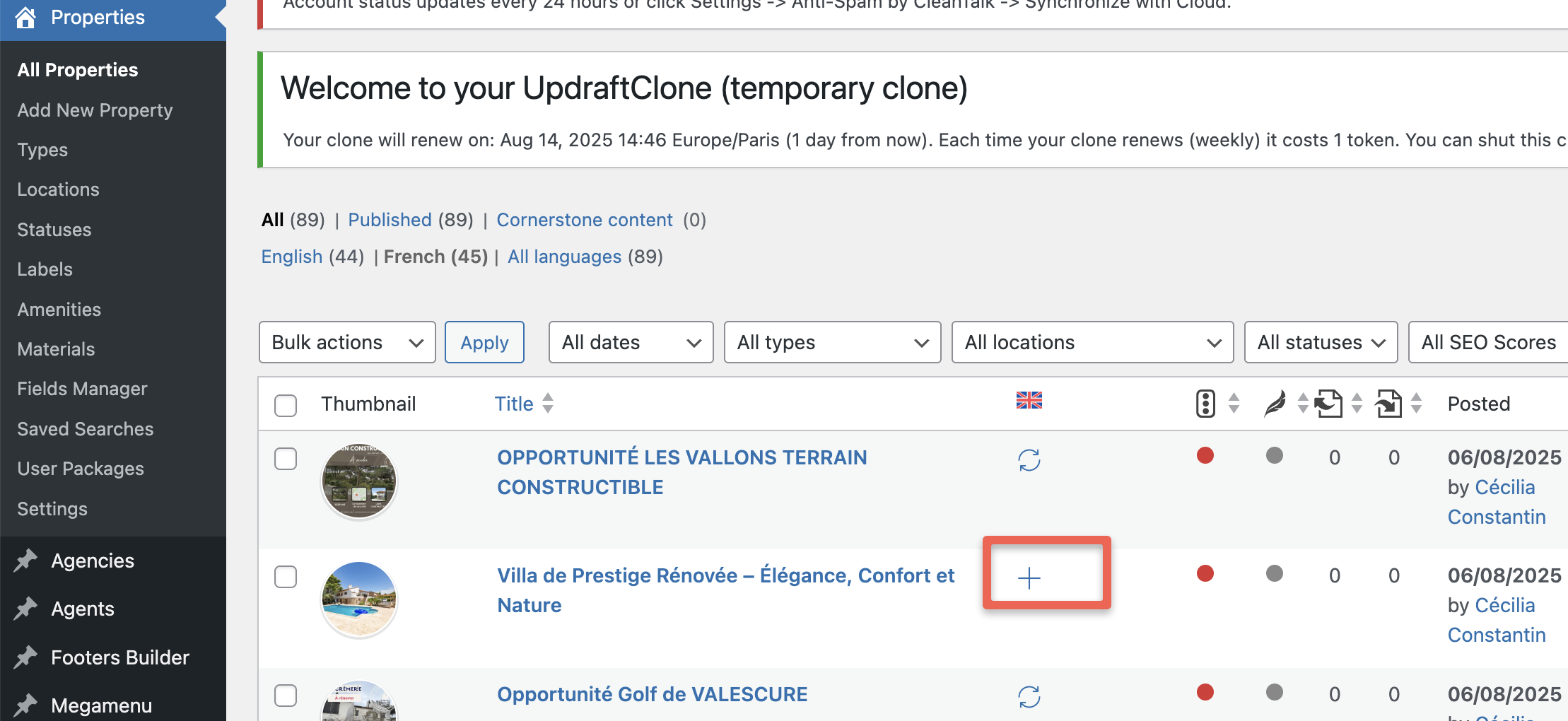 |








