Skip to content Skip to sidebar

This is the technical support forum for WPML - the multilingual WordPress plugin.

Everyone can read, but only WPML clients can post here. WPML team is replying on the forum 6 days per week, 22 hours per day.

Sun Mon Tue Wed Thu Fri Sat
- 8:00 – 13:00 9:00 – 13:00 9:00 – 13:00 8:00 – 12:00 8:00 – 12:00 -
- 14:00 – 17:00 14:00 – 18:00 14:00 – 18:00 13:00 – 17:00 13:00 – 17:00 -

Supporter timezone: Europe/Zagreb (GMT+01:00)

Tagged: 

This topic contains 1 reply, has 0 voices.

Last updated by Bruno Kos 3 days, 15 hours ago.

Assisted by: Bruno Kos.

Author Posts
February 16, 2026 at 3:50 am #17824075

mohammedT-9

Hello WPML Support Team,

I’m facing a critical issue when activating WPML String Translation on a WordPress site.

Environment details:

WordPress: latest version

PHP: 8.2

MySQL: Hostinger (MariaDB)

Database character set: utf8mb4

Database collation: utf8mb4_unicode_ci

Problem:
WPML core installs and activates correctly.
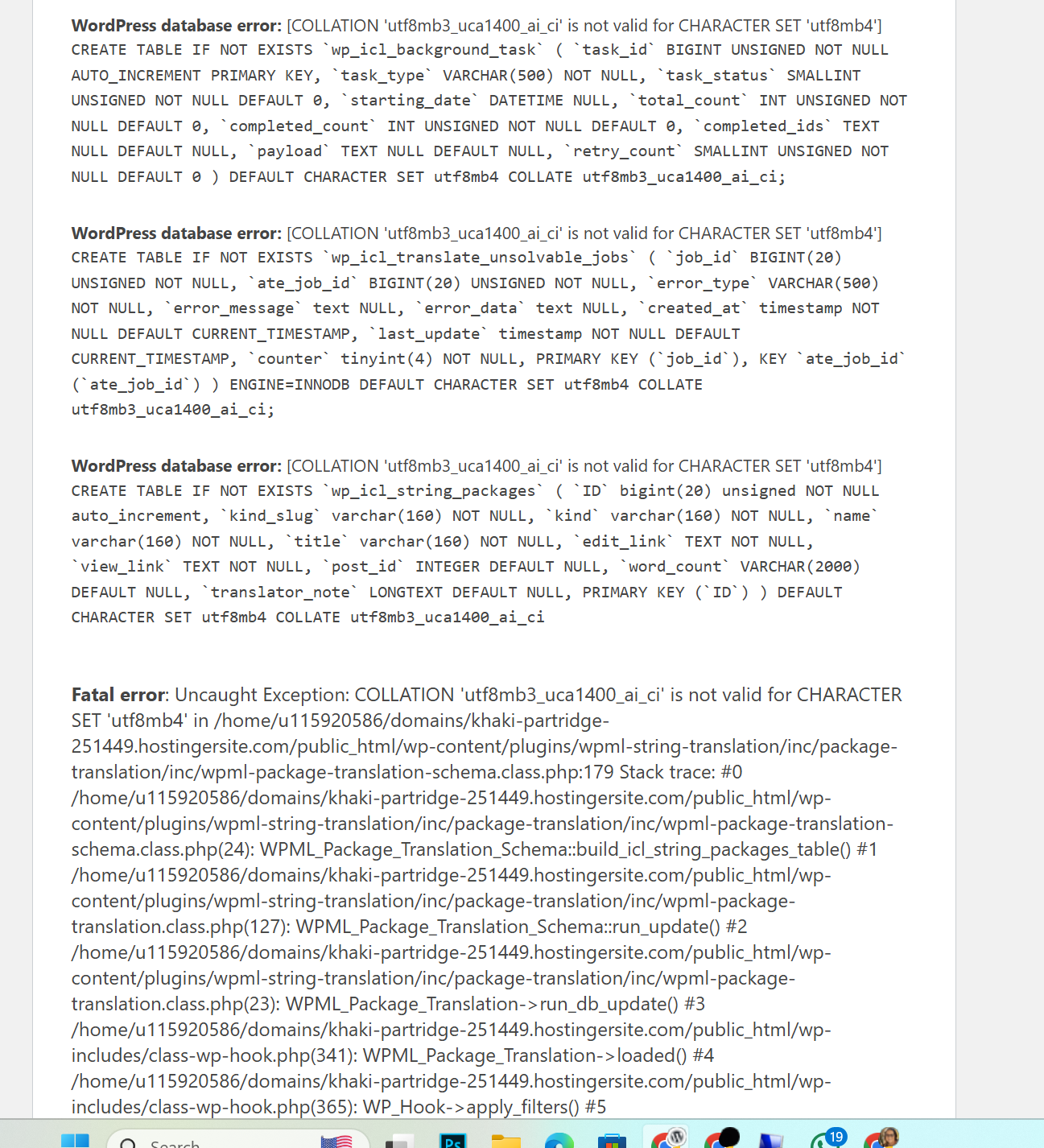
However, when I activate WPML String Translation, the site crashes with a fatal error related to database collation.

Exact error message:

WordPress database error:
COLLATION 'utf8mb3_uca1400_ai_ci' is not valid for CHARACTER SET 'utf8mb4'

CREATE TABLE IF NOT EXISTS wp_icl_string_packages (...)
DEFAULT CHARACTER SET utf8mb4
COLLATE utf8mb3_uca1400_ai_ci;

This causes a fatal exception:

Uncaught Exception:
COLLATION 'utf8mb3_uca1400_ai_ci' is not valid for CHARACTER SET 'utf8mb4'

What I have already tried:

Verified database charset and collation (utf8mb4 / utf8mb4_unicode_ci)

Reinstalled WPML and String Translation from scratch

Removed all existing wp_icl_* tables

Disabled all other plugins

Tested on a fresh WordPress installation

Confirmed the issue occurs only when activating String Translation

It appears WPML String Translation is attempting to create tables using:

CHARACTER SET utf8mb4
COLLATE utf8mb3_uca1400_ai_ci

which is invalid on MySQL/MariaDB.

Request:
Could you please advise:

Why WPML String Translation is using utf8mb3_uca1400_ai_ci?

Is there a recommended fix or patch?

Is this a known compatibility issue with newer MySQL/MariaDB versions?

I’m happy to provide logs, database access, or run any debug steps you recommend.

Thank you for your support.

February 16, 2026 at 9:24 am #17824894

Bruno Kos
WPML Supporter since 12/2018

Languages: English (English ) German (Deutsch ) French (Français )

Timezone: Europe/Zagreb (GMT+01:00)

Hi,

Could you go to WPML → Support → Troubleshooting and run these options:

* Fix element_type collation
* Fix WPML tables collation

After running them, please try activating WPML String Translation again and let me know the result.

If this does not resolve the issue, would you be willing to provide WordPress admin and FTP credentials so I can investigate the problem directly?

Also, can you install https://wordpress.org/plugins/pexlechris-adminer/ so we can inspect database as well?

For your security, please review WPML’s privacy and security policy before sharing any access details:
https://wpml.org/purchase/support-policy/privacy-and-security-when-providing-debug-information-for-support/

I’ve marked my next reply as private, so you can safely add the credentials there if needed.