Background of the issue:
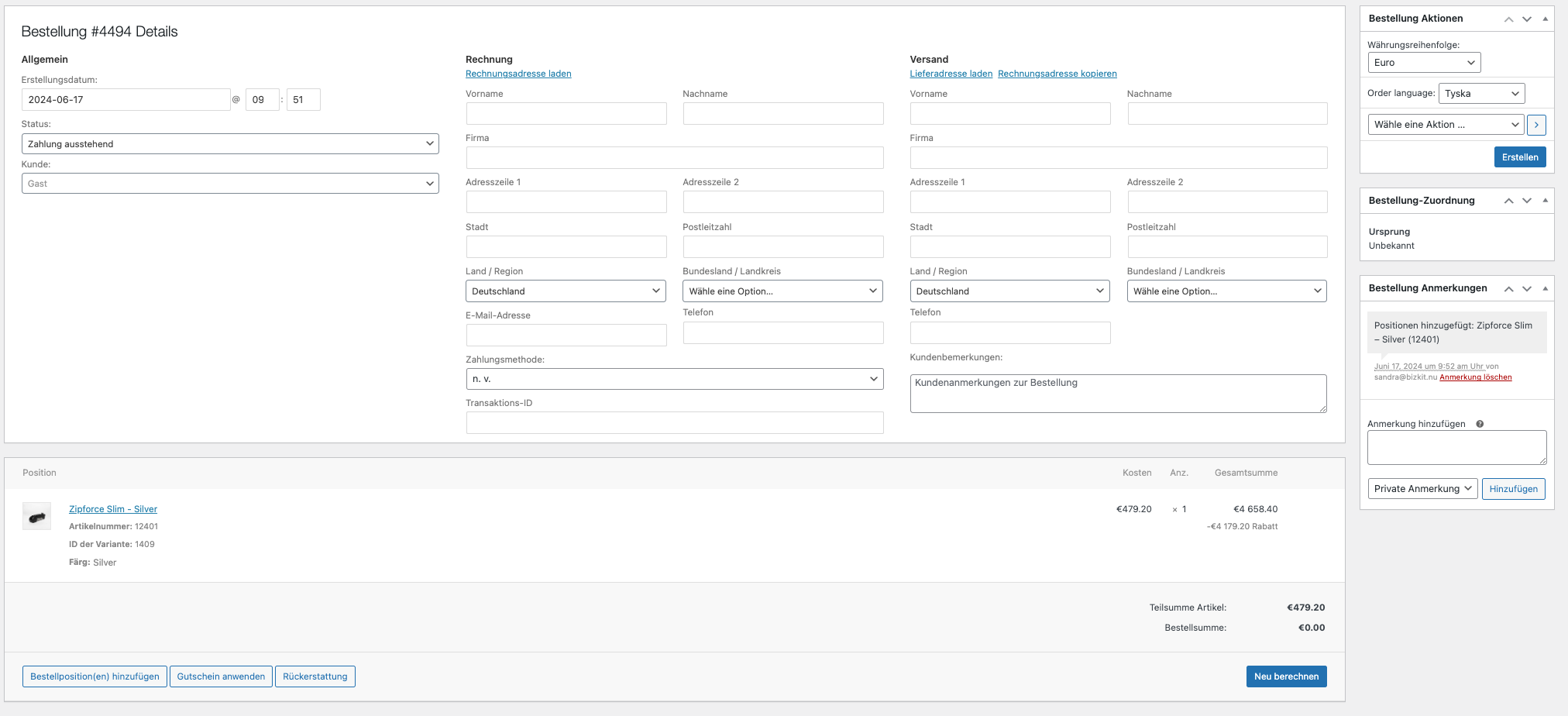
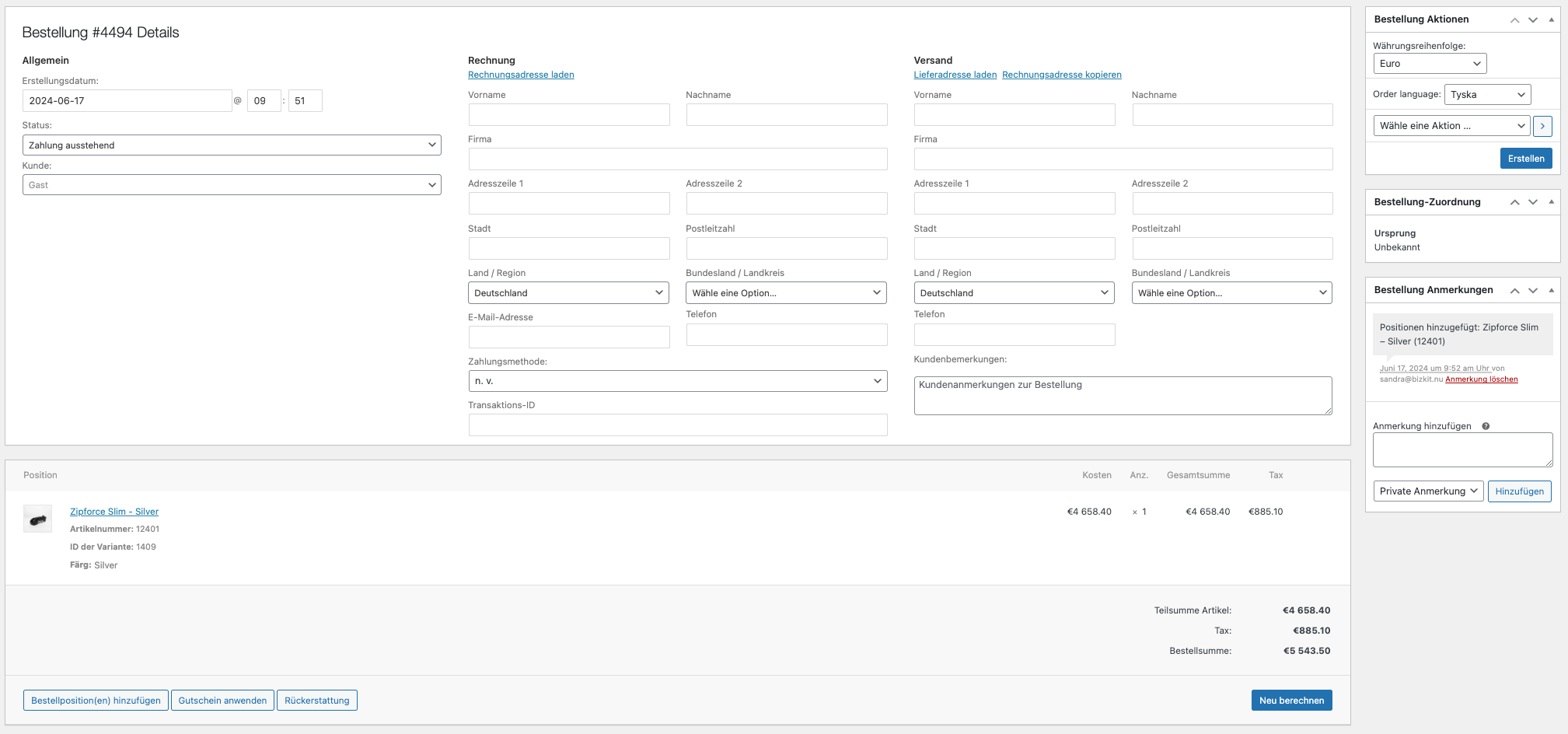
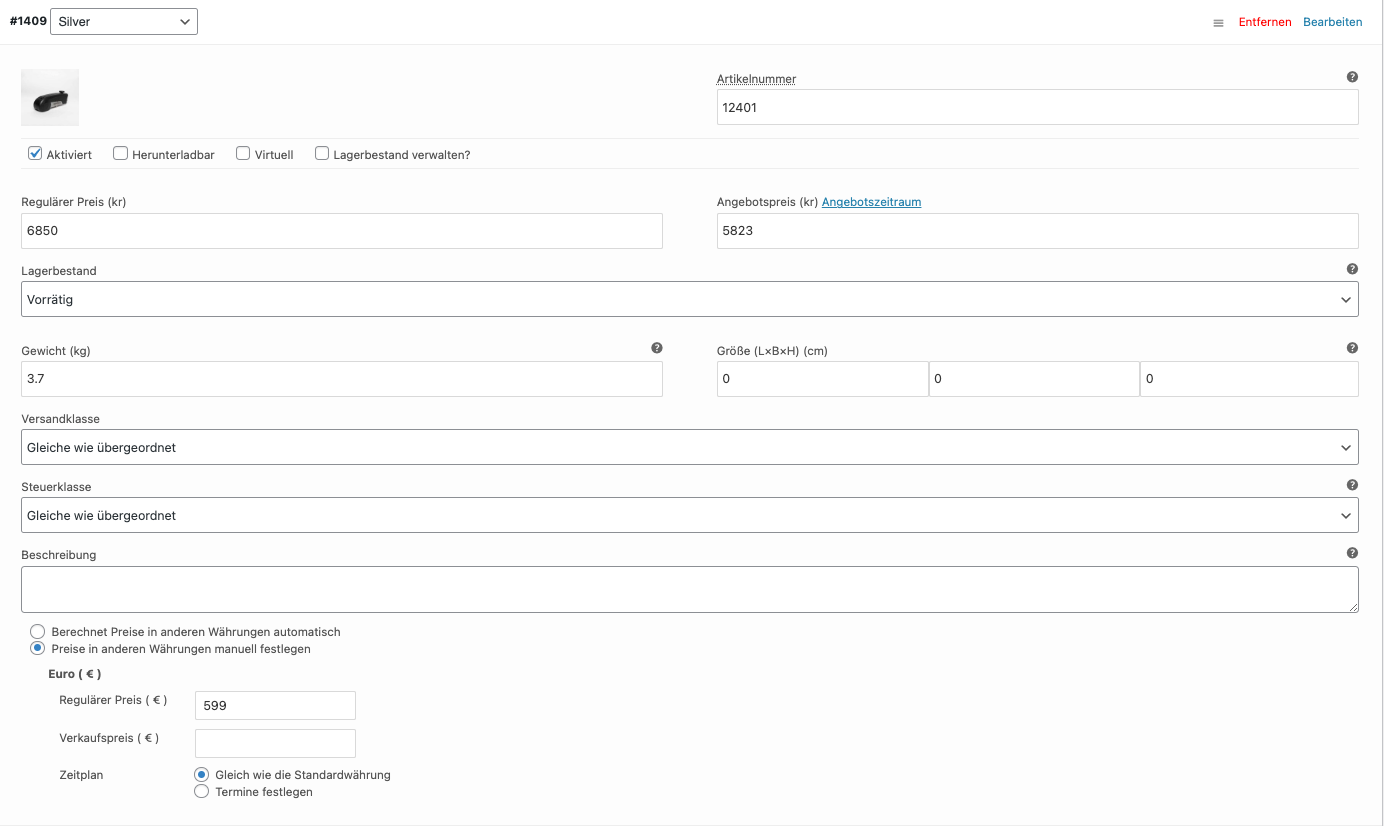
I am trying to create a manual order in backend with EURO as currency but the price is not correct on the order. The default currency for the store is SEK. Everything works fine with online orders. The product has the following prices: Price in SEK: 6850, Price in EURO: 599. When I add this product on a manual order it looks like this on the order row: €479.20 (price) × 1 €5 480.00 (total) -€5 000.80 discount. A discount gets added but the product does not have a discount. When I add a shipping country on the order and click on 'Recalculate' it looks like this: €5 480.00 (price) × 1 €5 480.00 (total) €1 041.20 (vat). So still not right.
Symptoms:
Incorrect price and discount applied when creating a manual order in EURO currency. Recalculation does not resolve the issue.
Questions:
How can I create a manual order in backend with EURO as currency without incorrect pricing and discounts?
Is there a way to fix the recalculation issue when adding a shipping country?
Please let me know when you have your test site in minimal settings so we can continue testing there. I've set the next reply as private so that can share credentials if you want us to log in and try creating an order as well.
THank you for testing that. I found that this issue has been reported and our developers are working to resolve it in a future release. There are a few work arounds that some customers have confirmed to work in the meantime, until we get this fixed permanently. Take a look at the top of this ticket, the content in the yellow box is one solution that has worked for a few clients: https://wpml.org/forums/topic/admin-order-currency-unit-price-is-wrong-2/
If that doesn't work, try unchecking the WooCommerce->Settings-> Enable tax rates and calculations (if that is an option for you).
If those don't work, please try the following workaround and let me know your results:
In the file: wp-content/plugins/woocommerce-multilingual/inc/currencies/class-wcml-multi-currency-orders.php
I have escalated this to our developers so that we can alert you when a fix is available. Please let me know if any of these workarounds fix the issue for you.