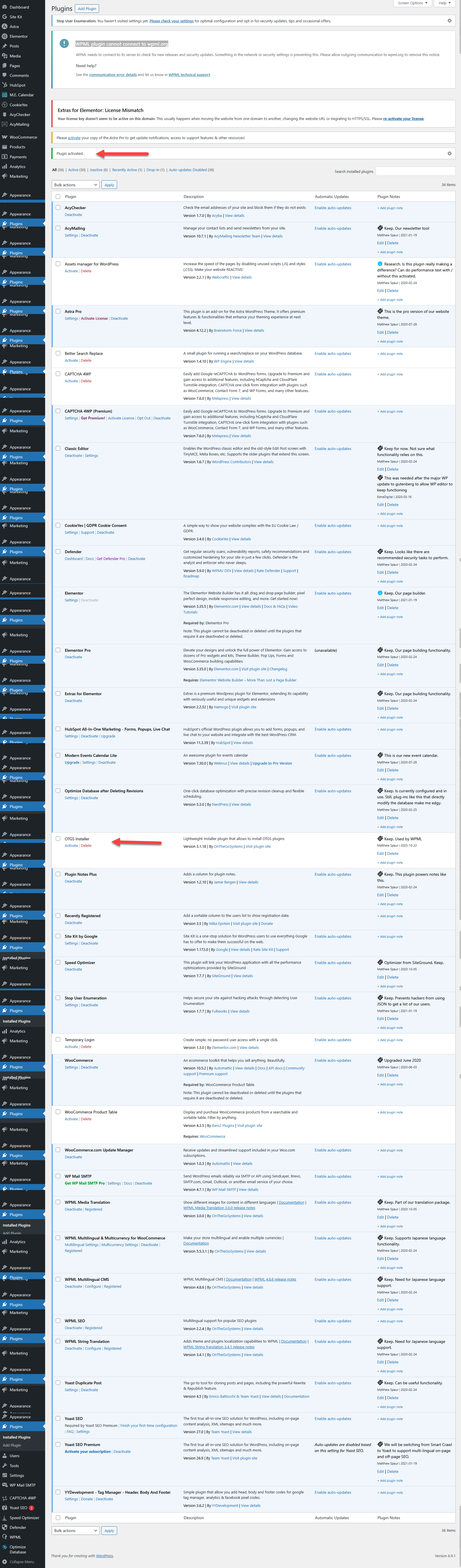
This thread is resolved. Here is a description of the problem and solution.
Problem:
You are testing a new translation setup on your staging site and encounter an error stating 'WPML plugin cannot connect to wpml.org.' Despite generating a new key and attempting to activate the OTGS plugin, it shows as deactivated and does not appear in the admin menu.
Solution:
First, ensure that all WPML plugins are installed and activated. Then, to add the new site key, navigate to Plugins -> Add New -> Commercial tab and enter your key there.
If this solution does not resolve your issue or seems outdated, we recommend checking the related known issues, verifying the version of the permanent fix, and confirming that you have installed the latest versions of themes and plugins. If problems persist, please open a new support ticket.
This is the technical support forum for WPML - the multilingual WordPress plugin.
Everyone can read, but only WPML clients can post here. WPML team is replying on the forum 6 days per week, 22 hours per day.
This topic contains 1 reply, has 0 voices.
Last updated by 1 month, 3 weeks ago.
Assisted by: Osama Mersal.