Skip to content Skip to sidebar

This thread is resolved. Here is a description of the problem and solution.

Problem:
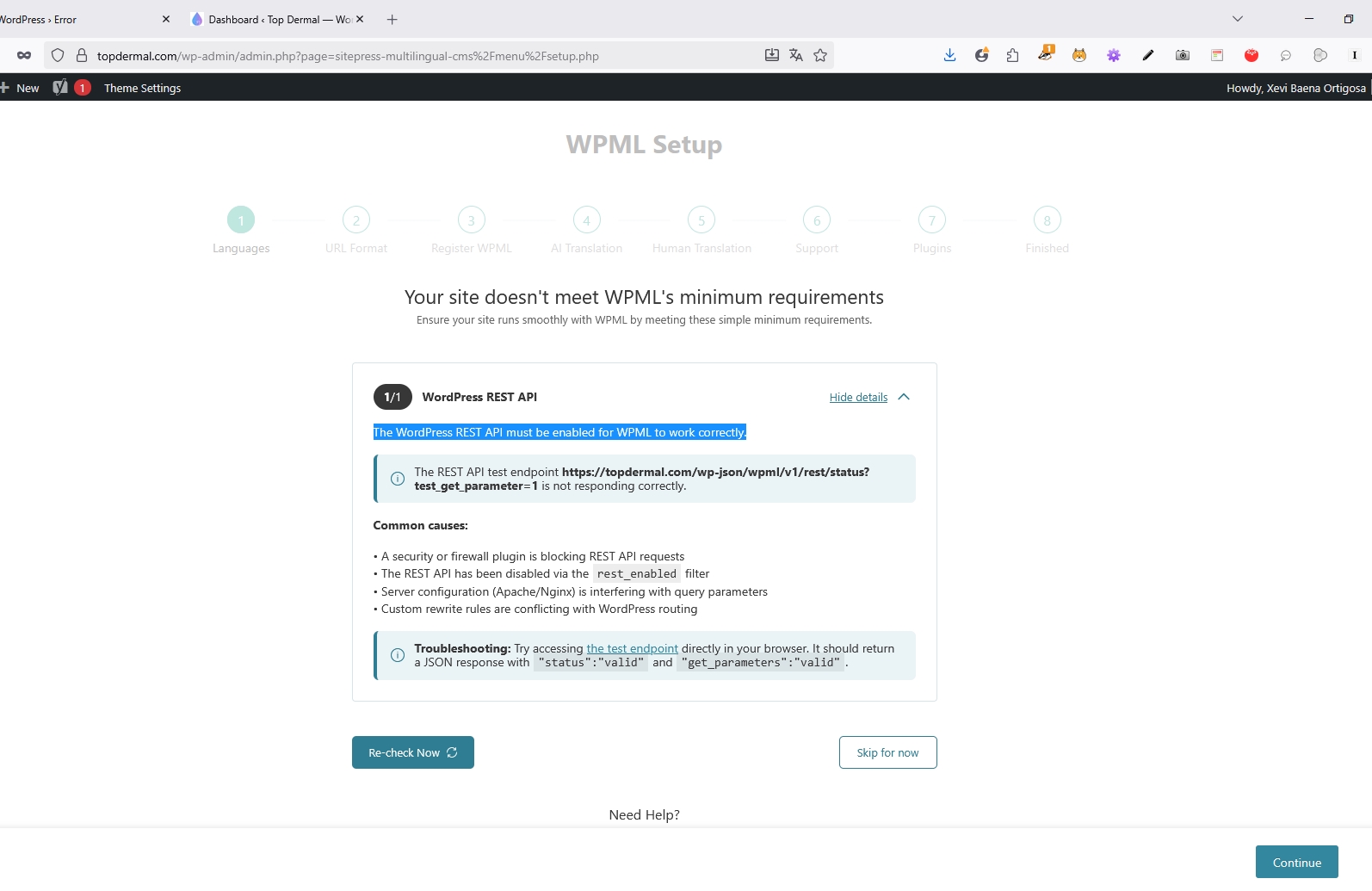
The client is experiencing a critical error when activating WPML, which states that the WordPress REST API must be enabled for WPML to function correctly. The REST API stops working upon WPML activation, and the site becomes slow. The issue was narrowed down to three custom code snippets affecting the REST API functionality.
Solution:
We recommend consulting with your developer to address the issues caused by the custom snippets that interfere with the REST API when WPML is activated. If your developer needs further guidance or has specific questions, we are here to assist, although we do not provide support for debugging or writing custom code.

Please note that this solution might be outdated or not applicable to your specific case. We highly recommend checking the related known issues, verifying the version of the permanent fix, and confirming that you have installed the latest versions of themes and plugins. If the problem persists, please open a new support ticket.

This is the technical support forum for WPML - the multilingual WordPress plugin.

Everyone can read, but only WPML clients can post here. WPML team is replying on the forum 6 days per week, 22 hours per day.

Tagged: 

This topic contains 3 replies, has 0 voices.

Last updated by Xevi Baena Ortigosa 2 months, 1 week ago.

Assisted by: Dražen.

Author Posts
October 28, 2025 at 7:43 am

Xevi Baena Ortigosa

Background of the issue:
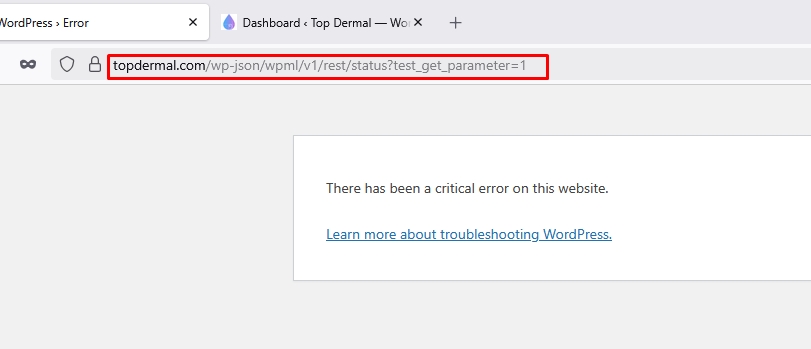
I am trying to activate WPML and encountered an issue with the REST API. The problem can be seen at this link: hidden link. I can't provide debugging information, since I can't activate WPML

Symptoms:
Error screen "There has been a critical error on this website" when I activate WPML, instead of seeing the REST API screen. WPML spits an error that "Your site doesn't meet WPML's minimum requirements, the WordPress REST API must be enabled for WPML to work correctly." The REST API works when WPML is deactivated, and stops working when I activate WPML, so WPML can't setup itself. Also with WPML active the site becomes really slow and bulky

Questions:
Why does the REST API stop working when I activate WPML and why the site becomes really slow when WPML is active?
How can I resolve the critical error on the website?

October 28, 2025 at 8:17 am #17524722

Dražen
Supporter

Languages: English (English )

Timezone: Europe/Zagreb (GMT+02:00)

Hello,

here is the ticket, please let me know how it goes.

If the issue still happens, please share access to the staging site you created.

Regards,
Drazen

October 28, 2025 at 11:02 am #17525630

Xevi Baena Ortigosa

I could narrow down the issue to 3 custom snippets we have in the site at wp-admin/admin.php?page=snippets.

The testing site is at hidden link, the credentials are the same I gave you through the chat.

The snippets that make the REST API not work when they are active are those with the title:
- Translate strings that are not translatable with WPML
- Register billing professional accreditation field on the checkout
- Manage incentive free shipping options on the checkout

I passed this information to our developer too, but maybe you have some useful insights about how to proceed.

Thank you very much,

October 28, 2025 at 11:15 am #17525649

Dražen
Supporter

Languages: English (English )

Timezone: Europe/Zagreb (GMT+02:00)

Hello,

Thank you for getting back to us.

I’m glad to hear that you’ve identified the cause. Unfortunately, we’re unable to assist with debugging custom code snippets. It’s best to consult your developer regarding this. If they have any questions for us or need guidance, we’ll be happy to help — but we can’t write or debug custom code.

Hope you understand.

Kind regards,
Drazen

October 29, 2025 at 10:17 pm #17530872

Xevi Baena Ortigosa

Thanks Dražen, I totally understand