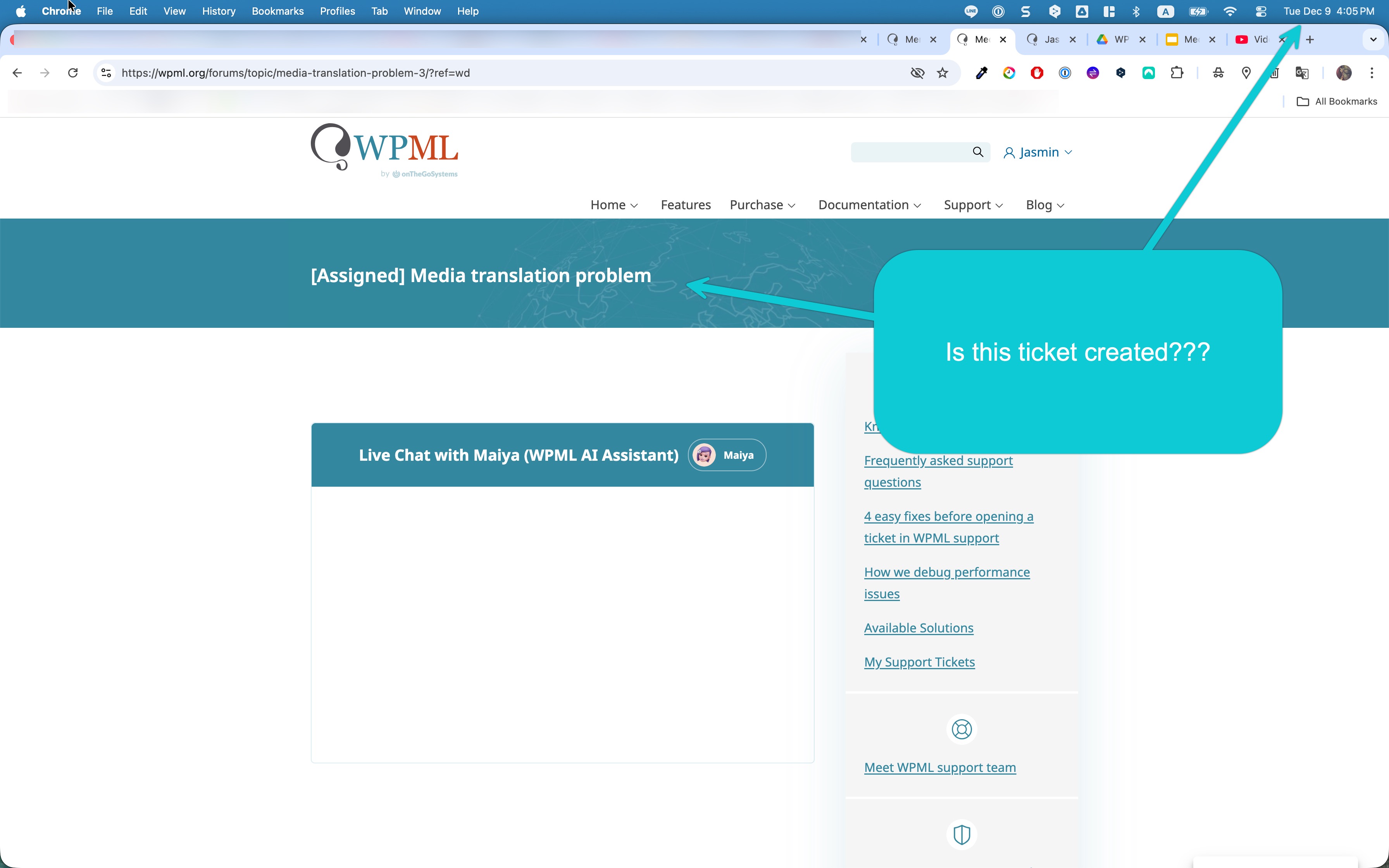
well, it's already written there. And for the record, that chat was never activated. I was waiting but it stayed like that like forever... then nothing happend.
here is the description.
Media translation is set ‘not to translate’... Is the media translation setting is wrong?
In ATE, it is NOT translated.
Why is it duplicating image files of all languages to all sites?
I documented: hidden link
You can write your comment in the doc , if you want. Please see the 'Comment' section (below the image) in the document.
video: hidden link
Thank you for sharing your document and video. I have reviewed both carefully.
The correct setting for Media (attachment) in WPML → Settings → Post Types Translation is:
“Translatable – only show translated items.”
With this setting enabled, translated posts and pages will correctly display their associated images. What you see in the Media Library (the same images appearing under each language) is expected behavior when this option is active. I suspect that this setting was enabled at the time you performed the translations.
It is important to note that WPML does not physically duplicate images on the server.
If you still want to delete images for specific languages, you can do so this way:
1. Temporarily set Media (attachment) to “Translatable – only show translated items.”
2. Go to the Media Library.
3. Switch the language filter to the language you want to remove images from.
4. Switch the Media Library to List View.
5. Select and delete the needed images.
Please note: removing translated attachments may affect how images appear in translated posts or pages.
If you want to prevent images from duplicating in other languages when uploading new images, follow these steps:
1. Make sure Media (attachment) is set to “Translatable – only show translated items.”
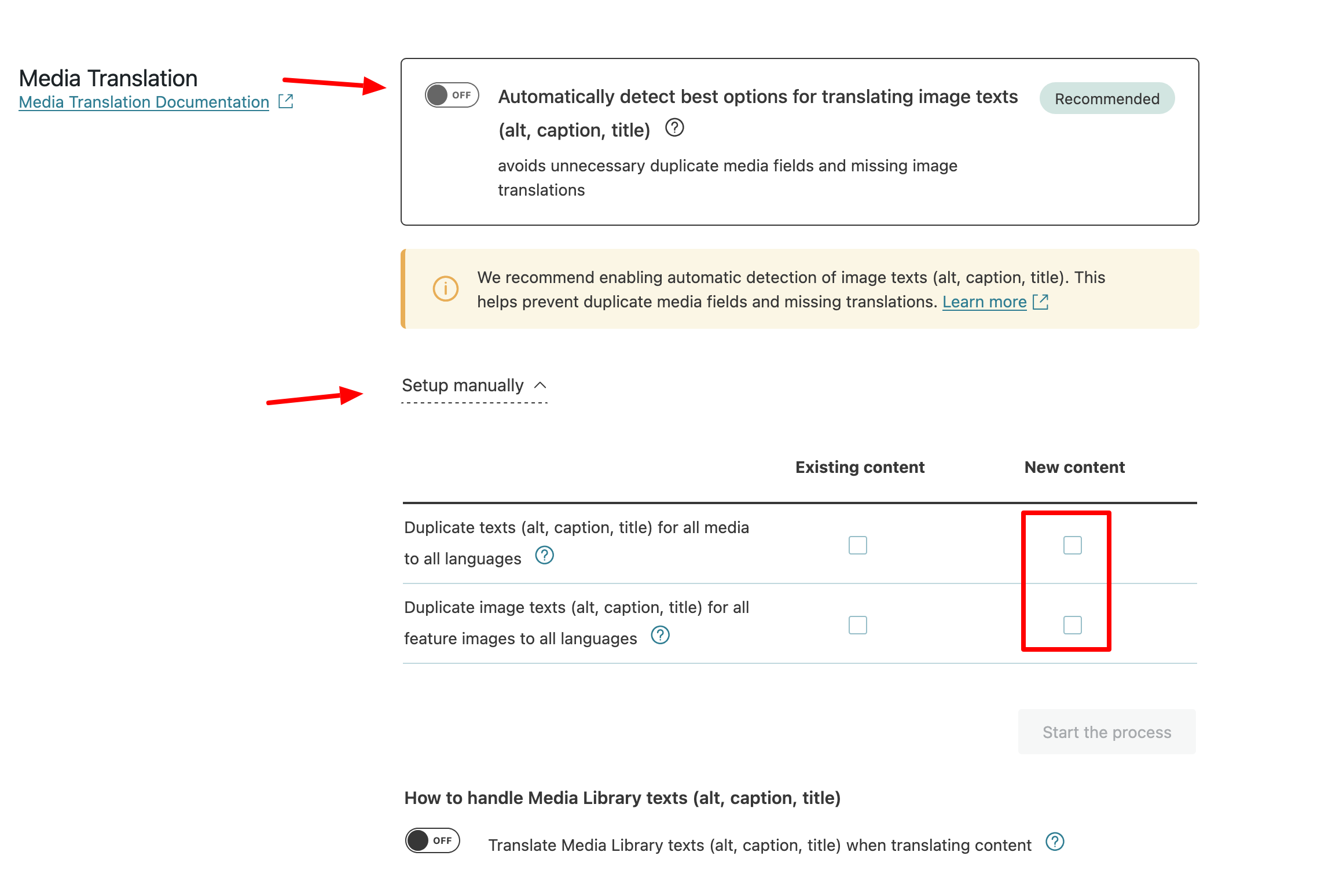
2. Go to WPML → Settings → Media Translation.
3. Disable “Automatically detect best options for translating image texts.”
4. Click “Setup manually.”
5. Under the “New Content” section, uncheck the duplication options.
Keep in mind that disabling duplication may also result in missing images on translated content if they are not added manually.
Before making any changes, please make sure to back up your site.
I appreciated your kind explanations. It is very clear. 🙏🏻
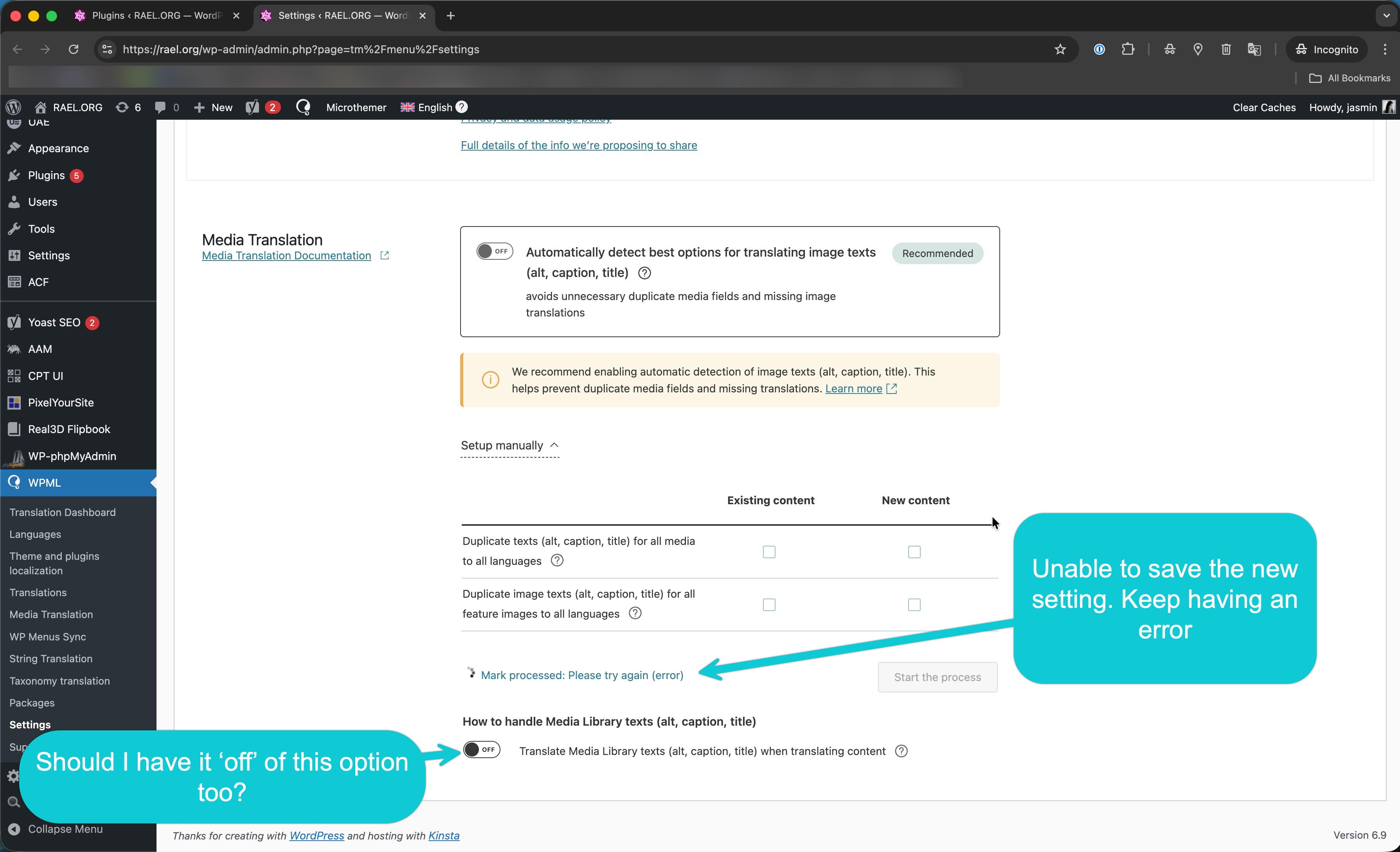
I followed the advice, unfortunatley, I encountered a problem. Please image.. I am unable to save the setting.
Also, should I keep the option: Translate Media Library texts (alt, caption, title) when translating content' off?
1- How to delete duplicated, unnecessary media instead of manual deletion?
2- Duplicated media in all lang sites loading the DB?
3- Is WPML media setting the culprit for the media duplication in all lang sites?
I appreciated your kind explanations. It is very clear. 🙏🏻
I followed the advice, unfortunatley, I encountered a problem. Please image.. I am unable to save the setting.
Also, should I keep the option: Translate Media Library texts (alt, caption, title) when translating content' off?
It looks like a fatal error exists. Could you please enable debugging, replicate the issue, and share the full error message from your debug.log file?
Here are the steps:
1. Enable WordPress debugging by editing your wp-config.php file. Add (or modify, if these lines already exist) the following lines before the comment /* That's all, stop editing! Happy publishing. */:
2. Replicate the error.
3. Check the debug.log file (located in the /wp-content/debug.log) for any WPML-related errors.
4. Copy and paste the full error message here.
See the Video explanation: hidden link
Questions:
1- How to delete duplicated, unnecessary media instead of manual deletion?
2- Duplicated media in all lang sites loading the DB?
3- Is WPML media setting the culprit for the media duplication in all lang sites?
1. At the moment, the only way to remove media entries is manual deletion. However, I’d like to confirm what you mean by “duplicated” media. Do you mean that the same images appear when you switch to other languages? If so, this is expected behavior. Deleting those media entries may result in images no longer appearing on the translated posts.
2. What WPML creates are additional database entries that reference the same physical image file. The image itself is not duplicated on the server. These extra entries are used to associate the same media with different languages and should not cause any noticeable performance issues in the database.
3. For multilingual sites using WPML, the expected behavior is that when an image is uploaded to the Media Library, it becomes available across languages so the same image can be displayed on translated posts or pages. In general, seeing the same image across languages is normal and intended.