carstenM-14
|
Background of the issue:
I am trying to translate a WooCommerce product on my site hidden link. I deleted the first translation because of a wrong URL translation as recommended in the documentation.
Symptoms:
Now I can't see the content of the site, only my header.
Questions:
How can I fix the issue where only the header is visible after attempting to translate a product?
|

Kor
WPML Supporter since 08/2022
Languages:
English (English )
Timezone:
Asia/Singapore (GMT+08:00)
|
Thanks for your patience.
I will need to closely examine your website. Therefore, I will require temporary access (WP-Admin and FTP) to a test site where the problem has been replicated, if possible. This will enable me to provide better assistance and determine if any configurations need to be modified.
Please note that it is important to have a backup for security purposes and to prevent any potential data loss. You can use the UpdraftPlus plugin (https://wordpress.org/plugins/updraftplus/) to fulfill your backup requirements.
Your upcoming reply will be treated with confidentiality and will only be visible to you and me.
✙ To resolve the issue, I may need your consent to deactivate and reactivate plugins and the theme, as well as make configuration changes on the site if necessary. This emphasizes the significance of having a backup.
|
carstenM-14
|
Still the refreshing will not work…
|
Kor
WPML Supporter since 08/2022
Languages:
English (English )
Timezone:
Asia/Singapore (GMT+08:00)
|
Thanks for your reply.
Could you please share temporary access (WP-Admin and FTP) to your Website?
Please note that it is important to have a backup for security purposes and to prevent any potential data loss. You can use the UpdraftPlus plugin (https://wordpress.org/plugins/updraftplus/) to fulfill your backup requirements.
Your upcoming reply will be treated with confidentiality and will only be visible to you and me.
|
Kor
WPML Supporter since 08/2022
Languages:
English (English )
Timezone:
Asia/Singapore (GMT+08:00)
|
Thanks for your reply.
Could you please double check your Website WP admin access credentials? It's not working and I'm getting "Fehler: Das eingegebene Passwort für den Benutzernamen wpml ist nicht korrekt. "
|
carstenM-14
|
Hello Kor,
sorry, here is a new password: wpml2024test
|
Kor
WPML Supporter since 08/2022
Languages:
English (English )
Timezone:
Asia/Singapore (GMT+08:00)
|
thanks for your reply.
I've fixed the invalid permalinks for your product slug and it's working fine now. Also, please check this option "Display hidden languages" to view English translated products.
|
carstenM-14
|
Thank you very much. All the URL structure is changed now. Is the necessary for the translation? Otherwise the old structure was better…
|
Kor
WPML Supporter since 08/2022
Languages:
English (English )
Timezone:
Asia/Singapore (GMT+08:00)
|
Thanks for your reply.
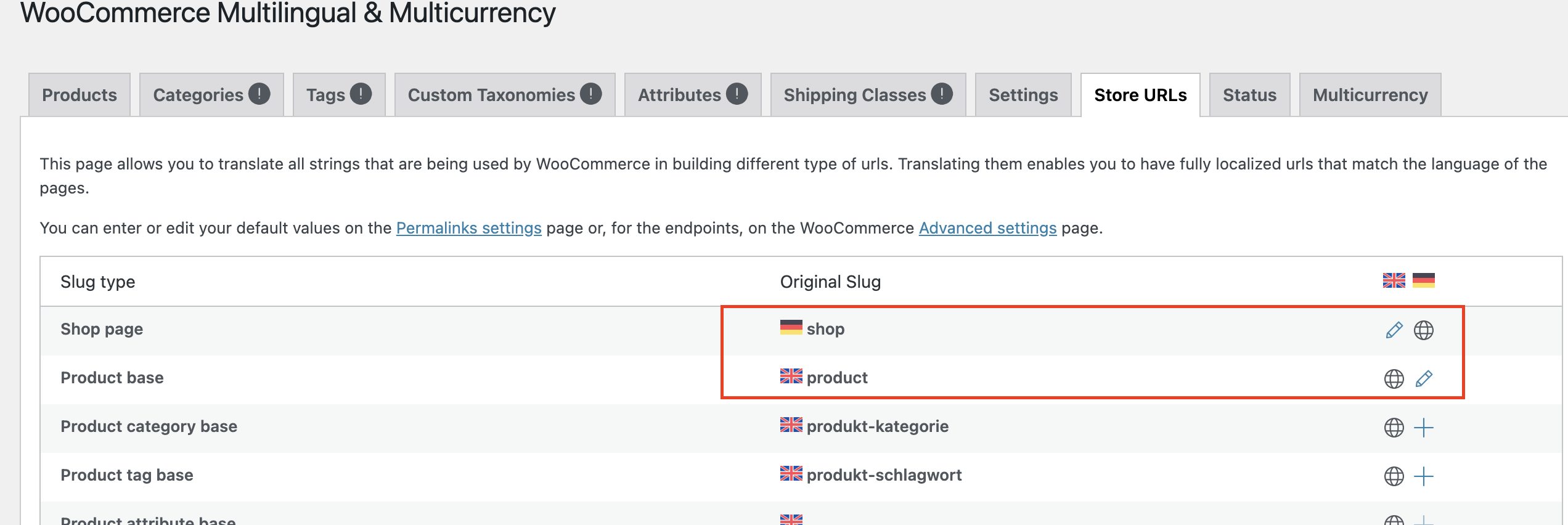
You can name the product URL slug to something else but not "shop" as it conflicts with the shop URL slug as shown in the attached screenshot. hidden link
|
|
carstenM-14 |
Thank you for the help. But we still have some problems with custom fields which are not appear in the english version.
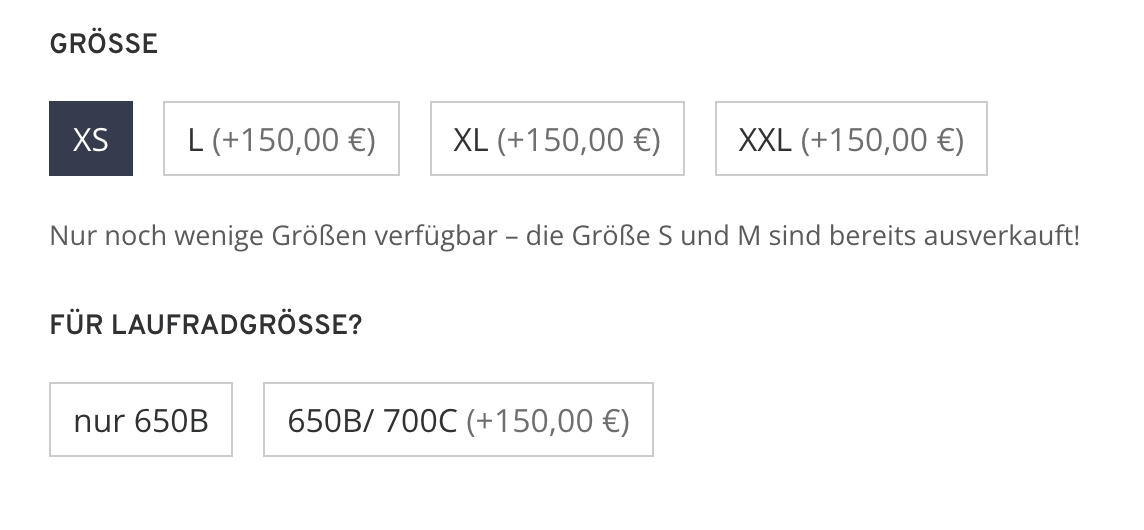
I added a picture of the german version of a product: hidden link
Here we have a field which appears after the customers presses the XS button.
In the english version this field is not appearing.
|
Kor
WPML Supporter since 08/2022
Languages:
English (English )
Timezone:
Asia/Singapore (GMT+08:00)
|
Thanks for your reply.
Since our support policy allows us to take care of only one issue per ticket.
I've split the ticket here https://wpml.org/forums/topic/custom-fields-not-appearing-in-the-english-version/ so that we can follow up with your new issue.
As for this one, let's mark it as resolved.
|