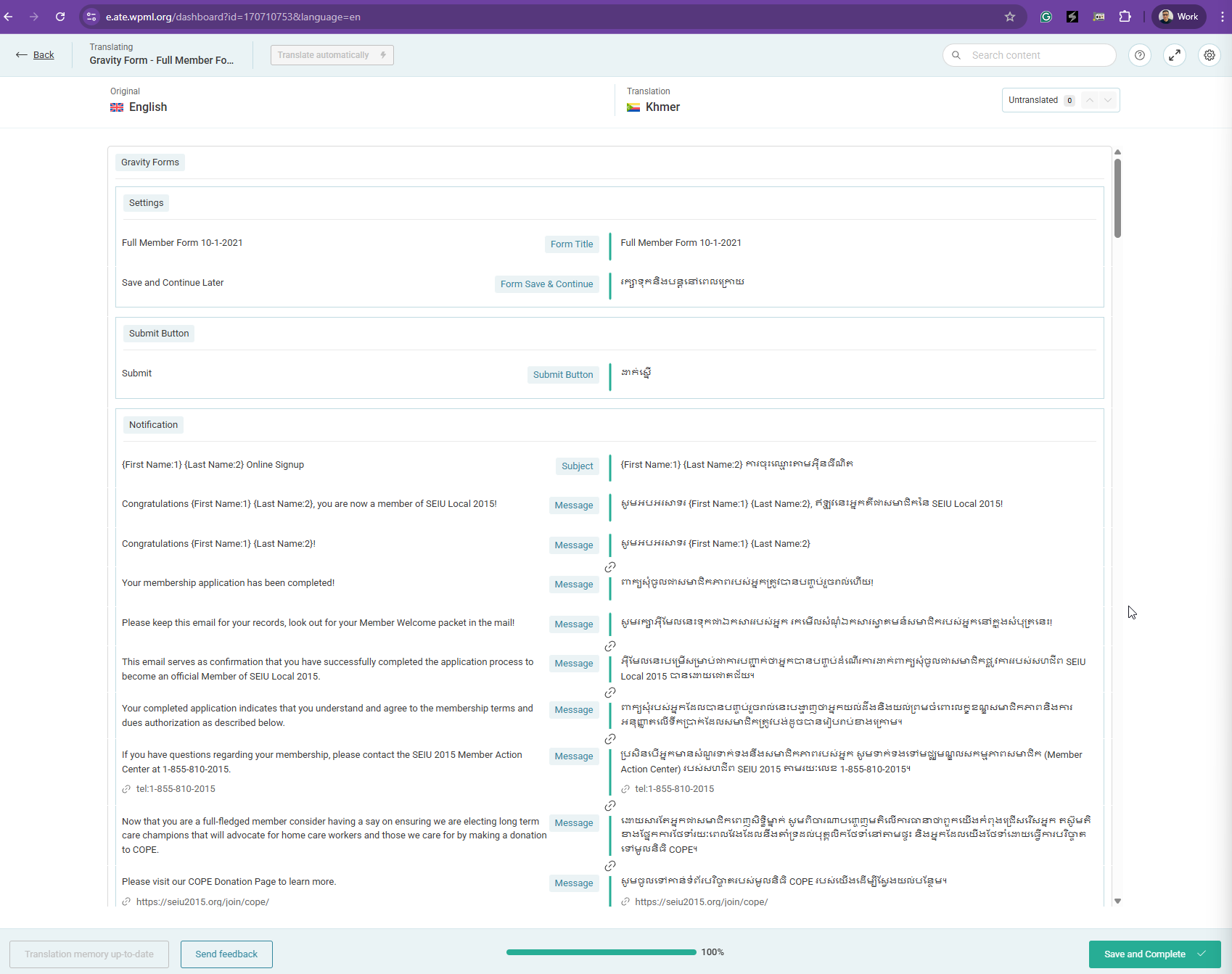
Background of the issue:
I am trying to make changes to an existing translation on my site hidden link using WPML. I've used this plugin for years across multiple sites, but recent updates have made it confusing. I expected an 'autosave' function when moving the cursor out of the text field, but changes are not saving.
Symptoms:
Changes to translations are not being saved. The 'save and complete' button does not work, and I receive popup warnings that changes were not saved. The 'remove flag for later' feature is inconsistent, sometimes disappearing entirely.
Questions:
How is a field's translation saved before clicking the 'save and complete' button? Previously there was a button in the flyout menu for this, but now I don't see it.
Why does the flyout menu not appear for some fields when a field is 'flagged for later,' while it does for others?
Thanks for your reply. I've checked and it looks like the contents are 100% translated as shown in the attached screenshot. Could you record a short screen recording showing the issue? You can use this free tool hidden link for recording purposes.
Hello Kor, first off the screenshot only shows the confirmation email portion of that forms translation. However, I am trying to update those translations as some are incorrect. After inputting them and assuming there was an autosave when I left that field (one of my original questions and still is one that I'd like to have answered), I had a Cambodian speaker check and they confirmed none of the updated translations were saved.
So going back to my original message, can you please assist me with these questions:
How is a field's translation saved before clicking the 'save and complete' button? Previously there was a button in the flyout menu for this, but now I don't see it.
Why does the flyout menu not appear for some fields when a field is 'flagged for later,' while it does for others? What might cause this to happen when it appears for 98% of the other fields, but not the specific one I'm trying to edit.
Thanks for your reply. I will require temporary access (WP-Admin and FTP) to a test site where the problem has been replicated, if possible. This will enable me to provide better assistance and determine if any configurations need to be modified.
Please note that it is important to have a backup for security purposes and to prevent any potential data loss. You can use the UpdraftPlus plugin (https://wordpress.org/plugins/updraftplus/) to fulfill your backup requirements.
Your upcoming reply will be treated with confidentiality and will only be visible to you and me.
✙ To resolve the issue, I may need your consent to deactivate and reactivate plugins and the theme, as well as make configuration changes on the site if necessary. This emphasizes the significance of having a backup.
Thanks for your reply. I've checked your Website, and I'm getting this error about GTranslate plugin conflicting with WPML. I've deactivated the "Google Language Translator" plugin.
Then, I've sent the Gravity form named "Full Member Form 10-1-2021" for translation hidden link .
May I know where I can see the "Full Member Form 10-1-2021" form on the frontend in the Cambodian language? I'd like to check to see if the changes that I've made will reflect the frontend.
The topic ‘[Closed] Changes are not being saved, UI updates are confusing and counterintuitive’ is closed to new replies.