Skip to content Skip to sidebar

This thread is resolved. Here is a description of the problem and solution.

Problem:
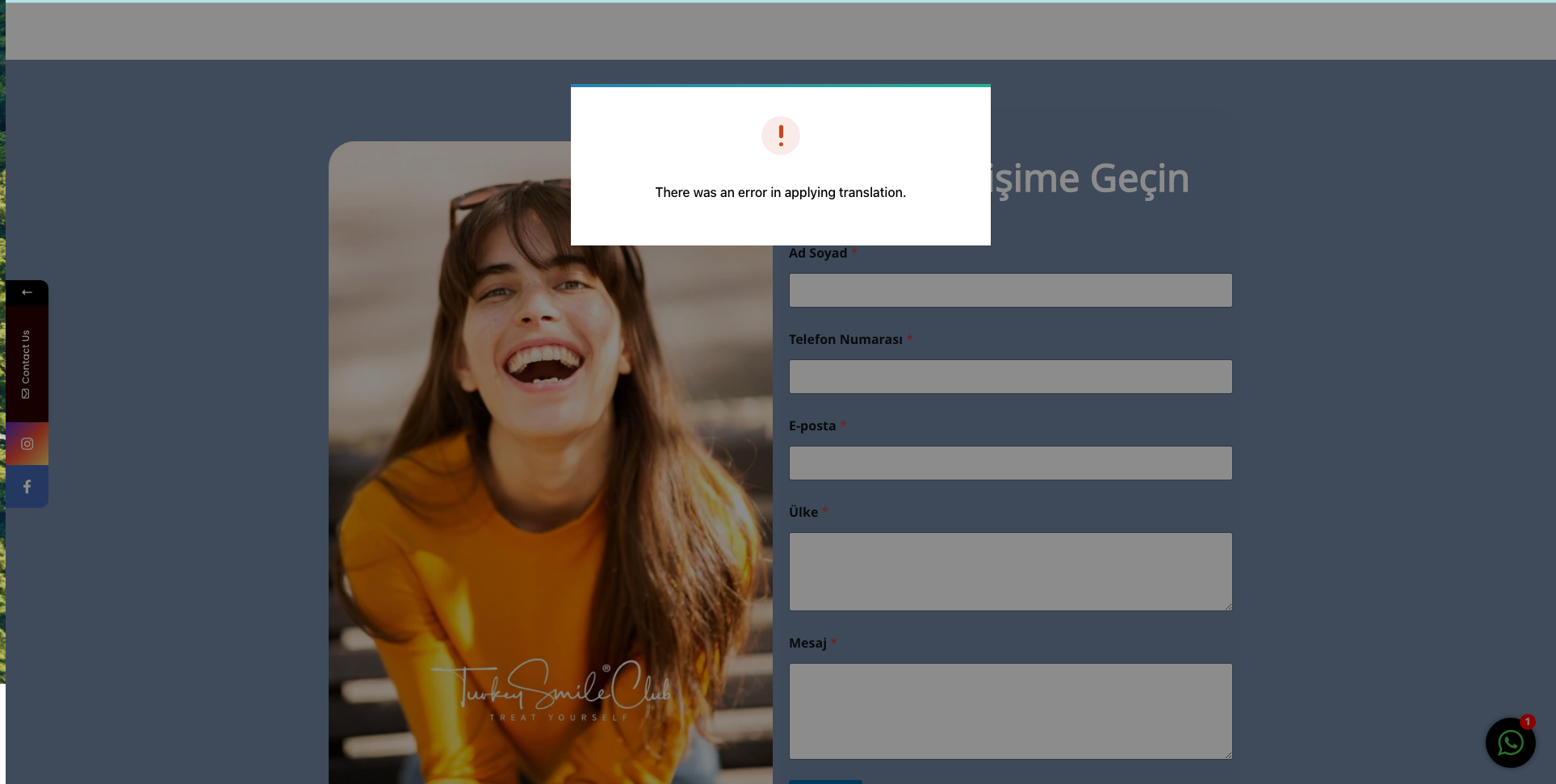
You have translated your footer into Turkish, but the Turkish page still displays the English footer. Additionally, when attempting to change it, an error message appears.
Solution:
We reviewed your site via WPML -> Translation Management and confirmed that the Turkish translation of the footer is correct. However, it seems that the translated footer is not loading on the front end. This issue might be due to the footer template being linked to a specific post ID that has not been updated to the translated version. In Elementor, ensure that the footer is defined correctly in the "Theme Builder" section. Since you are using the free version of Elementor, some options might be restricted.

If this solution does not resolve your issue or seems outdated, we recommend opening a new support ticket. Also, check the related known issues, verify the version of the permanent fix, and confirm that you have installed the latest versions of themes and plugins. For further assistance, please visit our support forum.

This is the technical support forum for WPML - the multilingual WordPress plugin.

Everyone can read, but only WPML clients can post here. WPML team is replying on the forum 6 days per week, 22 hours per day.

Tagged: 

This topic contains 2 replies, has 2 voices.

Last updated by Marcel 1 year, 9 months ago.

Assisted by: Marcel.

Author Posts
June 23, 2024 at 3:07 pm #15795583

muharremO

Background of the issue:
I've translated my footer in templates for English and Turkish languages on my site hidden link.

Symptoms:
When I look at the Turkish page, I see the English footer. When I try to change it, I see an error message.

Questions:
How can I change the footer to display in Turkish on the Turkish page?

June 24, 2024 at 7:28 am #15803792

Marcel
Supporter

Languages: English (English ) Spanish (Español ) German (Deutsch )

Timezone: Europe/Vienna (GMT+02:00)

Hi,

What you see is an internal notice from the translation reviews. When logged out, I can't see it on the frontend; only the English footer is visible. It appears that the actual footer translation for that template was not finished or the review failed.

I would like to request temporary access (wp-admin and FTP) to your site to take a better look at the issue. It would be better to a testing site where the issue is replicated.

You will find the needed fields for this below the comment area when you log in to leave your next reply. The information you will enter is private which means only you and I can see and have access to it.

Maybe I'll need to replicate your site locally. For this, I’ll need to temporarily install a plugin called “Duplicator” or "All in One WP Migration" on your site. This will allow me to create a copy of your site and your content. Once the problem is resolved I will delete the local site. Let me know if this is ok with you.

IMPORTANT
-Please make a backup of site files and database before providing us access.
-If you do not see the wp-admin/FTP fields this means your post & website login details will be made PUBLIC. DO NOT post your website details unless you see the required wp-admin/FTP fields. If you do not, please ask me to enable the private box. The private box looks like this:
hidden link

Best regards,
Marcel

June 25, 2024 at 10:16 am #15819165

Marcel
Supporter

Languages: English (English ) Spanish (Español ) German (Deutsch )

Timezone: Europe/Vienna (GMT+02:00)

Hi,

I finished the review via WPML -> Translation Management, and on the review screen, I can see the correct translated Menu in Turkish. You can also see it from here: hidden link.

So far, it doesn't work on the Front end, which suggests that your site is not loading the translated version of that Footer template. It also doesn't load the translated Contact form. Did you create your Footer somehow to load a specific post ID that doesn't point to the translated version yet?

Usually, Elementor loads it automatically if it's defined as the footer on the "Theme Builder": hidden link. This section is locked as you are not using the Pro version of Elementor, so that seems expected.

Best Regards
Marcel