This thread is resolved. Here is a description of the problem and solution.
Problem: You are using the Gutenberg translation editor on your WordPress site, but after saving, the translations are not retained upon refreshing the page. You have tried resaving permalinks, disabling caching and security plugins, clearing the WPML cache, and reviewing all WPML settings. Additionally, console errors indicate issues with the REST API endpoint. Solution: We recommend reaching out to your hosting provider to check if any global security settings might be blocking the REST API endpoint. This issue might be related to your server environment, as the problem does not occur in a local deployment.
If this solution does not resolve your issue or seems outdated, please check the related known issues, verify the version of the permanent fix, and confirm that you have installed the latest versions of themes and plugins. If necessary, do not hesitate to open a new support ticket.
This is the technical support forum for WPML - the multilingual WordPress plugin.
Everyone can read, but only WPML clients can post here. WPML team is replying on the forum 6 days per week, 22 hours per day.
Background of the issue:
I am trying to use the Gutenberg translation editor to save translations on my WordPress site. However, after saving, the changes are not retained upon refreshing the page. The issue can be seen on this page: hidden link. I have tried several fixes, such as resaving permalinks, disabling caching and security plugins, clearing the WPML cache, and reviewing all WPML settings.
Symptoms:
Translations are not being saved despite the editor indicating 'Saved'. After refreshing, changes are lost both in the editor and on the front end. Console errors include: 'Failed to load resource: the server responded with a status of 404 () /en/wp-json/wpml/tm/v1/ate/jobs/retry/:1' and 'Uncaught (in promise) Error: No route was found matching the URL and request method.'
Questions:
Why are my translations not being saved in the Gutenberg editor?
What do the console errors indicate about the issue?
While you wait for my colleague to take over the ticket, let me try to help you with the issue quickly.
Can you please check if the same issue happens for default language?
Please also open for edit your translated page, and in another window disable WPML plugins, then refresh your translated edit page and try to save the page like that and check if the issue still happens. This will tell us if the issue is caused by WPML or something else.
I can edit the default language without any problems; the issue only occurs in the other languages. I followed your instructions, and then my changes were saved, so the problem appears to be in WPML.
Languages: English (English )Spanish (Español )German (Deutsch )
Timezone: Europe/Vienna (GMT+02:00)
Hi,
I would need to request temporary access (WP-Admin and FTP) to your site
– preferably to a test site where the problem has been replicated if possible –
in order to be of better help and check if some configurations might need to be changed
Your next answer will be private which means only you and I have access to it.
❌ Please backup your database and website ❌
✙ I would additionally need your permission to de-activate and re-activate Plugins and the Theme, and to change configurations on the site. This is also a reason the backup is really important.
Languages: English (English )Spanish (Español )German (Deutsch )
Timezone: Europe/Vienna (GMT+02:00)
Hi,
Thanks for granting access. From what I can see, the REST API is open and accessible here: hidden link
If you're okay with it, I’d like to create a Duplicator copy of your site so I can debug the issue locally. Please let me know if that is fine for you.
Languages: English (English )Spanish (Español )German (Deutsch )
Timezone: Europe/Vienna (GMT+02:00)
Hi,
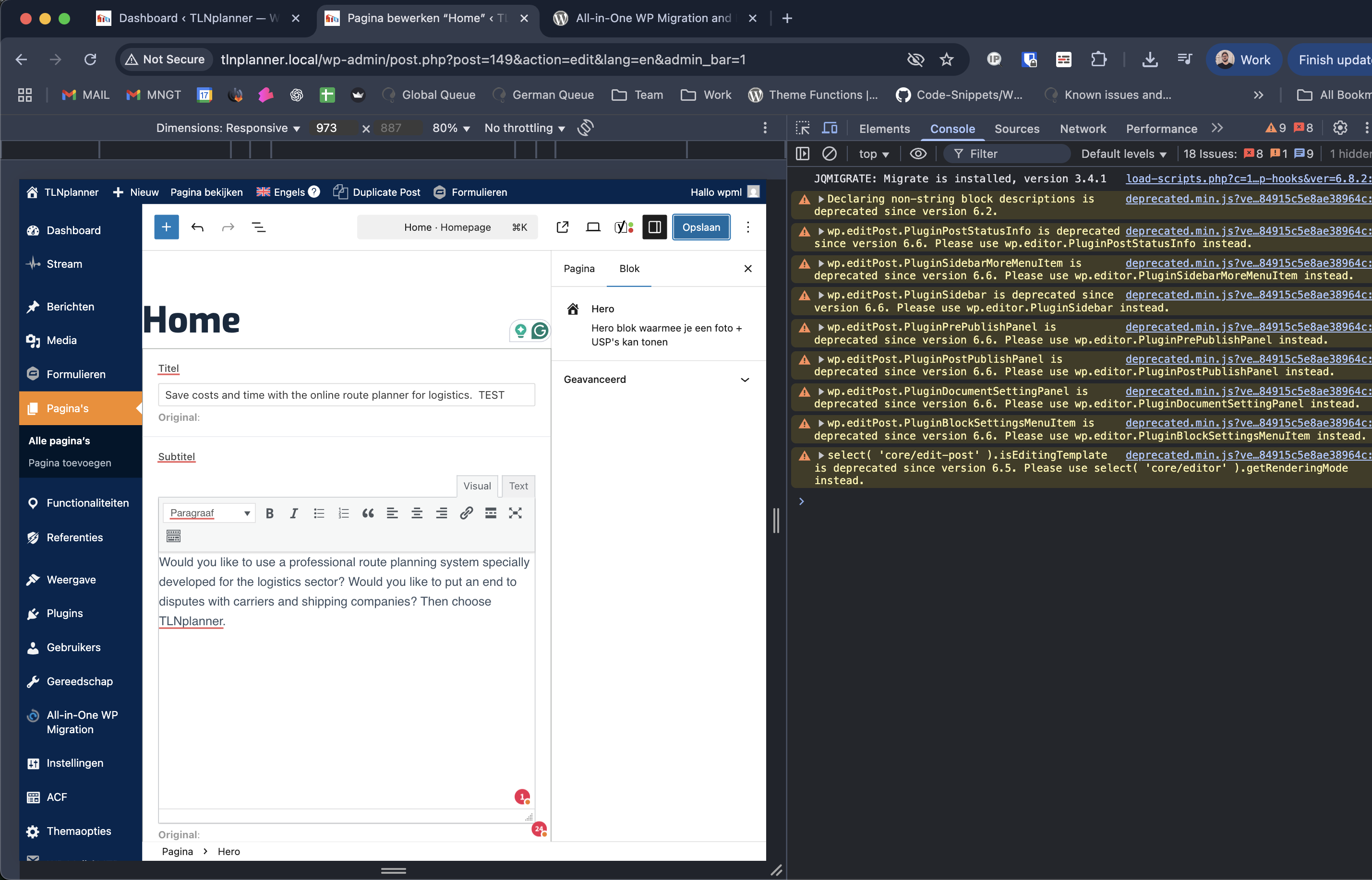
Thanks! I deployed the site locally, and the issue doesn’t occur on my end. I did make a small text change before saving (see the attached screenshot), but everything worked as expected.
This suggests the problem is likely related to your server environment. Please reach out to your hosting provider to check if any global security settings might be blocking the REST API endpoint shown in your screenshot.