
This is the technical support forum for WPML - the multilingual WordPress plugin.
Everyone can read, but only WPML clients can post here. WPML team is replying on the forum 6 days per week, 22 hours per day.
| Sun | Mon | Tue | Wed | Thu | Fri | Sat |
|---|---|---|---|---|---|---|
| - | 9:00 – 12:00 | 9:00 – 12:00 | 9:00 – 12:00 | 9:00 – 12:00 | 9:00 – 12:00 | - |
| - | 13:00 – 18:00 | 13:00 – 18:00 | 13:00 – 18:00 | 13:00 – 18:00 | 13:00 – 18:00 | - |
Supporter timezone: Asia/Singapore (GMT+08:00)
This topic contains 13 replies, has 0 voices.
Last updated by Kor 1 day, 10 hours ago.
Assisted by: Kor.
| Author | Posts |
|---|---|
| December 5, 2025 at 11:58 am #17638118 | |
 yonitr-2 |
Hello, We are developing a WordPress Multisite where the theme is built entirely with ACF Pro Blocks. We have several critical issues: 1. WPML does not detect ACF Block fields in Custom Fields Translation In WPML → Settings → Custom Fields Translation, only fields attached to post types (page, post, etc.) appear. 2. ACF Options Page fields do not respect the “Copy” mode Even when fields are set to Expert → Copy, each language receives its own separate set of values. 3. Classic Translation Editor does not show any ACF Block fields When translating a page, WPML shows only the default post fields (title, content). These issues make automatic translation and proper multilingual configuration impossible, which is critical for our project. We need assistance with: Enabling WPML/ACFML to properly detect and process ACF Block fields. Ensuring ACF Options Page fields work correctly in Copy mode across languages. Confirming whether ACF Blocks are fully supported in a Multisite environment and whether additional configuration is required. We can provide staging access if needed. Thank you. 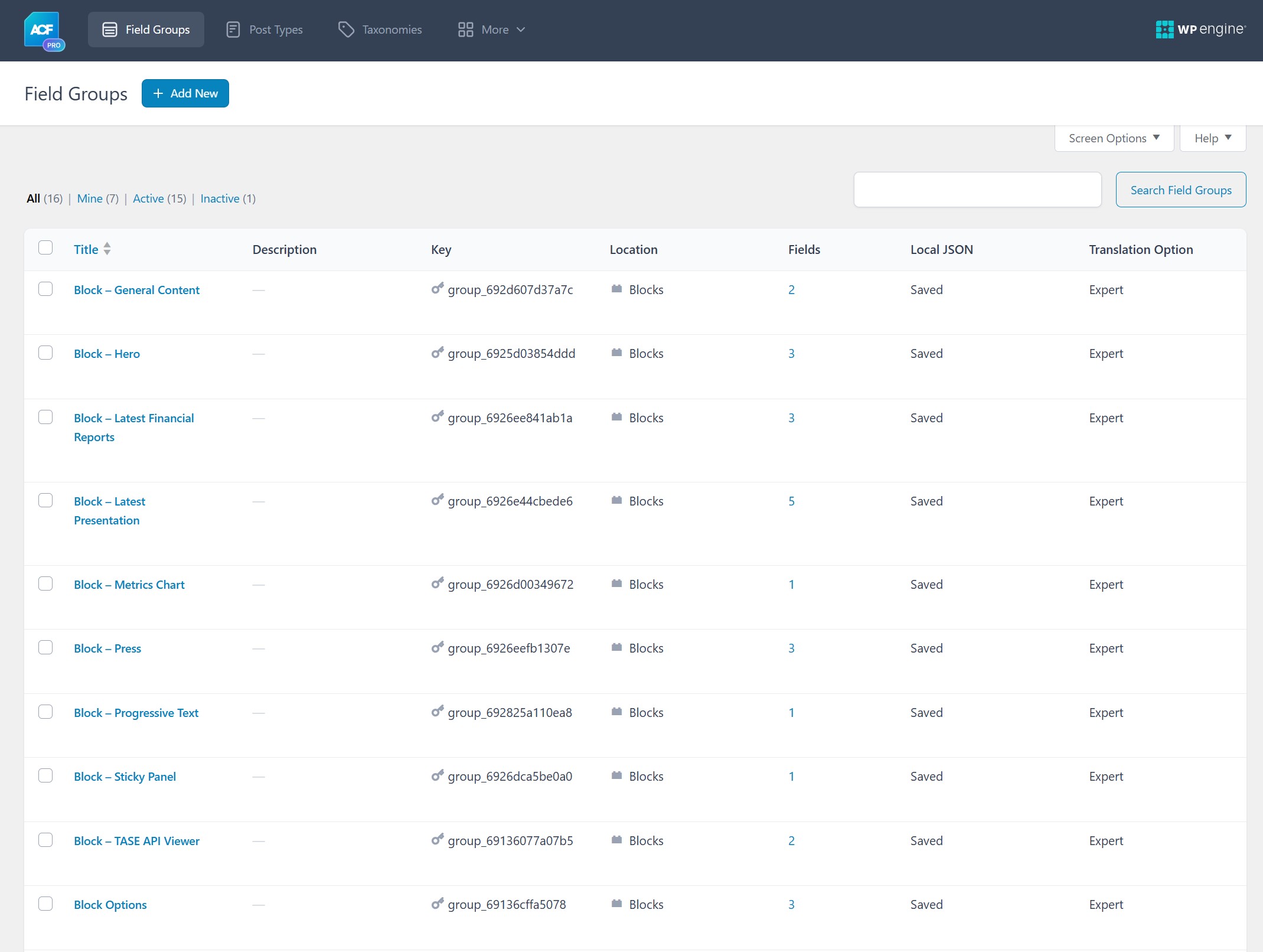 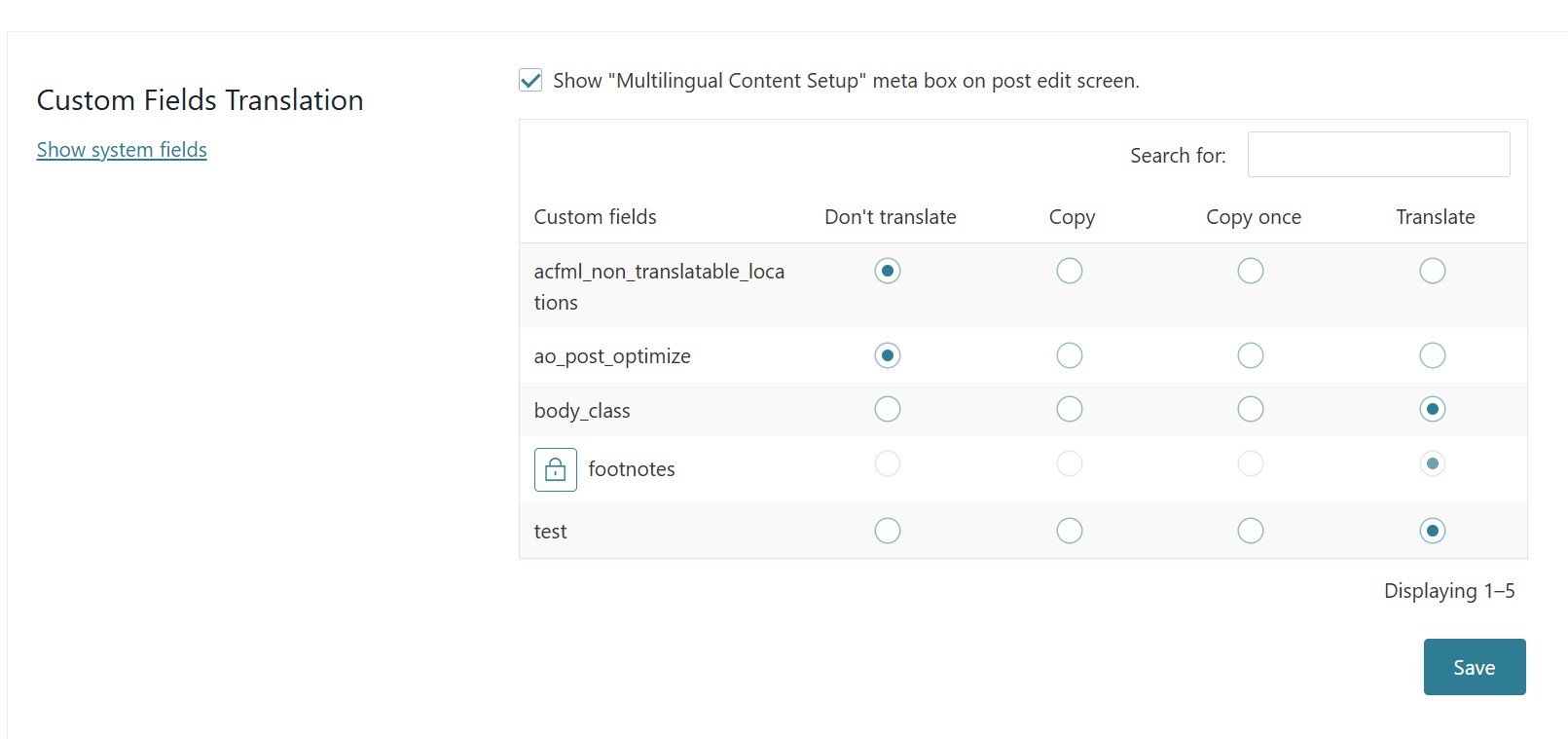 |
| December 5, 2025 at 12:28 pm #17638446 | |
 Kor WPML Supporter since 08/2022 Languages: English (English ) Timezone: Asia/Singapore (GMT+08:00) |
Thanks for your patience. Here is the sandbox site hidden link and could you please replicate the issue over there? You can install the required plugins and theme to replicate the issue. |
| December 5, 2025 at 1:03 pm #17638566 | |
|
yonitr-2 |
I have uploaded my theme to your sandbox, installed ACF Pro, imported all ACF field groups, and added my ACF Blocks to the homepage. Now I am trying to translate the original Hebrew page into English. In WPML → Settings → Custom Fields Translation, WPML also does not detect any of my ACF fields. It only shows a few standard post-type fields. Next problem: I have an ACF Options Page called Theme General Settings. Multilingual Setup: Expert Translation Preference: Copy These are global settings that should not differ per language. These issues are critical for the project. Please help clarify: Why WPML does not detect ACF Blocks and ACF Options Page fields in Custom Fields Translation. Why ACF fields do not appear in the Translation Editor. Why ACF Options Page fields set to “Copy” are not copied across languages. Thank you — looking forward to your guidance. 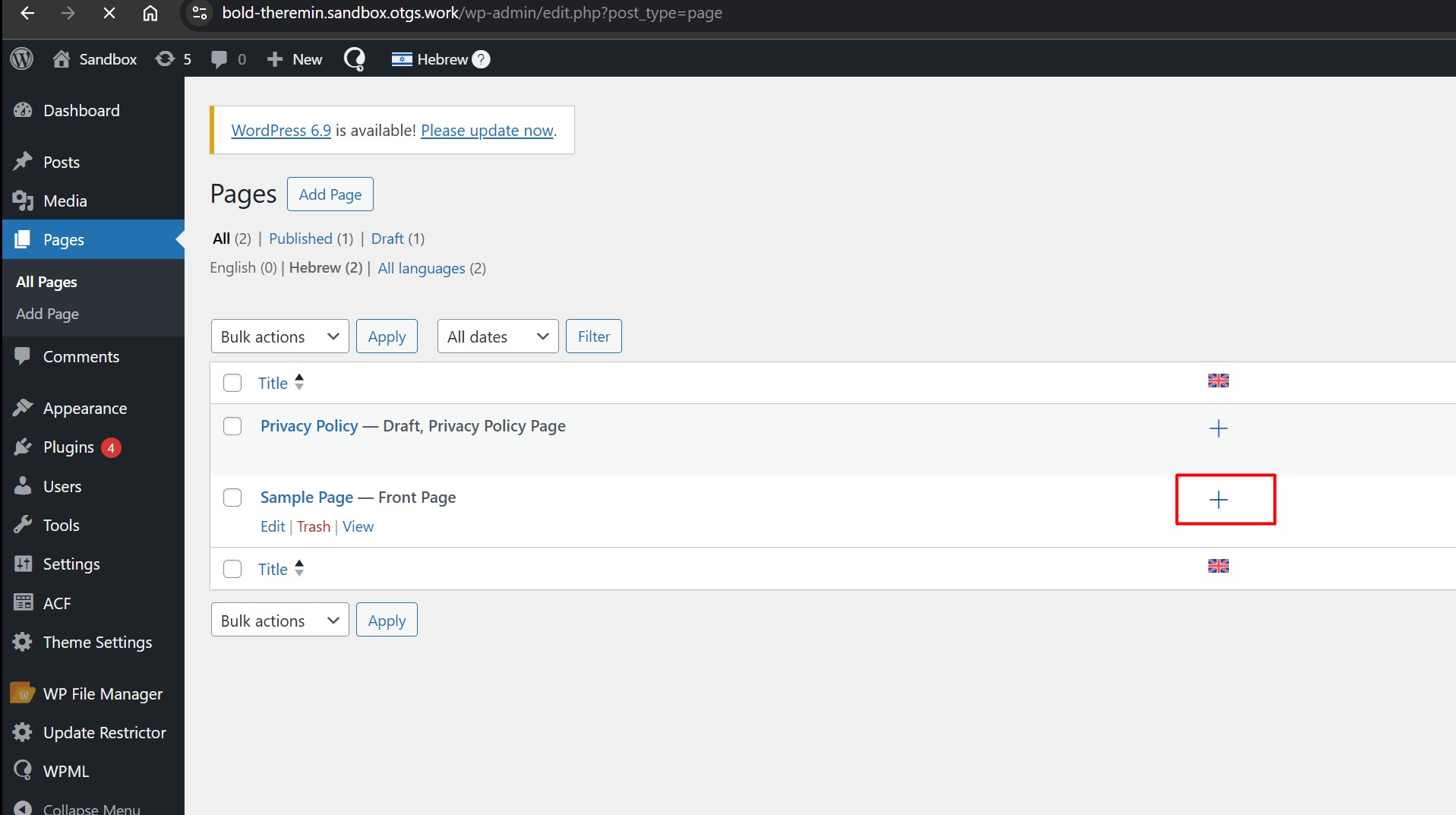 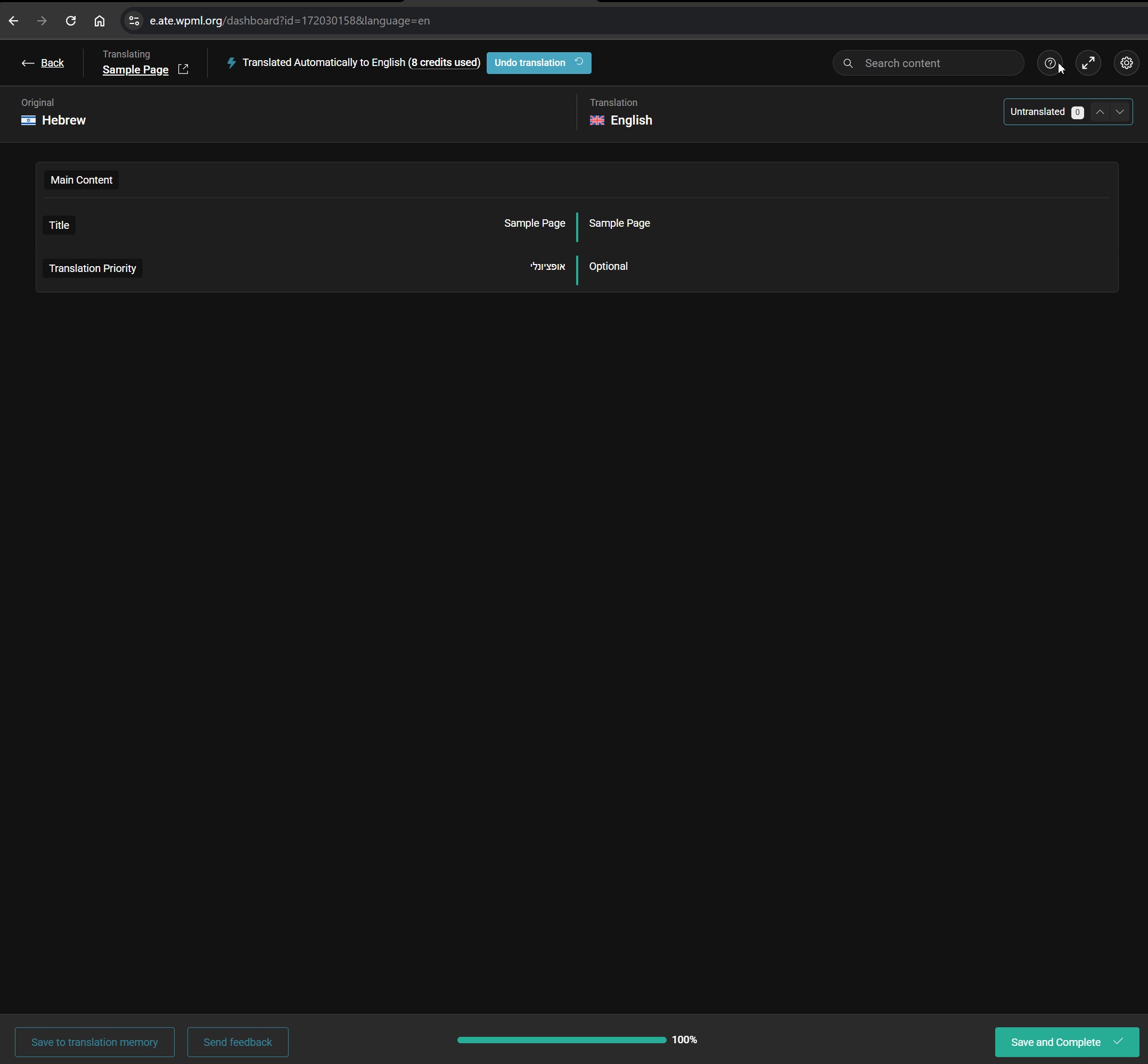 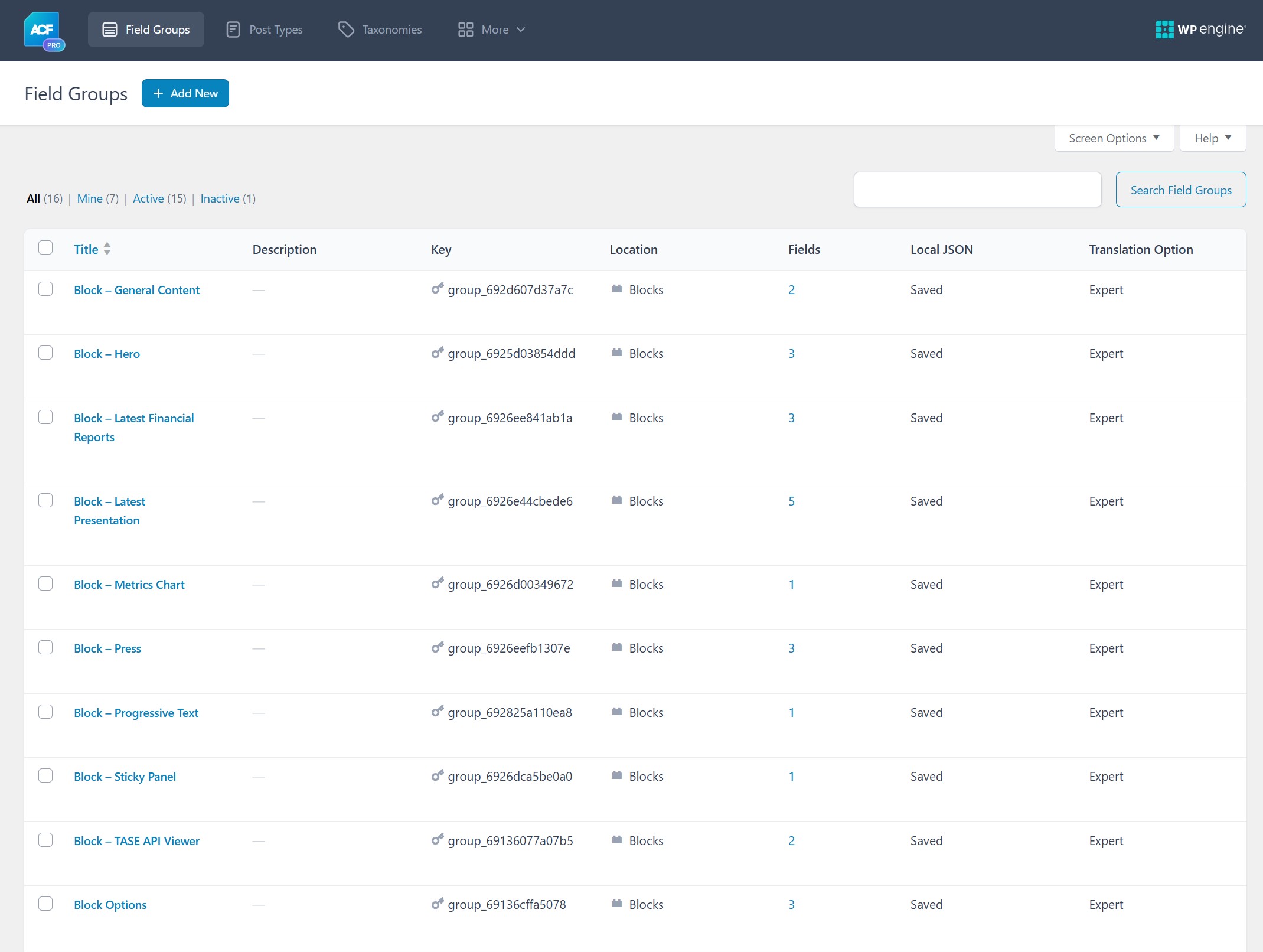 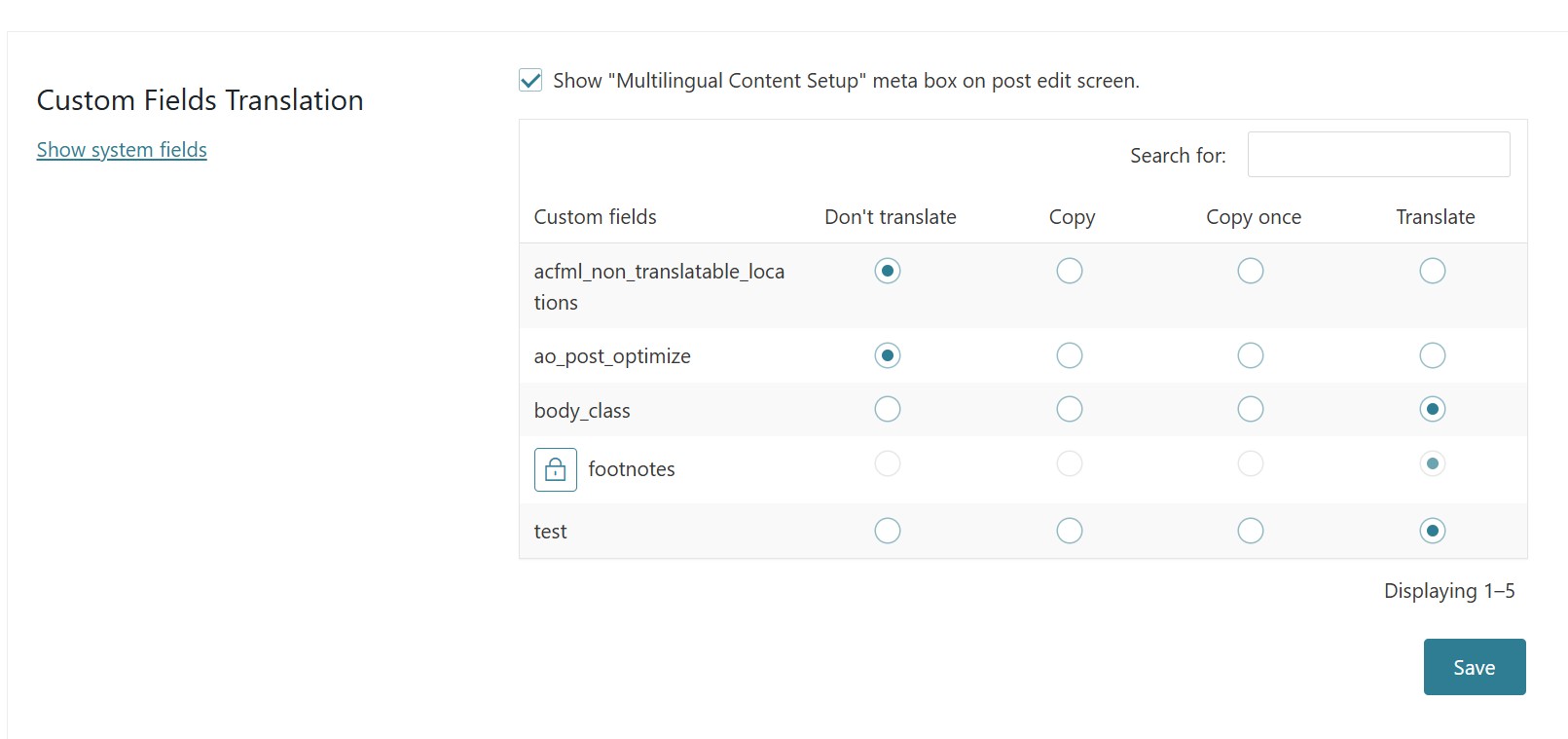 |
| December 8, 2025 at 7:01 am #17642790 | |
|
Kor WPML Supporter since 08/2022 Languages: English (English ) Timezone: Asia/Singapore (GMT+08:00) |
Thanks for your reply. I've checked, and it looks like the issue is related to the "Sticky Panel" ACF Group field. When I took the panel out from this test page hidden link , the translations show up fine in the Advanced Translation Editor. I tried to isolate the "Sticky Panel" here hidden link but I can't save it. It shows this error message "Updating failed. The response is not a valid JSON response." even after WPML plugin is deactivated. Could you check what's wrong with this "Sticky Panel" ACF group Field? 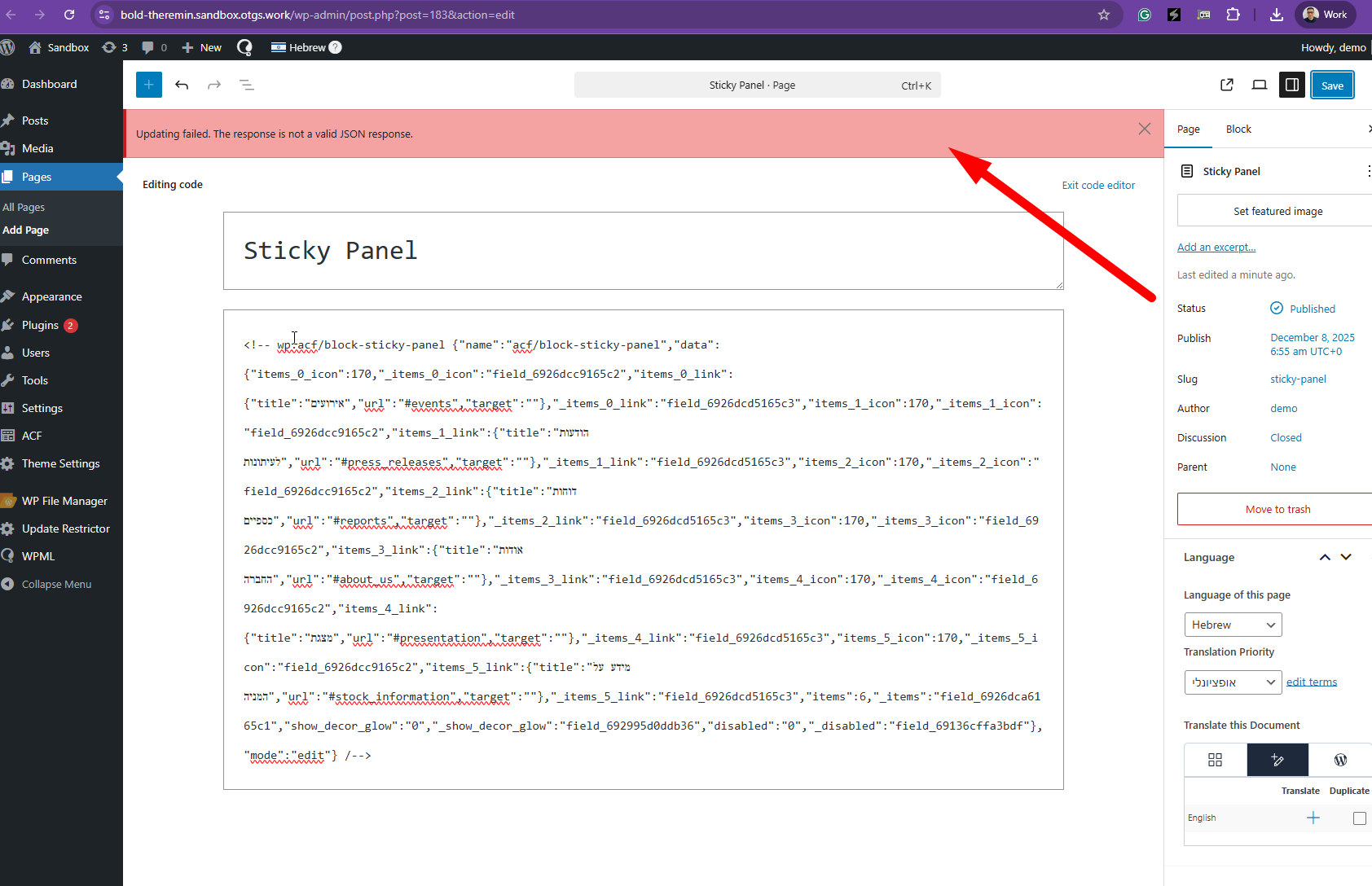 |
| December 8, 2025 at 10:25 am #17643321 | |
| yonitr-2 |
Hi Kor, thank you for your reply. We will double-check the “Sticky Panel” ACF field group as you suggested. However, during testing we created a new field inside an existing ACF field group, filled it with content on the original language, but WPML did not detect this new field inside the Page Translation interface. Another thing that concerns us is that in WPML → Settings → Custom Fields Translation, we do not see any ACF field groups related to blocks or option pages. Finally, we still haven’t received clarification on how WPML is meant to work with global ACF option page fields that should NOT be translated. Could you please advise on the correct setup or expected behaviour for non-translatable global option fields? Thank you. New threads created by Kor and linked to this one are listed below: https://wpml.org/forums/topic/acf-options-page-fields-not-detected-for-translation/ |
| December 8, 2025 at 12:14 pm #17643709 | |
|
Kor WPML Supporter since 08/2022 Languages: English (English ) Timezone: Asia/Singapore (GMT+08:00) |
Thanks for your reply. For this ticket, we'll follow up with WPML not detecting the new fields. As for the page options not showing up in translation, I've split the ticket here https://wpml.org/forums/topic/acf-options-page-fields-not-detected-for-translation/ so that we can follow up. Could you share the URL of the page where your newly added fields are not showing up? |
| December 8, 2025 at 1:38 pm #17644224 | |
|
yonitr-2 |
I can reproduce this on any block. |
| December 9, 2025 at 7:19 pm #17649151 | |
|
Kor WPML Supporter since 08/2022 Languages: English (English ) Timezone: Asia/Singapore (GMT+08:00) |
Thanks for your reply. I've added the hero block here hidden link and translated it using ATE and it got stuck as shown in the attached screenshot. Could you share your test page and result here? 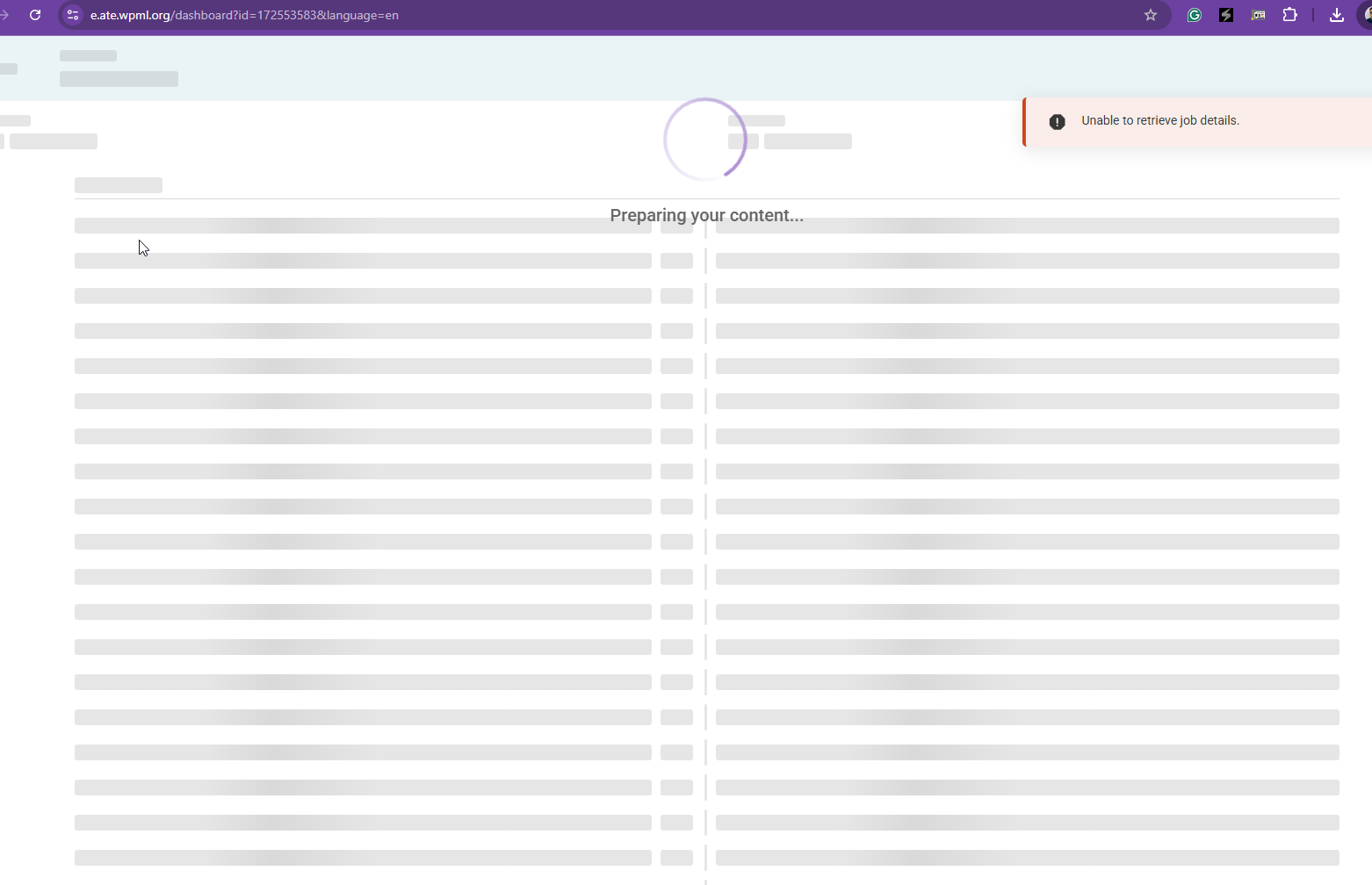 |
| December 10, 2025 at 8:16 am #17650475 | |
|
yonitr-2 |
I no longer have access to your sandbox – it now requires authorization, so I can’t verify anything there on my side anymore. Regarding the issue: I was not able to reproduce the error shown in your screenshot either on your sandbox (when it was still accessible), nor on our staging, nor locally. Please check your server logs on the sandbox to see what exactly is failing on your side — the error seems unrelated to our implementation. The original problem was clearly described: Please check why WPML doesn’t rescan updated ACF field groups automatically and how to force this refresh properly. |
| December 10, 2025 at 8:32 am #17650532 | |
|
Kor WPML Supporter since 08/2022 Languages: English (English ) Timezone: Asia/Singapore (GMT+08:00) |
Thanks for your reply. My apologies for the access issue. Please use the credentials below to login. hidden link When you add a new field to an ACF field group, you need to refresh the primary language page by clicking on the update button. Could you test this on the sandbox site and share the URL of the page in question here? I want to check on the "new field simply does not appear" issue. |
| December 11, 2025 at 10:26 am #17655290 | |
|
yonitr-2 |
It seems that the StickyPanel block issue on your environment is likely caused by your firewall blocking the JSON file upload or save operation inside the ACF field. Most likely, the JSON file is being flagged as unsafe, which prevents ACF from storing it correctly. Regarding the issue with newly added ACF fields not appearing in WPML translation: As shown in the screenshots, the problem is easy to reproduce. 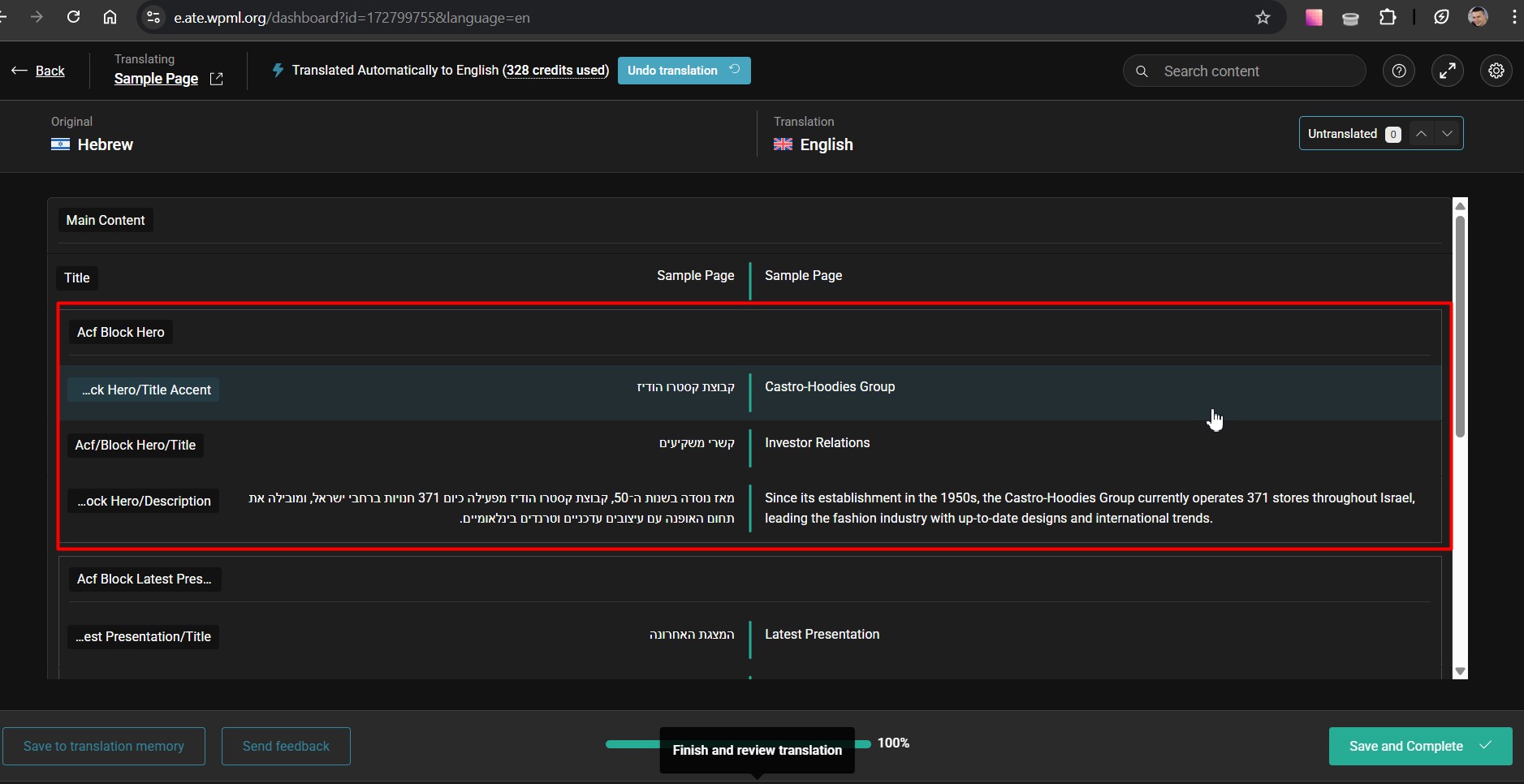 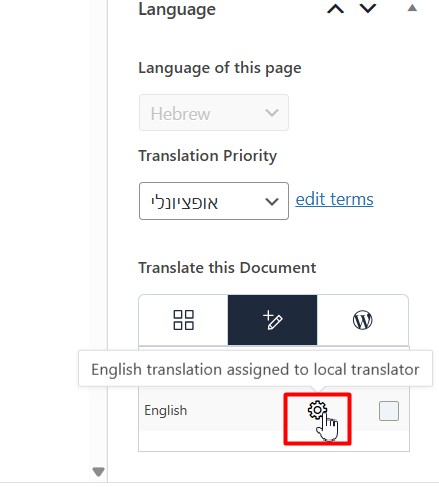 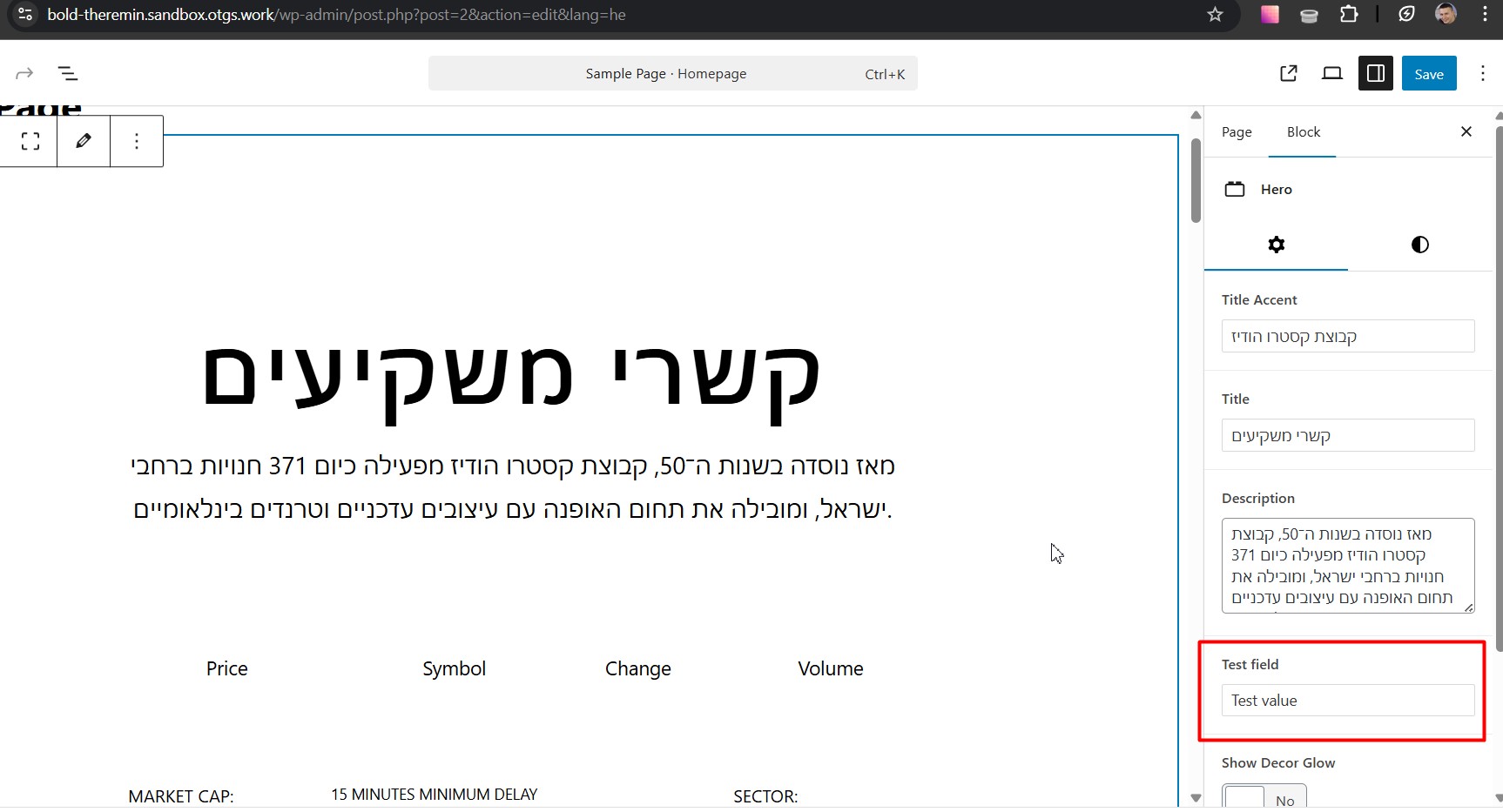 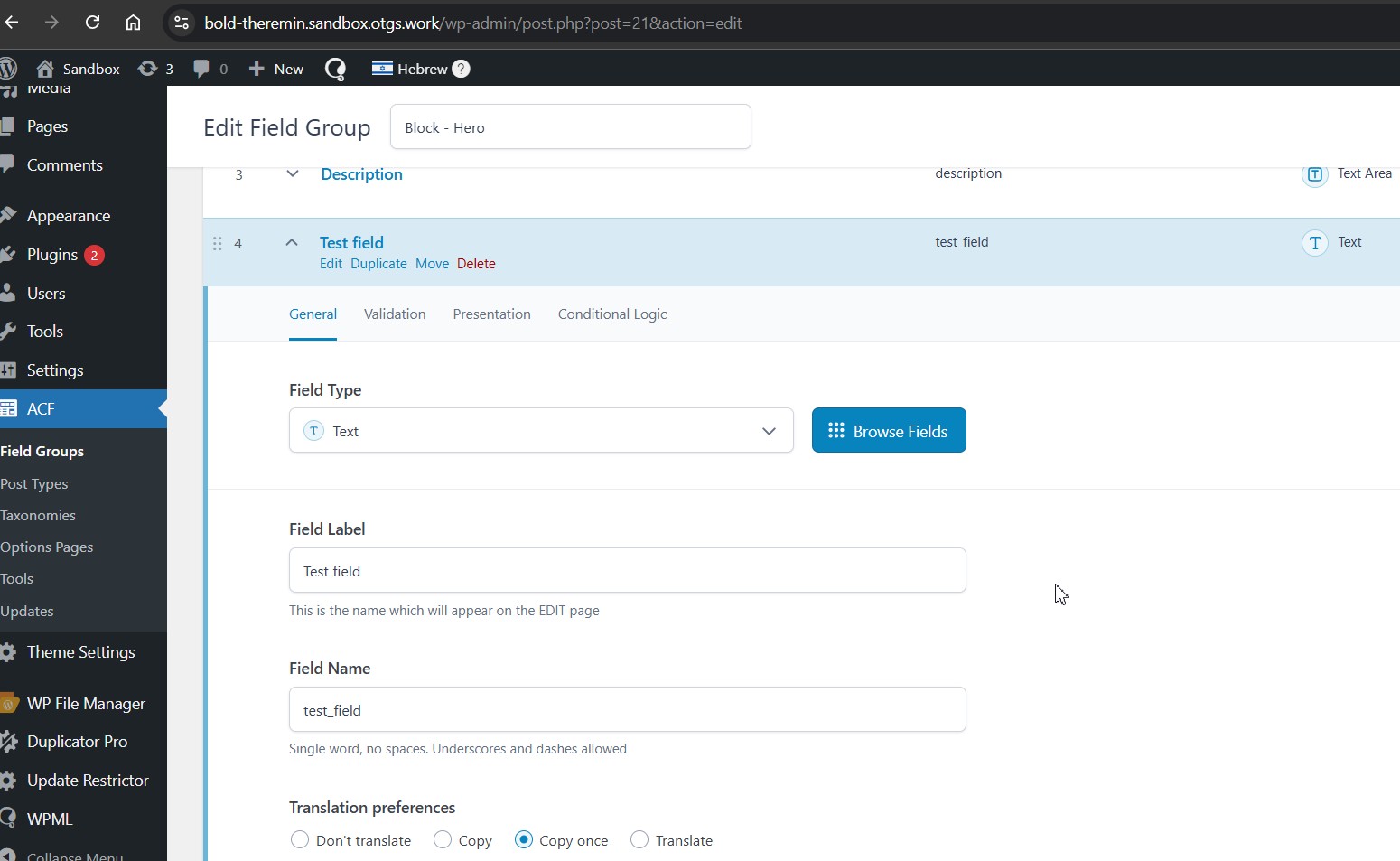 |
| December 12, 2025 at 3:28 pm #17659856 | |
|
Kor WPML Supporter since 08/2022 Languages: English (English ) Timezone: Asia/Singapore (GMT+08:00) |
Thanks for your reply. I can see the issue now with adding new fields and it's not translatable in ATE. I suspect another ACF field is using the same "Field Name" hence conflicting. Let me investigate this further, and I will get back to you as quickly as possible. |
| December 15, 2025 at 5:36 pm #17665532 | |
|
Kor WPML Supporter since 08/2022 Languages: English (English ) Timezone: Asia/Singapore (GMT+08:00) |
Thanks for your patience. Please allow me to check with our 2nd Tier Support regarding this issue. I will come back to you once I've feedback. |
| December 17, 2025 at 3:48 pm #17671848 | |
|
Kor WPML Supporter since 08/2022 Languages: English (English ) Timezone: Asia/Singapore (GMT+08:00) |
Thanks for your patience. I’ve received feedback from our 2nd Tier Support, and they’ve confirmed that a fix is planned for the upcoming ACFML 2.2.0 release, which is scheduled for around 20 January 2026 with WPML 4.9. In the meantime, could you please try resaving the ACF Field Groups a few times, then recheck the Advanced Translation Editor to see whether the newly added ACF fields in the primary language appear for translation? Our 2nd Tier Support believes this is a synchronization issue, as shown in this screen recording hidden link |

