Skip to content Skip to sidebar

This is the technical support forum for WPML - the multilingual WordPress plugin.

Everyone can read, but only WPML clients can post here. WPML team is replying on the forum 6 days per week, 22 hours per day.

Sun Mon Tue Wed Thu Fri Sat
12:00 – 20:00 12:00 – 20:00 12:00 – 20:00 12:00 – 20:00 12:00 – 20:00 - -
- - - - - - -

Supporter timezone: Asia/Karachi (GMT+05:00)

This topic contains 7 replies, has 1 voice.

Last updated by Noman 3 months ago.

Assisted by: Noman.

Author Posts
October 16, 2025 at 6:10 am #17488796

wioletaR

Background of the issue:
I am trying to translate a thegem wpbakery block. the wpbakery code is [gem_button text="TERMIN VEREINBAREN" position="center" corner="25" size="medium" icon_pack="elegant" link="url:%2Fkontakt%2F" text_size="14" text_color="#3c3950" background_color="#ffffff" hover_text_color="#ffffff" hover_background_color="#3c3950" margin_top="0" margin_bottom="0" padding_left="50" padding_left_tablet="25" padding_right="50" padding_right_tablet="25"]
u can see the issues in the page hidden link at the bottom CTA
I added the following in the xml config, but the strings did not popup for translation.
In fact the text of the button is translated, I cant see it in the page translation, but most importantly the links are not translated

Symptoms:
The text of the button is translated, but I can't see it in the page translation. Most importantly, the links are not translated.

Questions:
Why are the strings not popping up for translation?
Why are the links not translated even though the text is?

October 16, 2025 at 6:15 am #17488804

wioletaR

the xml I am already using is

<wpml-config>
<custom-fields>
<!-- Expose TheGem page options (serialized array) for translation -->
<custom-field action="translate">thegem_page_data</custom-field>
</custom-fields>
<shortcodes>
<!-- Make gem_button label + link translatable -->
<shortcode>
<tag>gem_button</tag>
<attributes>
<attribute>text</attribute>
<attribute type="link">link</attribute>
</attributes>
</shortcode>
<!-- Keep your working gem_quote -->
<shortcode>
<tag>gem_quote</tag>
<attributes>
<attribute>cite</attribute>
<attribute type="link">link</attribute>
</attributes>
</shortcode>
</shortcodes>
</wpml-config>

October 16, 2025 at 10:54 am #17489796

Noman
WPML Supporter since 06/2016

Languages: English (English )

Timezone: Asia/Karachi (GMT+05:00)

Hi,

Thank you for contacting WPML Support. Could you please try to follow the below steps and see if this resolves the issue:

1. Use the updated XML for the button element:

<wpml-config>
  <shortcodes>
    <shortcode>
      <tag>gem_button</tag>
      <attributes>
        <attribute>text</attribute>
        <attribute type="link" encoding="vc_link">link</attribute>
      </attributes>
    </shortcode>
  </shortcodes>
</wpml-config>

2. Open the default language page in Edit mode, make a small change in the page title, save the page, remove that change, save the page again.

3. Now, open the translated page in WPML Translation Editor and translate the URL and see if this resolves the issue.

I tried the same steps on the test site and it works correctly as you can see in the attached screenshot.

Here is a doc for more details: https://wpml.org/documentation/support/language-configuration-files/register-page-builder-content-for-translation/

Kindly let me know the results,
Thank you

link tranlsaiton.jpg
October 16, 2025 at 1:33 pm #17490675

wioletaR

Hi noman, thank you so much for helping 🙂 I did it, the button text now appeared, but not the link ,thanx

Untitled-1.jpg
October 16, 2025 at 4:43 pm #17491767

Noman
WPML Supporter since 06/2016

Languages: English (English )

Timezone: Asia/Karachi (GMT+05:00)

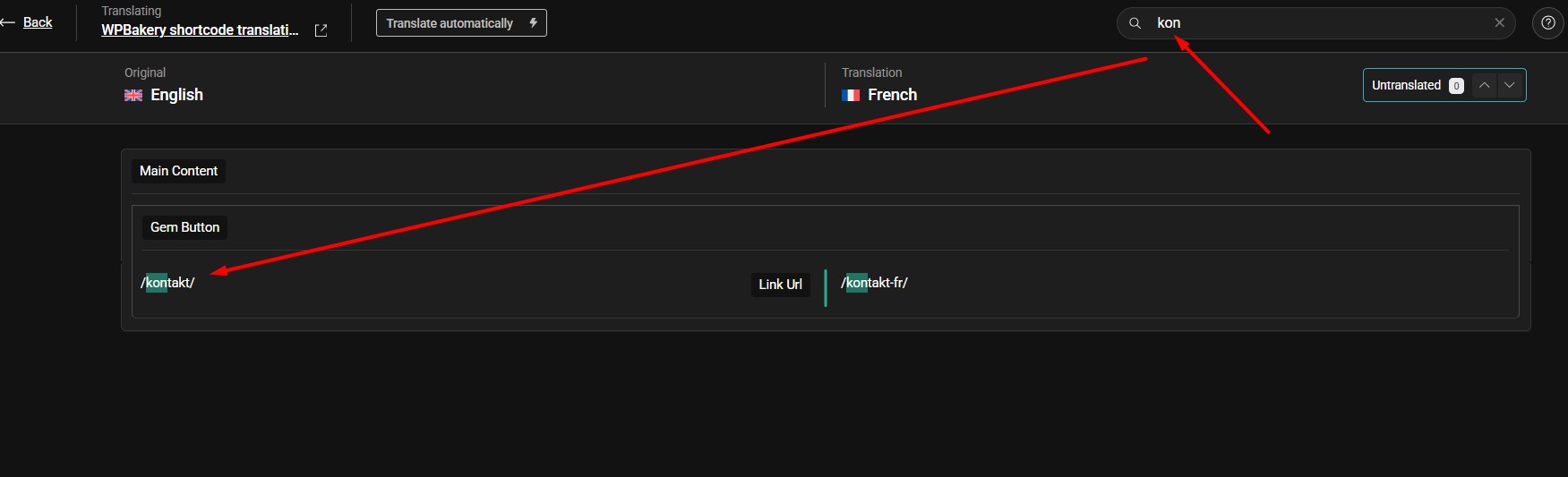
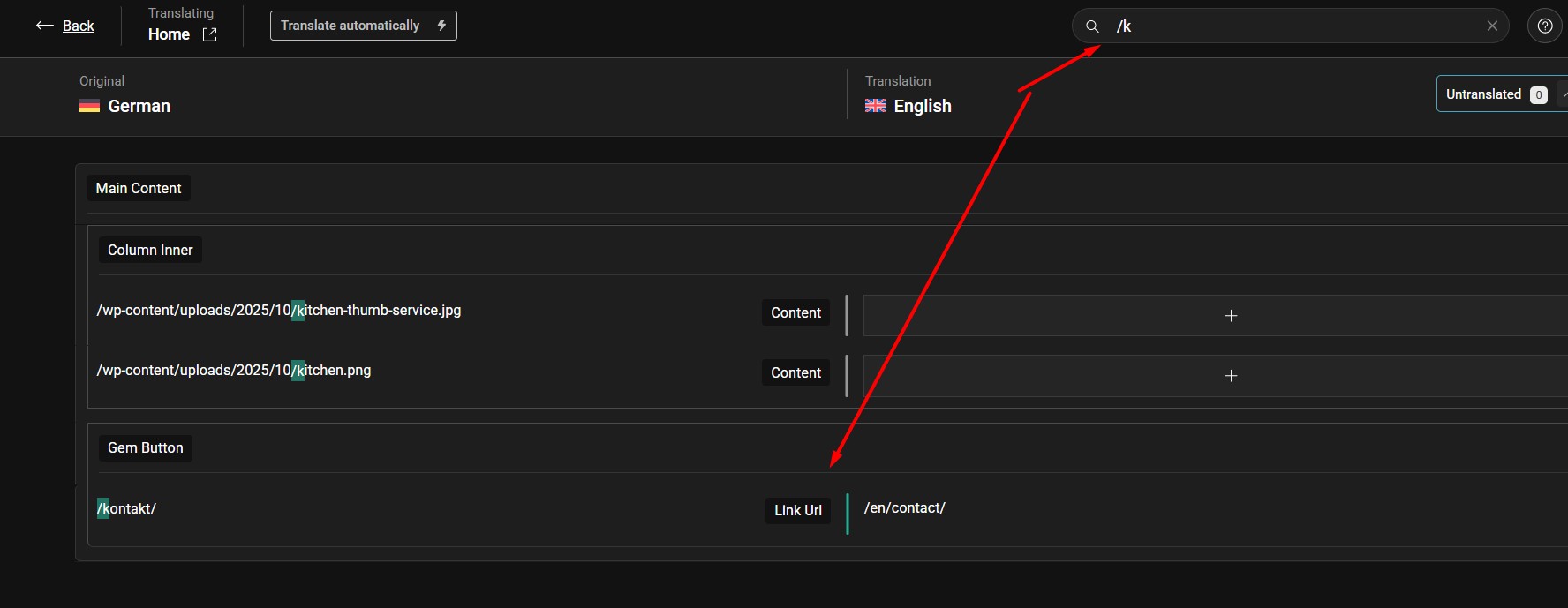
Thanks for the update. Could you please try to search the URL using the search input box in Advanced Translation Editor as you can see in the attached screenshot and see if the URL is visible for translation.

If the issue persists, try to remove that button element from the default language page and re-add it and then try to translate it again and see if this resolves the issue.

If the issue persists, please provide temporary access (WP-Admin and FTP Login info) to your site (preferably staging site), so that I can look into your setup and debug the issue.

Your next answer will be private, meaning only you and I can access it.

=== Please backup your database and website ===

✙ I would need your permission to deactivate and reactivate Plugins and the Theme and to change configurations on the site. This is also a reason the backup is essential.

Thank you

search the button URL.jpg
October 20, 2025 at 4:35 pm #17500480

Noman
WPML Supporter since 06/2016

Languages: English (English )

Timezone: Asia/Karachi (GMT+05:00)

Thanks for providing the login details. I followed the below steps:

1. Opened the default language home page in Edit mode.
2. Made a small change in the page title to reload the translation.
3. Opened the secondary language page in Advanced Translation Editor.
4. Searched for the button URL by typing the “kon” slug and added the translation(Screenshot attached).
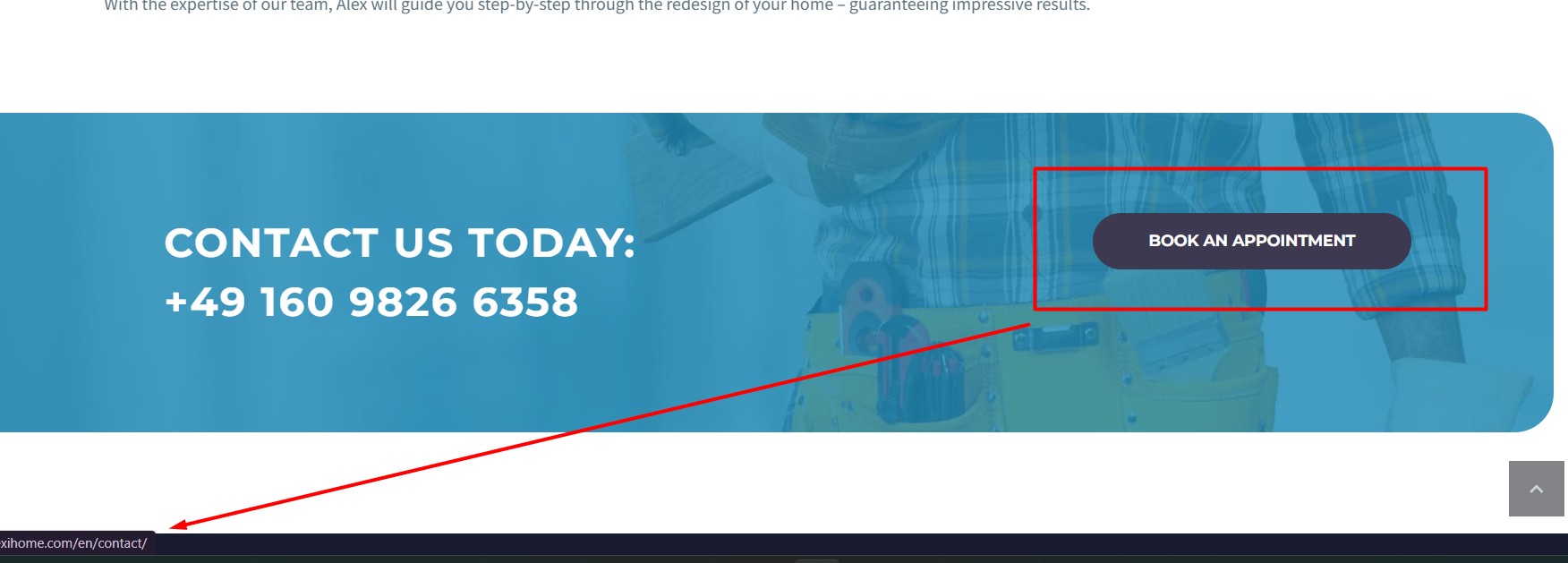
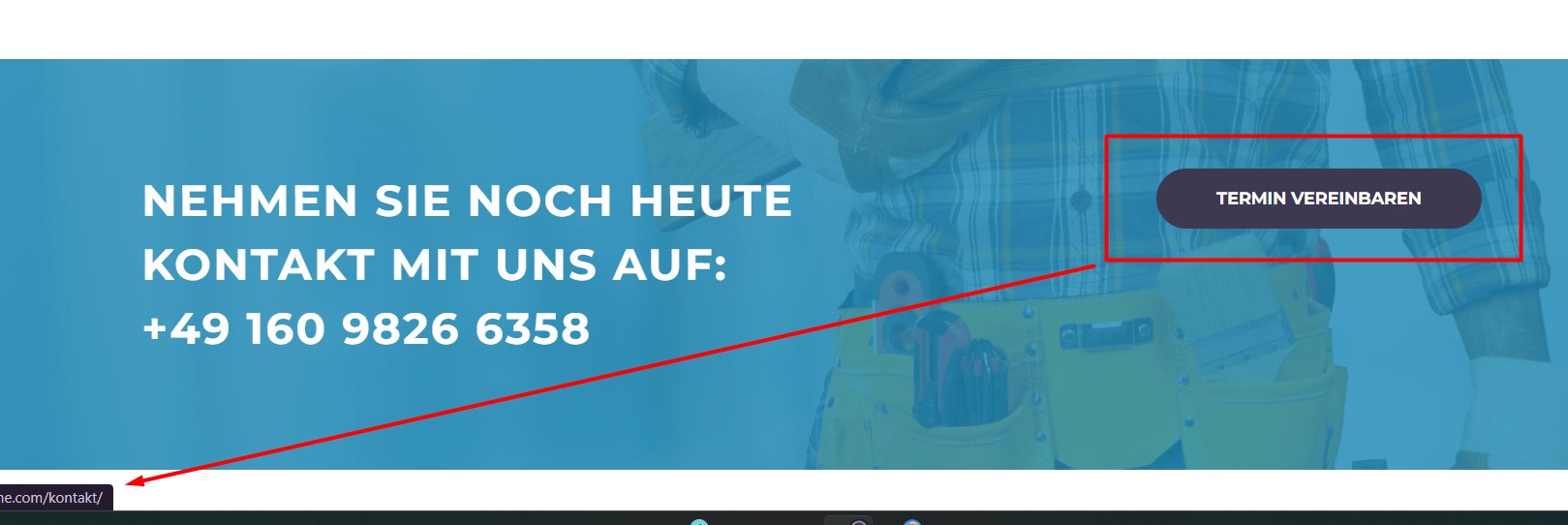
5. Completed the page translation as 100% complete and now it shows the correct button link translation at frontend. Here are screenshots:

hidden link
hidden link
hidden link

Could you please check and confirm?

Thank you for your cooperation

October 23, 2025 at 11:09 am #17512113

wioletaR

Hi Noman, when i click the screenshots u shared, i get the message "The requested content cannot be loaded."

I did exactly what u propose and did not find the link translation, thanx.

October 23, 2025 at 5:09 pm #17513629

Noman
WPML Supporter since 06/2016

Languages: English (English )

Timezone: Asia/Karachi (GMT+05:00)

I’m able to translate the button URL without any issues on the home page as you can see in the attached screenshots.

Could you please share the page link where I can see the issue?

Thank you

translated contact button link.jpg
default language contact button link.jpg
kontact url.jpg

The topic ‘[Closed] cant translate a thegem wpbakery block links’ is closed to new replies.