This thread is resolved. Here is a description of the problem and solution.
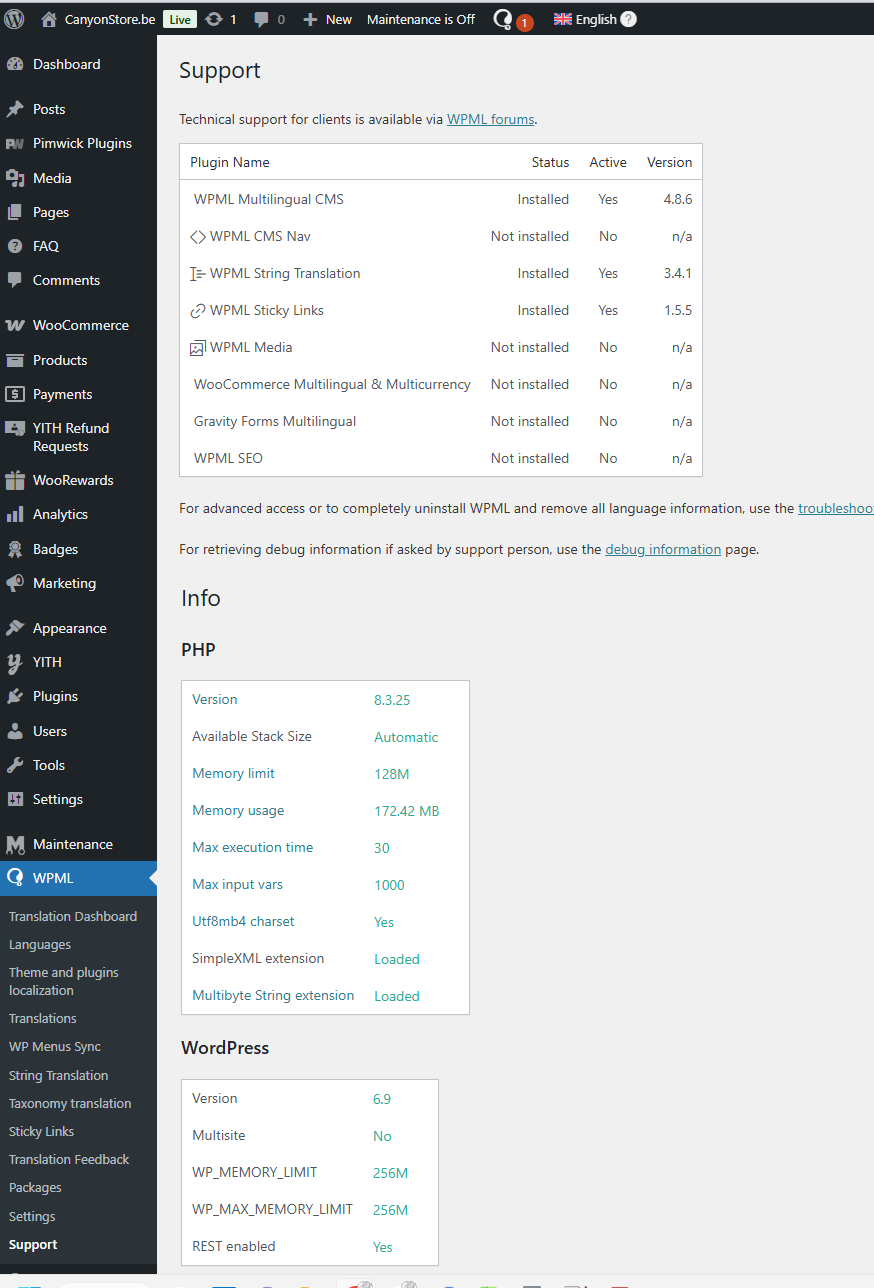
Problem: The client receives a warning that the default language must be mapped to a supported language for automatic translation. When attempting to map English to itself, a critical error occurs, but it is not blocking. Additionally, after changing the site's URL, WPML detects a change and requires confirmation. There is also a PHP fatal error related to an undefined method call. Solution: 1. Temporarily deactivate or delete the current version of the “WPML Multilingual CMS” plugin. 2. Download and install “WPML Multilingual CMS v4.7.0” from the changelog page: https://wpml.org/download/wpml-multilingual-cms/?section=changelog. 3. Navigate to “WPML >> Support” and select the “Yes” option for the message “WPML detected a new address for this site”. 4. Go to “WPML >> Languages > Edit languages” and re-save the settings. Please ensure to take a full site backup before attempting these steps.
If this solution does not resolve your issue or seems irrelevant due to being outdated or not applicable to your case, we recommend opening a new support ticket. Additionally, we highly recommend checking related known issues at https://wpml.org/known-issues/, verifying the version of the permanent fix, and confirming that you have installed the latest versions of themes and plugins. For further assistance, please visit our support forum at https://wpml.org/forums/forum/english-support/.
This is the technical support forum for WPML - the multilingual WordPress plugin.
Everyone can read, but only WPML clients can post here. WPML team is replying on the forum 6 days per week, 22 hours per day.
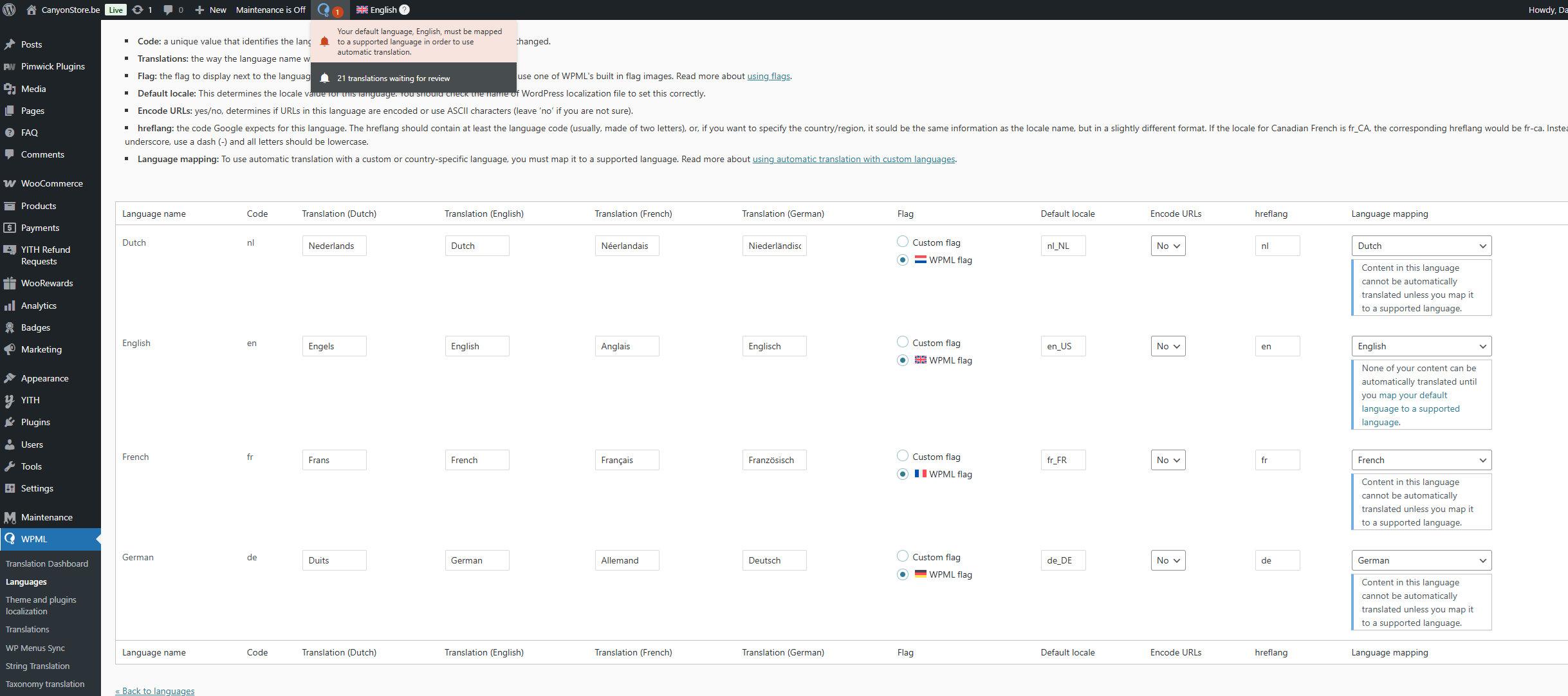
I get this warning: Your default language, English, must be mapped to a supported language in order to use automatic translation.
When I try to map english to itself I get a critical error, but it's not blocking, I can click away and continue..
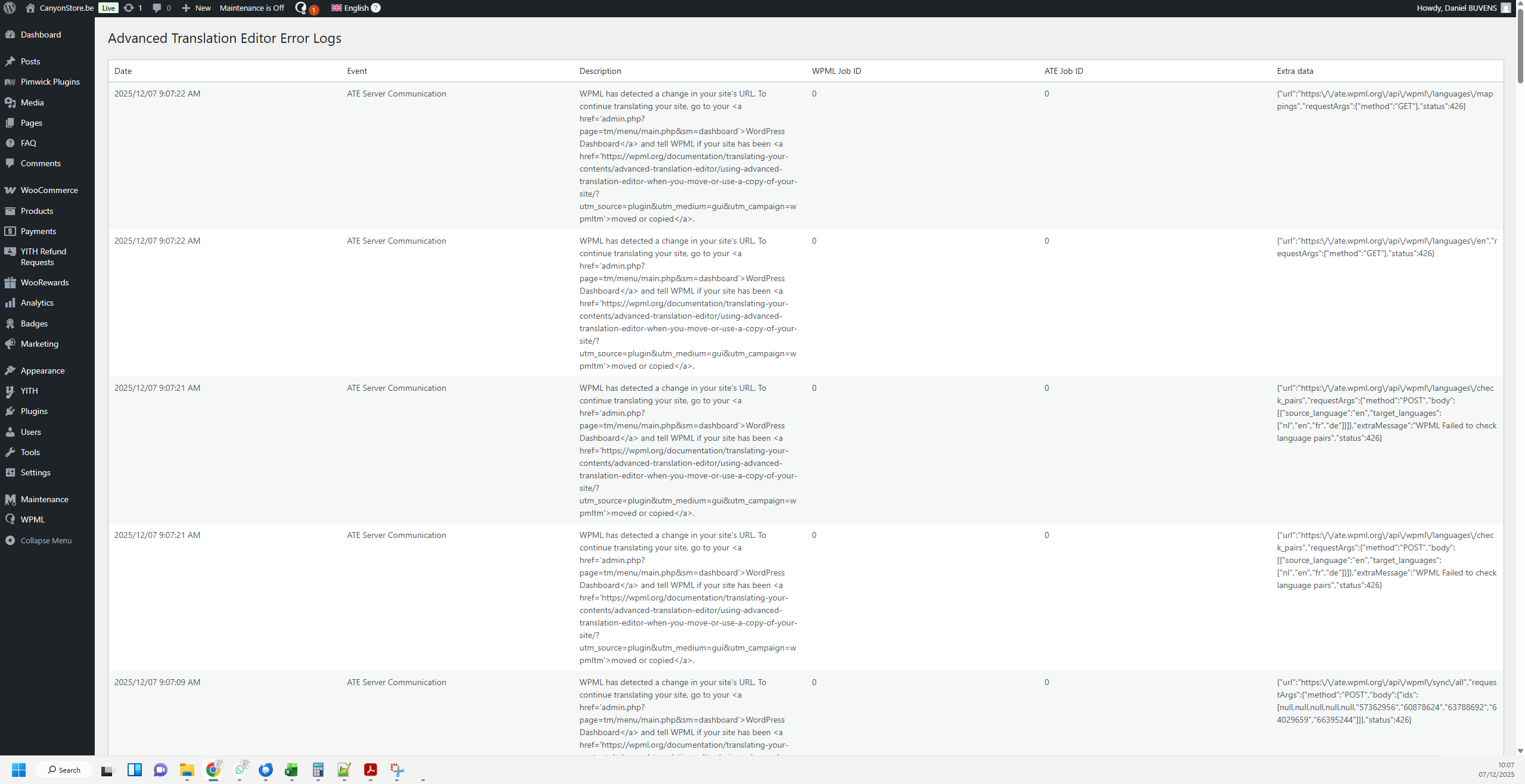
when i try to edit an existing translation, I get this warning: WPML has detected a change in your site's URL. To continue translating your site, go to your WordPress Dashboard and tell WPML if your site has been moved or copied.
My site has indeed changed from canyonstore.EU to .BE but this change has already been reported in my dashboard.
[07-Dec-2025 08:31:56 UTC] PHP Fatal error: Uncaught Error: Call to undefined method WP_Error::filter() in /home/u214539p477353/domains/canyonstore.eu/public_html/wp-content/plugins/sitepress-multilingual-cms/vendor/wpml/fp/core/Fns.php:189
Stack trace:
#0 [internal function]: WPMLFPFns::WPMLFP{closure}()
#1 /home/u214539p477353/domains/canyonstore.eu/public_html/wp-content/plugins/sitepress-multilingual-cms/vendor/wpml/fp/core/functions.php(154): call_user_func_array()
#2 [internal function]: WPMLFP{closure}()
#3 /home/u214539p477353/domains/canyonstore.eu/public_html/wp-content/plugins/sitepress-multilingual-cms/vendor/wpml/fp/core/functions.php(50): call_user_func_array()
#4 /home/u214539p477353/domains/canyonstore.eu/public_html/wp-content/plugins/sitepress-multilingual-cms/vendor/wpml/fp/core/Either.php(105): WPMLFP{closure}()
#5 /home/u214539p477353/domains/canyonstore.eu/public_html/wp-content/plugins/sitepress-multilingual-cms/menu/edit-languages.php(1389): WPMLFPLeft->bimap()
#6 /home/u214539p477353/domains/canyonstore.eu/public_html/wp-content/plugins/sitepress-multilingual-cms/menu/edit-languages.php(799): SitePress_EditLanguages->saveLanguageMapping()
#7 /home/u214539p477353/domains/canyonstore.eu/public_html/wp-content/plugins/sitepress-multilingual-cms/menu/edit-languages.php(118): SitePress_EditLanguages->update()
#8 /home/u214539p477353/domains/canyonstore.eu/public_html/wp-content/plugins/sitepress-multilingual-cms/menu/languages.php(30): SitePress_EditLanguages->__construct()
#9 /home/u214539p477353/domains/canyonstore.eu/public_html/wp-admin/admin.php(298): include('/home/u214539p4...')
#10 {main}
thrown in /home/u214539p477353/domains/canyonstore.eu/public_html/wp-content/plugins/sitepress-multilingual-cms/vendor/wpml/fp/core/Fns.php on line 189
[07-Dec-2025 08:31:56 UTC] PHP Deprecated: Use of "self" in callables is deprecated in /home/u214539p477353/domains/canyonstore.eu/public_html/wp-content/plugins/sisow-for-woocommerce/includes/classes/Autoload.php on line 9
[07-Dec-2025 08:31:57 UTC] PHP Deprecated: Use of "self" in callables is deprecated in /home/u214539p477353/domains/canyonstore.eu/public_html/wp-content/plugins/sisow-for-woocommerce/includes/classes/Autoload.php on line 9
That is strange, why are those items blocked in the first place that now they can not whitelist them?
As I could setup WPML with no issues on our server, the only thing tat I can suggest is this:
_ I create a dump of the website from your server.
- Download it and install on my local machine
- Complete the WPML setup
- Upload the result again to your website
The steps above will require you:
- To have a backup of hte website
- Do not edit anything during the process as when I re-upload the database whatever you change during the process will be overwritten.
These domains are not blocked by any firewall. The hosting company has checked this, and theire reply is : I have checked this for you and I do not see any blockages on these domains and IPs from our end. These IPs and domains are normally accessible from the server on which your hosting package runs.
The issue is that I have the same website on our server as you mentioned before, and it works with no issues.
So this might indeed be related to the hosting settings.
May I ask you to contact the hosting service provider and ask them to create a copy/staging version of the website on the same server and get back to us with the login information?
That way, I can maybe dive deeper and try to find out why this happens.
Also please contact the hosting service provider and ask them why the Duplicator Pro plugin si not possible to install there?
My colleague Christopher is not available today, so I’m stepping in to help you.
I understand this has become frustrating, and I appreciate your patience so far.
From our side, WPML works correctly on a clean copy of your site, which strongly indicates that the issue is related to the current hosting environment or server configuration rather than WPML itself.
You are, of course, free to choose any plugin you prefer. However, switching plugins will not necessarily avoid server-related issues, and it may require redoing translations and configuration from scratch.
If you would like us to continue the investigation and help resolve this using WPML, the next practical step would be to coordinate with your hosting provider to create a staging copy or review the server environment so we can isolate the cause. Please let me know how you would like to proceed.