[Resolved] Language name parameter missing in some links
This thread is resolved. Here is a description of the problem and solution.
Problem: In the Slovenian translation, when navigating to certain product categories, all product links and menu links lose the language name parameter (/?lang=sl). Deleting and recreating the translated product category did not resolve the issue. Solution: We recommend using WPML → Taxonomy Translation for translating taxonomies. If Yoast displays a warning about creating a redirect when editing a translated term, you can click “Undo” to remove the redirect. If a redirect has already been created, you can manually remove it from Yoast → Redirects.
Option 1: No changes to Yoast Premium (recommended) Add the following snippet to your functions.php file:
add_filter( 'Yoast\\WP\\SEO\\term_redirect_slug_change', function( $create_redirect ) {
	// Only act in admin term edit contexts.
	if ( ! is_admin() ) {
		return $create_redirect;
	}

	$taxonomy = $_POST['taxonomy'] ?? '';

	if ( ! $taxonomy || ! taxonomy_exists( $taxonomy ) ) {
		return $create_redirect; // not editing a taxonomy term
	}

	if ( class_exists('Sitepress') ) {
		$current_lang = apply_filters( 'wpml_current_language', null );
		$default_lang = apply_filters( 'wpml_default_language', null );
		if ( $current_lang !== $default_lang ) {
			return true; // prevent Yoast redirect creation
		}
	}

	return $create_redirect;
}, 10 );
This prevents Yoast from automatically creating redirects for taxonomy terms in secondary languages.
Option 2: Modify Yoast Premium code This involves editing core plugin files and is not recommended due to potential issues with future updates.
We plan to notify Yoast about this behavior. However, if this solution does not apply to your case or seems outdated, we highly recommend checking related known issues, verifying the version of the permanent fix, and confirming that you have installed the latest versions of themes and plugins. If the issue persists, please open a new support ticket.
This is the technical support forum for WPML - the multilingual WordPress plugin.
Everyone can read, but only WPML clients can post here. WPML team is replying on the forum 6 days per week, 22 hours per day.
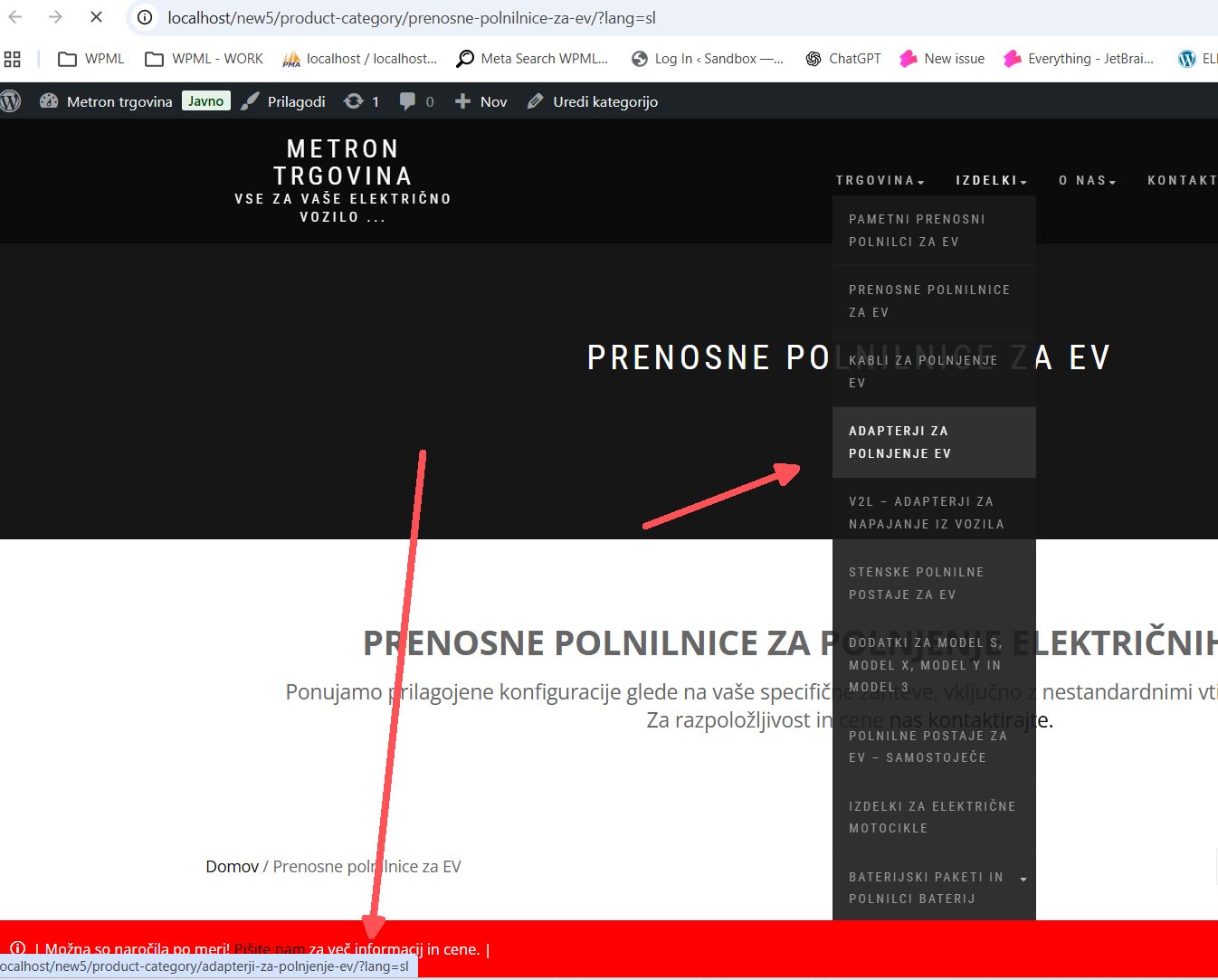
In Slovenian translation, when navigating to some product categories, namely "hidden link; and "hidden link;, all product links and menu links lose the language name parameter (/?lang=sl).
We've tried deleting the translated product category and creating it again, but the issue persists.
All other product categories seem to be unaffected and working properly. Any suggestions on what to check?
Languages: English (English )German (Deutsch )French (Français )
Timezone: Europe/Zagreb (GMT+01:00)
Hi,
Can you please check if this issue appears when:
- only WPML plugins are activated, as it will tell us if there is an interaction issue with other plugin
- theme is set to a WordPress default like Twenty Twenty as it will tell us if there is an interaction issue with your theme
Let me know if not possible to perform such test in your current site (if you don't have a staging site available) so I can propose alternatives.
Languages: English (English )German (Deutsch )French (Français )
Timezone: Europe/Zagreb (GMT+01:00)
Ok, in this case, to help troubleshoot this issue more efficiently, I would like to use a tool called Duplicator (hidden link) to create a temporary diagnostic copy of the website.
Using this tool, I will generate a lightweight “package” of the site that contains only the database and essential files. All media files (images, videos, etc.) will be excluded to keep the package small and secure.
This package will be used only in a secure local testing environment to reproduce the problem and analyze it in detail. This allows me to test fixes safely without touching or impacting your live website in any way. Your production site will not be modified, slowed down, or affected during this process.
Languages: English (English )German (Deutsch )French (Français )
Timezone: Europe/Zagreb (GMT+01:00)
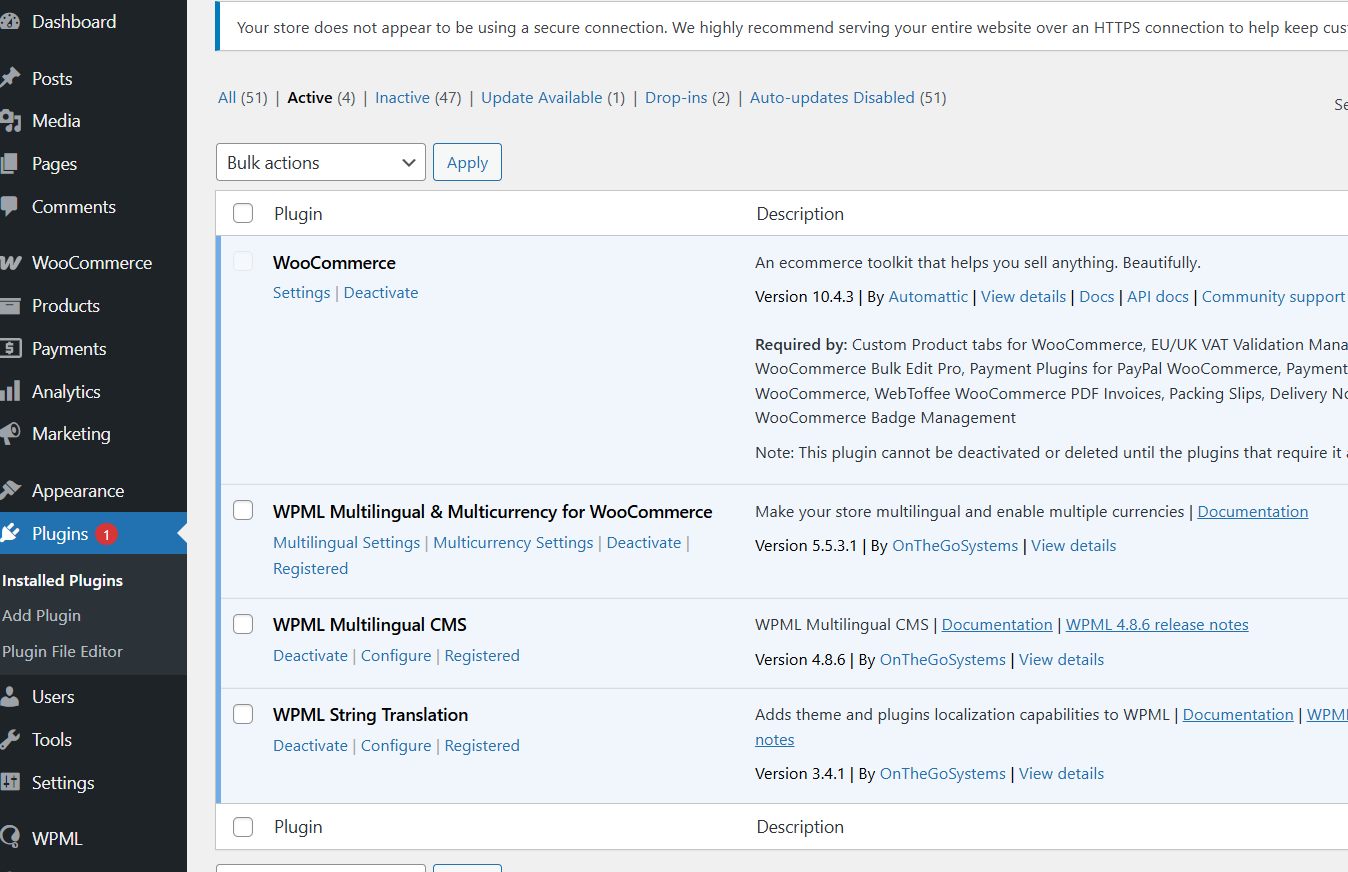
I deployed the site to my local environment and disabled all plugins except the four shown in the image. The URLs are now working correctly. However, they were not working previously when the site was left in its original state.
This suggests that one of the other plugins on the site is causing the issue.
Could you please check whether the issue occurs under the following conditions:
* Only the WPML plugins (and WooCommerce) are activated. This will help determine whether there is a conflict with another plugin.
* The theme is switched to a default WordPress theme, such as Twenty Twenty. This will help determine whether the issue is related to the theme.
If the issue does not appear, please try activating your theme first and check again. If everything still works correctly, the issue is likely caused by one of the plugins. In that case, you can activate the remaining plugins in small groups (for example, three at a time) and monitor when the issue reappears.
You may want to perform these tests during off-peak hours (for example, in the evening). The entire process should take no more than 15–20 minutes at most.
Yoast SEO plugin is the culprit. I've suspected it and your findings confirmed it for me. I disabled just Yoast right off the bat and all the links work again.
The issue seems to arise when a translated product category is changed. Yoast SEO premium then automatically creates a SEO redirect, which somehow breaks the language parameter and affects all the links when navigating to that particular product category.
I suppose I will have to continue this with Yoast support. Thank you very much for your hard work and help.
Languages: English (English )German (Deutsch )French (Français )
Timezone: Europe/Zagreb (GMT+01:00)
I cannot be completely certain without debugging this, the change could be also required within our WPML SEO plugin.
That being said: hidden link
On this sandbox were I believe I prepared everything (if something else is needed, by all means), can you make that change and tell me if you see the same thing? I've also added and translated several product categories.
Languages: English (English )German (Deutsch )French (Français )
Timezone: Europe/Zagreb (GMT+01:00)
Thank you very much for the tests!
This has been escalated to our Compatibility team and may take some debugging time, I'll get back to you as soon as I have any news or questions for you.
Languages: English (English )German (Deutsch )French (Français )
Timezone: Europe/Zagreb (GMT+01:00)
We checked this case and there are several possible options for it.
We recommend using WPML → Taxonomy Translation, as this is the official and supported way to translate taxonomies.
When you edit a translated term in the WordPress editor, Yoast may display a warning about creating a redirect. In this case, you can safely click “Undo” to remove the redirect. hidden link
If a redirect has already been created, you can remove it manually from Yoast → Redirects.
Option 1: No changes to Yoast Premium (recommended)
Add the following snippet to your functions.php file:
add_filter( 'Yoast\\WP\\SEO\\term_redirect_slug_change', function( $create_redirect ) {
	// Only act in admin term edit contexts.
	if ( ! is_admin() ) {
		return $create_redirect;
	}

	$taxonomy = $_POST['taxonomy'] ?? '';

	if ( ! $taxonomy || ! taxonomy_exists( $taxonomy ) ) {
		return $create_redirect; // not editing a taxonomy term
	}

	if ( class_exists('Sitepress') ) {
		$current_lang = apply_filters( 'wpml_current_language', null );
		$default_lang = apply_filters( 'wpml_default_language', null );
		if ( $current_lang !== $default_lang ) {
			return true; // prevent Yoast redirect creation
		}
	}

	return $create_redirect;
}, 10 );
This does not fix the underlying issue. Instead, it prevents Yoast from automatically creating redirects for taxonomy terms in secondary languages.
As a result, if a slug is changed and a redirect is needed, it will have to be created manually.
In the get_target_url() function (around line 250), replace:
return str_replace( home_url(), '', $term_link );
with:
return wp_make_link_relative( $term_link );
This approach is not recommended, as it involves modifying plugin core files and may be overwritten by future updates.
We plan to notify Yoast about this behavior. There is a chance that a similar fix could be implemented by the plugin authors in the future, but we cannot guarantee this.
Thank you very much for your hard work. I've been manually removing redirects and it is working.
We'll be strictly using taxonomy translation as a way to modify translated content. It's not as efficient, but hopefully Yoast takes your notification into account and implements a solution sometime down the road.