This thread is resolved. Here is a description of the problem and solution.
Problem: The client is experiencing issues with WPML Media Translation on their WordPress site. Although media items exist in both English and German, the metadata (Alt Texts, Titles, and Captions) is not being synchronized. The process stalls when attempting to duplicate texts for existing content, and manual setup does not resolve the issue. Additionally, the WPML Media component is reported as 'Not installed' despite being visible under the 'Commercial' tab.
Solution: We identified a bug affecting the duplication of texts for existing media content. We recommend the following workaround:
4. Insert the provided code adjustment before the above code to ensure proper synchronization of metadata across translations. 5. Go to WPML > Media Translation and select to duplicate text for existing content, then run the process.
This solution might be outdated or not applicable to your specific case. We highly recommend checking related known issues at https://wpml.org/known-issues/, verifying the version of the permanent fix, and confirming that you have installed the latest versions of themes and plugins. If the issue persists, please open a new support ticket at WPML support forum.
This is the technical support forum for WPML - the multilingual WordPress plugin.
Everyone can read, but only WPML clients can post here. WPML team is replying on the forum 6 days per week, 22 hours per day.
Description: I am experiencing a critical issue with WPML Media Translation on my WordPress site. Although the media items exist in both English (950 items) and German (654 items, currently syncing), the metadata is not being synchronized.
The Problem:
Metadata Sync Failure: Alt Texts, Titles, and Captions are present in English but remain completely empty in the German translation.
Process Stalls: In the Media Translation settings, I have enabled "Duplicate texts (alt, caption, title)" and clicked "Start the process", but the synchronization does not complete or update the database.
Manual Setup Ineffective: Even when using the "Setup manually" options, the German media entries do not receive the metadata from the English originals.
Technical Discrepancy:
Support Log Error: My WPML Support page lists "WPML Media" as "Not installed".
Commercial Tab Conflict: Under the "Commercial" tab, "Media Translation" (v3.0.0) is visible, but the checkbox is greyed out/cannot be selected because the system seems to think it is already there, yet it is not functioning.
Environment: The site is running on a RHEL 9 server, and the files are correctly located in the /uploads/ directory.
Requested Action: Please investigate why the WPML Media component is reported as "Not installed" despite being present in the commercial list. We need to ensure that the AJAX process for duplicating media texts can correctly write to the wp_postmeta table for German attachments.
It seems you were inactive and left the chat. To avoid the conversation being closed, I have created a support ticket so we can continue there.
1) Regarding the Media Translation add-on not appearing as not installed under WPML > Support, this is a known minor UI issue. It will be fixed in an upcoming release and does not affect the Media plugin functionality in any way.
2) As for WPML Media Sync, we can investigate this further if you agree. Do you see any errors in the WP debug log or in the browser console that might explain why it fails? It’s also possible that a server timeout is causing the issue, if possible please check.
Additionally, do you have a staging site where we could safely log in and test this? Ideally, we would like to temporarily disable the theme and plugins to confirm that nothing is interfering, but only on a staging environment if available.
thanks for helping me. I just made a full backup of my page (DB & Files + copy of the whole WP Directory in /var/www/ too. Means you can actually doing whatever is necessary to solve this issue.
My best
Temp access: (Super Admin!) hidden link
See the tags in the Media Library - just switch from German to English - same Amount in regards of images (So the manual sync with WPML has been worked) - But it does not work automatically. And the DB - The metadata in the database is not synchronized between the English and German pages (Alt Text, Captions, Title,...).
I checked this further and noticed that when Media Translation was set to automatic under WPML > Setting while duplication was disabled for existing content.
I’ve now turned off the automatic option, set the correct setting via manual, and then ran the media sync process.
Based on my testing, everything is working correctly now and the text is being copied as expected. This setup should also work for any new content going forward like this.
Please check on your end and let me know how it goes.
thanks Drazen, this already solved half my issue:).
I Uploaded an image in the english section and changed some Metadata - and it worked! Finally new images are in sync.
But two issues remain:
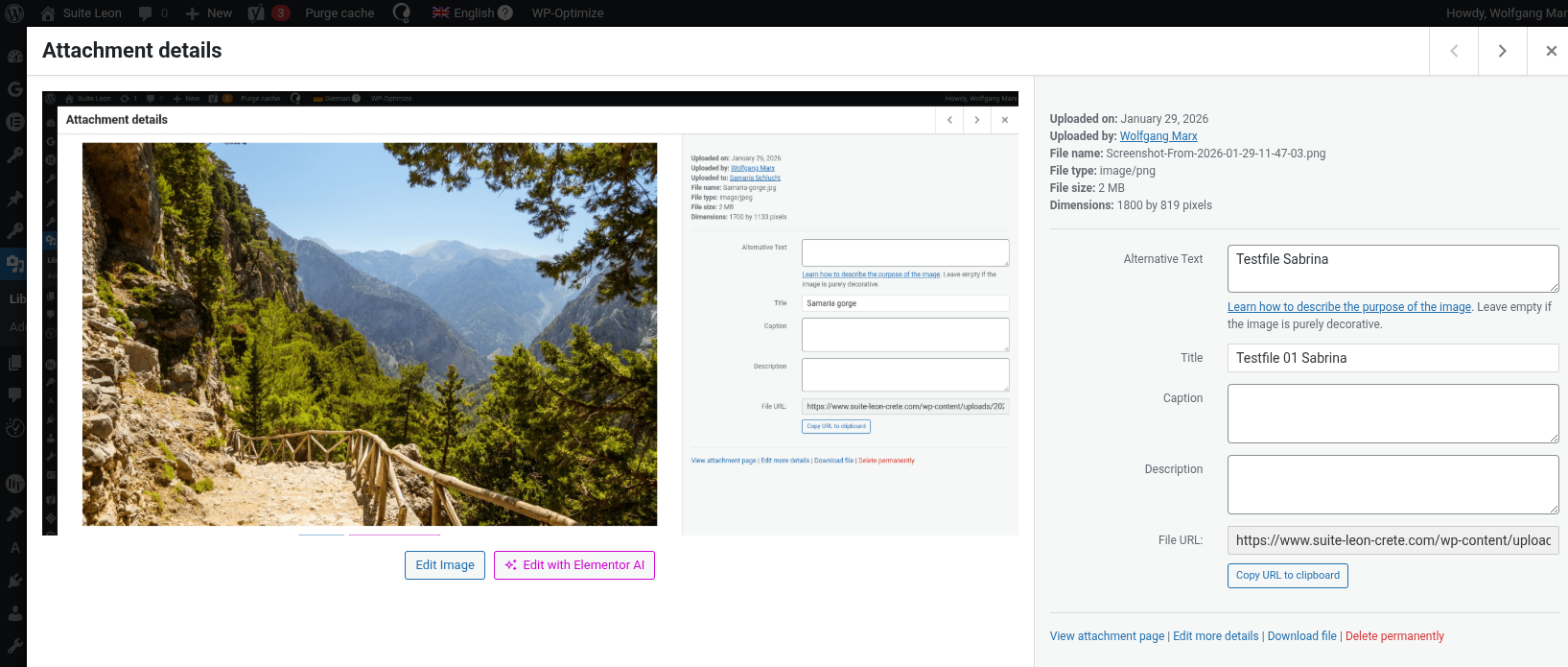
Still all the Metadata, wich was the main issue - is not in sync for 900 Images.
Example Attached.
Second Issue:
The New uploaded content is only in Sync when changing Metadata straight with uploading the image. I just changed it again in the english version and nothing happened in the German version
Thank you for getting back to me and for sharing the additional information.
I’ve checked the issue and was able to identify the problem. The text is not being duplicated for existing content, even when re-running the sync process, which is not the expected behavior.
I also reproduced the same issue on a fresh test site, and it appears to be a bug.
I’ve now escalated this to our second-tier team for further investigation and guidance. I’ll update you as soon as I have more information.
thanks for getting back to me and for taking the time to try the workaround.
I’ve adjusted the file and updated the text in the media library to confirm whether it works. I then went to WPML > Media settings and ran the duplication process for existing content, and it seems to be working correctly now.
Images attached.
Please check and let me know if any other questions or doubts.