
This is the technical support forum for WPML - the multilingual WordPress plugin.
Everyone can read, but only WPML clients can post here. WPML team is replying on the forum 6 days per week, 22 hours per day.
| Sun | Mon | Tue | Wed | Thu | Fri | Sat |
|---|---|---|---|---|---|---|
| 9:00 – 18:00 | 9:00 – 18:00 | 9:00 – 18:00 | 9:00 – 18:00 | 9:00 – 18:00 | - | - |
| - | - | - | - | - | - | - |
Supporter timezone: Africa/Cairo (GMT+02:00)
This topic contains 11 replies, has 2 voices.
Last updated by Osama Mersal 1 year, 11 months ago.
Assisted by: Osama Mersal.
| Author | Posts |
|---|---|
| February 20, 2024 at 4:39 pm #15324112 | |
 Ephraim |
Tell us what you are trying to do? The footer comes up in English on my French pages. I can manually set it by going to "EDIT" the page, but I know I'm not supposed to do that when using String Translation The footer is at hidden link So post 260 I also tried to make my own footer in French, it is hidden link, so post 36420 But when I do a search in WPML search strings for "260" exact, it says there are no matches. Is there any documentation that you are following? Is there a similar example that we can see? hidden link What is the link to your site? hidden link Does this mean that I have to "edit" every page and set the footer on French pages, manually? |
| February 21, 2024 at 9:28 am #15326277 | |
 Osama Mersal WPML Supporter since 02/2020 Languages: English (English ) Timezone: Africa/Cairo (GMT+02:00) |
Hi, Thanks for contacting WPML forums support. I'll be glad to help you today. Would you please share screenshots of the page's edit screen where you select the footer? Kindly check if you can find the footer template ID using the following steps: 1- Copy the default language's footer ID Kindly check our guide to know more about translating texts in the admin texts screen. (https://wpml.org/documentation/getting-started-guide/string-translation/finding-strings-that-dont-appear-on-the-string-translation-page/) Best regards, |
| February 21, 2024 at 4:55 pm #15329409 | |
|
Ephraim |
So, the url (as shown below) is ".../wp-admin/post.php?post=260&action=elementor" So therefore the POST is 260 (English). The French version I created is 36420. So, I go to the option for "admin screens" and do a search for 260... I checked them all, but this is to show you what the results that showed 260 said. Now, the footer I'm also including the search for 260. So after doing it, I displayed the whole list and did a search for 260 specifically. The only two appearances of the term 260 is actually part of 9260 which is from my Footer Menu system. Not what I think we are looking for.  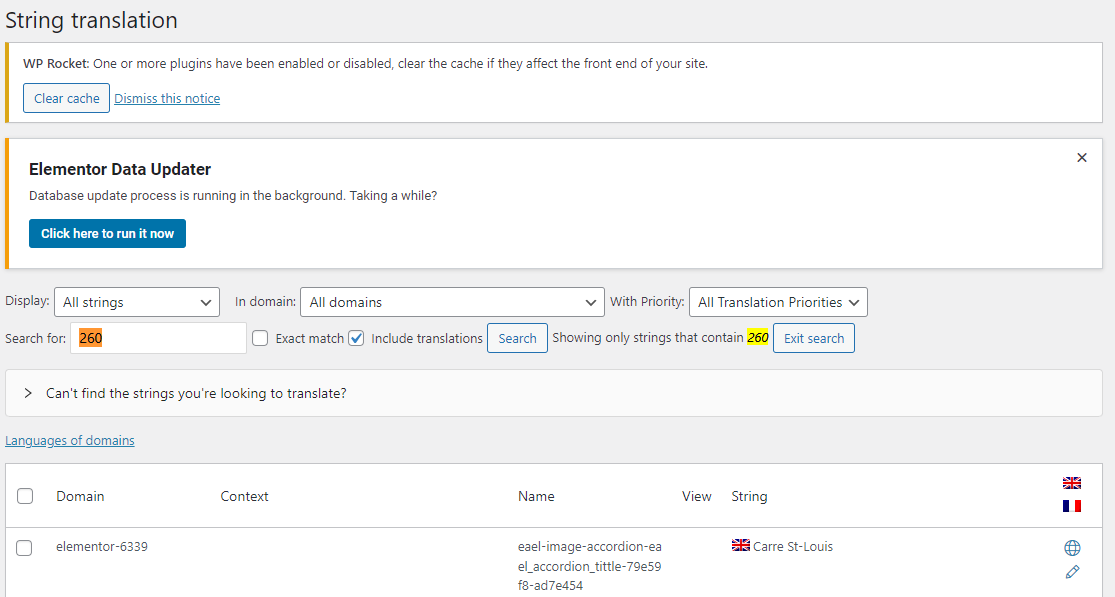 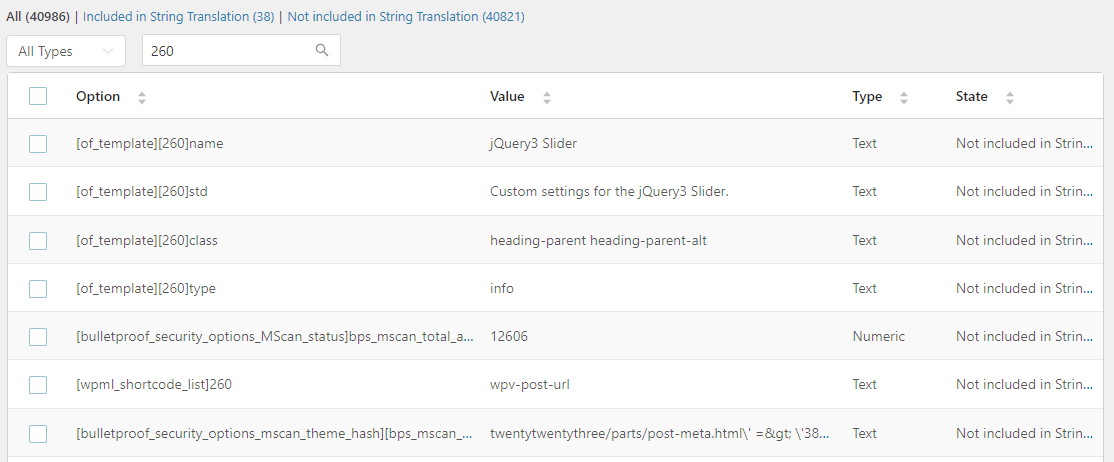  |
| February 22, 2024 at 7:09 am #15331185 | |
|
Osama Mersal WPML Supporter since 02/2020 Languages: English (English ) Timezone: Africa/Cairo (GMT+02:00) |
Hi, Thanks for your update. I would need to look closely at your site, so I would need to request temporary access (WP-Admin and FTP) Your answer will be private, meaning only you and I can access it. ❌ Please backup your database and website ❌ ✙ I would need your permission to de-activate and re-activate the Plugins and the Theme and change configurations on the site. This is also a reason the backup is critical. ✙ I also need your permission to take a local copy of your site to debug the issue without affecting your live site. Best regards, |
| February 23, 2024 at 8:58 am #15336607 | |
|
Osama Mersal WPML Supporter since 02/2020 Languages: English (English ) Timezone: Africa/Cairo (GMT+02:00) |
Hi, 1) Thanks for the access details. I checked your site, and the footer issue happens when you select a footer in the page editing screen. (Kindly check this hidden link) If you use this option in the default language, you would need to select the footer in the translated page edit screen manually. If you select the "Default Footer" option, the footer will be translated automatically. 2) I noticed that the header, footer, and portfolio post types are set to be not translatable in WPML-> Settings-> Post Type translation. (Kindly check this hidden link) Please set these templates/post types to be translatable and translate them. Best regards, |
| February 27, 2024 at 1:38 am #15346776 | |
|
Ephraim |
Thank you. I found the Aheto Footers as you indicated, but I'm not sure "where" to translate the string for this in WPML. So, I changed Frontenac to default in both English and French, so all I need to find are the footer strings. |
| February 27, 2024 at 3:00 am #15346908 | |
|
Ephraim |
Okay, So I found the Footer (Main Footer) and I set up the translation. I checked, both the English and the French are set to Default Footer. But the English is still showing on the version in French... 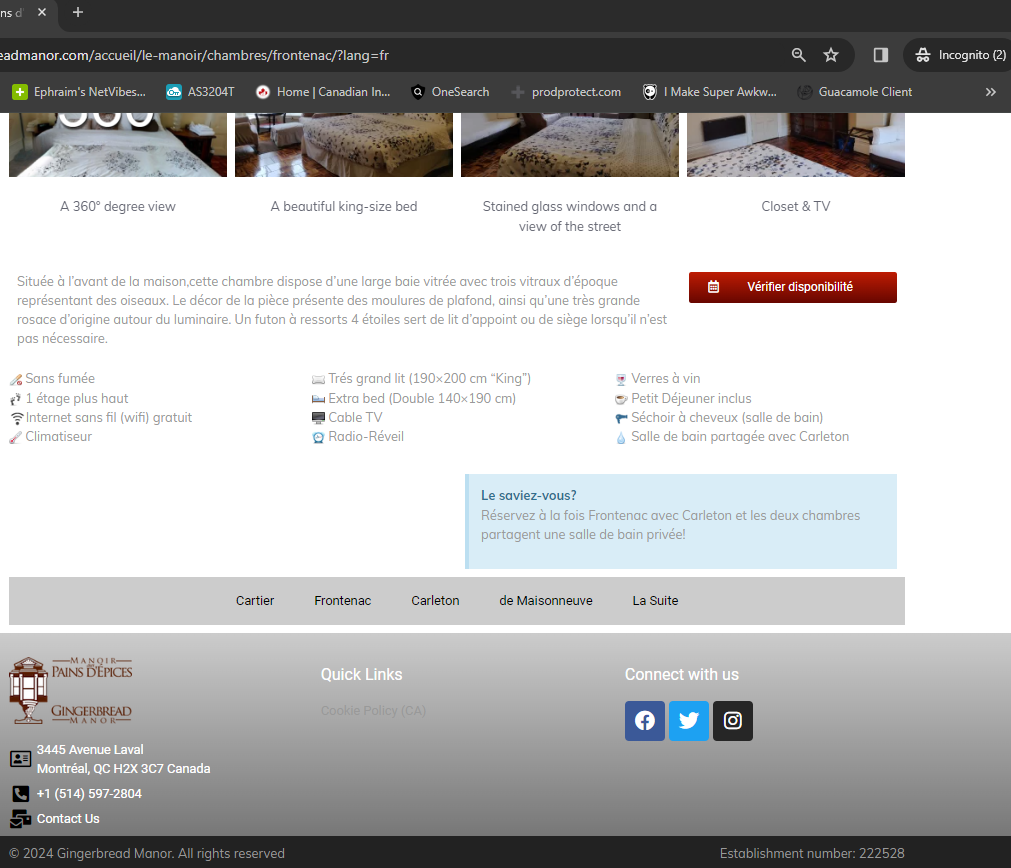 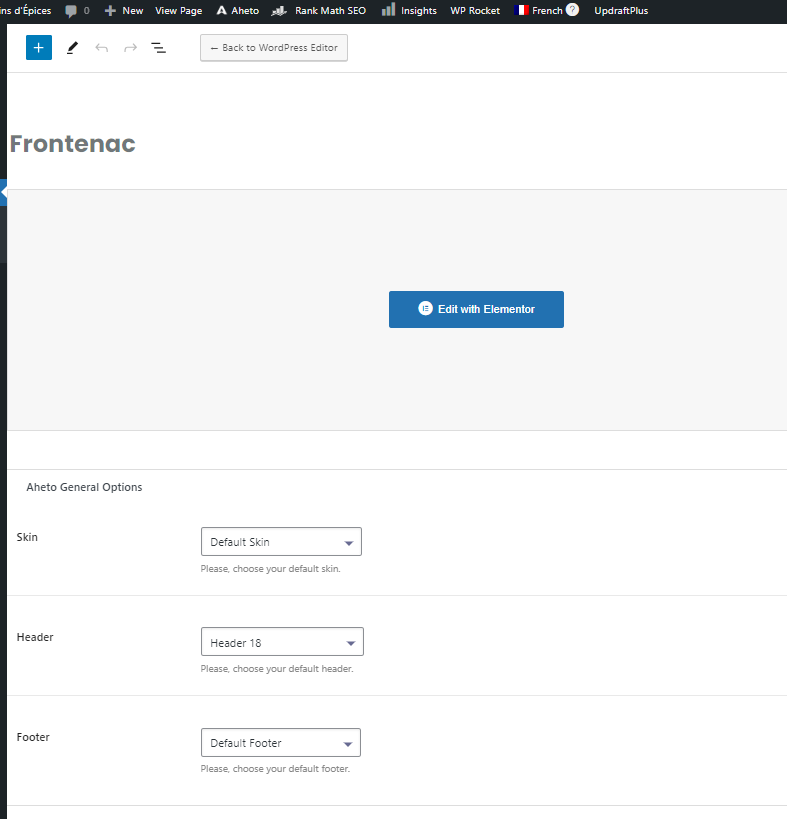  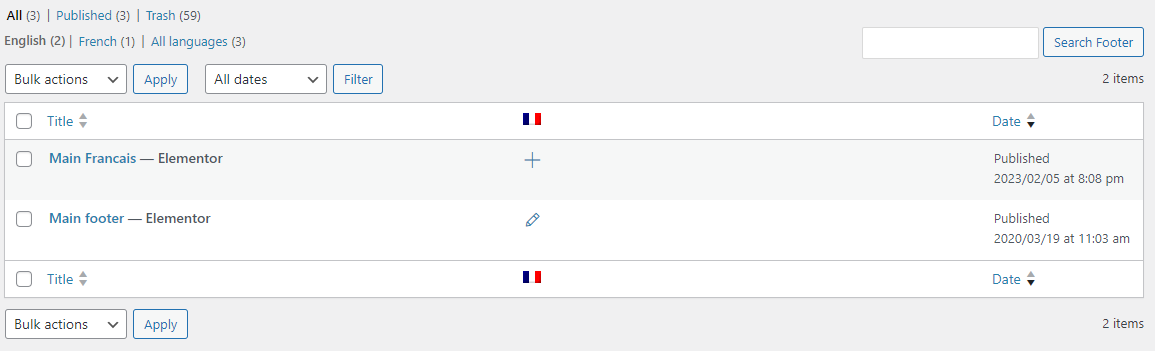 |
| February 27, 2024 at 8:28 am #15347564 | |
|
Osama Mersal WPML Supporter since 02/2020 Languages: English (English ) Timezone: Africa/Cairo (GMT+02:00) |
Hi, Thanks for your update. I checked the footer settings and strings. Everything seems okay, but the footer is not translated on the front end, even when changing the template in the theme settings, so it could be a compatibility issue. Please login to this sandbox site and install your theme only. (hidden link) After that, please create a test footer, select it as a default footer, and translate it to replicate the issue. If the issue is replicable, please let me know to consult our compatibility team. Best regards, |
| February 27, 2024 at 4:54 pm #15350283 | |
|
Ephraim |
I followed your instructions and installed Karma, which installed Aheto (part of Karma) and Elementor as they were both needed. I created two pages, a main page and a sub page. So I set up Page 2. hidden link and made sure I made the translations for hidden link So the footer isn't translating. Definitely set to Default Footer in English AND in French  |
| February 28, 2024 at 7:46 am #15352043 | |
|
Osama Mersal WPML Supporter since 02/2020 Languages: English (English ) Timezone: Africa/Cairo (GMT+02:00) |
Hi, Thanks for replicating the issue. I translated the footer slug via String Translation. (hidden link) Please check if the footer works correctly in both languages. (hidden link) Best regards, |
| February 28, 2024 at 12:31 pm #15353816 | |
|
Ephraim |
I manually changed all the web pages, except one, so the only page on my website that has the footer set to default is... Frontenac. I don't see what I'm doing wrong  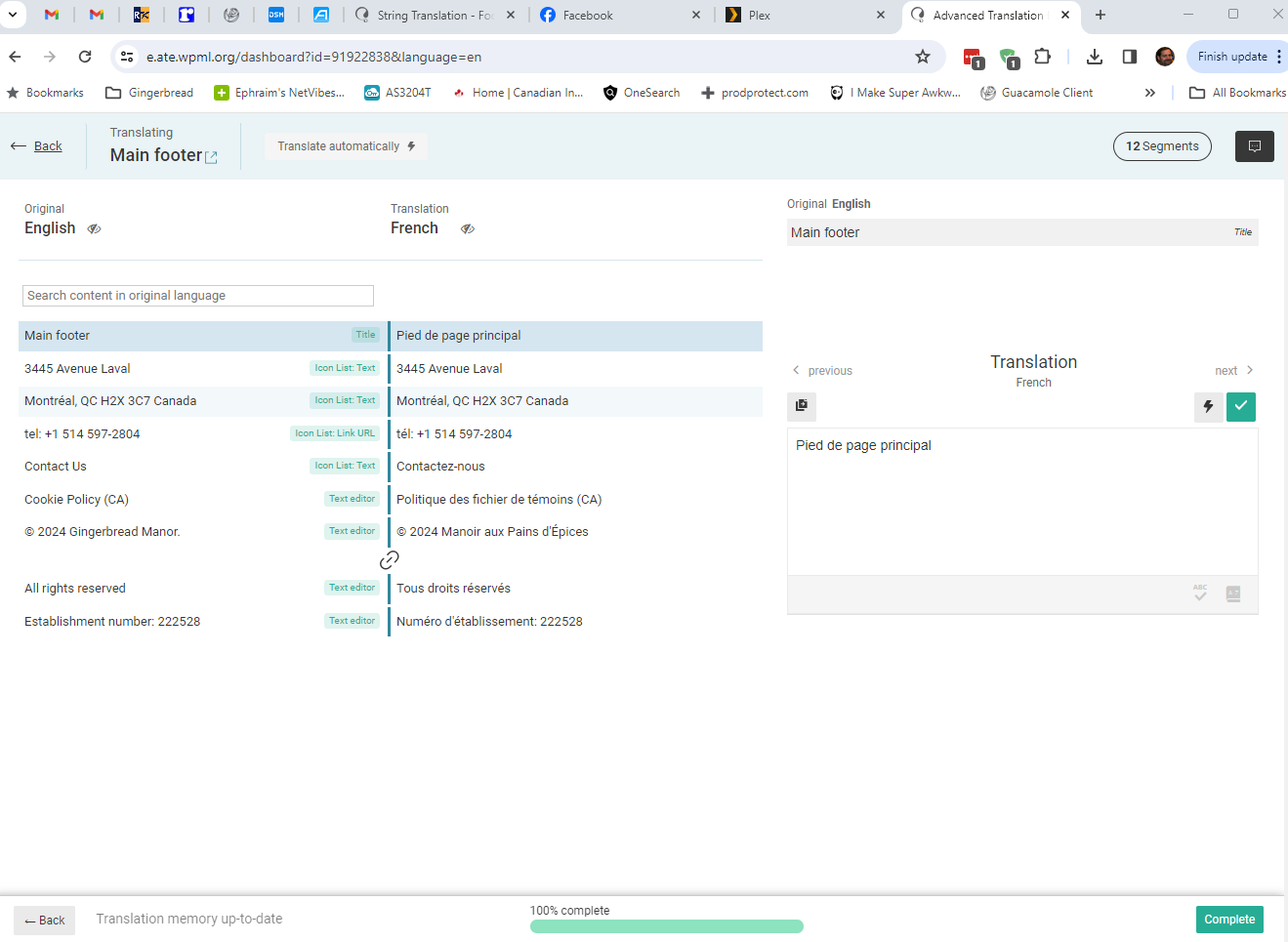 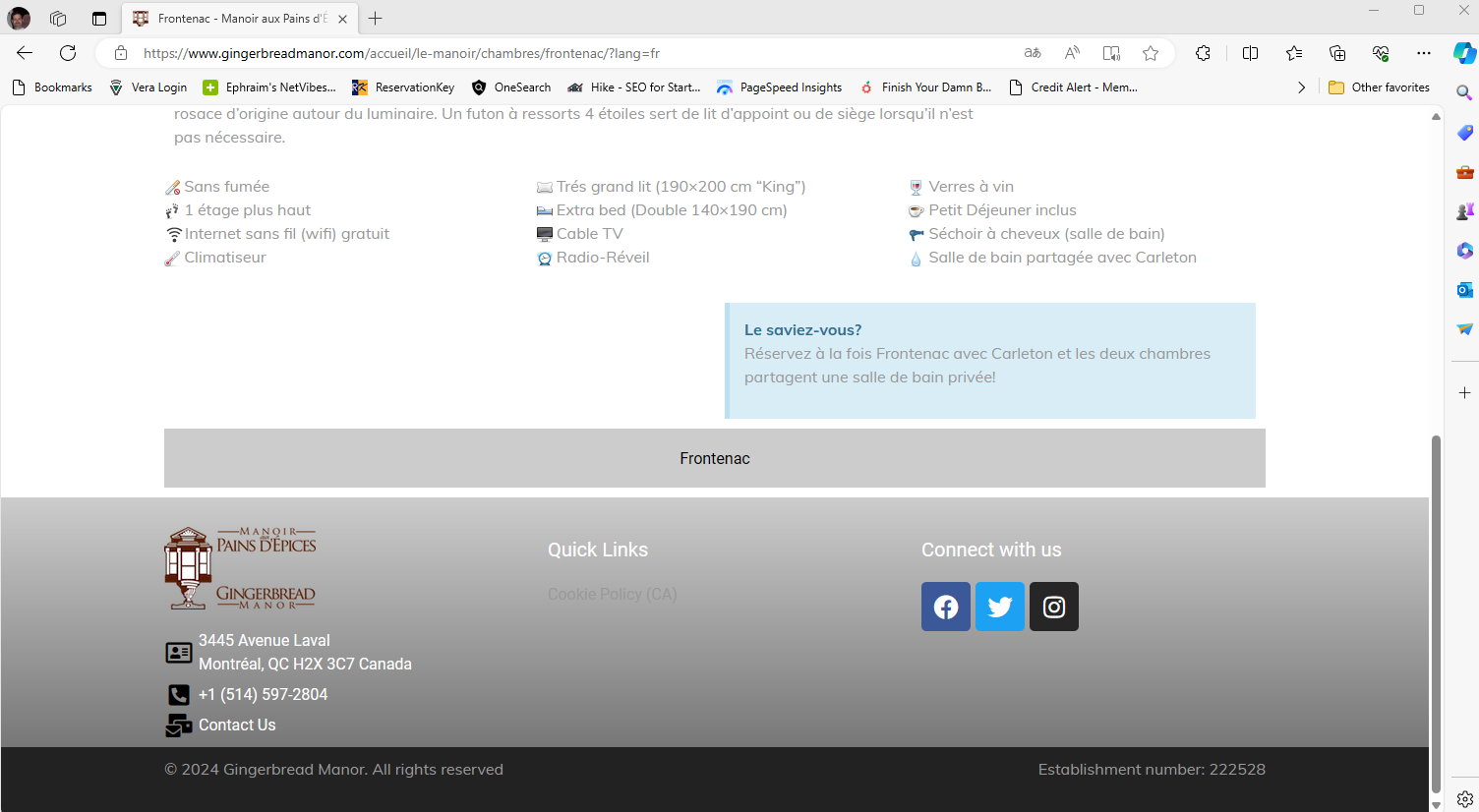 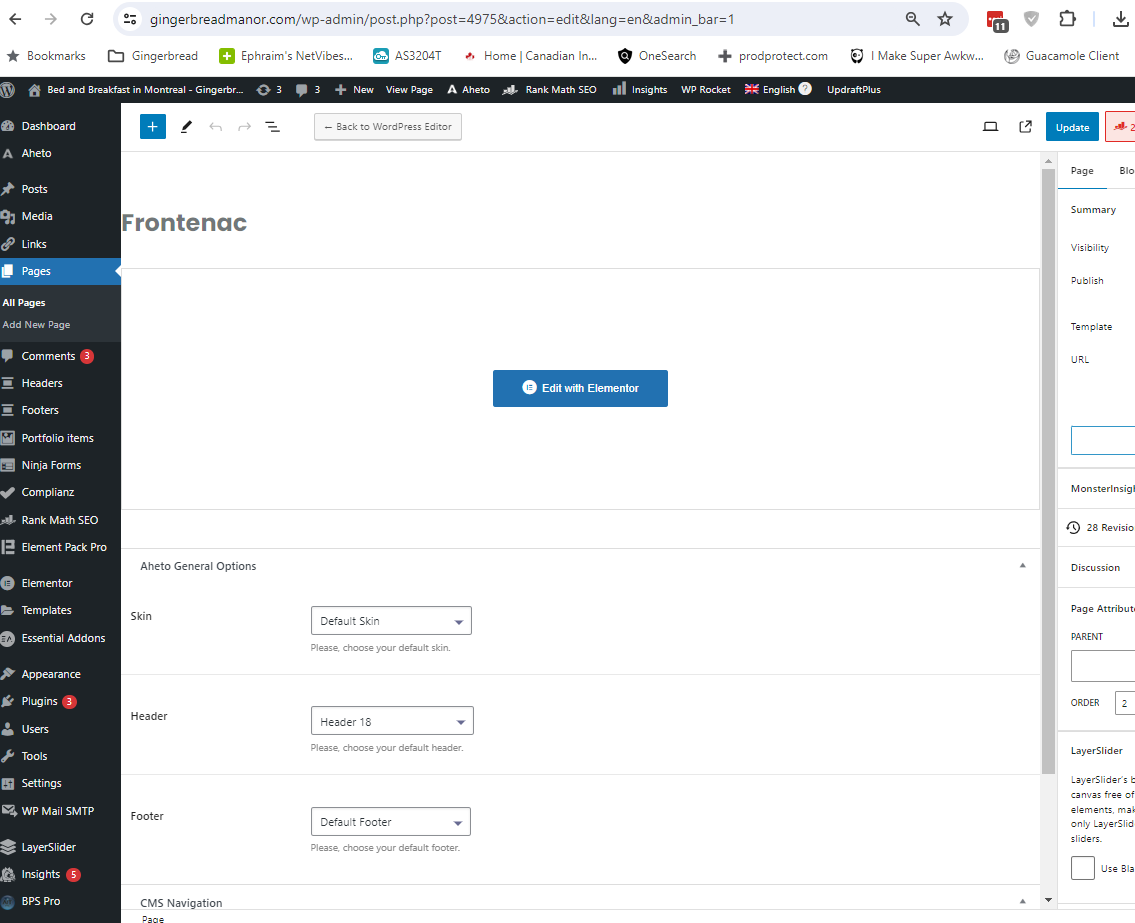 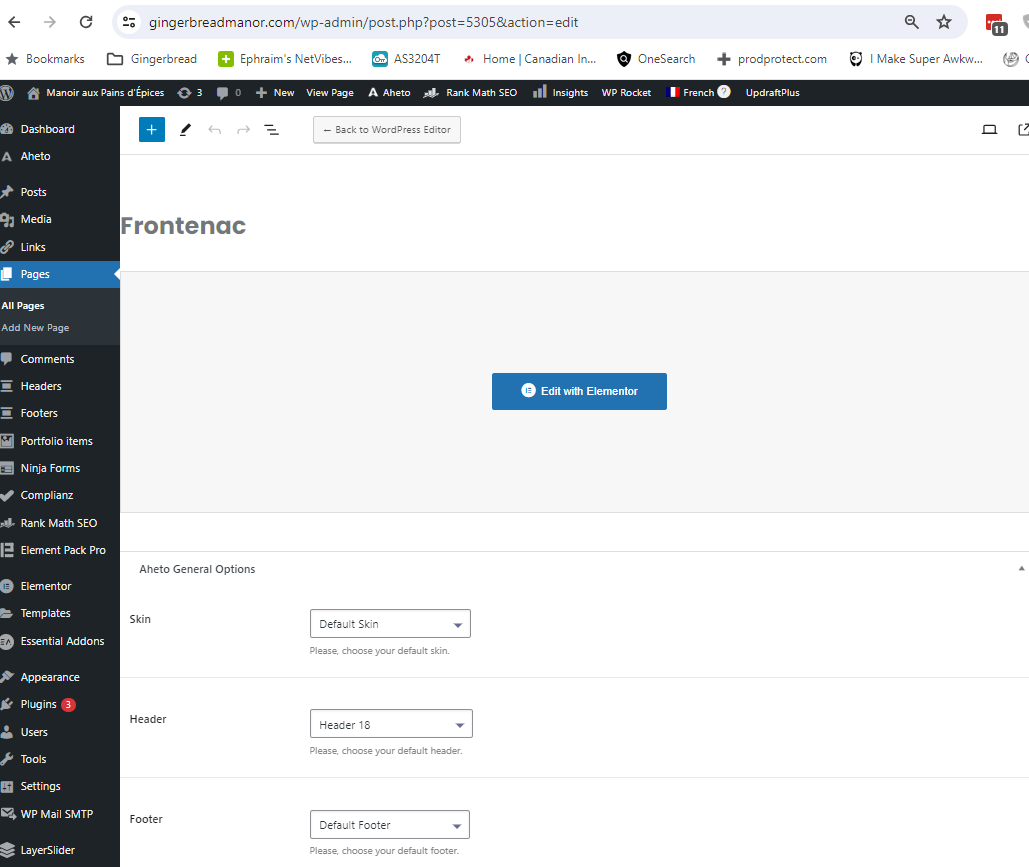 |
| February 28, 2024 at 12:48 pm #15353959 | |
|
Osama Mersal WPML Supporter since 02/2020 Languages: English (English ) Timezone: Africa/Cairo (GMT+02:00) |
Hi, Thanks for your update. Following these steps, please check if the issue persists in a minimal environment. 1- Deactivate all the plugins except those active ones on the sandbox site. If the issue is gone, activate them one by one to see which one is causing an interaction issue. ❌ Please backup your database before performing the above test ❌ Best regards, |





The topic ‘[Closed] String Translation – Footer Menu Not Translated’ is closed to new replies.