
This is the technical support forum for WPML - the multilingual WordPress plugin.
Everyone can read, but only WPML clients can post here. WPML team is replying on the forum 6 days per week, 22 hours per day.
| Sun | Mon | Tue | Wed | Thu | Fri | Sat |
|---|---|---|---|---|---|---|
| - | 8:00 – 12:00 | 8:00 – 12:00 | 8:00 – 12:00 | 8:00 – 12:00 | 8:00 – 12:00 | - |
| - | 12:00 – 16:00 | 12:00 – 16:00 | 12:00 – 16:00 | 12:00 – 16:00 | 12:00 – 16:00 | - |
Supporter timezone: Europe/Zagreb (GMT+02:00)
Tagged: ATE
This topic contains 20 replies, has 3 voices.
Last updated by Dražen 1 week, 1 day ago.
Assisted by: Dražen.
| Author | Posts |
|---|---|
| March 18, 2026 at 10:33 am #17907520 | |
 andiG |
Hello, your transalation screen shows translated strings not correctly. it shows sometimes the source string in the translated field. See screenshots. And in addition, the frontend is not showing the same strings as shown in the translation screen, see screenshot.  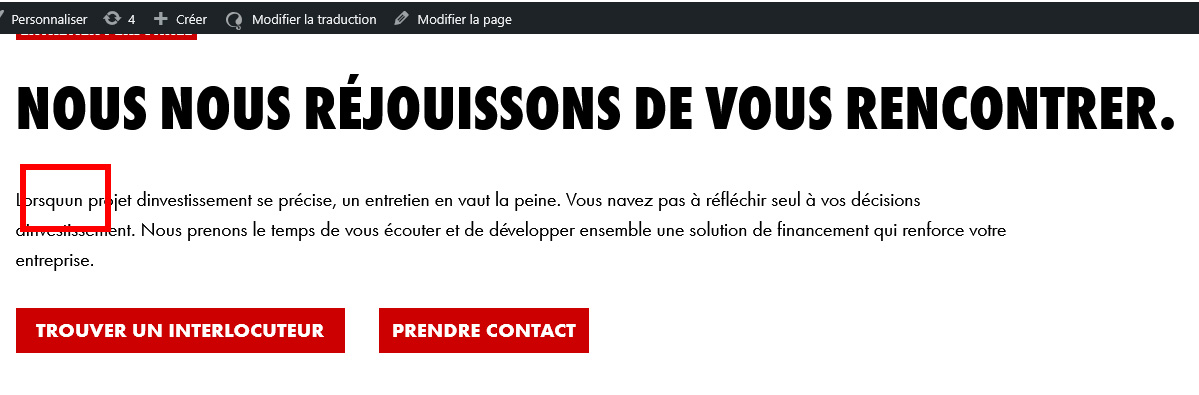 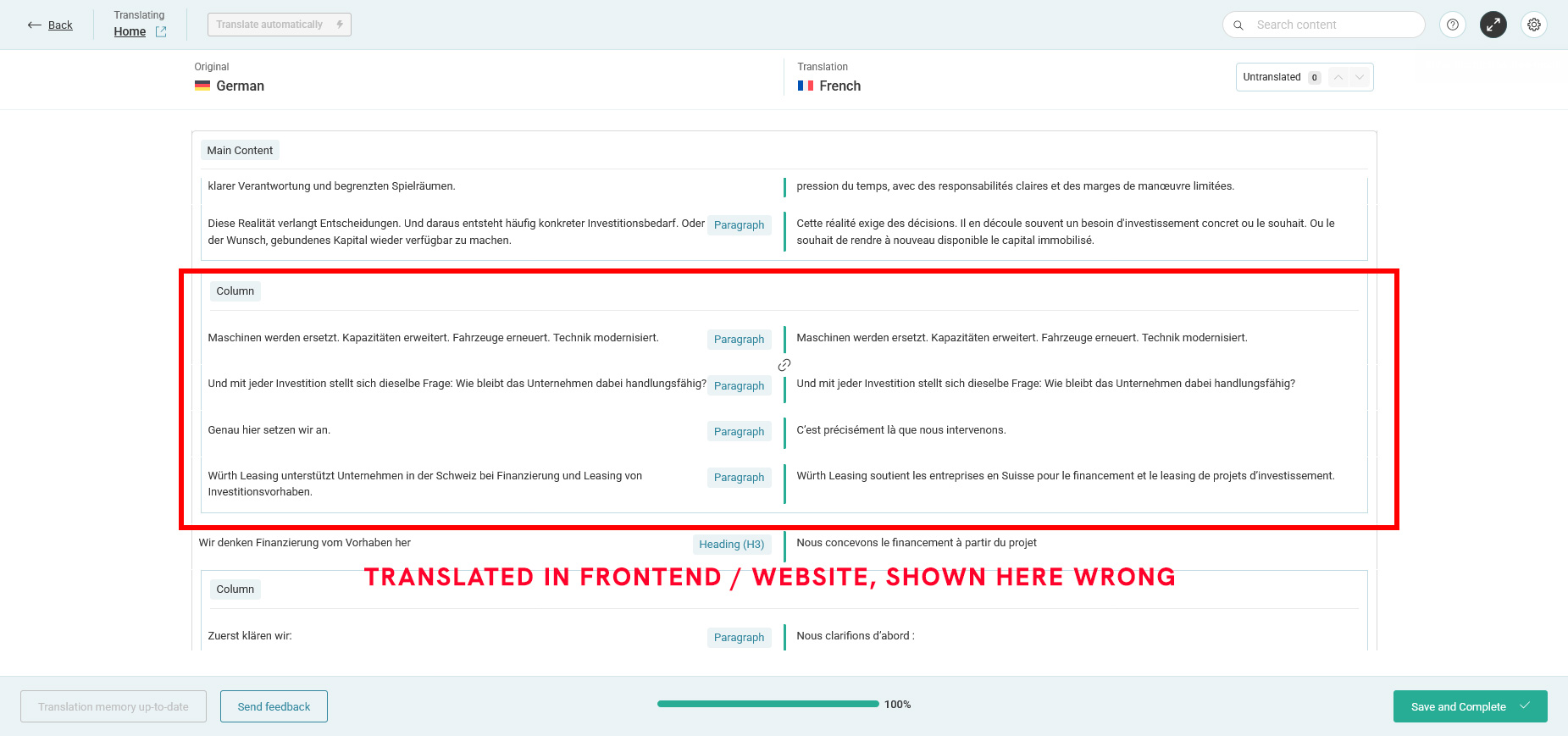 |
| March 18, 2026 at 12:56 pm #17908087 | |
|
andiG |
I do not know, if this is related to the other errors, but there are issues with the "&" sign as well. Some translations do not pick up the sign from the editor.  |
| March 18, 2026 at 2:28 pm #17908480 | |
|
andiG |
And another bug. Some links are not updated correctly to the translated version. See example, where the original DE content URL is used. 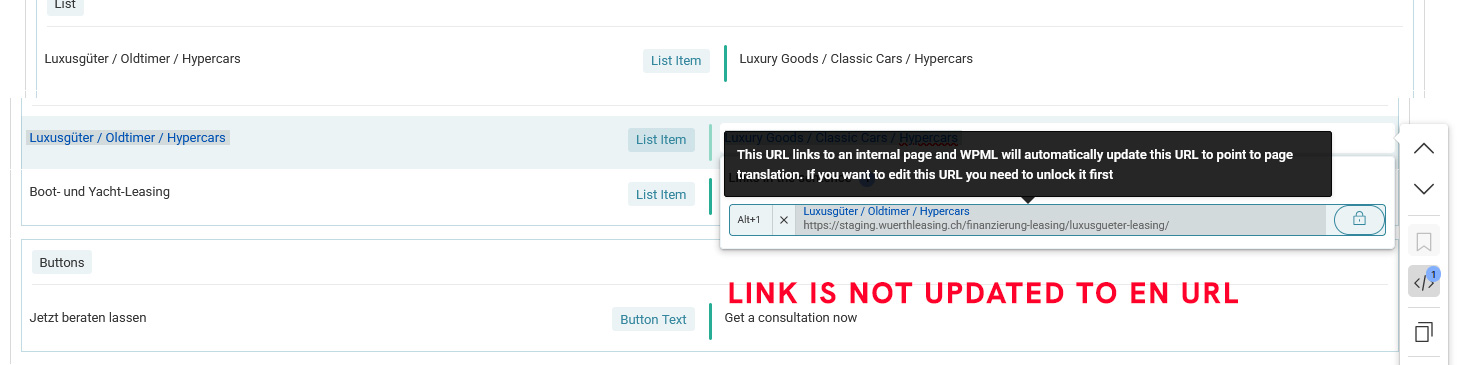 |
| March 19, 2026 at 6:22 am #17909698 | |
 Dražen Supporter Languages: English (English ) Timezone: Europe/Zagreb (GMT+02:00) |
Hello, Thank you for the screenshots and explanation. To troubleshoot this, could you please try the following: - Make a small change to the default (original) title/content - Save the changes - Re-send the content for translation and complete the translation again Before doing this, please also make sure to: - Clear/disable any caching (plugins, server cache, object cache, etc.) - Temporarily disable any performance or optimization plugins After that, check if the issue persists. If the problem still occurs, it might be related to your custom theme. In that case, please try switching temporarily to a default theme (such as Twenty Twenty-Four), re-translate the content, and check the result. Let me know how it goes and we’ll continue from there. Kind regards, |
| March 19, 2026 at 9:02 am #17910130 | |
|
andiG |
Hello Drazen Setup: there is not caching or any other "performance" plugin used But I'm sure you know that too, on shared hosts, there are limited options to set for OPCache etc., so WPML looks like the problem here to me. And honestly, do I not see the problem at site level, because the translation screen comes from the wpml.org subdomain - right? I did your test, but it happens again as stated in the error reports. I change a german text, do to the FR Translation, got your content compare screen, but some items, like the apersand sign is not working. The content in FR simply is not including it in the source code. And the theme used, well, it's a really basic classic setup. We never had problems with WPML when translated independently - but with automatic translations, we got all these listed problems and in the mean time, we found other ones. Like if the source language has a link on a list item, and there are multiple items, the editor shows the last 2 items with not link at all. So currently we are really not happy with this situation, on a client site. |
| March 19, 2026 at 9:52 am #17910288 | |
|
Dražen Supporter Languages: English (English ) Timezone: Europe/Zagreb (GMT+02:00) |
Hello, Thank you for the detailed explanation, I understand your concerns. I agree there are multiple issues mentioned, but to properly investigate and avoid confusion, I suggest we focus on one issue at a time and resolve them step by step. For now, let’s concentrate on the specific problem with the missing characters (e.g. the ampersand) or content discrepancies in the translation. To properly test this, it would be best if I could check the issue directly, preferably on a staging environment. This would allow me to: - Safely run tests - Temporarily switch to a default theme - Confirm whether the issue is related to the theme or something else Even if the setup seems simple, small differences in how content (like list items or links) is generated can affect how WPML parses and sends it for translation. Once we isolate and resolve this first issue, we can then move on to the others. Let me know if you can provide access to a staging site, and I’ll take a closer look. Kind regards, |
| March 20, 2026 at 6:42 am #17912708 | |
|
Dražen Supporter Languages: English (English ) Timezone: Europe/Zagreb (GMT+02:00) |
Hi Andi, Thanks for getting back to me! I’ve checked the issue on your Home page and was able to re-translate the content successfully. What I did: - Made a small change to the title and saved the page - Opened the translation editor - Reviewed all translation segments and ensured they are completed (all green) - Confirmed the progress bar shows 100% In your case, a few segments were still marked as “needs update” (flagged). This is related to a known issue from earlier, and the fix is to manually review those segments, remove the flag, and save again. Once everything reached 100% and was saved, the translation displayed correctly on the frontend: hidden link Could you please check on your side and confirm that everything looks correct now? If all is good, we can proceed to review the next issue as well. Kind regards, |
| March 20, 2026 at 9:52 am #17913185 | |
|
andiG |
Hello Drazen Thanks for checking! But to me, it looks like the "ampersand" case is not happen all over. Sometimes it is show, but sometimes it's not. EN looks okay, but the ampersand case is in FR. I just did another change in FR on Home, but the ampersand, that is shown in the editor in FR is not shown on the website. In the source code there are 2 spaces between the words, but nothing else. And do we really have to do a change in the main language to make this work? Normally, I would just enter the FR texts and change a typo. And to my understanding, this should work right away. And this is what happens in the real world. You get a translation, find a typo or a wrong word and do a fix for this - without touching the source language. Try to fix the ampersand, I'm not able to. Best, Andi  |
| March 20, 2026 at 10:55 am #17913619 | |
|
Dražen Supporter Languages: English (English ) Timezone: Europe/Zagreb (GMT+02:00) |
Hello Andi, Thanks for getting back. Strange that it worked for EN but not for FR. Regarding editing translations directly you are absolutely right. Normally, once a translation job is completed, you should be able to edit the translation (for example fix a typo) without touching the default language, and it should reflect right away. In practice, however, we sometimes see cases where the connection to the translation job gets out of sync (for example after staging copies, updates, or edits done in a different way/interface). In those cases, WPML may not properly register the change, which is why making a small change in the default language and re-translating often “resets” things and makes it work again. That’s why I suggested it as a workaround for your example. That said, since in your case the ampersand is still not showing (even though it is present in the FR editor), we need deeper checking. I’m not able to reliably fix the ampersand from my side either at this point, so I will escalate this to our team for further investigation and advice. I’ll update you as soon as I have more information. Best, |
| March 24, 2026 at 7:59 am #17920350 | |
|
andiG |
Hello Drazen |
| March 24, 2026 at 12:14 pm #17921738 | |
|
Dražen Supporter Languages: English (English ) Timezone: Europe/Zagreb (GMT+02:00) |
Hello Andi, Thank you for your patience. Our team is still investigating this issue. I’m sorry for the delay, I’ll follow up with them again and get back to you as soon as I have an update. Best regards, |
| March 26, 2026 at 1:30 pm #17929225 | |
|
Dražen Supporter Languages: English (English ) Timezone: Europe/Zagreb (GMT+02:00) |
Hi Andi, Thanks for your patience. Please make a small change in the default language content and save the page. After that, open the translation again, click to re-translate, complete it to 100%, and save. If possible, also make a small change in the affected translation segment with &, save it, and confirm it works. Afterwards, you can revert the change and update the translation again. It looks like this was originally saved while there was an issue with translation memory, which is why it keeps appearing incorrectly. - hidden link Best regards, |
| March 30, 2026 at 1:16 pm #17936618 | |
|
andiG |
Hello Drazen Looks like the ampersand case works now on this site. But on this site only! On the live site, we still see this bug. Editing there still results in the not visible ampersand sign, and we proceedes the "extra" look with editing the main language first. Look, this situation is REALLY taking hours on our side withoung seeing real progress in how your translation interface is handling this. The editor is not a reliable solution for these translations. It might work on other situations, but we have seen many bugs here. And because this one is a client site, you can imaging what the clients thinks about this implemented solution that falls back to us. And on the staging site, when editing the page in the main language this note coming up. And this one should not be shown as well. Any reliable solution to this? Best, Andi  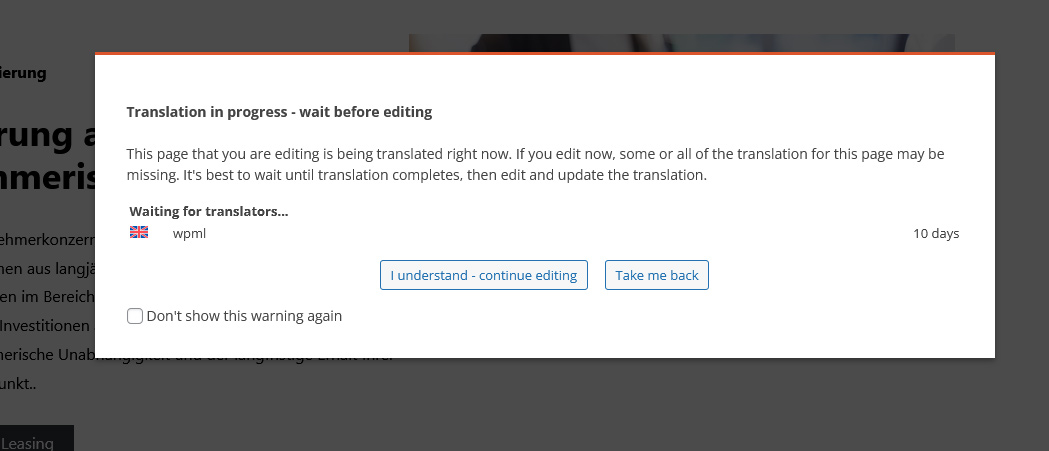 |
| March 30, 2026 at 1:26 pm #17936729 | |
|
andiG |
Hello Drazen The ampersand case looks like fixed on this staging site. But on the live site, we still see this bug, and we processed the "update" as suggested with the work-around to edit the main language first. And remember the original post, we had issues with other signs as well, when a regular Apostrophe sign is not shown on the website. To be honest, your editor handling seems to be very buggy and not a reliable solution. And I think when seeing so many issues, I can say that. Seeing bugs on both installations, over several pages, is more than just an unsatisfactory situation. And you can imaging, what a client thinks about a solution like this one, when doing edits that are not predictable and reliable. And we invested already hours in this. Even if this is some kind of translation memory issue, there must be a way to finally fix this. Please let us know when and how. 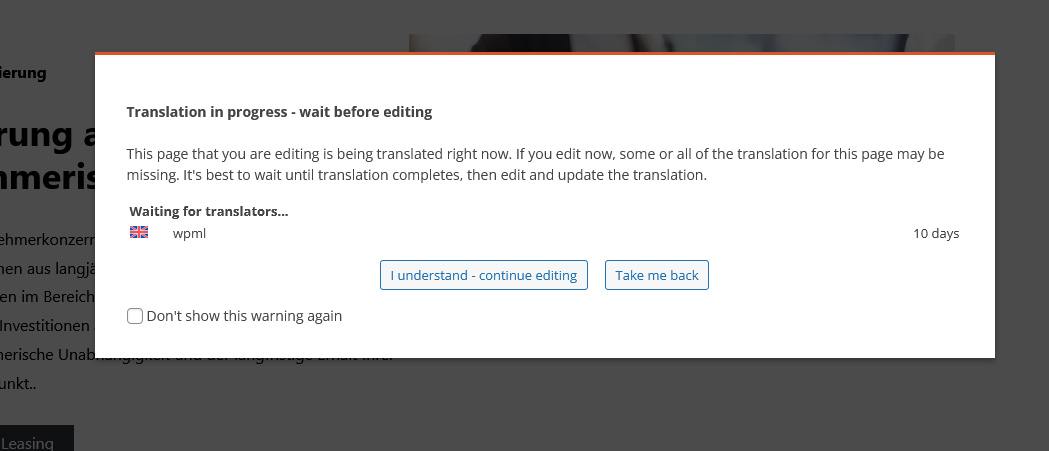  |
| March 30, 2026 at 1:31 pm #17936767 | |
|
Dražen Supporter Languages: English (English ) Timezone: Europe/Zagreb (GMT+02:00) |
Hi Andi, I understand your frustration, especially on a live client site. As said the ampersand issue described was related to a known bug, but it should no longer occur. For existing pages affected by it, the fix is to update the original content slightly, then re-open the translation, complete it to 100%, and save. This usually refreshes the affected segments and resolves the issue. If this is still not working on the live site, could you please share access so I can check and try it directly? I will be extra careful. Regarding the message on the staging site, that is expected behavior if there are translation jobs in progress. You’ll need to complete all translations (make sure the pencil icon is shown for all languages) before making further edits to the original content. Let me know if you can share access and I’ll take a closer look. Best regards, |






