This thread is resolved. Here is a description of the problem and solution.
Problem:
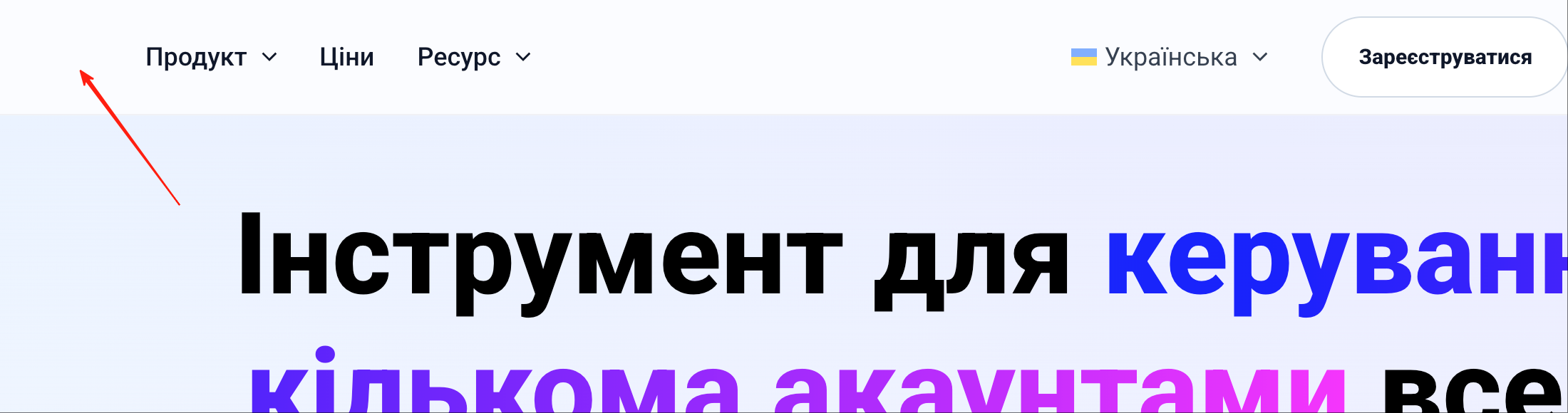
You are using the Astra theme and have added Ukrainian as a non-translated language. In the English default navigation bar, the site logo displays correctly, but when switching to Ukrainian, the site logo disappears from the navigation bar.
Solution:
If you're experiencing this issue, we recommend you try the following steps:
1. Install and activate the WPML Media Translation plugin. You can install it via your WP dashboard under Plugins >> Add New Plugin >> Commercial tab, or download it directly from here.
2. Once activated, navigate to WPML >> Media Translation.
3. Search for the logo using the term "logo" and press the Filter button.
4. Click on the Plus (+) icon, add the logo name in the Name field to enable the save button.
5. Press the “Save media translation” button.
If this solution does not resolve your issue, or if it seems outdated or irrelevant to your case, we highly recommend checking related known issues at here, verifying the version of the permanent fix, and confirming that you have installed the latest versions of themes and plugins. If the problem persists, please open a new support ticket at WPML support forum for further assistance.
This is the technical support forum for WPML - the multilingual WordPress plugin.
Everyone can read, but only WPML clients can post here. WPML team is replying on the forum 6 days per week, 22 hours per day.
This topic contains 1 reply, has 0 voices.
Last updated by 5 months, 3 weeks ago.
Assisted by: Noman.