Background of the issue:
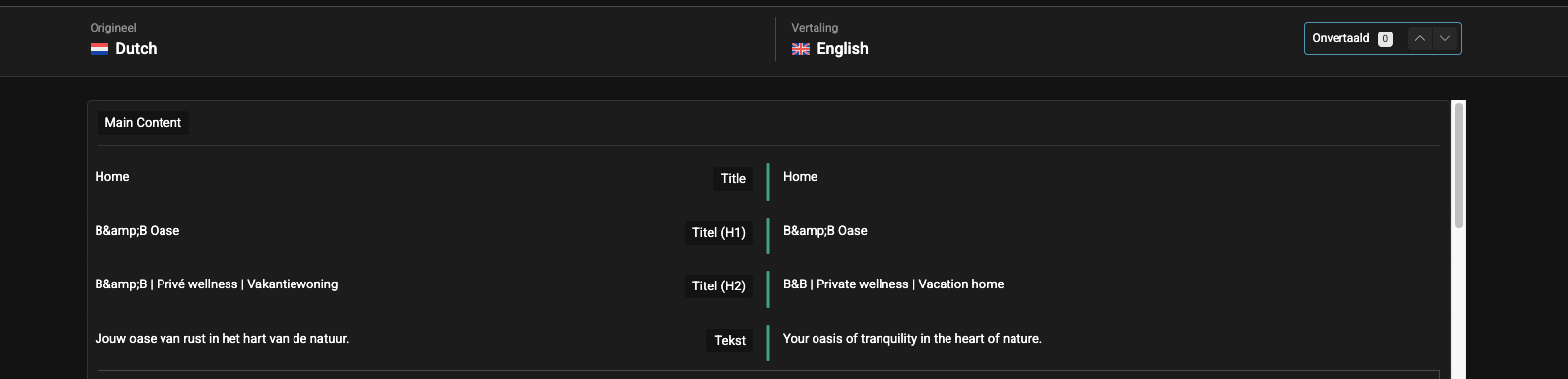
I am trying to display the H1 title 'B&B Oase' correctly on my website, which has Dutch as the main language and English and French as additional languages. The title appears correctly in Dutch and French, but not in English. I use automatic translations for the entire site, and 'B&B Oase' is added in the glossary. The issue can be seen on this page: hidden link
Symptoms:
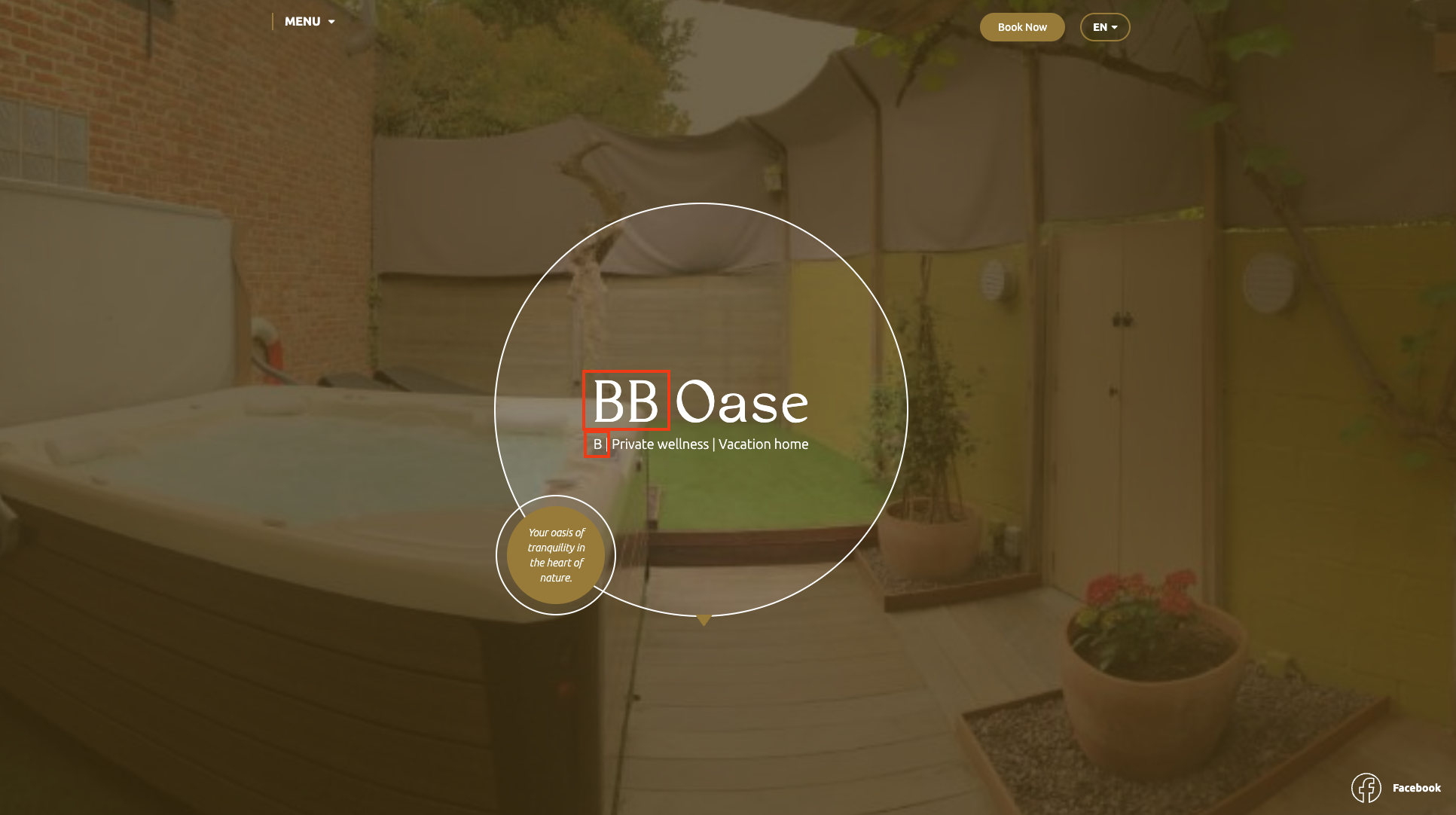
On the English version of the site, the H1 title 'B&B Oase' is displayed as 'BB Oase', missing the ampersand symbol. This issue occurs despite the translations being set correctly.
Questions:
What could be the reason for the ampersand symbol not showing in the English version?
I am not sure how to reproduce it but it probably has to do with automatic translation.
The whole site uses automatisch translation. If i check in the WPML translation editor it shows the correct thing but on the frontend it doesn't show the ampersand.
I would like to request temporary access (wp-admin and FTP) to your site to take a better look at the issue.
It would be better to a testing site where the issue is replicated.
The information you will enter is private which means only you and I can see and have access to it.
Maybe I'll need to replicate your site locally. For this, I'll need to temporarily install a plugin called “Duplicator” or "All in One WP Migration" on your site.
This will allow me to create a copy of your site and your content.
Once the problem is resolved I will delete the local site.
**IMPORTANT**
- Please make a backup of site files and database before providing us access.
- If you do not see the wp-admin/FTP fields this means your post & website login details will be made PUBLIC. DO NOT post your website details unless you see the required wp-admin/FTP fields.
This is really weird 🤔. I am not able to make it work.
Before escalating the problem to our second tier support, can you please update Elementor and Elementor pro to their latest versions and check if the issue persists? ❌ Please make a full website backup before proceeding ❌
Thanks. I've escalated the issue to our second tier support. I'll get back to you as soon as I have a reply.
Meanwhile, you can try the following workaround:
❌ Please make a full website backup before proceeding ❌
- Go to Pages
- Switch to English
- Edit the home page with Elementor
- Manually fix the missing ampersands
I've tried the following locally, and it worked, can you please give it a try?
❌ Please make a full website backup before proceeding ❌
- Make a small change in the original language
- Open the English translation and translate 'B&B Oase' to something completely different: 'A&A Oase'
- Check if it works in the front end (it did for me)
- Edit the translation again and switch back to B&B Oase
- Check if it works
I tried this but it didnt work. i changed it to A&A but then it shows AA Oase.
it just ignores the amperand on the english version and on every place where it should be B&B.