
This is the technical support forum for WPML - the multilingual WordPress plugin.
Everyone can read, but only WPML clients can post here. WPML team is replying on the forum 6 days per week, 22 hours per day.
| Sun | Mon | Tue | Wed | Thu | Fri | Sat |
|---|---|---|---|---|---|---|
| - | 9:00 – 13:00 | 9:00 – 13:00 | 9:00 – 13:00 | 9:00 – 13:00 | 9:00 – 13:00 | - |
| - | 14:00 – 18:00 | 14:00 – 18:00 | 14:00 – 18:00 | 14:00 – 18:00 | 14:00 – 18:00 | - |
Supporter timezone: Europe/Kyiv (GMT+02:00)
Tagged: Exception
This topic contains 15 replies, has 0 voices.
Last updated by Andrey 2 hours, 24 minutes ago.
Assisted by: Andrey.
| Author | Posts |
|---|---|
| January 20, 2026 at 10:38 pm #17748545 | |
 michaelW-144 |
We translated manually in WPML Editor. Dropdowns are shown in Admin, but in live, only the actual language with a "Down-Arrow", but no action on clicking. Also in Footer, no action when clicking on. |
| January 21, 2026 at 12:29 am #17748616 | |
 Andrey WPML Supporter since 06/2013 Languages: English (English ) Russian (Русский ) Timezone: Europe/Kyiv (GMT+02:00) |
Thank you for contacting WPML support. Please make sure that the page you are testing is actually translated. If a page is not translated, the corresponding language will not appear in the language switcher, which could explain the behavior you’re seeing. If the issue persists after confirming this, I’ll need to request temporary access to your site (WP-Admin and FTP), preferably to a staging or test site where the problem can be reproduced. This will allow me to investigate the issue more effectively. |
| January 22, 2026 at 6:56 pm #17755202 | |
|
Andrey WPML Supporter since 06/2013 Languages: English (English ) Russian (Русский ) Timezone: Europe/Kyiv (GMT+02:00) |
Hello Michael, Thank you for providing the access details. I’ve checked the site, but I’m not able to reproduce the issue on my end. The footer language switcher appears to be working correctly, switching the homepage between languages as expected. I also don’t see the language switcher displayed as a dropdown. Could you please share a few screenshots showing the issue? Alternatively, you can record a short video (using any screen-recording service) and share the link with me. That would help me better understand what you’re seeing and investigate further. |
| January 22, 2026 at 9:16 pm #17755463 | |
|
michaelW-144 |
Hello Andrey, to be honest, the things get more and more strange. We did nothing after the last message to you. Currently, the footer works, and also the widget in the header appears. It is clickable too but when I click on the header widget, the english header seemed to crash, and no widget appears. When I go back to the german page, the widget appears again. Please see the video attached. I made a video, but cannot attach it with "upload an image". How can I provide you with the video? |
| January 22, 2026 at 10:10 pm #17755579 | |
|
Andrey WPML Supporter since 06/2013 Languages: English (English ) Russian (Русский ) Timezone: Europe/Kyiv (GMT+02:00) |
Hello Michael, I’m glad we were able to resolve those issues without actually having to change anything 🙂 Unfortunately, videos can’t be uploaded directly via the image field. To share a video, you’ll need to upload it to an external service and then send me the link. Google Drive works perfectly if you’re using a Gmail account, but any similar file-sharing service is fine as well. Once you have the link, just paste it here and I’ll take a look. |
| January 22, 2026 at 11:53 pm #17755647 | |
|
michaelW-144 |
Ok ... here is the link. hidden link |
| January 24, 2026 at 9:50 pm #17759541 | |
|
Andrey WPML Supporter since 06/2013 Languages: English (English ) Russian (Русский ) Timezone: Europe/Kyiv (GMT+02:00) |
Hello Michael, Thank you for sharing the video — it clearly shows the issue you’re experiencing. I’ve reviewed your website again and noticed that the header template created in Kadence (Kadence → Headers), which includes the language switcher, has not been translated into the secondary language. This likely explains the inconsistent behavior you’re seeing. When a header template exists only in the default language, WPML will still display it on secondary languages, but elements like the language switcher can behave unexpectedly because the template itself isn’t translated. Please follow the steps in the guide below to translate the header template: |
| January 25, 2026 at 2:14 pm #17760176 | |
|
michaelW-144 |
Okay... thank you. I did as described, but when the WPML editor appears, it starts a loop that never ends. Here the Video hidden link |
| January 26, 2026 at 10:27 am #17761737 | |
|
Andrey WPML Supporter since 06/2013 Languages: English (English ) Russian (Русский ) Timezone: Europe/Kyiv (GMT+02:00) |
I’ve looked into this further and noticed the following fatal error:
This explains why the translation job cannot be loaded. Would it be possible for me to install the Adminer plugin on your site so I can inspect the database and investigate this further? Please back up the database in case I need to correct WPML-related entries. |
| January 26, 2026 at 6:12 pm #17763987 | |
|
michaelW-144 |
Ok ... I made a backup and downloaded it. So you can start with Adminer Plugin. |
| January 27, 2026 at 2:19 pm #17767690 | |
|
Andrey WPML Supporter since 06/2013 Languages: English (English ) Russian (Русский ) Timezone: Europe/Kyiv (GMT+02:00) |
Hello Michael, I have fixed the translation issue. Can you try again? |
| January 27, 2026 at 8:55 pm #17768975 | |
|
michaelW-144 |
Hi Andrey, unfortunately nothing changed yet. Same as in the last video. I checked in Firefox and Chrome ... no difference. (Chrome also with refreshed cache) |
| January 28, 2026 at 4:20 pm #17771362 | |
|
Andrey WPML Supporter since 06/2013 Languages: English (English ) Russian (Русский ) Timezone: Europe/Kyiv (GMT+02:00) |
Hello Michael, That's strange. I am sure it was working. Let me test this further. |
| January 29, 2026 at 8:15 pm #17775106 | |
|
Andrey WPML Supporter since 06/2013 Languages: English (English ) Russian (Русский ) Timezone: Europe/Kyiv (GMT+02:00) |
Hello Michael, I appreciate your patience. Since your Kadence Blocks – Gutenberg Blocks for Page Builder Features plugin might have compatibility issues with WPML, I have conducted extensive testing and checks to identify a workaround. In the case of the header, I have done the following: 1. In Kadence → Navigations, I made sure that the menu navigation is translated 2. In Kadence → Headers, I translated your header to English. Using the WordPress editor for Kadence → Headers, I edited the header and checked if the correct navigation menu is being used. 3. Chose the English language in the admin bar top menu and went to Appearance → Editor and then Patterns → Header. 4. Edited the header, removed the current header, pulled up the translated header and saved.   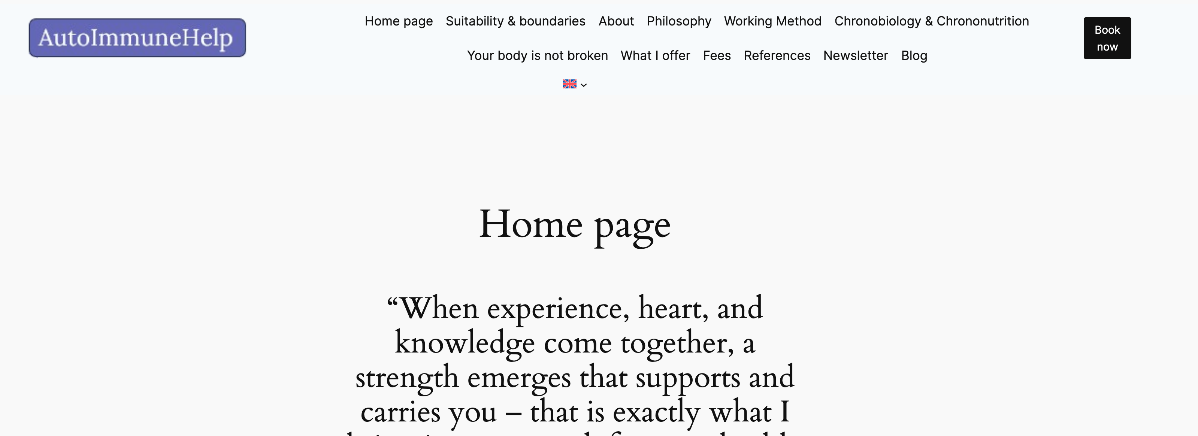 |
| January 30, 2026 at 2:05 pm #17778453 | |
|
michaelW-144 |
Hello Andrey ... that looks far better. Two remaining issues. 1. In the english menue, the Link "Blog" leads to the german "Blog" Thank you!  |