[Resolved] Language switcher disappears on language switch
This thread is resolved. Here is a description of the problem and solution.
Problem: If you're experiencing an issue where the language switcher disappears from the menu after switching languages on your site, it might be due to the template slug being incorrectly modified during translation. Solution: We recommend checking the slugs of your translated templates in the database. If you find that '-2' has been added to the slug of a translated template, you should remove this suffix. This adjustment should resolve the issue and ensure that the correct templates are displayed when switching languages. Additionally, please ensure that your WPML plugins are up to date.
This solution might be outdated or not applicable to your specific case. We highly recommend checking related known issues at https://wpml.org/known-issues/, verifying the version of the permanent fix, and confirming that you have installed the latest versions of themes and plugins. If the problem persists, please open a new support ticket.
This is the technical support forum for WPML - the multilingual WordPress plugin.
Everyone can read, but only WPML clients can post here. WPML team is replying on the forum 6 days per week, 22 hours per day.
I have added in bestplanter.eu language switcher in menu because wpml does not support it by default. The problem is that when language is switched, language switcher disappears from menu
The problem is that after changing language with language switcher in navbar, switcher disappears. Also f.e in this page hidden link after switching the language, header image somewhy changes
I tried accessing your website, but it does not load on my end. With the following message: The connection has timed out.
Could you please share screenshots showing how you added the language switcher to your site? For example, was it added via WPML → Languages, a menu, a widget, your theme settings, or a page builder?
The website is on production and should open on hidden link
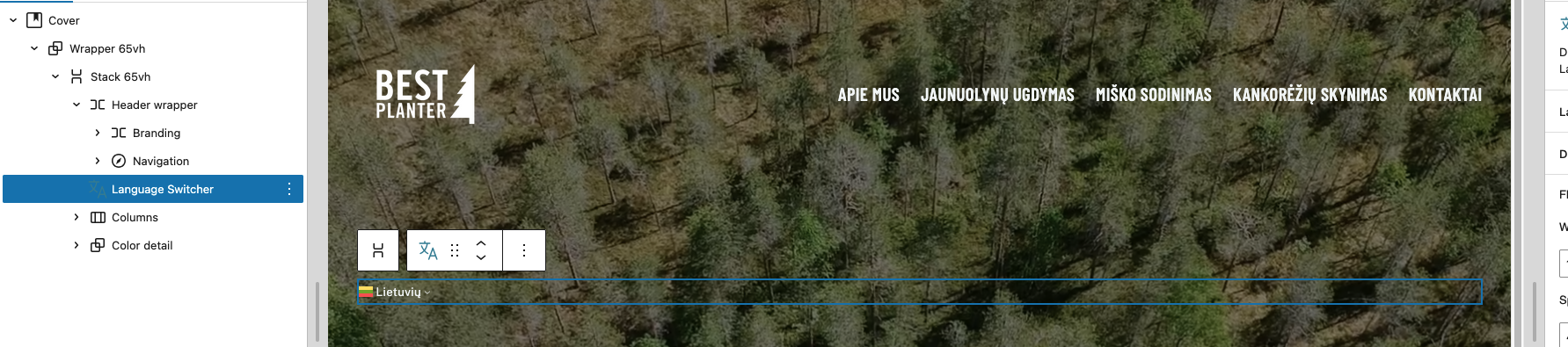
I have attached 3 photos. In first there is shown widget that I used for language switch.
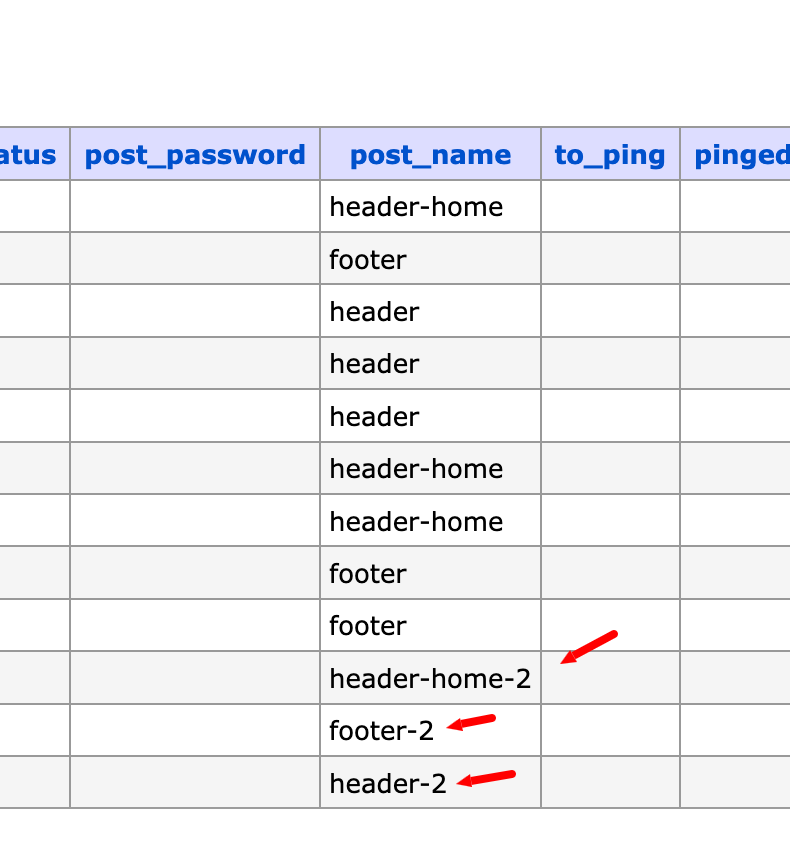
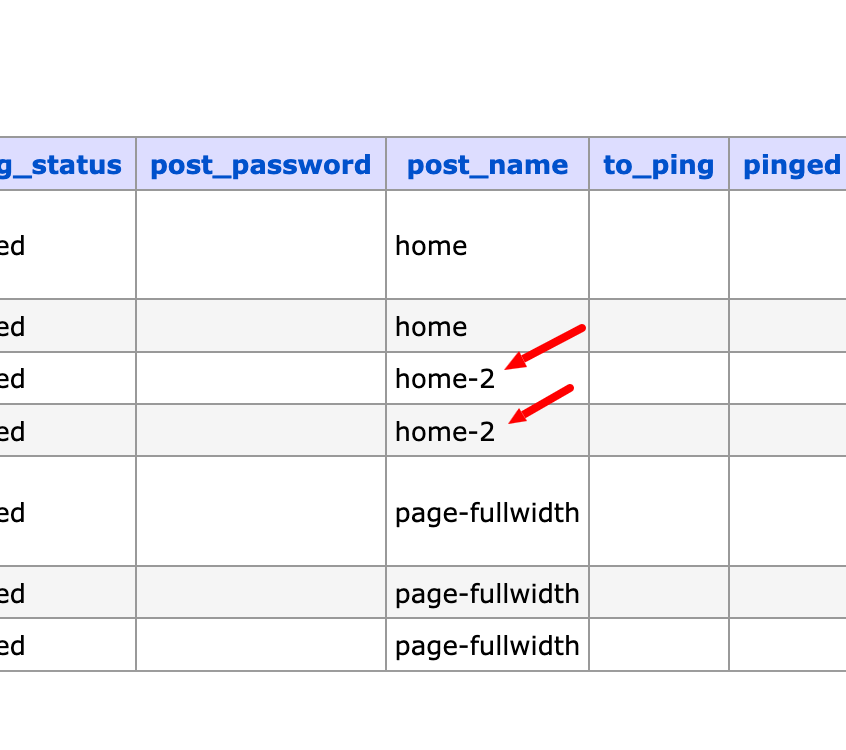
In second and third photo it is shown that when switched from native language (Lithuania) to any other language - background image changes to default template image and switch disappears.
Yesterday I had similar issues when different languages loaded different templates and your 2-nd tier support solved this problem. Seems there are some more issues left.
The website is on production and should open on hidden link;
Unfortunately, it still does not load on my end. Could there be any country-specific restrictions, IP blocking, or firewall rules in place?
I need to request temporary access (wp-admin and FTP) to your site—preferably to a test site where the problem has been replicated if possible—in order to be of better help. When you log in to leave your next reply, you will find the needed fields below the comment area. The information you will enter is private, meaning only you and I can see and access it.
Can this issue be fixed today ? We are running adds and marketing on this site and not working plugins causes a lot of problems for us. It's taking more then weeks and still not working. Last time Carlos supporter fixed one issue.
I was able to access your site using a VPN and have reviewed the issue. The language switcher is now displaying correctly in all languages. I have fixed this.
As Carlos mentioned earlier, this issue is scheduled to be fully resolved in the upcoming WPML release (version 4.9.2).
Regarding the background image:
I’ve checked the configuration, and the background image is correctly set for all languages. The reason you’re seeing a different background on the original language appears to be related to a page-specific rule.
Most likely, a custom CSS rule (or specific page setting) was added specifically for the page with ID 30. I can see the following rule applied to the original language, which overrides the background image:
seems there still are some issues. It was the same problem and 2nd tier support solved before, but seems german language is not working again, it loads theme template instead of wordpress page. hidden link
To identify bug you can go to main page hidden link and switch to german in language picker: hidden link
They said that they have changed something in database. Maybe You can let me know where this issue appears, so next time I will be able to solve it on my own.
I followed the same approach as our 2nd tier support team. The issue occurs because when the header or footer template is translated, “-2” was added to the slug of the translated template. As a result, the theme loads the default template instead of the translated one.
To resolve this, I accessed the database and corrected the template slugs by removing the “-2” from them. After making this adjustment, the issue was resolved and the correct templates are now being displayed.