Home›Support›English Support›[Resolved] Translating text content in Filterable Gallery widget from Essential addon for Elementor
[Resolved] Translating text content in Filterable Gallery widget from Essential addon for Elementor
This thread is resolved. Here is a description of the problem and solution.
Problem: The client was unable to see the content in the text editor box inside the widget in the Advanced Translation Editor (ATE) when using WPML to translate the Filterable Gallery widget from the Essential Addon for Elementor. Solution: We identified an incorrect field definition in the WPML configuration XML. The client initially had
resolved the issue. Additionally, we suggested setting the
editor_type
to "LINE" for fields in the WPML config that are used with the Advanced Translation Editor, as the default is "LINE" and the only field set to "VISUAL" might not display correctly.
If this solution does not resolve your issue, or if it seems outdated or irrelevant to your case, we highly recommend checking related known issues at https://wpml.org/known-issues/, verifying the version of the permanent fix, and confirming that you have installed the latest versions of themes and plugins. If further assistance is needed, please open a new support ticket at WPML support forum.
This is the technical support forum for WPML - the multilingual WordPress plugin.
Everyone can read, but only WPML clients can post here. WPML team is replying on the forum 6 days per week, 22 hours per day.
Background of the issue:
I am trying to translate the content in the Filterable Gallery widget from the Essential Addon for Elementor using WPML. Here is the code I use in WPML config: <code> <wpml-config> <elementor-widgets> <widget name="heading"> <conditions> <condition key="widgetType">heading</condition> </conditions> <fields> <field type="Heading" editor_type="LINE">title</field> <field>link>url</field> </fields> </widget> <widget name="eael-filterable-gallery"> <conditions> <condition key="widgetType">eael-filterable-gallery</condition> </conditions> <fields> <field type="Filterable Gallery: Label" editor_type="LINE">eael_fg_all_label_text</field> <field type="Filterable Gallery: Load More" editor_type="LINE">load_more_text</field> <field type="Filterable Gallery: No More Text" editor_type="LINE">nomore_items_text</field> </fields> <fields-in-item items_of="eael_fg_controls"> <field type="Filterable Gallery: Control" editor_type="LINE">eael_fg_control</field> </fields-in-item> <fields-in-item items_of="eael_fgFlipBox_controls"> <field type="Filterable Gallery: Control" editor_type="LINE">eael_fg_control</field> </fields-in-item> <fields-in-item items_of="eael_fg_gallery_items"> <field type="Filterable Gallery: Control Name" editor_type="LINE">eael_fg_gallery_control_name</field> <field type="Filterable Gallery: Item Name" editor_type="LINE">eael_fg_gallery_item_name</field> <field type="Filterable Gallery: Item Price" editor_type="LINE">fg_item_price</field> <field type="Filterable Gallery: Item Rating" editor_type="LINE">fg_item_ratings</field> <field type="Filterable Gallery: Item Category" editor_type="LINE">fg_item_cat</field> <field type="Filterable Gallery: Item Content" editor_type="VISUAL">eael_fg_gallery_item_content</field> <field type="Filterable Gallery: Item Link" key_of="eael_fg_gallery_img_link" editor_type="LINK">url</field> </fields-in-item> <fields-in-item items_of="eael_fg_gallery_items"> <field type="Filterable Gallery: eael_fg_gallery_item_name" editor_type="LINE">eael_fg_gallery_item_name</field> <field type="Filterable Gallery: eael_fg_gallery_control_name" editor_type="LINE">eael_fg_gallery_control_name</field> <field type="Filterable Gallery: Item Link" editor_type="LINK">eael_fg_gallery_item_video_link</field> <field type="Filterable Gallery: Item Category" editor_type="LINE">fg_item_cat</field> </fields-in-item> <fields-in-item items_of="eael_fg_controls"> <field type="Filterable Gallery: Category" editor_type="LINE">eael_fg_control</field> </fields-in-item> </widget> </elementor-widgets> </wpml-config> </code> Link to a page where the issue can be seen: hidden link
Symptoms:
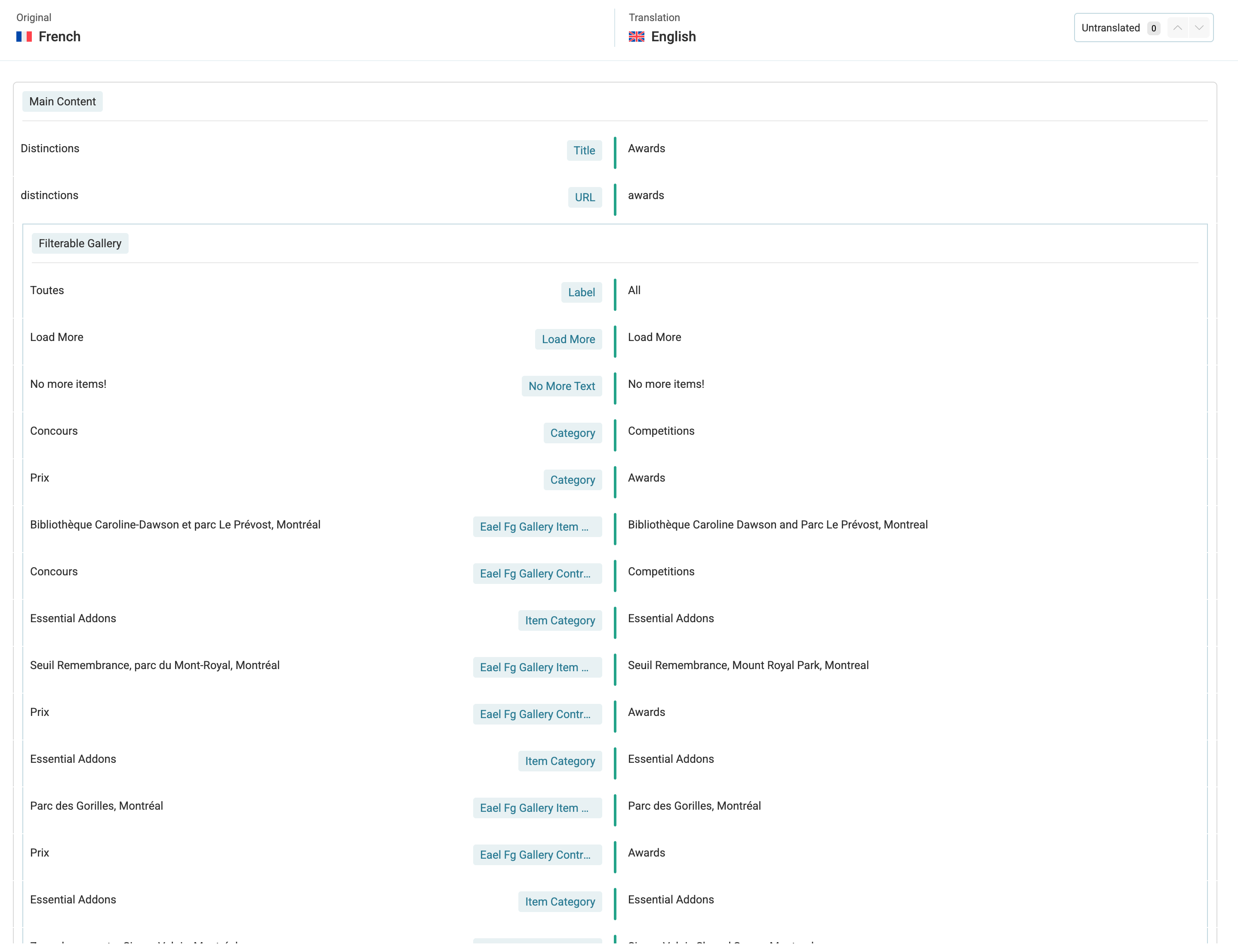
In the ATE, I expected to see the content that is in the text editor box, inside the widget. Instead, this part doesn't appear in the ATE editor.
Questions:
Why doesn't the content in the text editor box appear in the ATE editor?
Languages: English (English )Spanish (Español )German (Deutsch )
Timezone: America/Lima (GMT-05:00)
Hello,
In your config, the content field is the only one with editor_type="VISUAL".
editor_type (optional): This is the type of text field used in the WPML Classic Translation Editor. Valid values are LINE, AREA, LINK, and VISUAL. It defaults to LINE if missing.
As you use the Advanced Translation Editor, please try setting it to "LINE".
After updating the config, edit the widget on the original content and then open the translation editor.
If this does not solve the issue, please let us know.