
This is the technical support forum for WPML - the multilingual WordPress plugin.
Everyone can read, but only WPML clients can post here. WPML team is replying on the forum 6 days per week, 22 hours per day.
| Sun | Mon | Tue | Wed | Thu | Fri | Sat |
|---|---|---|---|---|---|---|
| 9:00 – 18:00 | 9:00 – 18:00 | 9:00 – 18:00 | 9:00 – 18:00 | 9:00 – 18:00 | - | - |
| - | - | - | - | - | - | - |
Supporter timezone: Africa/Cairo (GMT+02:00)
This topic contains 24 replies, has 0 voices.
Last updated by Osama Mersal 1 day, 9 hours ago.
Assisted by: Osama Mersal.
| Author | Posts |
|---|---|
| December 9, 2025 at 1:24 pm #17647784 | |
 erikD-5 |
Hi WPML Support, This is an email from a site from our client: ----------------------------- Our website hesthervandoornum.nl is fully updated and connected with a valid site key, but the WPML Translation Dashboard (WPML → Translation Management) has stopped functioning. Step 1 (“Select items for translation”) remains stuck indefinitely on “Loading items…”, regardless of filters or language. What we have already tried: Cleared all WPML caches and server caches Cancelled all translation jobs (queue is empty) Ran “Remove ghost entries from translation tables” Repaired collations: Fix element_type collation Fix WPML tables collation Translation Jobs tab shows no remaining jobs in any status No PHP errors in logs Current behaviour: Translators and Translation Tools pages work normally Translation icons (arrows) appear in Pages/Products, so WPML itself is operational Only the dashboard’s item-fetching appears stuck, likely related to the ATE queue or project mapping on WPML’s side. This issue matches previously reported cases where the ATE project or translation jobs needed backend repair by WPML. Could you please check and repair our ATE project/queue on your end? ------------- Best regards, Erik |
| December 9, 2025 at 6:02 pm #17649009 | |
 Osama Mersal WPML Supporter since 02/2020 Languages: English (English ) Arabic (العربية ) Timezone: Africa/Cairo (GMT+02:00) |
Hi Erik, Thanks for contacting WPML forums support. I'll be glad to help you today. I would need to look closely at your site, so I would need to request temporary access (WP-Admin and FTP) Your answer will be private, meaning only you and I can access it. ❌ Please back up your database and website ❌ ✙ I need your permission to deactivate and reactivate the plugins and themes and change site configurations. This is also why the backup is critical. ✙ I also need your permission to take a local copy of your site to debug the issue without affecting your live site. Best regards, |
| December 10, 2025 at 1:56 pm #17652529 | |
|
Osama Mersal WPML Supporter since 02/2020 Languages: English (English ) Arabic (العربية ) Timezone: Africa/Cairo (GMT+02:00) |
Hi Erik, 1) Please add the access details to the private fields for your site's security. 2) I checked the translation dashboard and the posts, pages, etc appear as expected. (Kindly check the attached screenshot) Would you please let me know the steps to reproduce the issue? Best regards, 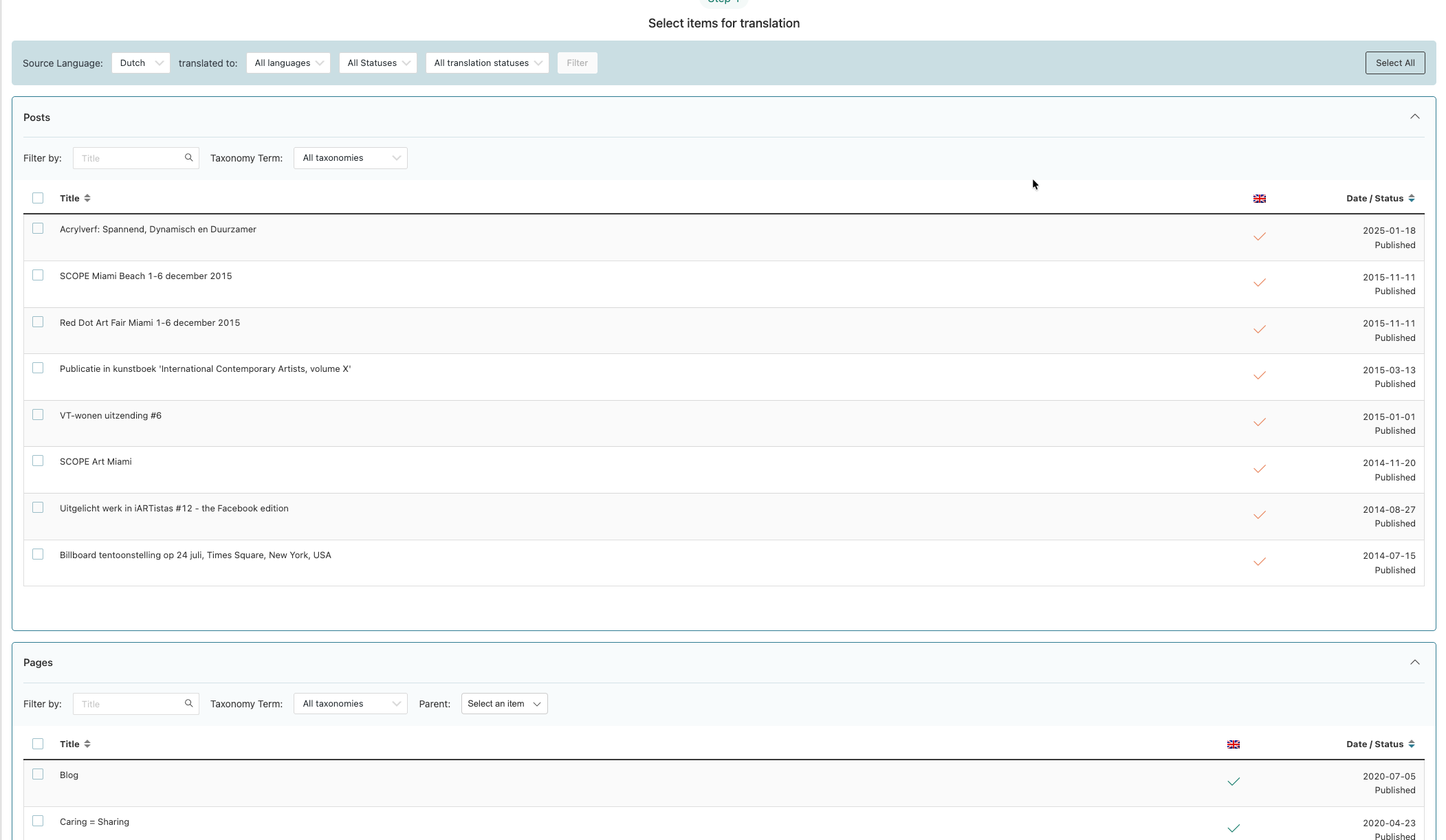 |
| December 10, 2025 at 2:01 pm #17652609 | |
|
erikD-5 |
Hi Osama, 1) I can't find this anymore, where can I find it? 2) I will ask the client. Best, Erik |
| December 11, 2025 at 9:07 am #17654841 | |
|
Osama Mersal WPML Supporter since 02/2020 Languages: English (English ) Arabic (العربية ) Timezone: Africa/Cairo (GMT+02:00) |
Hi Erik, Please let me know what the client says regarding the issue. Best regards, |
| December 11, 2025 at 3:45 pm #17656760 | |
|
erikD-5 |
Hi Osama, Thank you again for checking the staging environment. I want to provide a clear update, because several important differences between the live and staging environments explain why the issue could not be reproduced earlier. 1. The Issue only occurs on the live site On the live site: The Translation Dashboard never loads any items → it stays stuck on “Items loading…” indefinitely. No posts, pages, products, or other content ever appear. I have attached a screenshot showing this exact behaviour. (Screenshot A) 2. Additional symptoms on the LIVE site that do NOT occur on staging These are new findings that strongly suggest incorrect language assignment or a corrupted translation mapping: A. Pages list defaults to English instead of Dutch B. When clicking the translation arrow, I am sent directly into the EN version in the standard WordPress editor WPML shows a warning saying I’m editing a translation outside the Translation Editor This does NOT happen on staging These symptoms indicate that source/translation relationships or admin-language detection on the LIVE site are inconsistent or corrupted, which would explain why the translation dashboard cannot load. 3. Staging site behaves differently and works normally On the staging environment, the Translation Dashboard loads correctly and displays structure as expected. This means the issue is specific to the live database. Because the live and staging environments behave differently, I understand that you may need access to the live environment in order to investigate further. 4. Permissions You have my permission to: access the live WordPress admin 5. Please confirm what access you require Please let me know which credentials you prefer: WP Admin (live) Once confirmed, I will send you the credentials immediately. Thank you again for your assistance — I hope the screenshots help clarify the situation. Best regards, Hesther Ps. Is there a way this client can reply directly with you? Now i'm sending al the emails through. But I don't want to give my login of this account. Regrads, Erik 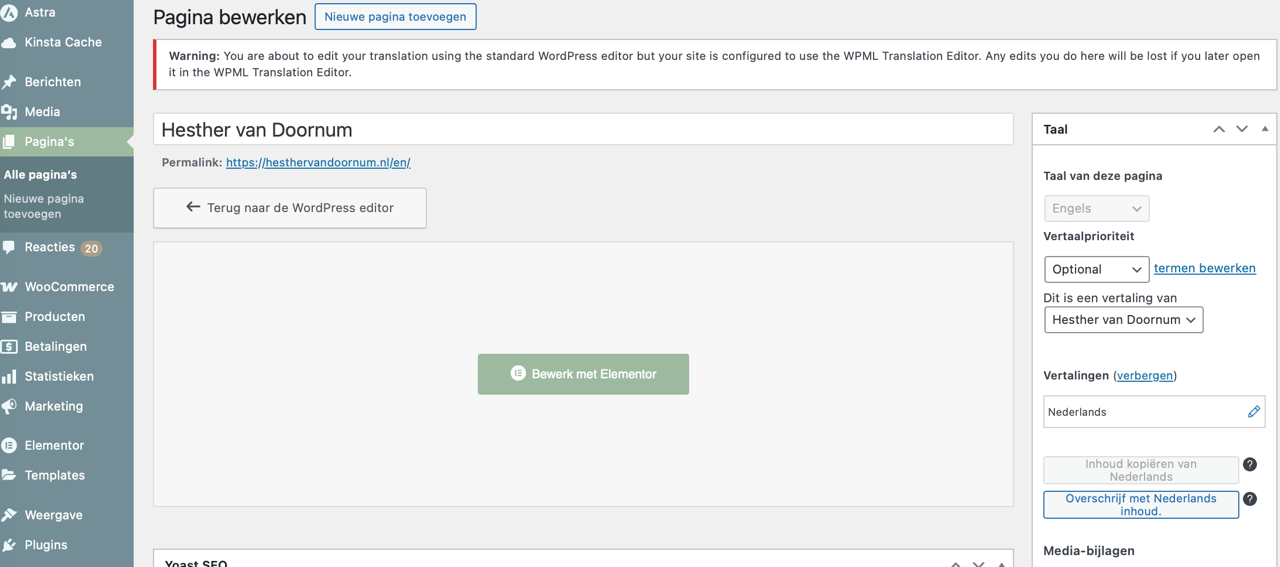 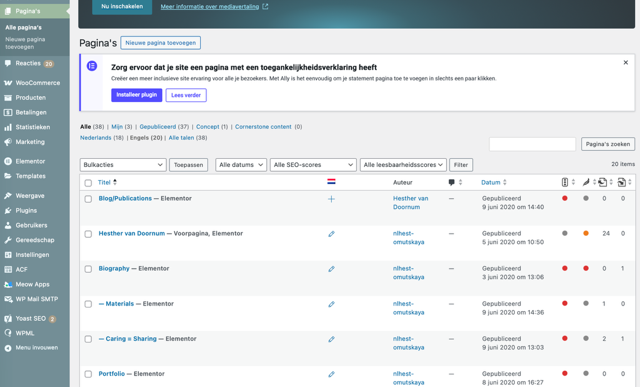 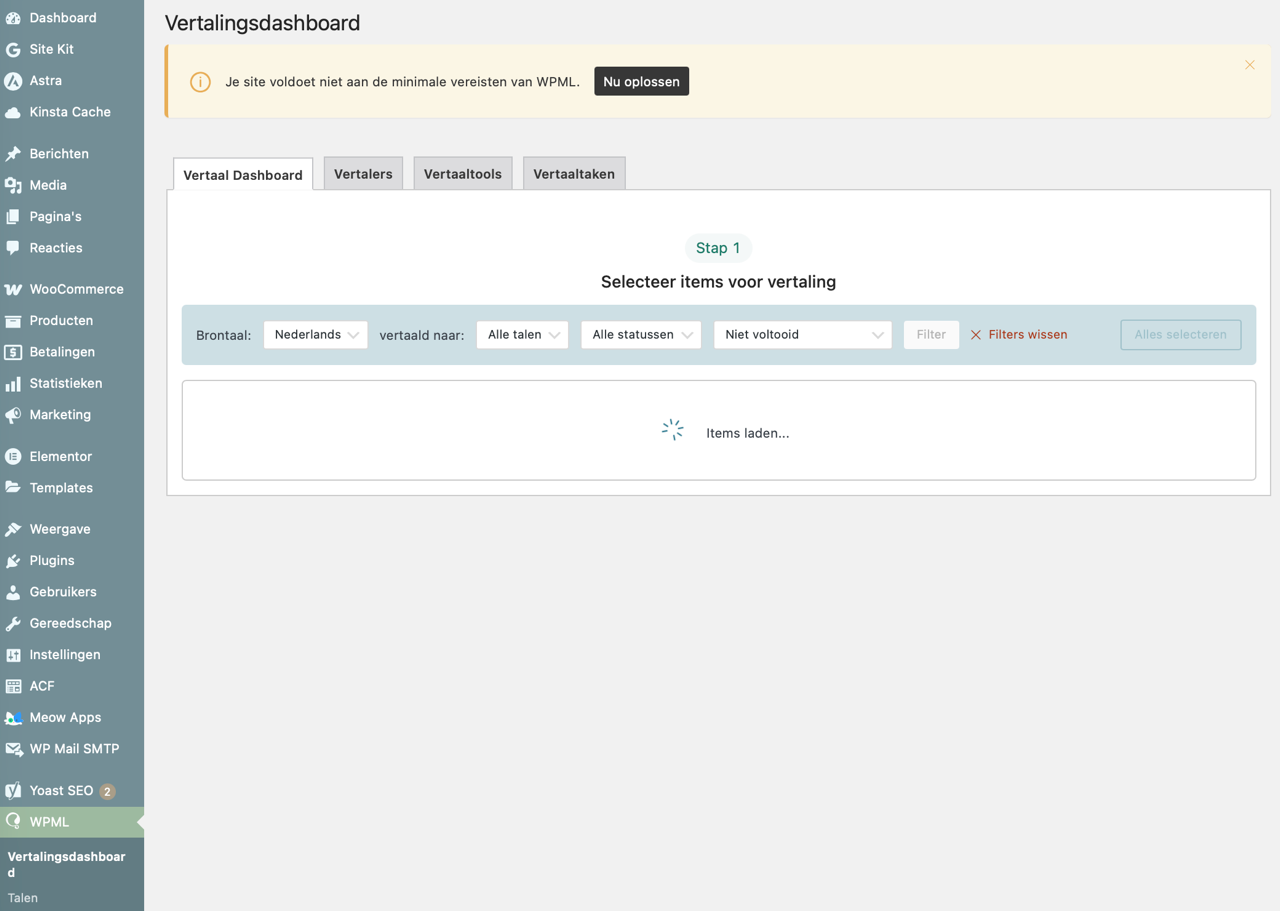 |
| December 12, 2025 at 11:56 am #17658985 | |
|
Osama Mersal WPML Supporter since 02/2020 Languages: English (English ) Arabic (العربية ) Timezone: Africa/Cairo (GMT+02:00) |
Hi, 1) Please share the access details for the live site so I can check the issue. 2) You can create a sub-account for your clients. Please check this guide. Note: My next reply might be delayed due to the weekend. Thanks for your understanding Best regards, |
| December 12, 2025 at 12:16 pm #17659066 | |
|
erikD-5 |
Hi, I have a life-time account so this isn't possible, I just read. 🙁 I will ask the client again. Thank you! Best, Erik |
| December 12, 2025 at 3:41 pm #17659977 | |
|
erikD-5 |
Hi Osama, I don’t see the option to send a private reply. Could you help me with this or let me know how I can enable it? Thanks in advance! Erik |
| December 14, 2025 at 8:15 am #17661896 | |
|
Osama Mersal WPML Supporter since 02/2020 Languages: English (English ) Arabic (العربية ) Timezone: Africa/Cairo (GMT+02:00) |
Hi Erik, I've enabled the private reply for you. You should see a field to add the access details. Best regards, |
| December 15, 2025 at 12:21 pm #17664051 | |
|
Osama Mersal WPML Supporter since 02/2020 Languages: English (English ) Arabic (العربية ) Timezone: Africa/Cairo (GMT+02:00) |
Hi Erik, 1) Thanks for the access details. I checked the site, and it appears to be working correctly. (Kindly check the attached screenshot.) Please check the issue using the provided account and a different browser. 2) I'm afraid I can't add another email to the thread, as these emails are sent automatically by our system. Best regards, 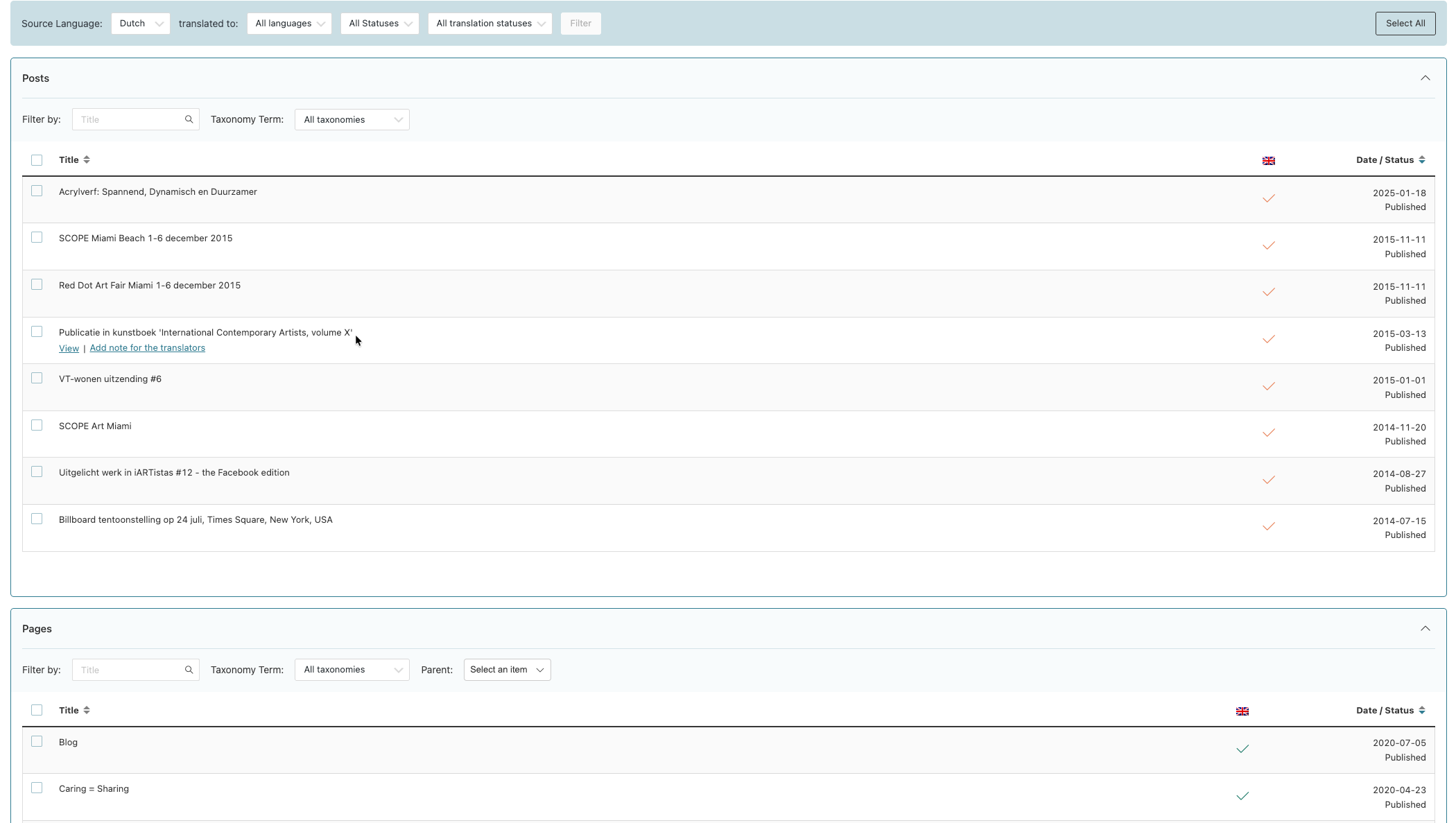 |
| December 16, 2025 at 4:37 pm #17668717 | |
|
erikD-5 |
Hi, Thanks for your message. I have flushed the site cache as suggested. This resolved only one symptom: the translation editor now loads again. However, the core issue remains unchanged, which confirms that this is not a cache-related problem. Current behavior: – Translations still redirect to the WordPress editor with warnings about editing outside the translation editor – “Update English translation” keeps appearing – Translation jobs cannot be assigned or cleared (“job could not be assigned to translator”) – The issue persists regardless of editor choice Important background: – These pages were originally translated using the classic WPML translation editor – I have always worked with the classic WPML editor from the beginning – The pages are fully built with Elementor – No manual editing outside WPML has been done intentionally – The site’s default (source) language is Dutch (NL); English is the secondary language. Testing performed: I have tested both translation editor options: – the classic WPML translation editor – the Advanced Translation Editor (ATE) The issue persists in both cases. Affected pages: – Hesther van Doornum (homepage) – Biography Conclusion: This is not an editor-selection issue. It appears to be a locked or inconsistent translation/workflow state affecting legacy classic WPML translations at database level. What I need: Please reset the translation status for these specific pages at database level so that: – the translations behave normally again – no translation jobs or update loops remain – no editor warnings are triggered – no content or Elementor layouts are modified or overwritten I am not requesting any content changes — only a reset of the translation/editor status. Thank you for your help.   |
| December 17, 2025 at 9:00 am #17670172 | |
|
Osama Mersal WPML Supporter since 02/2020 Languages: English (English ) Arabic (العربية ) Timezone: Africa/Cairo (GMT+02:00) |
Hi, Thanks for your detailed reply. I checked the issue and found that those two pages weren't selecting the WPML translation editor; instead, the WordPress editor was selected. (Kindly check the attached screenshot) I've selected the correct editor again. Please check if these pages behave correctly now. Best regards, 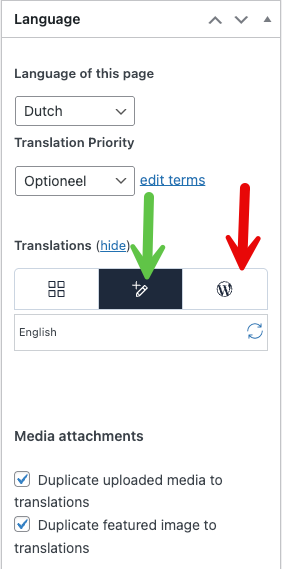 |
| December 17, 2025 at 3:04 pm #17671678 | |
|
erikD-5 |
Hi Osama, Thank you for fixing the editor selection - the pages now open correctly again and the previous blocking behaviour has been resolved. I tested the same workflow (a small edit in the Dutch source followed by publish) on another Elementor page (“In Opdracht”), and there WPML behaves exactly as expected: the translation is correctly marked as “needs update” and the updated Dutch source content appears in the Translation Editor. The remaining issue is now clearly isolated to two pages only: For these two pages: At the moment, these pages appear to be in a detached translation state: stable, but no longer syncing source changes from NL → EN. What I would like to achieve is to have Home and Biography fully re-linked as proper WPML translations, with Dutch as the source language, so that source changes are again detected and shown correctly in the WPML Translation Editor and updates are handled normally. Could you please re-sync / re-link these two pages as full WPML translations, rather than detached/manual ones? I have not made any further structural changes to avoid interfering with your work. Thanks again for your help - much appreciated. Best regards, |
| December 18, 2025 at 8:36 am #17673567 | |
|
Osama Mersal WPML Supporter since 02/2020 Languages: English (English ) Arabic (العربية ) Timezone: Africa/Cairo (GMT+02:00) |
Hi Hesther, Thanks for your reply. I checked the mentioned pages, and they work as expected. I made some minor edits to both pages, which appeared correctly in the translation editor. Would you please share a screen-recorded video while reproducing the issue? Best regards, |




