
This is the technical support forum for WPML - the multilingual WordPress plugin.
Everyone can read, but only WPML clients can post here. WPML team is replying on the forum 6 days per week, 22 hours per day.
| Sun | Mon | Tue | Wed | Thu | Fri | Sat |
|---|---|---|---|---|---|---|
| - | 13:00 – 18:00 | 13:00 – 18:00 | 13:00 – 18:00 | 13:00 – 18:00 | 13:00 – 18:00 | - |
| - | 20:00 – 23:00 | 20:00 – 23:00 | 20:00 – 23:00 | 20:00 – 23:00 | 20:00 – 23:00 | - |
Supporter timezone: Asia/Singapore (GMT+08:00)
| Author | Posts |
|---|---|
| October 2, 2025 at 8:34 am #17450931 | |
 thomasR-47 |
Background of the issue: Symptoms: Questions: |
| October 2, 2025 at 9:18 am #17451328 | |
 Kor |
Thanks for contacting us. Please note that changing the default language will not automatically update the default language across all your pages. To achieve this, you’ll need to manually disconnect the translated page you want to use as the new primary language from the current primary page. After that, reconnect it and configure it as the new primary language page. Let me know if you understand what I'm trying to explain here. |
| October 2, 2025 at 9:24 am #17451348 | |
|
thomasR-47 |
Hi Kor, In your description of this topic, you state that you offer support. How can you assist us in this regard? |
| October 2, 2025 at 9:27 am #17451369 | |
|
Kor |
Thanks for your reply. I will require temporary access (WP-Admin and FTP) to your Website to understand what's going on there. Please note that it is important to have a backup for security purposes and to prevent any potential data loss. You can use the UpdraftPlus plugin (https://wordpress.org/plugins/updraftplus/) to fulfill your backup requirements. Your upcoming reply will be treated with confidentiality and will only be visible to you and me. ✙ To resolve the issue, I may need your consent to deactivate and reactivate plugins and the theme, as well as make configuration changes on the site if necessary. This emphasizes the significance of having a backup. |
| October 2, 2025 at 9:30 am #17451374 | |
|
thomasR-47 |
I'm not sure what you mean by "disconnect"...how to disconnect the pages. You can select which language they belong to, but we shouldn't change that, otherwise the English page would have German text. And you didn't address the problem that after saving, the status always changes to the cogwheel. |
| October 2, 2025 at 9:36 am #17451398 | |
|
Kor |
Thanks for your reply. You can refer to this article https://wpml.org/faq/how-to-disconnect-translations-from-the-default-language-page-or-post/ . Could you give this a try? As for "the status always changes to the cogwheel.", this usually means that there are some invalid contents that are preventing the translation from being saved correctly. I would need access to check on that. |
| October 2, 2025 at 9:49 am #17451453 | |
|
thomasR-47 |
Hi, how should I send you the access details? |
| October 2, 2025 at 9:55 am #17451512 | |
|
Kor |
Thanks for your reply. I've enabled the private reply option for you. |
| October 2, 2025 at 4:30 pm #17452724 | |
|
Kor |
Thanks for your reply. I've checked your homepage here hidden link and everything seems to look fine when I changed languages. May I know which page you are working on or referring to? hidden link |
| October 6, 2025 at 10:11 am #17459517 | |
|
thomasR-47 |
Could you please confirm whether any fixes or changes have already been made on your side — and if so, what exactly was done? 1. Main Issue: Language Switcher Not Working (EX2620-3D) After adjusting the Permalinks for the German product versions, the language switcher stopped working for the German products. Updated the German product permalinks. Saved the permalinks. Clicked WPML → Support → Update internal links. Since then, the product translations (German) no longer switch properly. Question: The WPML update link is currently still running. But I wanted to write anyway. 2. Description from My Colleague We originally built the website in German, and later added English, French, and Chinese. Since then, the fallback to the default language (English) no longer works properly. We also experience another issue: We believe this issue started after switching the default language. Example: 3. Additional Issues Downloads and products were also affected. Some examples where the translation or fallback does not display correctly: LL 550 W EX 5542 EX 3220 After editing these products, switching between languages often stopped working. We use the Download Monitor plugin to display PDFs via shortcode. Expected behavior: 4. Image Translations and Fallbacks Some images contain text within graphics (e.g. technical diagrams). Example: 5. Downloads This issue affects all downloads. It also seems that some downloads are incorrectly linked to other products, for example: Summary of Issues Language switcher not working after permalink update. Translation status incorrectly shown as “Incomplete”. Fallback to English not functioning for products, downloads, and images. Possible conflict between WPML and Permalink Manager. Incorrect product-download associations. |
| October 7, 2025 at 5:21 pm #17465020 | |
|
Kor |
Thanks for your reply. I'd like you to know that our support policy allows us to take care of only one issue per ticket. Continuing with one issue per ticket helps not only supporters to focus on one issue at once, but also enables other users to find solutions to their questions faster. I'll try to answer your questions accordingly for now. 1. Main Issue: Language Switcher Not Working (EX2620-3D) Question: The WPML update link is currently still running. But I wanted to write anyway. 2. Description from My Colleague We originally built the website in German, and later added English, French, and Chinese. Since then, the fallback to the default language (English) no longer works properly. We also experience another issue: We believe this issue started after switching the default language. Example: I've edited the German language page here hidden link and initiated the translation on the English page and it worked fine as shown in attached screenshot. 3. Additional Issues Downloads and products were also affected. Some examples where the translation or fallback does not display correctly: LL 550 W EX 5542 EX 3220 After editing these products, switching between languages often stopped working. We use the Download Monitor plugin to display PDFs via shortcode. Expected behavior: 4. Image Translations and Fallbacks Some images contain text within graphics (e.g. technical diagrams). Example: 5. Downloads This issue affects all downloads. It also seems that some downloads are incorrectly linked to other products, for example: 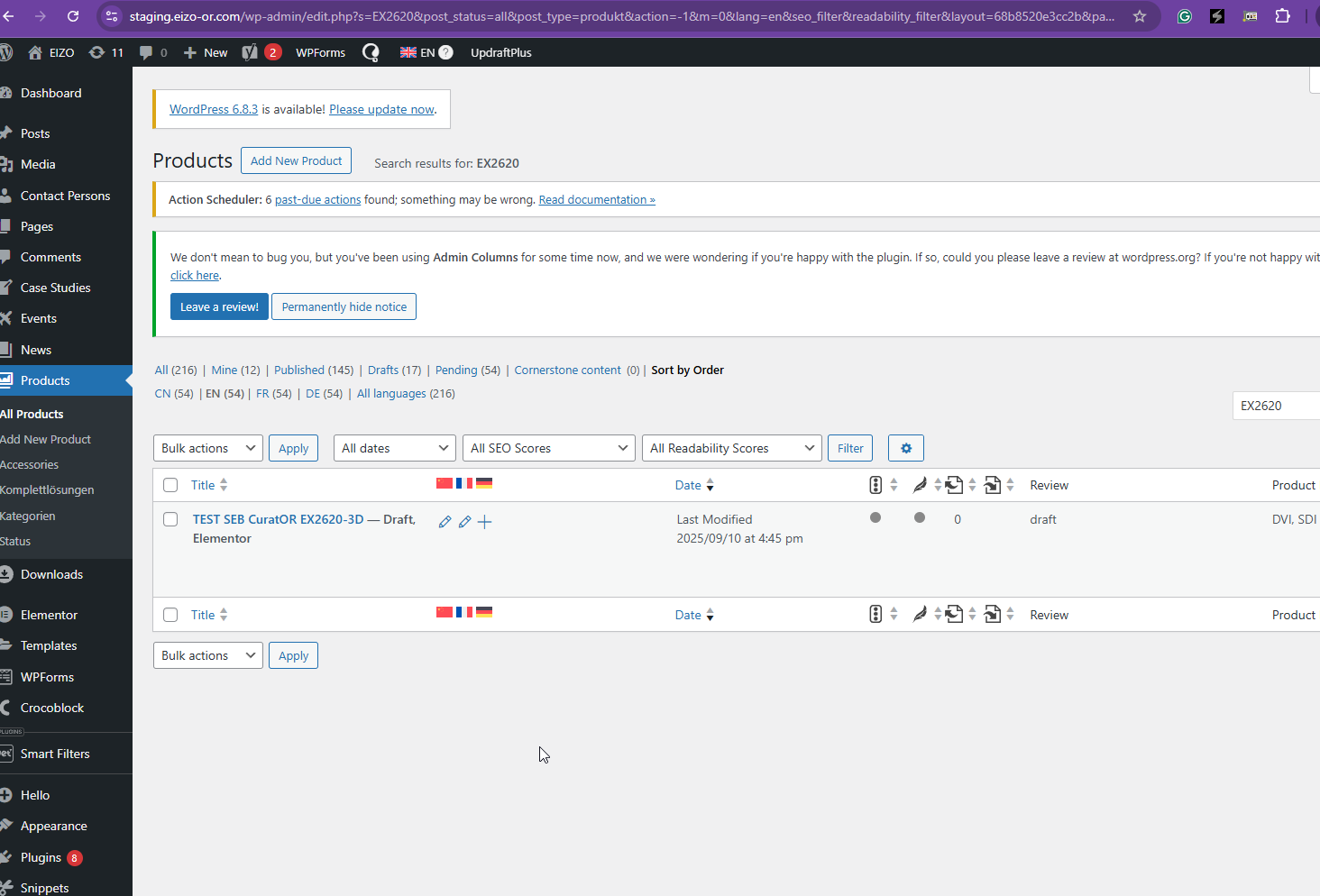 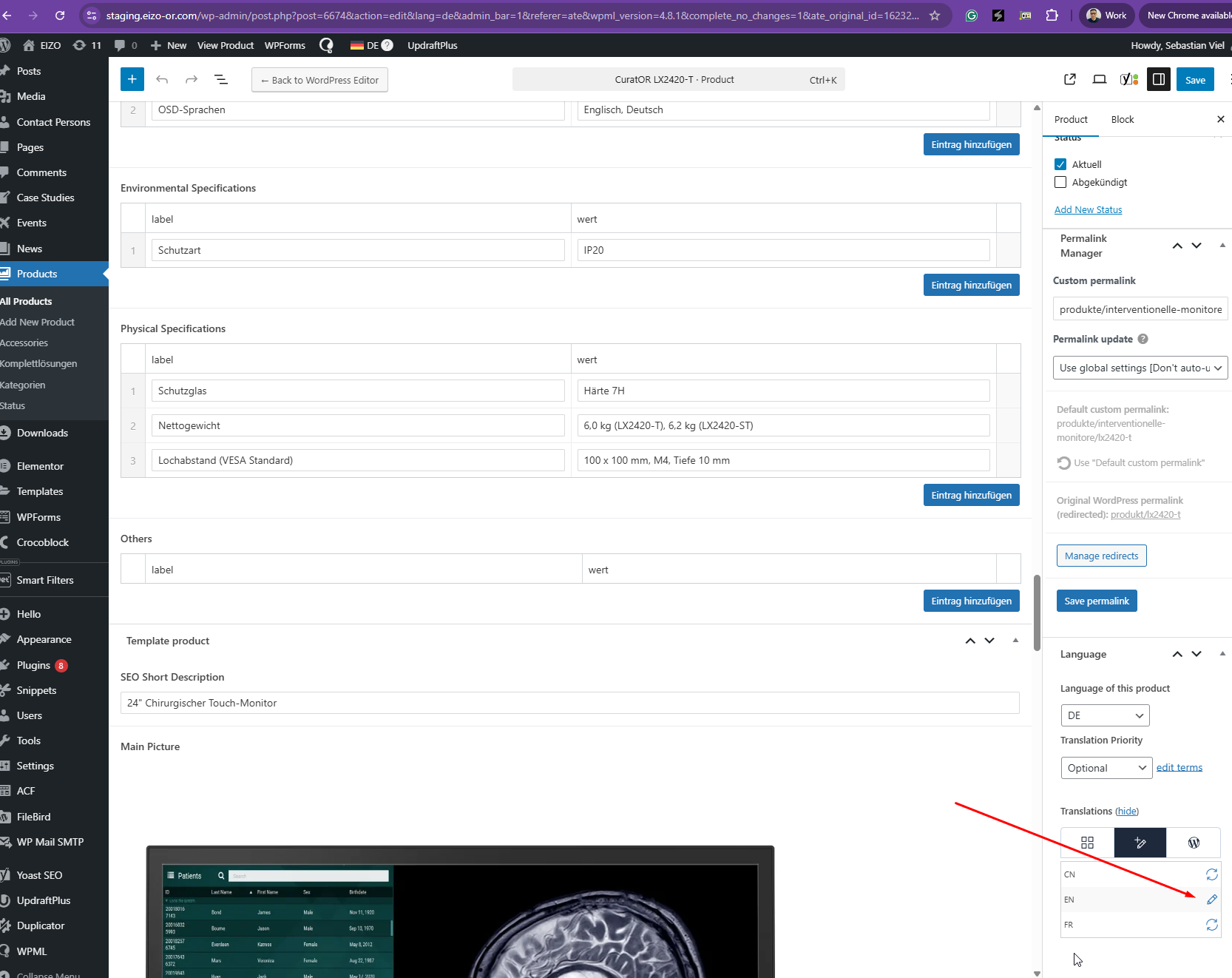 |
The topic ‘[Closed] Changing the default language causes broken translation’ is closed to new replies.