This thread is resolved. Here is a description of the problem and solution.
Problem:
The client is trying to translate the header of their website using WPML with the Kadence theme. Despite following the standard translation procedures, the translated pages still display the English header instead of the translated version.
Solution:
1. Translate the menu items:
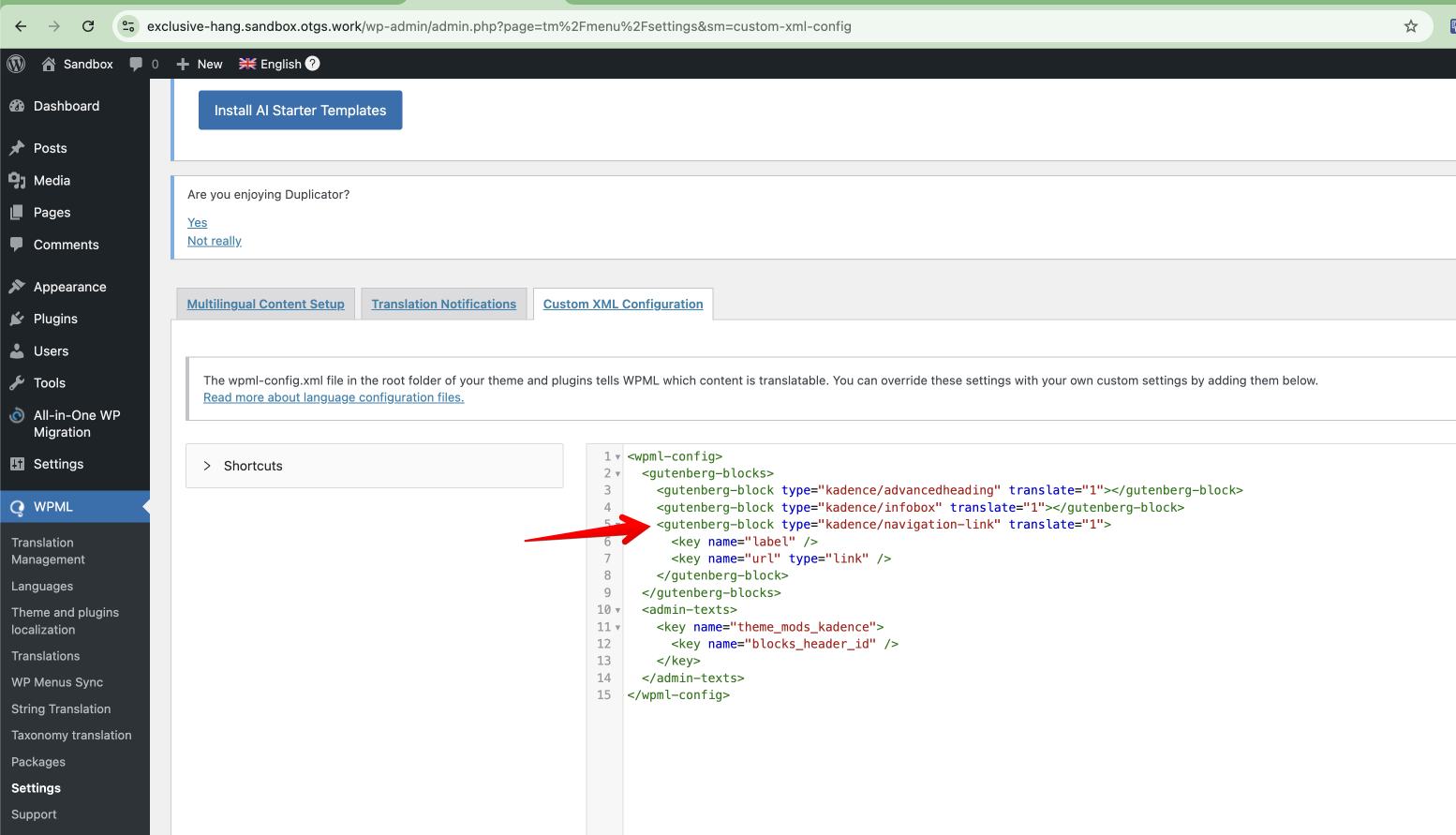
- Navigate to WPML > Settings > Custom XML Configuration and add the following code to translate the menu item label:
<gutenberg-block type="kadence/navigation-link" translate="1">
  <key name="label"></key>
  <key name="url" type="link"></key>
</gutenberg-block>
- Go to Kadence > Navigations, edit the navigation, and update the translation navigation.
2. Translate the header:
- Go to Kadence > Header, edit the header, switch to the second language, and manually select the navigation.
3. Translate the customizer option:
- Navigate to WPML > String Translation, then to Translate texts in admin screens, search for the option name "blocks_header_id", and add it to String Translation.
- Return to WPML > String Translation and translate the header template ID.
We recommend testing these steps on the sandbox site provided. If this solution does not resolve your issue, or if it seems outdated or irrelevant to your case, please visit our known issues page, verify the version of the permanent fix, and ensure you have installed the latest versions of themes and plugins. If the problem persists, feel free to open a new support ticket on our support forum.
This is the technical support forum for WPML - the multilingual WordPress plugin.
Everyone can read, but only WPML clients can post here. WPML team is replying on the forum 6 days per week, 22 hours per day.
This topic contains 3 replies, has 2 voices.
Last updated by 1 year, 5 months ago.
Assisted by: Long Nguyen.