This thread is resolved. Here is a description of the problem and solution.
Problem: You are working on translating a website into multiple languages using WPML and facing three issues: 1. A post is stuck during translation. 2. The logo does not appear in the header navigation for languages other than English. 3. Texts from tables on specific pages are not translated into other languages. Solution: 1. The stuck post translation job was unassigned, and we canceled it to resolve the issue. 2. For the logo not appearing in other languages, it was not translated in WPML-> Media Translation. We have now translated it. Please verify the logo in the header across all languages. 3. To translate texts from tables that are added as HTML and not automatically translated in ATE, follow these steps: - Edit the page in the default language. - From the language side panel, click the pencil icon to open the translation editor. - Search for any word in the table. - You will see the table in the HTML field. - Translate it and save the translation.
If this solution does not apply to your case, or if it seems outdated, we recommend opening a new support ticket. Also, we highly recommend checking related known issues at https://wpml.org/known-issues/, verifying the version of the permanent fix, and confirming that you have installed the latest versions of themes and plugins. For further assistance, please visit our support forum at WPML Support Forum.
This is the technical support forum for WPML - the multilingual WordPress plugin.
Everyone can read, but only WPML clients can post here. WPML team is replying on the forum 6 days per week, 22 hours per day.
Background of the issue:
I am working on translating a website into multiple languages using WPML.
Symptoms:
1. One post is stuck during translation and cannot be translated. 2. The logo in the header navigation does not appear for languages other than English. 3. Texts from tables on the pages 'mobile-ess' and 'vppa' were not translated into other languages.
Questions:
How can I resolve the issue of a post being stuck during translation?
Why does the logo not appear in the header navigation for languages other than English?
How can I ensure that texts from tables on specific pages are translated into other languages?
Thanks for contacting WPML forums support. I'll be glad to help you today.
I would need to look closely at your site, so I would need to request temporary access (WP-Admin and FTP)
Preferably to a test site where the problem has been replicated.
Your answer will be private, meaning only you and I can access it.
❌ Please back up your database and website ❌
✙ I need your permission to deactivate and reactivate the plugins and themes and change site configurations. This is also why the backup is critical.
✙ I also need your permission to take a local copy of your site to debug the issue without affecting your live site.
Thanks for the access details. I checked the issues and found the following:
1- The stuck post translation job was unassigned, so I canceled it.
2- The logo was not translated in WPML-> Media Translation, so I translated it. Please check the logo in the header in all languages and let me know if it works as expected.
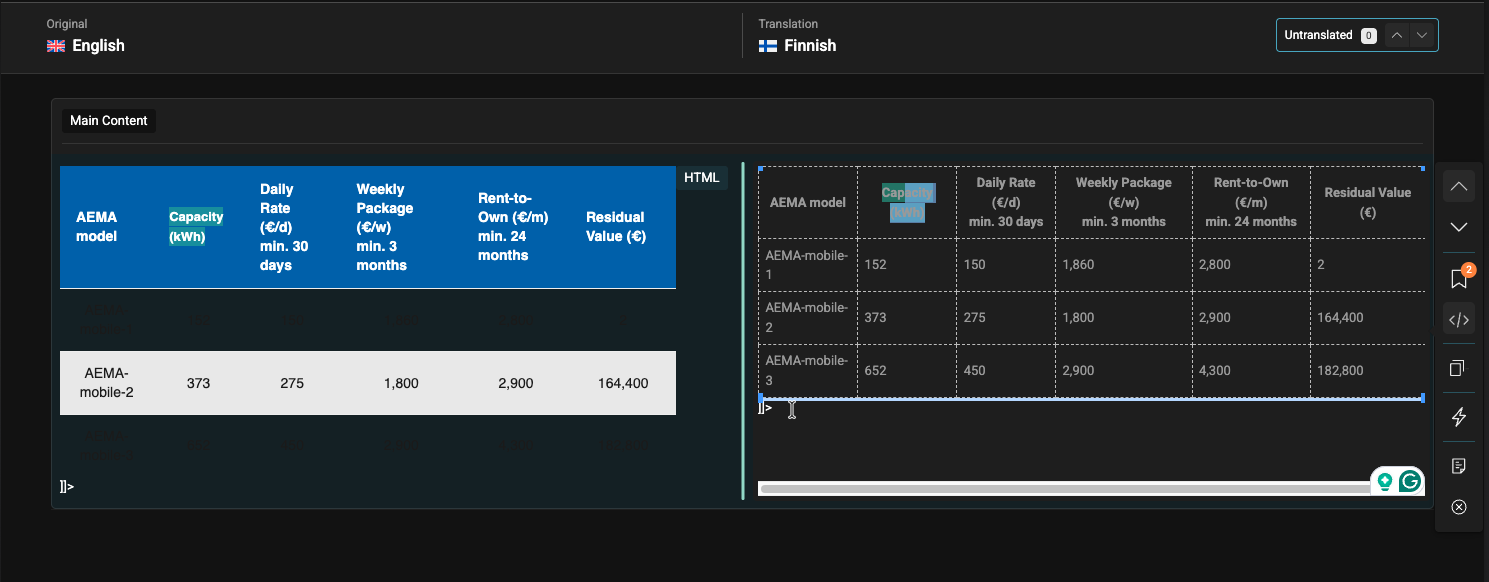
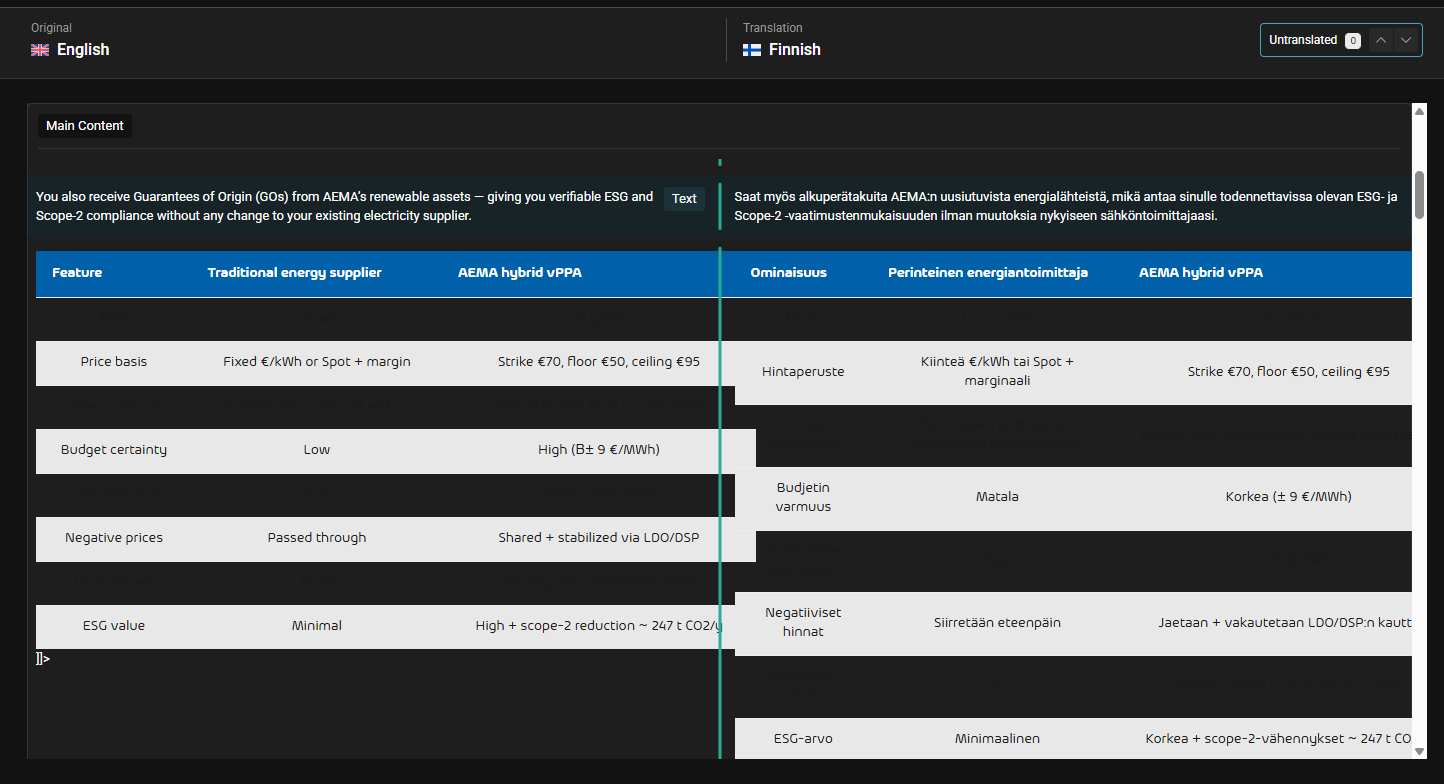
3- The mentioned table is added as HTML, which is not translated automatically in ATE. To translate it, please check the following steps:
1- Edit the page in the default language
2- From the language side panel
3- Click the pencil icon to open the translation editor
4- Search for any word in the table
5- You will see the table in the HTML field (Kindly check the attached screenshot)
6- Translate it and save the translation
Thank You, now it is clear with translations, but I have issue with visual part: hidden link
It looks different. In english it looks like it must be.
And I found 1 more issue: "News" category name in Blog section translated only in Finnish, another languages shoes like there are no any category at all. For example: hidden link
1) You can edit the translated pages using Elementor to fix the styling issue. Alternatively, you can replace the HTML widget with another fully supported widget in ATE.
2) The news category issue is fixed. Please check it and let me know.
It's great to hear that the issue is fixed. 🙂 Please don't hesitate to open a new ticket if you face any other issues. We are always happy to help you.