Home›Support›English Support›[Resolved] Open the ticket https://wpml.org/forums/topic/i-have-a-bug-cant-edit-translated-pages-with-elementor...
[Resolved] Open the ticket https://wpml.org/forums/topic/i-have-a-bug-cant-edit-translated-pages-with-elementor...
This thread is resolved. Here is a description of the problem and solution.
Problem: You are unable to edit translated pages using Elementor on your site. This issue occurs because the language (English in this case) is set as hidden in WPML settings. Solution: We recommend checking the WPML -> Languages settings on your site. If the language you are trying to edit is marked as hidden, please uncheck this option. After making this change, try editing the page with Elementor again to see if the issue is resolved.
If this solution does not apply to your case, or if it seems outdated, we highly recommend checking the related known issues, verifying the version of the permanent fix, and confirming that you have installed the latest versions of themes and plugins. If the problem persists, please open a new support ticket.
This is the technical support forum for WPML - the multilingual WordPress plugin.
Everyone can read, but only WPML clients can post here. WPML team is replying on the forum 6 days per week, 22 hours per day.
Background of the issue:
I am trying to get support for an issue with WPML on my site hidden link. I am unable to edit translated pages using Elementor.
Symptoms:
I have a bug where I can't edit translated pages with Elementor.
One of my colleagues will be taking over your ticket. In the meantime, I’d like to share some helpful information.
I cannot reopen the closed chat, but you can start a new one and close this support ticket if you prefer.
If you’d like to continue with this ticket, please provide more details about the issue. Also, check whether the problem persists when only the WPML and Elementor plugins are enabled.
Hi there, I'll be handling this ticket from here. I reviewed the previous chat and it looks like the issue is that you are unable to edit the translated pages with Elementor. Typically when I see this, it is coming from a conflict with another plugin. The best way to identify if that is the case is to use a staging site and deactivate all plugins except for Elementor and WPML and see if you can edit the translation. If still not, switch to a default theme and check again. If still not able, check the browser console and the debug log for any background errors.
Another thing to note is that you mentioned you translated the content with WPML. If you originally translated with the WPML translation editor, and you then edit the translation using Elementor, you will likely lose the translations and the content will be overwritten with whatever you see in the Elementor page builder, so please proceed with caution if that is the route you are taking.
If you don't have a staging site, you can ask your hosting provider to create one, or you can create one using WP Staging. If that is not possible, let me know and I can create one and get a copy of your site so we can test these steps.
I already tried everything from this article hidden link. That means I also disabled all the plugins except Elementor and WPML. The error persists.
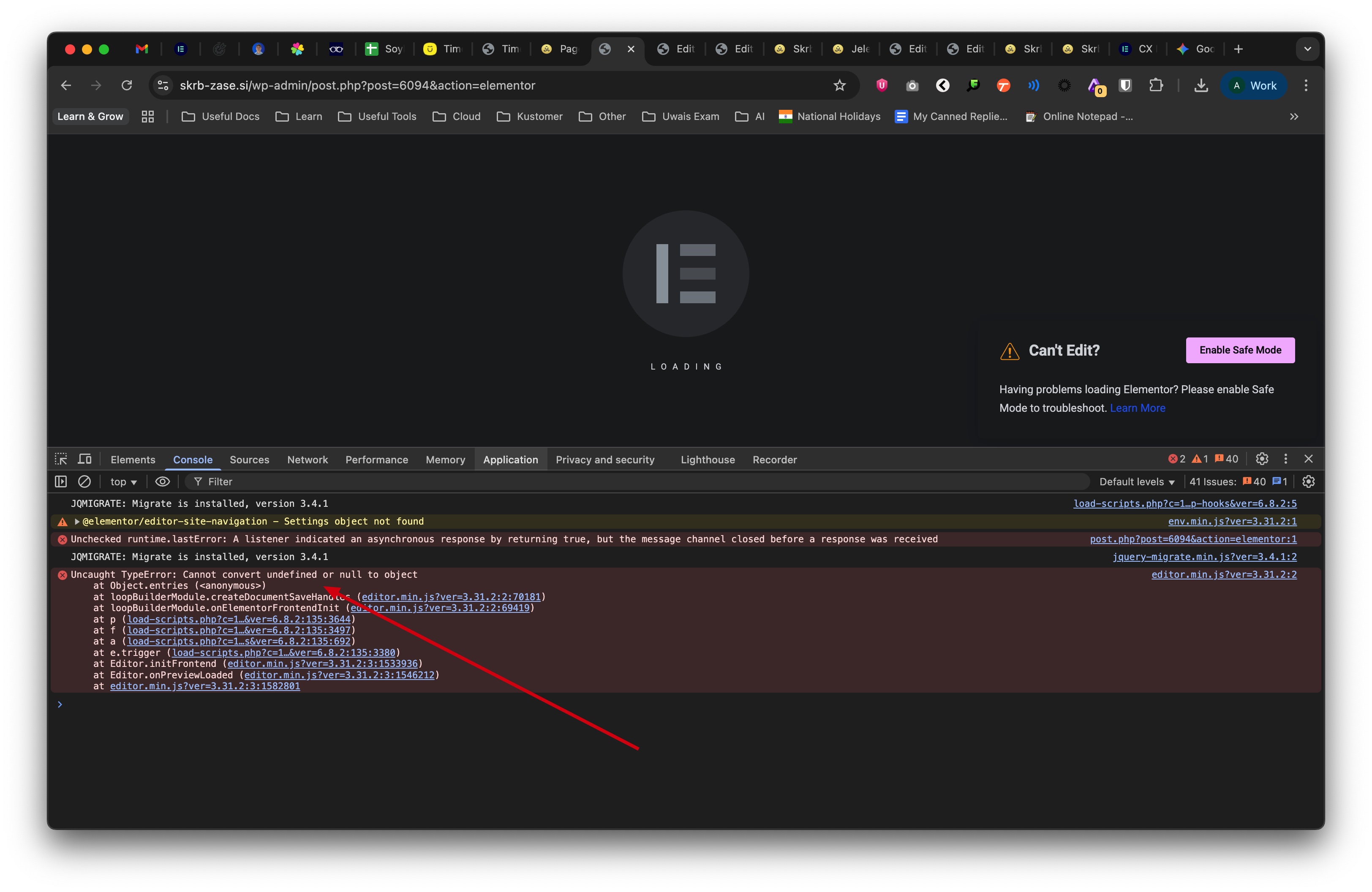
Elementor support told me there is an Javascript error that is WPML related on the pages, that can't be edited with Elementor. I attached the screenshot and conversation below.
---
Hi Urban,
Thank you for contacting Elementor! I’m Aezaz Shaikh from Tier 2 Customer Experience, and I will assist you today.
I checked the site and can see that everything seems to be fine from Elementor, but the WPML translated pages are still not working and throwing a script error in the browser console, which it does not for default language pages. See screenshot
I advise you to contact WPML support and ask them why translated pages are causing the issues. There might be a conflict that is throwing the script error.
Please send me access to this environment where you were able to test with only WPML and Elementor and a default theme so I can take a look and troubleshoot further. The next reply will have private fields where you can safely share the credentials to a staging or test site where I can see the issue happening.
Please download a fresh install of the latest version of WPML. I tried to do this for you but got a 403 Forbidden error (see attached screenshot). Let me know once that is done and I will continue troubleshooting on your staging site. Thanks.
Thanks for updating the plugins. I found that the issue is happening because English is set as hidden in WPML -> Languages. I unchecked that box to test and now I am able to edit the English page using Elementor. Can you please confirm that it is working as expected if the language is not set to hidden?