Skip to content Skip to sidebar

This is the technical support forum for WPML - the multilingual WordPress plugin.

Everyone can read, but only WPML clients can post here. WPML team is replying on the forum 6 days per week, 22 hours per day.

Sun Mon Tue Wed Thu Fri Sat
- 8:00 – 12:00 8:00 – 12:00 8:00 – 12:00 8:00 – 12:00 8:00 – 12:00 -
- 13:00 – 17:00 13:00 – 17:00 13:00 – 17:00 13:00 – 17:00 13:00 – 17:00 -

Supporter timezone: Asia/Ho_Chi_Minh (GMT+07:00)

This topic contains 7 replies, has 3 voices.

Last updated by Long Nguyen 1 year, 11 months ago.

Assisted by: Long Nguyen.

Author Posts
May 2, 2024 at 8:14 pm #15589017

kyleL-7

Tell us what you are trying to do?
I am trying to translate the form fields on the product pages

Is there any documentation that you are following?
I cannot find any documentation on how to implement this

Is there a similar example that we can see?
You can select any of the subscription products. The language switcher is in the footer. When I change it to french, the fields disappear.

What is the link to your site?
hidden link

Screenshot 2024-05-02 at 2.12.52 PM.png
Screenshot 2024-05-02 at 2.12.40 PM.png
May 3, 2024 at 5:07 pm #15592401

Bobby
WPML Supporter since 04/2015

Languages: English (English )

Timezone: America/Los_Angeles (GMT-07:00)

Hi there,

While waiting for one of my colleagues to help you, please let us know how is the form added.

There is a chance that the form requires its translation to display in the translated product.

May 6, 2024 at 4:46 pm #15598739

kyleL-7

Hi There,
We are using the following plugins for checkout fields:
- WooCommerce
- Woo Subscriptions
- YITH WooCommerce Product Add-ons & Extra Options

Thanks!

May 7, 2024 at 3:07 am #15599599

Long Nguyen
WPML Supporter since 02/2022

Languages: English (English ) Vietnamese (Vietnamese )

Timezone: Asia/Ho_Chi_Minh (GMT+07:00)

Hi Kyle,

Thank you for contacting WPML support, I’m happy to help you with this issue.

There is a similar issue related to your case https://wpml.org/forums/topic/yith-add-on-plugin-options-dont-show/

However, it has been fixed in a new version of YITH WooCommerce Product Add-ons & Extra Options (premium). You can read more about the fix in the changelog hidden link

Please use the premium version 4.12.1 of this plugin and let me know if it works.

Looking forward to your reply.
Thanks

May 7, 2024 at 5:26 pm #15603386
kyleL-7

Hi Long,
Thank-you for your reply.
I looked at the similar case and I cannot seem to find the same line of code.
See attached screenshot.

We do not require the premium version of the YITH plugin for this site, I would like to avoid purchasing that if possible?

When I go to translate the plugin per these instructions:
hidden link

I do not see the domain: admin_texts_

Do you know why this isn't being generated?
Thanks!

New threads created by Long Nguyen and linked to this one are listed below:

https://wpml.org/forums/topic/i-do-not-see-the-domain-admin_texts_/

Screenshot 2024-05-07 at 11.22.18 AM.png
May 8, 2024 at 2:05 am #15604068

Long Nguyen
WPML Supporter since 02/2022

Languages: English (English ) Vietnamese (Vietnamese )

Timezone: Asia/Ho_Chi_Minh (GMT+07:00)

Hi,

We do not require the premium version of the YITH plugin for this site, I would like to avoid purchasing that if possible.

As you can see the workaround in the ticket I shared above https://wpml.org/forums/topic/yith-add-on-plugin-options-dont-show/

the workaround to fix this issue will be added to the YITH plugin file. If they add the fix to the premium version, you need to use the premium version as a permanent solution. I suggest contacting YITH plugin support to get more information.

We limit one issue per ticket only so I will split your new question into a new ticket for better handling.

Looking forward to your reply.
Thanks

May 8, 2024 at 9:49 pm #15607942

kyleL-7

Hi,
My apologies I will keep this ticket to one issue.

The link provided is from 2023
https://wpml.org/forums/topic/yith-add-on-plugin-options-dont-show/

I followed the instructions to fix the issue:
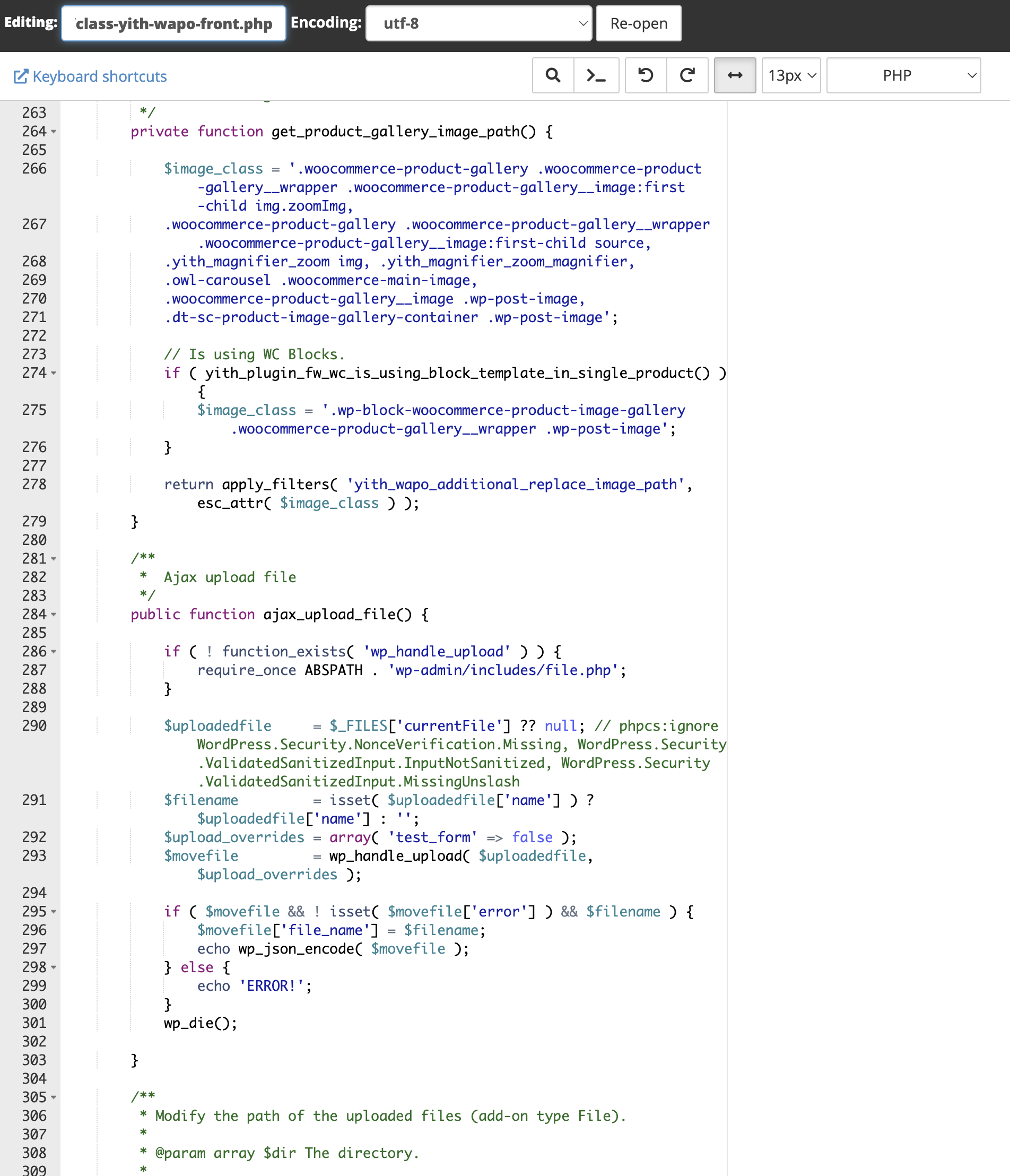
- Open .../wp-content/plugins/yith-woocommerce-product-add-ons/includes/class-yith-wapo-front.php
- Look for line 282.

$included_product_check = in_array( (string) $product_id, (array) $block->get_rule( 'show_in_products' ), true );

This line of code does not currently exist in the file. (see attached screensot)
Is there a more recent version of this ticket that would help address the issue?

Thanks!

Screenshot 2024-05-07 at 11.22.18 AM.png
May 9, 2024 at 1:53 am #15608104

Long Nguyen
WPML Supporter since 02/2022

Languages: English (English ) Vietnamese (Vietnamese )

Timezone: Asia/Ho_Chi_Minh (GMT+07:00)

Hi,

The workaround in the ticket https://wpml.org/forums/topic/yith-add-on-plugin-options-dont-show/ was applied on Jan 2023 to YITH WooCommerce Product Add-ons & Extra Options version 2.18.0.

Now the current version of this plugin is 4.9.2 and there were many changes in their source code so it is normal if that code doesn't exist in the file. You can follow the changelog of the plugin here
hidden link
hidden link

I suggest you get in touch with YITH support and ask them if they've applied the fix for this issue in the premium version. Here is the reply from the plugin author when our compatibility team worked with them on this issue around one year ago.

"In the next major version (that we will release soon), all this code will be refactored and we will do a compatibility file for WPML inside /includes/compatibility, to pick up the correct product."

Thanks for your understanding and patience.

The topic ‘[Closed] The form fields needed for subscription purchase are not being translated’ is closed to new replies.