
This is the technical support forum for WPML - the multilingual WordPress plugin.
Everyone can read, but only WPML clients can post here. WPML team is replying on the forum 6 days per week, 22 hours per day.
| Sun | Mon | Tue | Wed | Thu | Fri | Sat |
|---|---|---|---|---|---|---|
| - | 9:00 – 13:00 | 9:00 – 13:00 | 9:00 – 13:00 | 9:00 – 13:00 | 9:00 – 13:00 | - |
| - | 14:00 – 18:00 | 14:00 – 18:00 | 14:00 – 18:00 | 14:00 – 18:00 | 14:00 – 18:00 | - |
Supporter timezone: Europe/Kyiv (GMT+02:00)
Tagged: Exception
This topic contains 11 replies, has 3 voices.
Last updated by marcoW-2 1 day, 1 hour ago.
Assisted by: Andrey.
| Author | Posts |
|---|---|
| March 9, 2026 at 9:10 pm #17883338 | |
 marcoW-2 |
we use the houzez theme together with wpml. we used to create properties in dutch, and then translate into the other four languages. any idea what happens here? 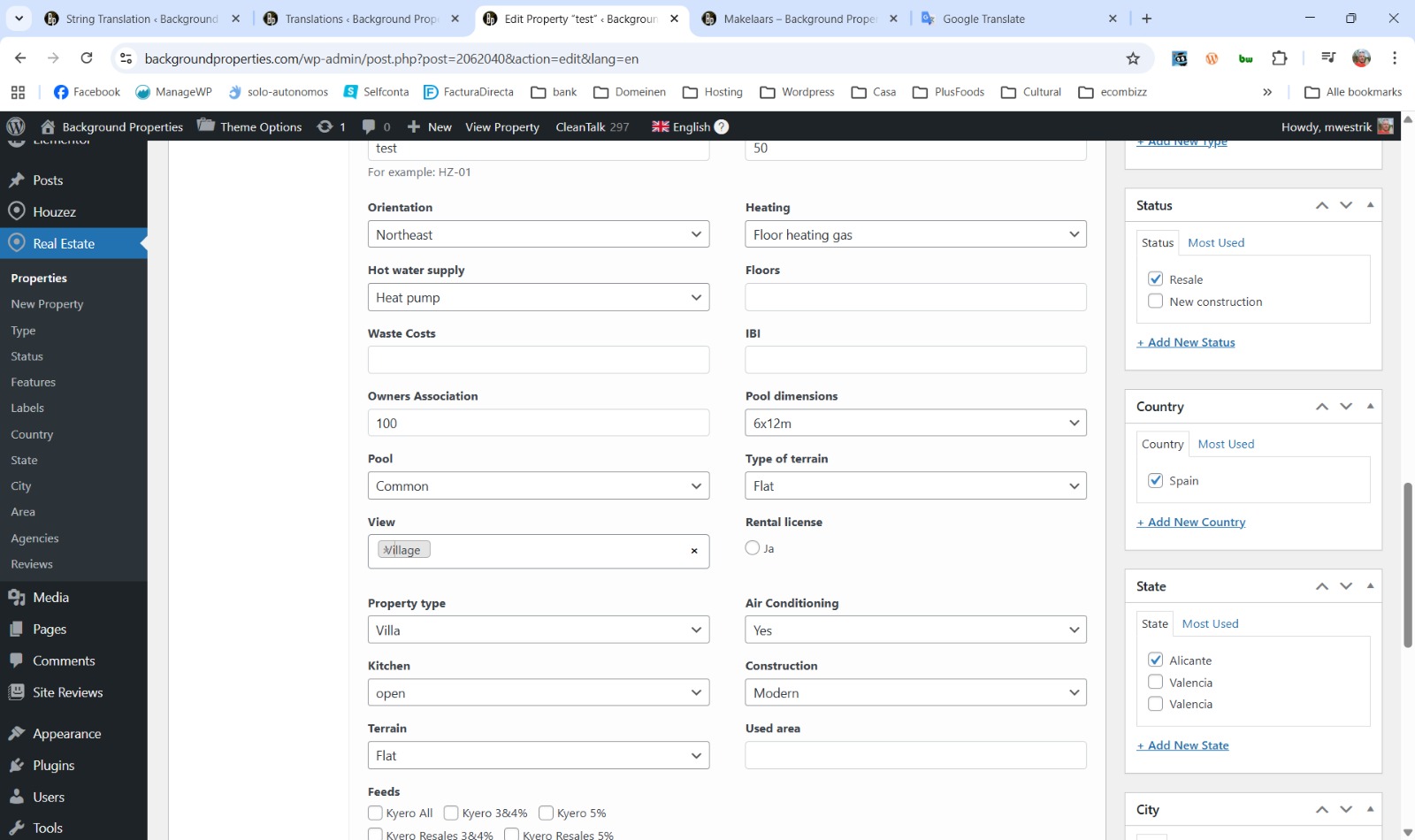 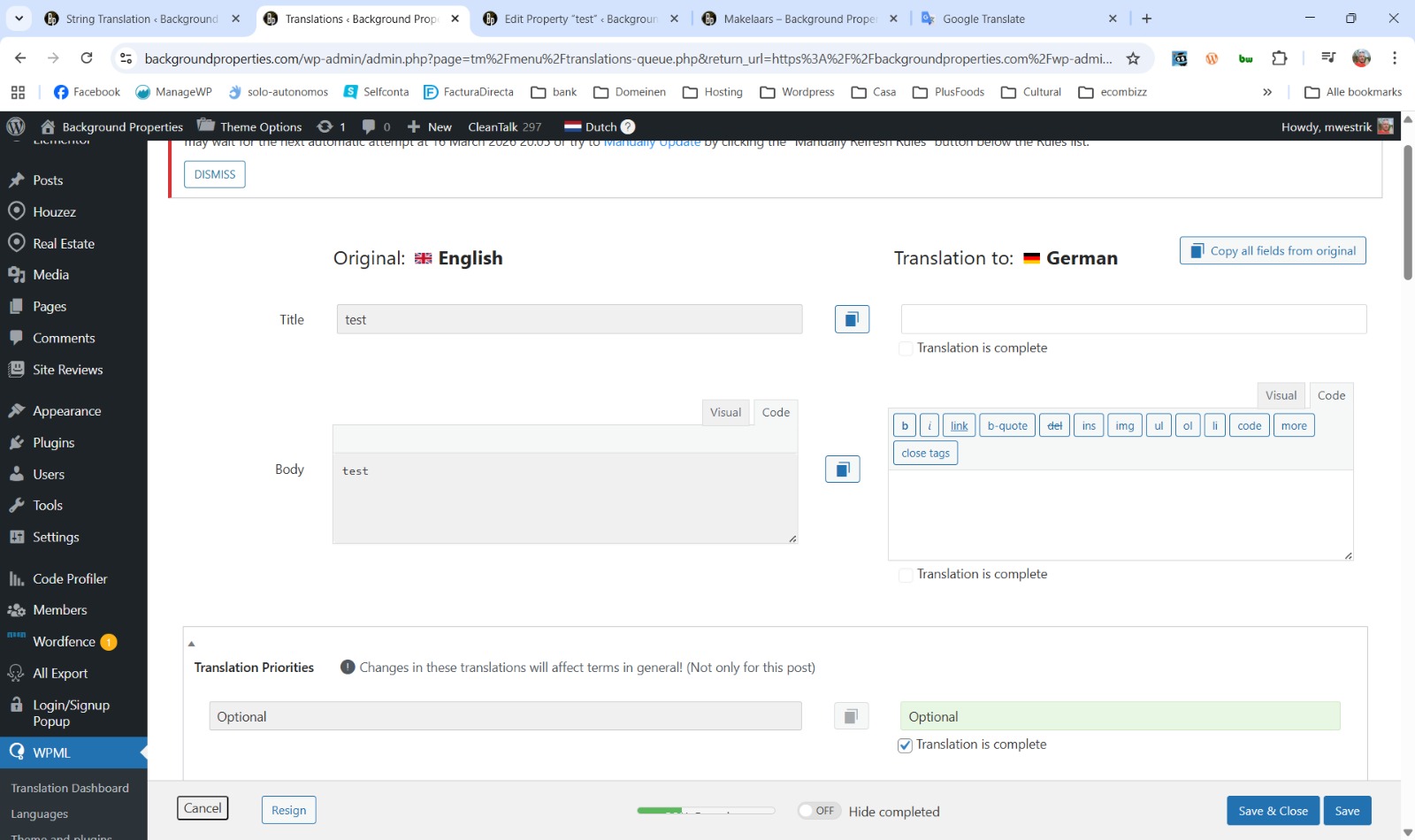 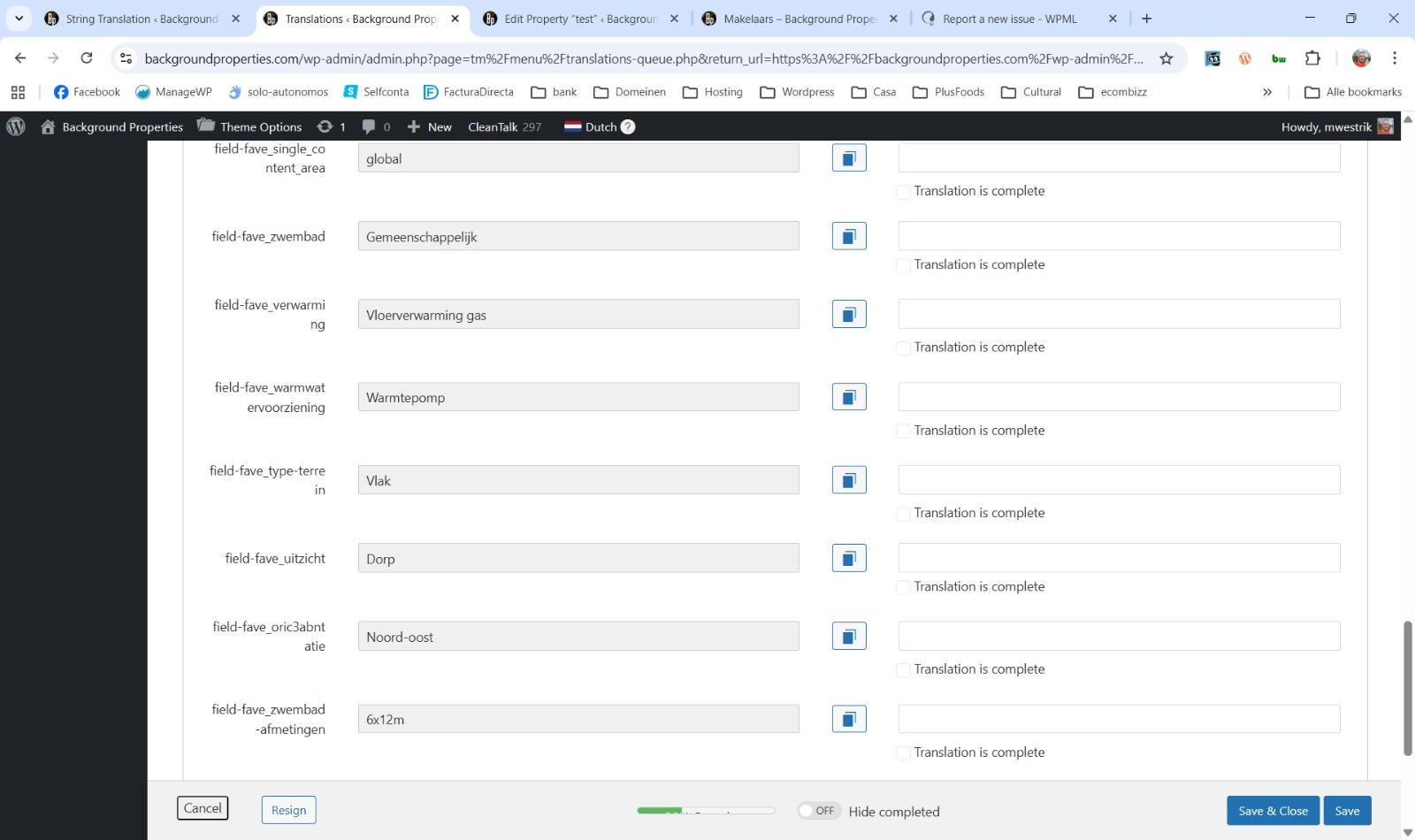 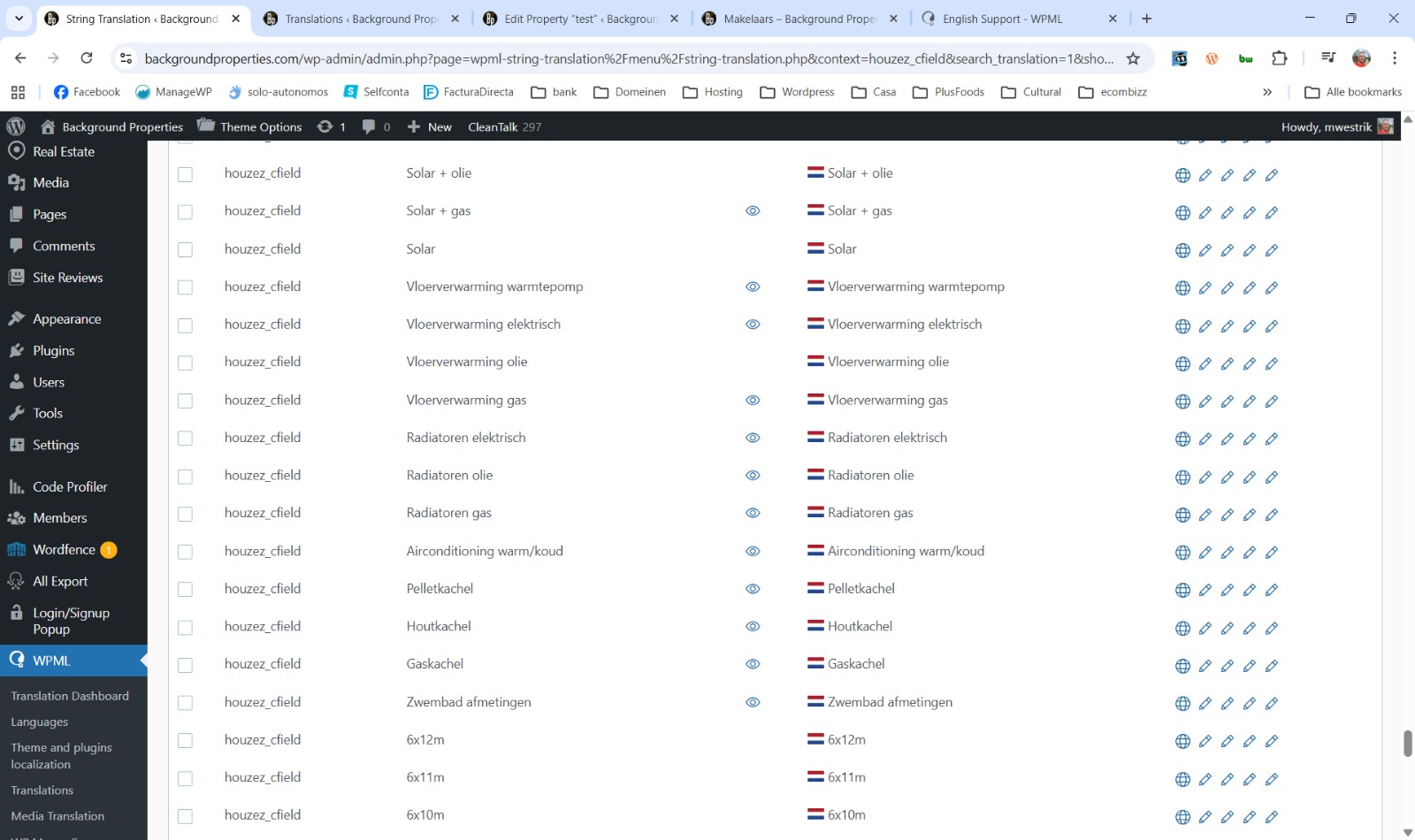 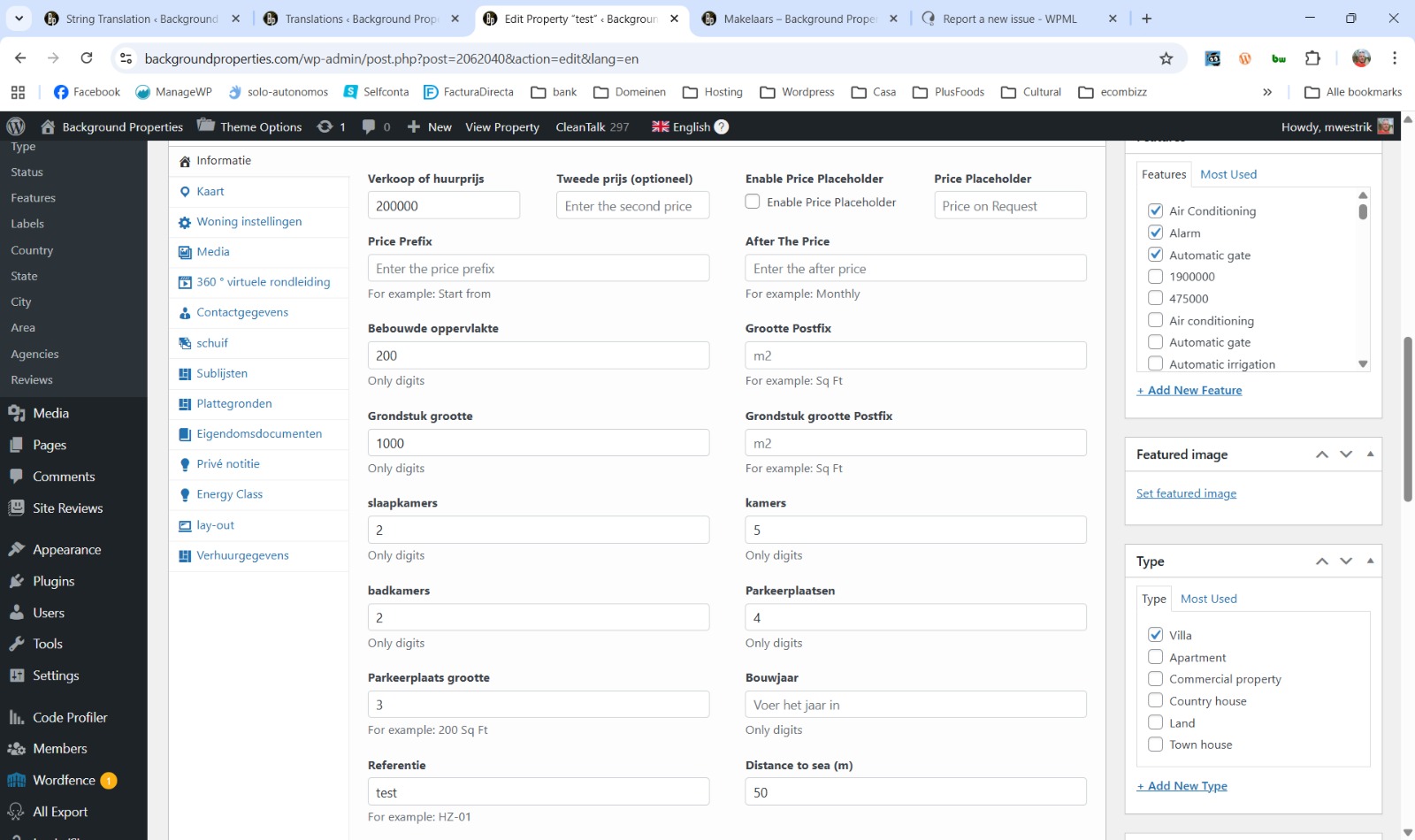 |
| March 11, 2026 at 12:10 pm #17888490 | |
 Andrey WPML Supporter since 06/2013 Languages: English (English ) Russian (Русский ) Timezone: Europe/Kyiv (GMT+02:00) |
Thank you for contacting WPML support. Are the Properties stored as custom fields, or are they taxonomies? Regarding this part:
It would be very helpful if you could provide more details and upload additional screenshots highlighting what is wrong with each, as well as how the properties are added and translated (including any other related settings). |
| March 14, 2026 at 9:19 am #17897190 | |
|
marcoW-2 |
hi, as said earlier, we use Houzez. Properties are custom post types. we used to enter all properties in dutch and then translate. now we have a new collegue, who does not speak dutch, so she does have to enter in english. that should not be any problem, right? What happens? now we go to the translations. another issue appeared today. i made some changes to the hompage and then updated the translations. even though all fields are translated, the translations are not completed, appear as pending, stating "translatyion assigned to a local translator".but it is already translated! |
| March 16, 2026 at 2:47 pm #17901057 | |
|
Andrey WPML Supporter since 06/2013 Languages: English (English ) Russian (Русский ) Timezone: Europe/Kyiv (GMT+02:00) |
Thank you for the explanation. I need to request temporary access (wp-admin and FTP) to your site—preferably to a test site where the problem has been replicated if possible—in order to be of better help. When you log in to leave your next reply, you will find the needed fields below the comment area. The information you will enter is private, meaning only you and I can see and access it. |
| March 18, 2026 at 9:29 pm #17909389 | |
|
Andrey WPML Supporter since 06/2013 Languages: English (English ) Russian (Русский ) Timezone: Europe/Kyiv (GMT+02:00) |
Thank you for providing the details. I’ve looked into this, and the situation is a bit tricky because of how your current theme handles it. Let me explain: 1. You mentioned that properties are starting to be added in English, which is fine. However, part of the backend appears in Dutch. This happens because translations have been set in Theme Options → Translation. Even if some strings are translated via WPML → String Translation, the theme settings override them with the values defined in the theme options. This behavior is likely intended for setups that do not use translation plugins. 2. Regarding the custom fields created via the theme’s Fields Builder, this is also related to how the theme implements this. The values are added in Dutch in the theme options, which is why they appear in the translation editor as default values (even if the original property is in English). I recommended making a full backup before any changes or testing first on the staging site. 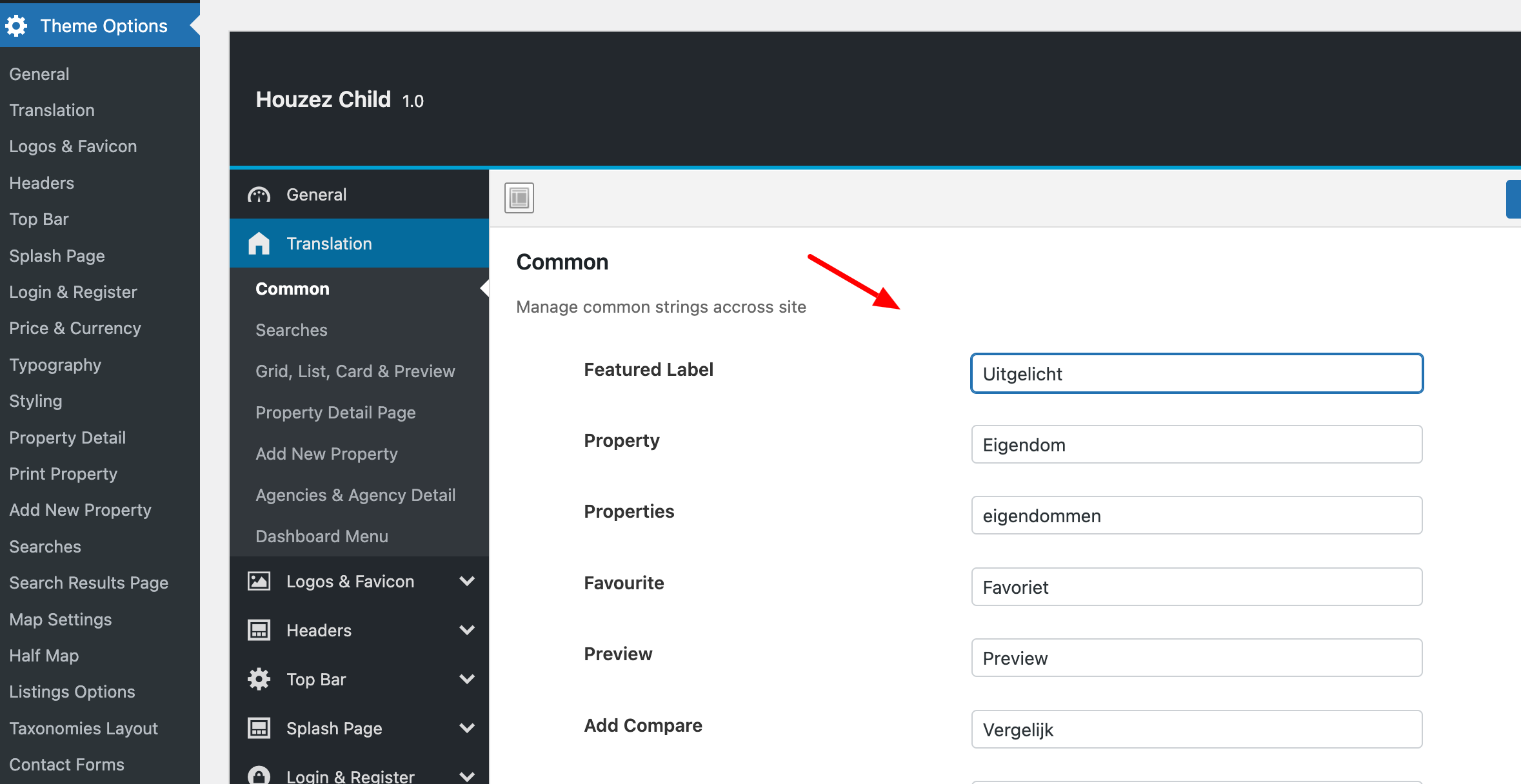  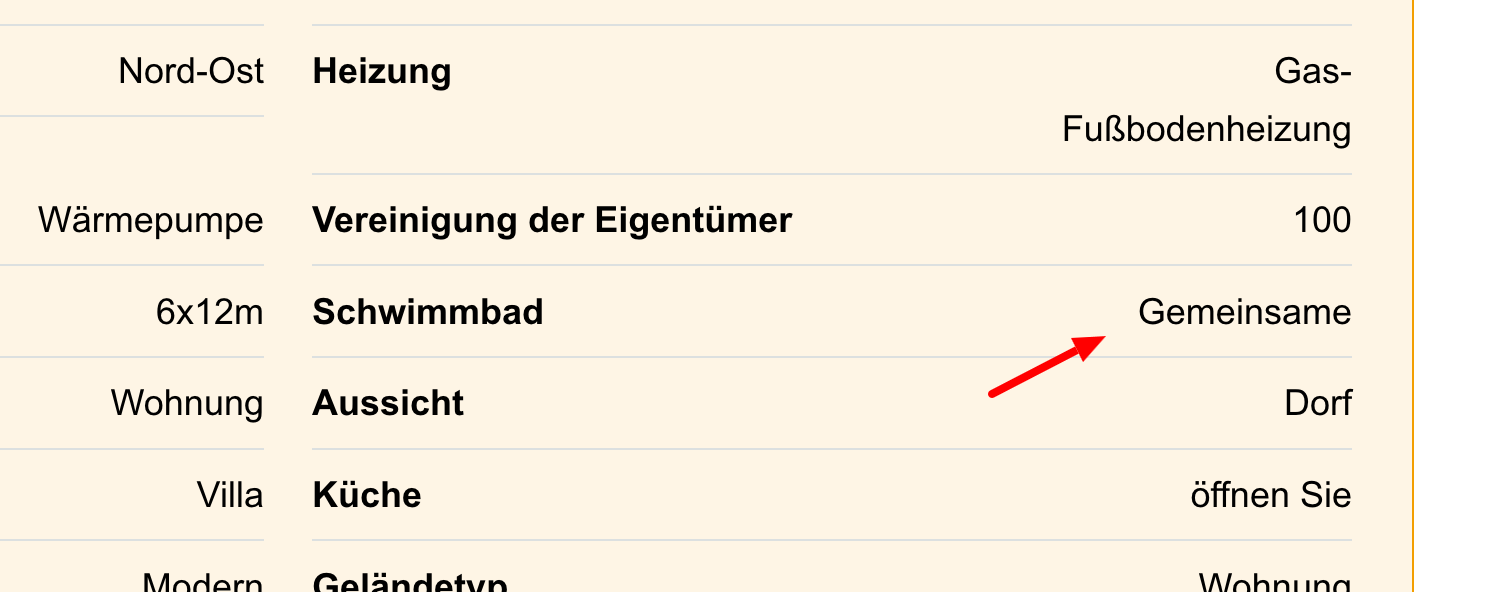 |
| March 19, 2026 at 10:23 am #17910475 | |
| marcoW-2 |
Hi, those are not so much translations, as an opportunity to change standard texts. For instance, we did change property size to Built, and land area to plot size. houzez states on its website that it is wpml compatible, but giving above comments, is that really true? the website does have daily backups, so please have a look to see how to solve ther issues. also please have a look at the homepage translations, i do not know why they are not processed as completed, and therefore changes made in dutch are still not visible in the other languages. New threads created by Andrey and linked to this one are listed below: |
| March 19, 2026 at 11:12 pm #17912527 | |
|
Andrey WPML Supporter since 06/2013 Languages: English (English ) Russian (Русский ) Timezone: Europe/Kyiv (GMT+02:00) |
Thank you for your feedback. Yes, the Houzez theme is compatible with WPML, and from what I can see, your site is functioning correctly in a multilingual context on the frontend. However, even though you have changed some of the default texts, other parts still appear in Dutch. This is because strings are still being pulled from the theme option translation, which is why you’re seeing a mix of languages.
Could you please provide more details about the recent changes made to the homepage? If further checking is needed, I would like to ask for your permission to replicate your site locally. For this, I would temporarily install a plugin such as Duplicator or All-in-One WP Migration to create a full copy of your site and its content. |
| March 20, 2026 at 8:00 am #17912833 | |
|
marcoW-2 |
Hi, i still think it is very strange and should not be correct, that a wpml compatible theme shows a mix of languages in the backend. that makes it impossible to work with for international teams, one of the targets for multilingual websites. about the homepage: in Dutch, an employee is added in the "about us" section. So in Dutch there are four, in the other languages still three. |
| March 20, 2026 at 10:40 pm #17915324 | |
|
Andrey WPML Supporter since 06/2013 Languages: English (English ) Russian (Русский ) Timezone: Europe/Kyiv (GMT+02:00) |
Thank you for your feedback.
As I mentioned before, I would recommend first removing all the translations from the Theme Options → Translation and adding the necessary ones in WPML → String Translation.
I have created a new ticket for your other question to ensure we do not mix issues in a single ticket. I will respond to your question on this thread: |
| March 21, 2026 at 9:23 am #17915567 | |
|
marcoW-2 |
well, removing those would still not explain why the custom fields are not translated. |
| March 23, 2026 at 9:34 pm #17919922 | |
|
Andrey WPML Supporter since 06/2013 Languages: English (English ) Russian (Русский ) Timezone: Europe/Kyiv (GMT+02:00) |
Would it be okay if I create a copy of your site to run further tests? This would allow me to check the issue more thoroughly and, if needed, report it to our compatibility team regarding the custom fields. |
| March 24, 2026 at 11:57 am #17921652 | |
|
marcoW-2 |
of course, go ahead! |