We are experiencing an issue with WooCommerce + WPML (WooCommerce Multilingual) where some product attributes shown in the “Additional information” tab disappear only on the English translation after saving the English product.
- Environment
* WordPress + WooCommerce
* WPML Multilingual CMS
* WooCommerce Multilingual & Multicurrency
* WPML All Import
* WP All Import + WooCommerce Add-On
* Classic Editor is enabled
- What we do (import workflow)
1. Import Italian CSV with WP All Import as WooCommerce Product (category “Catalogo”).
2. Import English CSV with WP All Import as WooCommerce Product (category “Catalogo ENG”).
3. During the EN import, we match the EN CSV to the IT products to connect translations (WPML All Import).
After the import, everything looks correct: the EN product shows the expected Additional information attributes (EAN, weights, sizes, etc.).
- The problem (how to reproduce)
1. Open the English product in WP Admin (Products → Edit, language EN).
2. Make a small edit in the English description (or other basic field).
3. Click Update (save the EN product).
Result: After saving, some attributes (e.g. EAN / weight / dimensions) are no longer shown in the Additional information section on the EN product page.
This does not happen when editing/saving the Italian product.
We also noticed the same issue affects some older products that were previously imported and then edited in EN: after an EN edit/save, some attributes disappear from the English Additional information.
- Notes / observations
* The missing data are WooCommerce product attributes (not custom fields).
* On the EN edit screen, attributes appear locked (WPML padlock), suggesting they should be synced from the original language, but after saving EN, some attributes are lost/not displayed.
* We tried adjusting WPML taxonomy translation settings (and setting technical attributes as not translatable), but the issue still occurs.
* We suspect the EN save action is rewriting product attribute meta (e.g. `_product_attributes`) and some attributes/flags are not preserved for the translation.
- Expected behavior
Saving the English product (even only changing the EN description) should not remove/alter the attributes shown in “Additional information”, and attributes should remain consistent with the Italian original.
- What we need from you
1. Root cause / fix: What configuration or known issue can cause product attributes to disappear on translated products after saving?
2. Recovery procedure without re-import: We have products already affected (“damaged”).
Please provide a method to restore/sync the missing attributes on existing EN translations without re-importing via CSV (e.g. a WCML sync tool, troubleshooting step, or recommended workflow).
3. Best practice: Should we avoid editing translated products directly and only use the WPML Translation Editor? If yes, is there a way to prevent attribute loss when editors must use “Edit product” in EN?
Thank you for contacting WPML support. I’d be happy to assist you with this issue.
We are currently trying to reproduce the scenario you described in order to resolve your issue.
It would be very helpful if you could provide:
- a list of the plugins along with their versions
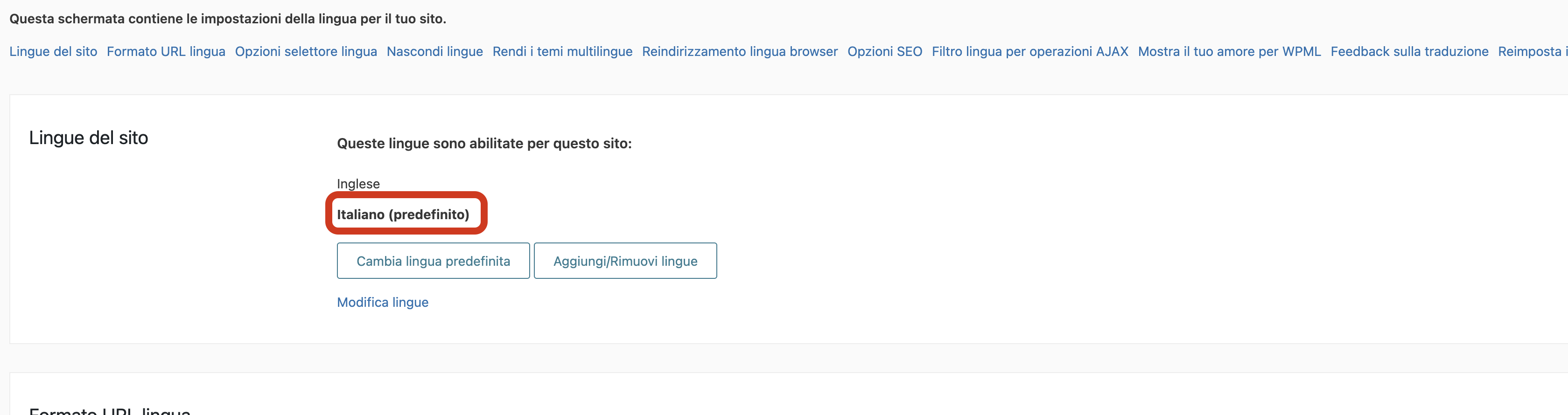
- confirmation that Italian is set as the default language and English as an additional language
This will allow us to accurately recreate your environment.
I look forward to your reply. Thank you and best regards.
wordpress: writable
wp-content: writable
uploads: writable
plugins: writable
themes: writable
fonts: does not exist
mu-plugins: writable
0: Writable
### redux-framework ###
version: 4.3.7.3
installation: in_plugin
data directory: /home/ardes.it/ardes.it/wp-content/plugins/nm-theme-settings/includes/options/redux-core/
browser:
Agent: Mozilla/5.0 (Macintosh; Intel Mac OS X 10.15; rv:148.0) Gecko/20100101 Firefox/148.0
Browser: Firefox
Version: 148.0
Platform: Apple
In my previous message I provided the installation details (WordPress/PHP environment and the list of active plugins with versions).
I also attached a screenshot showing that Italian is set as the default language and English is configured as an additional language.
Thank you for your quick follow-up. We are already working on finding a solution to this issue.
I can see that some plugins are updated to the latest versions, while others are not - for example, WooCommerce. I would suggest updating all plugins to their latest versions, as this often helps. Plus, it makes it much easier for our team to identify the problem. Of course, it is best to do it in a separate environment or on a backup copy to ensure that everything functions properly.
In the meantime, we kindly ask you to grant us administrator access and provide consent to create a copy (clone) using the Duplicator plugin. This will help us investigate the issue more quickly.
Thank you for your message. I’m doing well, and I hope everything is going well on your end.
Thanks to your help, we were able to reproduce the reported issue. We are currently working to determine the root cause and propose a solution. As the case involves a fairly complex and sensitive import/export mechanism, I will provide updates as soon as we have any new findings.
I understand that this is a very troublesome issue, and I apologize for the inconvenience it may be causing. Due to its complexity, the case has been escalated to our development team for individual analysis. As soon as we have any updates, I will be sure to share them with you.
I just wanted to let you know that I am still working on a possible solution to the issue. I sincerely apologize for the extended waiting time. Tomorrow, I will retest the package and try other potential solutions. I will keep you informed as soon as I have any updates.
First of all, please accept my apologies for the long delay in providing a solution. The issue turned out to be quite difficult to diagnose. The fix will require two steps - at the moment, I have fully tested and confirmed the first one, and I am still working on the second. However, this first step already resolves the following:
* After editing a product in English, the missing attributes are restored (for both existing and newly created products).
You will need to modify the following file: /wp-content/plugins/woocommerce-multilingual/classes/Synchronization/Component/Taxonomies.php
Inside the method:
`private function setTranslatedTerms`
Replace this code:
	private function setTranslatedTerms( $ttIds, $language, $taxonomy, $translationId ) {
		$ttIdsTrans = [];

		foreach ( $ttIds as $ttId ) {
			// Avoid the wpml_object_id filter to escape from the WPML_Term_Translations::maybe_warm_term_id_cache() hell
			// given that we invalidate the cache at every step on wp_set_post_terms().
			$ttIdTrans = $this->elementTranslations->element_id_in( $ttId, $language );
			if ( $ttIdTrans ) {
				$ttIdsTrans[] = $ttIdTrans;
			}
		}
With this:
	private function setTranslatedTerms( $ttIds, $language, $taxonomy, $translationId ) {
		$ttIdsTrans = [];

		foreach ( $ttIds as $ttId ) {
			// Avoid the wpml_object_id filter to escape from the WPML_Term_Translations::maybe_warm_term_id_cache() hell
			// given that we invalidate the cache at every step on wp_set_post_terms().
			$ttIdTrans = $this->elementTranslations->element_id_in( $ttId, $language );
			if ( $ttIdTrans ) {
				$ttIdsTrans[] = $ttIdTrans;
			}
			$ttIdsTrans[] = $ttIdTrans ?: $ttId;
		}
After applying this change, editing a product in English should work correctly.
I would greatly appreciate your feedback.
The second part of the fix is currently in progress and will address imports (it will ensure that previously imported items are also corrected).
Thank you as well for sharing the first part of the fix in detail. I will apply the indicated changes and test them on my side. I will send you feedback as soon as possible.
I appreciate the update regarding the second part of the fix for imports.